1. 제품 오버view
The ChunHee WT26 Wireless Intercom System provides reliable and convenient two-way communication for various settings, including homes, offices, and caregiving environments. This system features an emergency SOS alarm, voice-activated transmission (VOX), and a long communication range, making it ideal for room-to-room communication or staying connected across different areas.
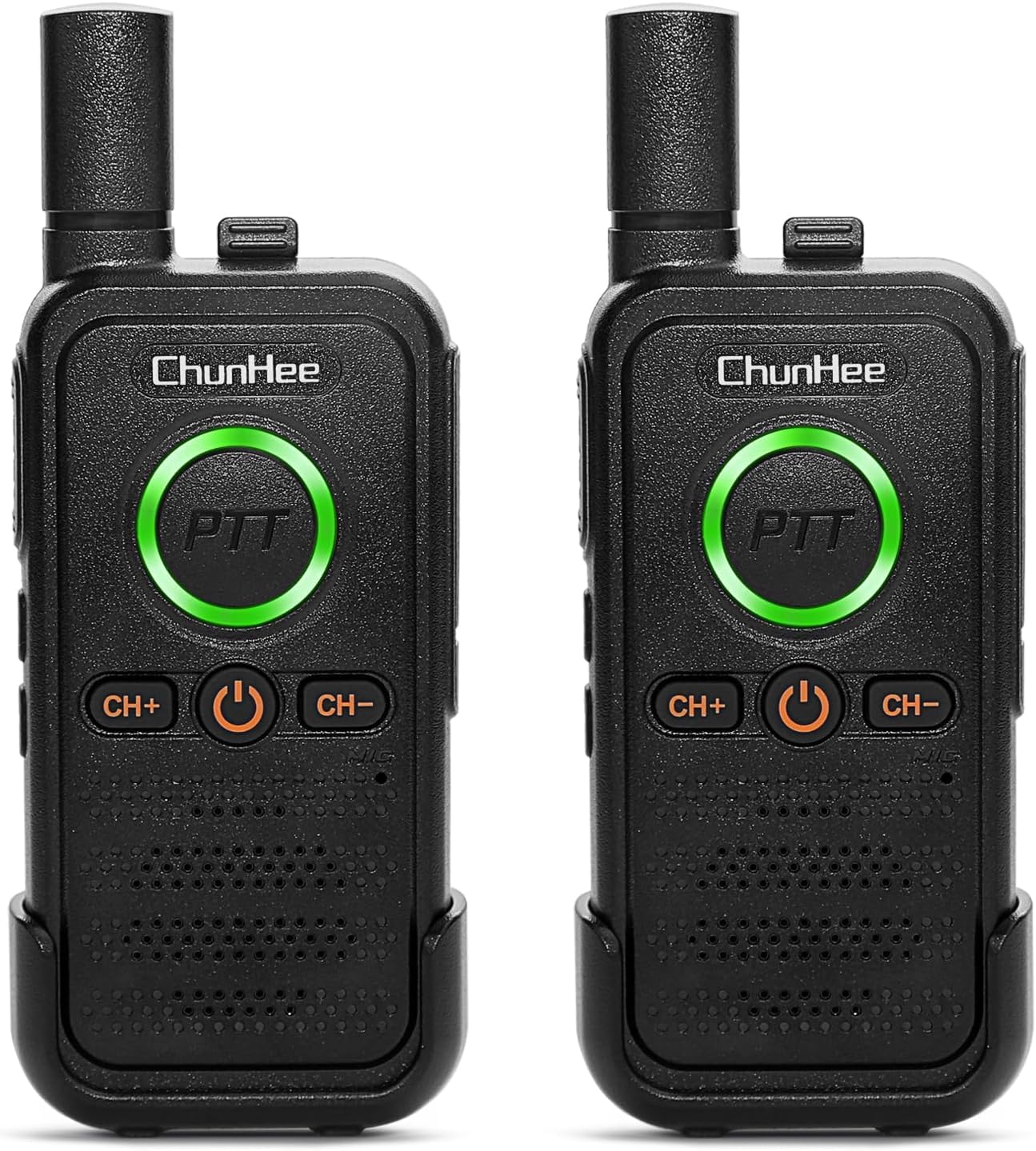
2. 패키지 내용
패키지에 모든 품목이 들어 있는지 확인하세요.
- 2 x ChunHee WT26 Intercom Units
- 2 x USB 충전 케이블
- 2 x Charge Adapters
- 2 x 벨트 클립
- 1 x 사용자 설명서
3. 시작하기
3.1 Charging the Intercom
Before first use, fully charge both intercom units. The units are equipped with 1000mAh Lithium Polymer batteries, providing an average battery life of 48 hours.
- Connect the provided USB charging cable to the Type-C charging port on the intercom unit.
- Plug the other end of the USB cable into the provided charge adapter, then into a standard wall outlet, or directly into a compatible USB power source.
- The PTT button LED will indicate the charging status:
- 파란색 깜박임: 충전 중
- 솔리드 그린: 완전히 충전됨


3.2 벨트 클립 설치
To attach the belt clip, align the clip with the grooves on the back of the intercom unit and slide it upwards until it clicks into place. To remove, push the tab on the clip and slide it downwards.
Video 1: Demonstrates the installation of the belt clip onto the ChunHee WT26 intercom unit.
4. 사용 설명서
4.1 전원 켜기/끄기
To turn the intercom unit ON or OFF, press and hold the Power button (U symbol) for approximately 5 seconds. A voice prompt will confirm the action.
Video 2: Shows how to power the ChunHee WT26 intercom unit on and off.
4.2 채널 선택
The ChunHee WT26 offers 16 channels for communication. To communicate between units, all intercoms must be set to the same channel.
- 를 누르세요 CH+ 버튼 to increase the channel number.
- 를 누르세요 채널 버튼 to decrease the channel number.
Video 3: Demonstrates how to change channels on the ChunHee WT26 intercom unit.
4.3 볼륨 조절
Adjust the listening volume to one of 8 available levels.
- 를 누르세요 Volume Up (▲) button on the side to increase the volume.
- 를 누르세요 Volume Down (▼) button on the side to decrease the volume.
Video 4: Illustrates how to adjust the volume on the ChunHee WT26 intercom unit.
4.4 푸시투토크(PTT) 통신
The intercom supports two PTT buttons for convenient communication.
- To speak, press and hold either the large front round PTT button 또는 side PTT button. 마이크에 대고 또박또박 말하세요.
- 응답을 들으려면 PTT 버튼을 놓습니다.

Video 5: Explains the different talk methods, including using the side and front PTT buttons, and VOX hands-free mode.
4.5 VOX (Voice Operated Exchange) Hands-Free Mode
VOX mode allows for hands-free communication, activating transmission when it detects your voice.
- To turn VOX ON or OFF, press and hold the Volume Down (▼) button 5초 동안.
- When VOX is active, you can speak without pressing any buttons.

Video 6: Instructions on how to turn VOX hands-free mode on and off.
4.6 SOS 비상 경보
The SOS Emergency Alarm feature allows users to quickly alert others in an emergency situation.
- To activate the alarm, press and hold the Volume Up (▲) button for 5 seconds. A loud alarm will sound on all intercoms set to the same channel.
- To stop the alarm, press the PTT 버튼.

Video 7: Demonstrates how to activate and deactivate the SOS Emergency Alarm.
4.7 Keypad Lock/Unlock
To prevent accidental channel or volume changes, you can lock the keypad.
- To lock or unlock the keypad, press and hold the CH+ 버튼 for 3 seconds. You will hear a confirmation tone.

Video 8: Explains how to lock and unlock the channel and volume controls.
5. 유지관리
5.1 배터리 관리
To ensure optimal battery performance and longevity:
- Charge the intercom regularly, especially if not in use for extended periods.
- 충전하기 전에 배터리를 완전히 방전시키지 마세요.
- If you are sensitive to light, it is recommended to place the intercom upside down when sleeping to avoid disturbance from the PTT light.
- To avoid being startled by low battery voice alerts while sleeping, charge the system regularly or leave it on charge overnight.

5.2 청소
Wipe the intercom units with a soft, damp 옷감. 강한 화학 물질이나 연마성 세제를 사용하지 마십시오.
6. 문제 해결
If you encounter issues with your ChunHee WT26 Wireless Intercom System, please refer to the following common solutions:
- 통신 없음: Ensure both units are powered on, fully charged, and set to the same channel. Verify that you are within the effective communication range (up to 1.5 miles in open areas).
- 낮은 오디오 품질: Check the volume settings on both units. Ensure there are no obstructions or sources of interference between the units.
- SOS Alarm Not Stopping: Press the PTT button on the unit that activated the alarm to deactivate it.
- 버튼이 응답하지 않음: Check if the keypad lock is activated. Press and hold the CH+ button for 3 seconds to unlock.
7. 사양
| 특징 | 사양 |
|---|---|
| 제조업체 | 천희 |
| 모델 번호 | WT26 |
| 품목 무게 | 12 온스 |
| 제품 치수 | 2.16 x 0.67 x 5.51 인치 |
| 배터리 | 3 리튬 폴리머 배터리 필요(포함) |
| 색상 | SET 1 (Black) |
| 재료 | 플라스틱 |
| 전원 | 배터리 구동 |
| 권tage | 3.7볼트(DC) |
| 왓tage | 2 와트 |
| 설치 방법 | 핸드헬드 |
| 채널 수 | 16 |
| 특징 | Long Range, SOS Alarm, VOX |
| 주파수 범위 | 400~470MHz |
| 통화 범위 최대 | 1.5 Miles (approx. 3300ft) |
| 방수 레벨 | 방수 |
| 평균 배터리 수명 | 48시간 |
8. 보증 및 지원
For any product inquiries, technical support, or warranty claims, please contact ChunHee customer service through the retailer's platform or the official ChunHee web사이트. 보증 서비스를 위해 구매 증빙 자료를 보관하세요.


