제품 끝view
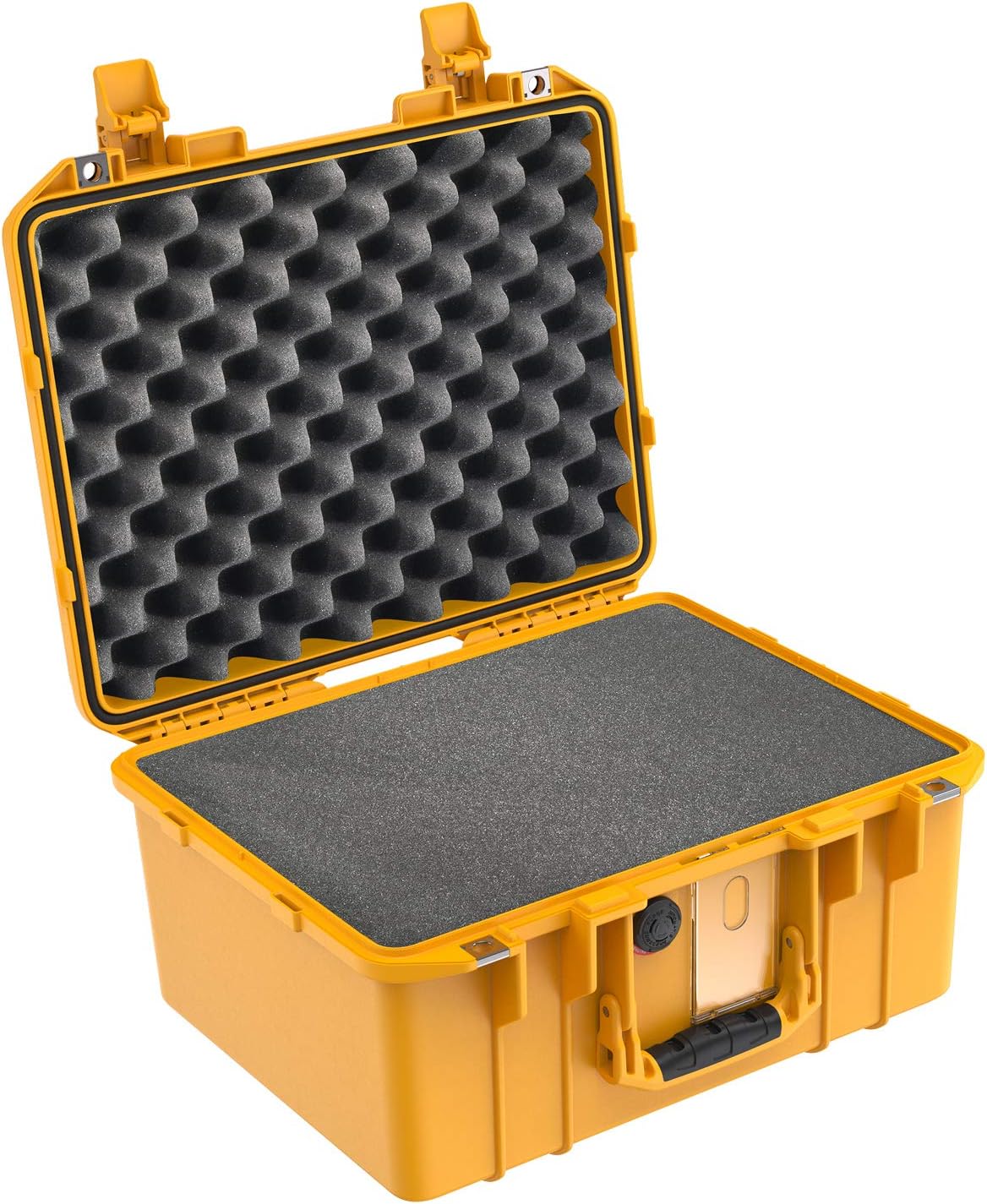
The Pelican Air 1507 Case is a lightweight, durable protective case designed to safeguard sensitive equipment from impact, water, and dust. It features a robust construction and includes customizable foam for secure item placement.
주요 특징은 다음과 같습니다.
- Watertight, crushproof, and dustproof design
- Up to 40% lighter than traditional cases
- O-Ring seal and automatic pressure equalization valve
- Customizable Pick N' Pluck foam interior
- 누르고 당기는 잠금장치
- Stainless steel lock hasps

초기 설정
케이스 풀기
Carefully remove the Pelican Air 1507 Case from its packaging. Inspect the case for any signs of damage during transit. Ensure all components, including the case body, lid, and foam inserts, are present.
Customizing the Foam Interior
The Pelican Air 1507 Case comes with Pick N' Pluck foam, allowing for custom fitting of your equipment. Follow these steps to customize the foam:
- Place your equipment on the foam in the desired arrangement.
- Trace the outline of each item onto the foam using a marker or by pressing lightly to create an impression.
- Carefully pluck out the foam cubes around the traced outlines. Start with smaller sections to avoid removing too much foam.
- Ensure a snug fit for all items to prevent movement during transport.

작동 지침
Opening and Closing the Latches
The case features Press & Pull latches for secure closure. To open, press the button on the latch and pull the latch upwards. To close, align the lid with the base and press the latches down until they click securely into place.

Utilizing the Pressure Equalization Valve
The automatic pressure equalization valve balances interior pressure and keeps water out. No manual adjustment is required for this feature; it operates automatically to prevent vacuum lock when traveling between different altitudes or temperatures.

Securing the Case
For added security, the case includes stainless steel lock hasps. These can be used with padlocks (not included) to prevent unauthorized access.

유지 보수 및 관리
케이스 청소
Clean the exterior of the case with mild soap and water. For stubborn dirt, a soft brush can be used. Rinse thoroughly and allow to air dry completely before closing.
O-링 유지 관리
Periodically inspect the O-ring seal located in the lid for any signs of wear, cracks, or debris. Keep the O-ring clean and free of dirt. A thin coat of silicone grease (not petroleum-based) can be applied to the O-ring to maintain its watertight properties. Replace the O-ring if it shows signs of damage.
폼 케어
The foam inserts can be cleaned by gently vacuuming or by hand washing with mild soap and water. Ensure the foam is completely dry before reinserting it into the case.
문제 해결
Case is difficult to open after air travel:
This is typically due to pressure differences. The automatic pressure equalization valve should mitigate this, but if it persists, allow the case to sit for a short period to equalize pressure naturally. Do not force the latches.
물 유입:
Check the O-ring seal for cleanliness, damage, or proper seating. Ensure the latches are fully closed and secured. If the O-ring is damaged, it may need replacement.
Latches are stiff:
Clean the latches and hinge areas. A small amount of silicone spray can be applied to the moving parts, avoiding contact with the O-ring.
제품 사양
| 특징 | 세부 사항 |
|---|---|
| 모델 번호 | 015070-0001-240 |
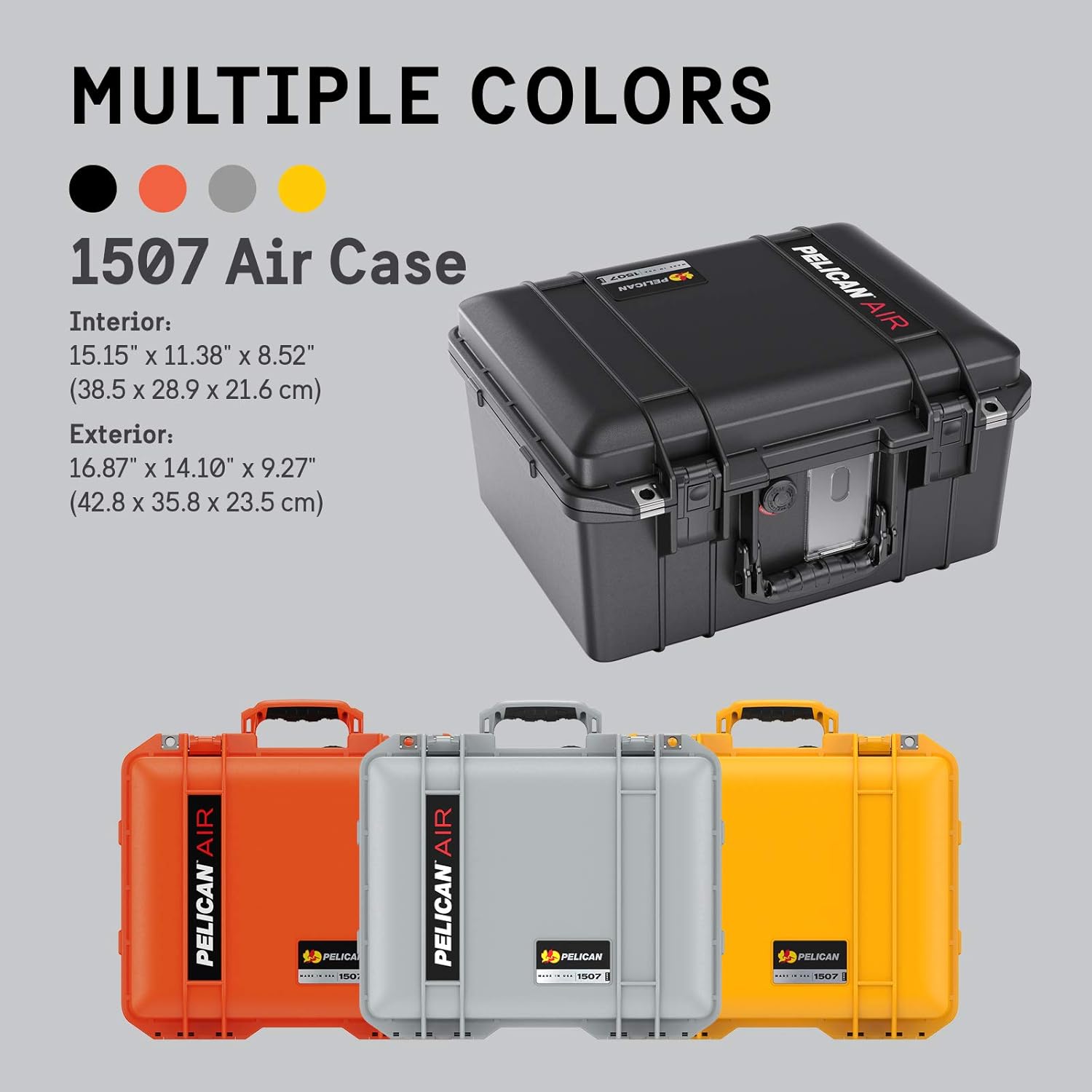
| 외부 치수(길이 x 너비 x 높이) | 16.87 x 14.10 x 9.27인치(42.8 x 35.8 x 23.5cm) |
| 내부 치수(길이 x 너비 x 높이) | 15.15 x 11.38 x 8.52인치(38.5 x 28.9 x 21.6cm) |
| Weight (with foam) | 6.43파운드(2.92kg) |
| 재료 | HPX2™ Polymer |
| 방수 등급 | IP68 (수심 1미터에서 30분간 방수) |
보증 및 지원
Pelican Lifetime Guarantee of Excellence
The Pelican Air 1507 Case is backed by Pelican's Lifetime Guarantee of Excellence. This warranty covers defects in materials and workmanship for the lifetime of the product. For detailed warranty information and to initiate a claim, please visit the official Pelican web사이트를 방문하거나 고객 지원팀에 문의하세요.
For further assistance or inquiries, please refer to the official 아마존에서 펠리칸 스토어를 만나보세요 또는 제조업체의 web대지.


