1. 서론
구매해주셔서 감사합니다asing the TOPTRO X2 Mini Projector. This manual provides detailed instructions for setting up, operating, and maintaining your projector. Please read this manual thoroughly before use to ensure proper operation and to extend the lifespan of your device. Keep this manual for future reference.
안전 정보
- l을 사용할 때 프로젝터 렌즈를 직접 쳐다보지 마십시오.amp 켜져있습니다.
- 과열을 방지하려면 프로젝터 주변을 적절하게 환기시키십시오.
- 프로젝터를 비나 습기에 노출시키지 마십시오.
- 프로젝터와 함께 제공된 전원 어댑터만 사용하세요.
- Do not attempt to repair the projector yourself. Contact qualified service personnel for assistance.
- 프로젝터를 열원과 직사광선으로부터 멀리 두십시오.
2. 패키지 내용
패키지에 모든 품목이 들어 있는지 확인하세요.
- TOPTRO X2 Mini Projector
- 원격 제어
- 전원 케이블
- HDMI 케이블
- AV 케이블
- 사용자 설명서
- 렌즈 캡

Image: The TOPTRO X2 Mini Projector shown with its carrying case and a smartphone displaying projected content. This image illustrates the compact size and portability of the projector, along with its primary function of displaying media.
3. 제품 오버view
프로젝터 배치도
이미지: 앞면과 측면 view of the TOPTRO X2 Mini Projector, highlighting the lens, focus ring, and ventilation grilles. This provides a visual guide to the projector's external components.
입력/출력 포트
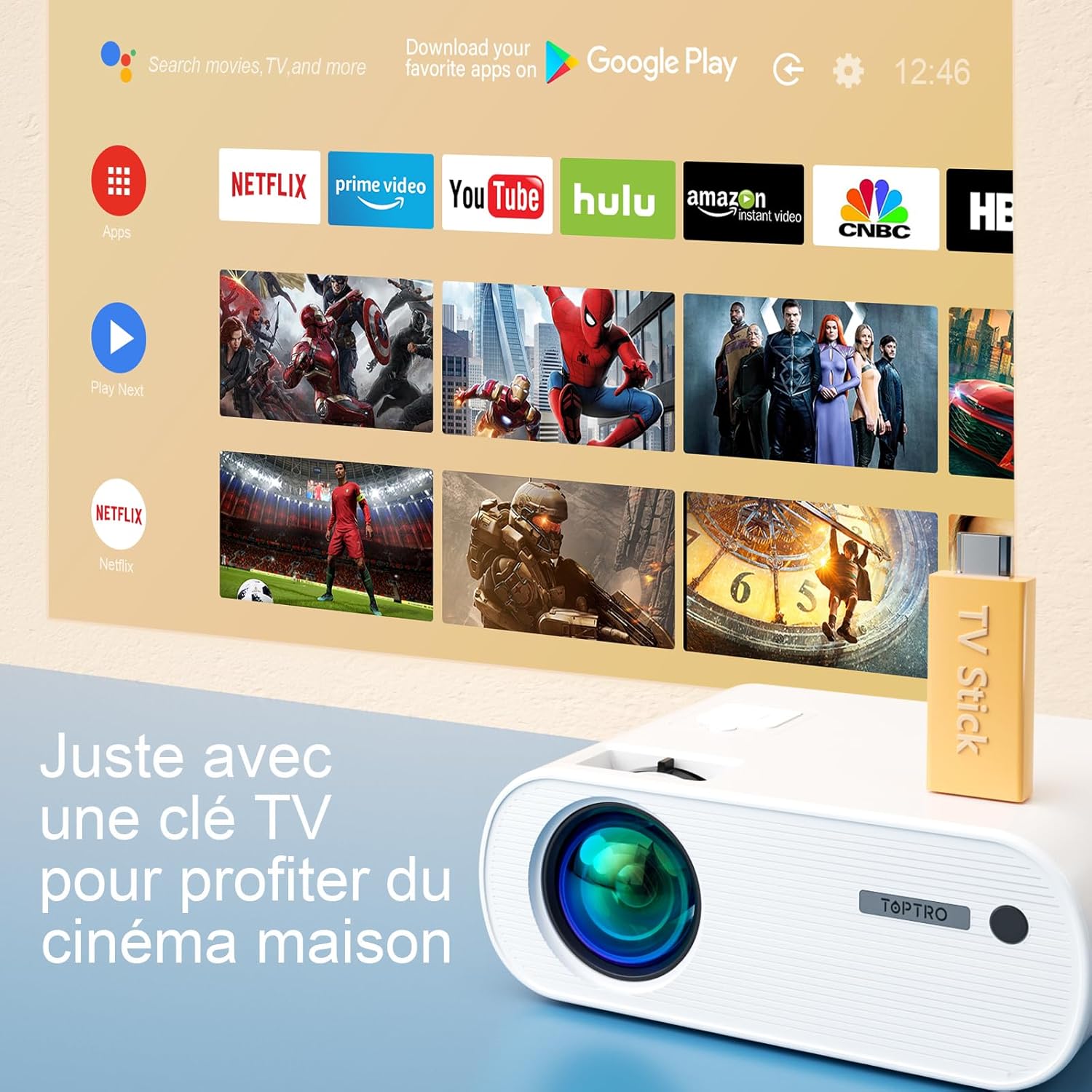
Image: Close-up of the rear panel of the TOPTRO X2 Mini Projector, showing various input/output ports including HDMI, USB, AV, and power input. This helps users identify where to connect their devices.
- 전원 입력
- HDMI 포트
- USB 포트
- AV 포트
- 오디오 출력(3.5mm)
- VGA 포트
- SD 카드 슬롯
제어판

이미지: 위에서 아래로 view of the TOPTRO X2 Mini Projector's control panel, showing navigation buttons and the power button. This image assists users in understanding the on-device controls.
The projector can be controlled using the onboard buttons or the included remote control.
4. 초기 설정
4.1 전원 켜기
- 프로젝터의 전원 입력 단자에 전원 케이블을 연결한 다음 전원 콘센트에 연결하십시오.
- 프로젝터나 리모컨의 전원 버튼을 눌러 장치를 켜세요.
4.2 초점 조정
프로젝터 렌즈의 초점 링을 돌려 투사된 이미지가 선명하고 또렷해질 때까지 조정하십시오.

Image: A hand adjusting the focus ring on the TOPTRO X2 Mini Projector, with a blurred image on the left and a sharp image on the right, demonstrating the effect of focus adjustment. This visual aid helps users understand how to achieve a clear picture.
4.3 키스톤 보정
The TOPTRO X2 features 4D Keystone Correction (±40° vertical and horizontal) and a 100% X/Y zoom function, adjustable via the remote control. This allows for a rectangular image even if the projector is not perfectly aligned with the screen.

Image: Diagram illustrating the effect of keystone correction, showing a distorted image being corrected into a perfect rectangle. This helps users visualize the function of keystone adjustment.
조정하려면:
- Navigate to the "Keystone Correction" menu using the remote control.
- Adjust the vertical and horizontal parameters until the image is rectangular.
- Use the zoom function (100% X/Y) to adjust the image size without moving the projector.
4.4 배치 옵션
The projector can be placed on a table or mounted to the ceiling.

Image: An image showing the TOPTRO X2 Mini Projector in two different setups: on a table and ceiling-mounted. This demonstrates the versatility of installation options for the projector.
5. 사용 설명서
5.1 입력 소스 선택
Press the "Source" button on the remote control or projector to select the desired input source (HDMI, USB, AV, VGA, Screen Mirroring).
5.2 장치 연결
5.2.1 HDMI 연결
Connect your device (e.g., laptop, game console, TV Stick) to the projector's HDMI port using an HDMI cable.

Image: The TOPTRO X2 Mini Projector connected to a TV Stick, displaying various streaming service icons on a projected screen. This illustrates how to connect and use a TV stick for media consumption.
5.2.2 USB 연결
미디어를 재생하려면 USB 포트에 USB 드라이브를 삽입하세요. file프로젝터는 다양한 비디오, 오디오 및 이미지 형식을 직접 지원합니다.
5.2.3 AV 연결
Use the provided AV cable to connect devices with AV output (e.g., DVD player).
5.2.4 VGA 연결
VGA 케이블을 사용하여 컴퓨터를 VGA 포트에 연결하세요.
5.2.5 무선 연결 (Wi-Fi 화면 미러링)
The TOPTRO X2 supports wireless screen mirroring for Android and iOS devices.

Image: The TOPTRO X2 Mini Projector wirelessly connected to multiple devices (smartphone, tablet, laptop), projecting a scenic image. This demonstrates the projector's WiFi screen mirroring capability for various devices.
- Select "Screen Mirroring" as the input source.
- Follow the on-screen instructions to connect your smartphone or tablet to the projector's WiFi network, then enable screen mirroring on your device.
5.2.6 블루투스 오디오 연결
Connect external Bluetooth speakers or headphones for enhanced audio experience.

Image: The TOPTRO X2 Mini Projector wirelessly connected via Bluetooth to external speakers and headphones, with sound waves emanating from the projector. This illustrates the projector's Bluetooth audio output feature.
- Bluetooth 오디오 장치가 페어링 모드인지 확인하세요.
- 프로젝터에서 블루투스 설정 메뉴로 이동하세요.
- 목록에서 페어링할 기기를 선택하세요.
5.3 메뉴 탐색
Use the arrow keys and "OK" button on the remote control or projector to navigate through the on-screen menus for settings such as picture mode, sound mode, and system settings.
6. 유지관리
6.1 렌즈 청소
Use a soft, lint-free cloth or lens cleaning paper to gently wipe the projector lens. Avoid using abrasive cleaners.
6.2 먼지 필터 청소
The TOPTRO X2 features a removable dust filter to prevent dust accumulation and black spots on the projection. Regularly clean the filter to maintain optimal performance.
- Locate the removable dust filter cover on the side of the projector.
- Gently remove the cover and the filter.
- 부드러운 브러시나 압축 공기를 사용하여 필터를 청소하십시오.
- 필터를 다시 끼우고 덮개를 단단히 닫으십시오.
6.3 환기
Ensure that the projector's ventilation openings are not blocked to allow for proper airflow and prevent overheating. The projector is equipped with a circulation cooling system and three independent smart fans to manage temperature.
7. 문제 해결
| 문제 | 가능한 원인 | 해결책 |
|---|---|---|
| 화면에 이미지가 없습니다. | 전원이 연결되지 않았습니다. 입력 소스가 잘못되었습니다. 렌즈 캡이 씌워져 있습니다. | 전원 연결을 확인하십시오. 올바른 입력 소스를 선택하십시오. 렌즈 캡을 제거하십시오. |
| 흐릿한 이미지 | Focus not adjusted; Incorrect projection distance | Adjust focus ring; Adjust projector distance or use zoom function |
| 왜곡된 이미지(사다리꼴 모양) | 프로젝터가 스크린에 수직이 아닙니다. | 키스톤 보정 기능을 사용하세요 |
| 소리가 나지 않습니다 | Volume too low; Muted; Incorrect audio output selected | Increase volume; Unmute; Check audio settings and connections |
| 리모컨이 작동하지 않습니다 | Batteries dead; Obstruction between remote and projector | 배터리를 교체하세요. 시야를 확보하세요. |
| 과열 경고 | Blocked ventilation; Prolonged use | Ensure vents are clear; Allow projector to cool down |
8. 사양
| 특징 | 세부 사항 |
|---|---|
| 상표 | 탑트로 |
| 모델 | X2 |
| 네이티브 해상도 | 1920 x 1080P (풀 HD) |
| 지원되는 해상도 | 최대 4K 울트라 HD |
| 명도 | 6800 Lumens (Note: Marketing claims may vary, e.g., 7000 or 12000 lumens) |
| 대비율 | 8000시 1분 |
| 투사 크기 | 최대 300인치 |
| 투사 거리 | Recommended 3.5m, Max 7m |
| 키스톤 보정 | 4D (±40° Vertical & Horizontal) |
| 줌 기능 | 100% X/Y |
| Lamp 삶 | 90,000만 시간(LED) |
| 스피커 | Built-in 10W Dual Subwoofer with SRS Sound |
| 연결성 | HDMI, USB, AV, VGA, WiFi, Bluetooth |
| 색상 | 회색 |
9. 보증 및 지원
보증 정보
Please refer to the warranty card included in your package for detailed warranty terms and conditions. The warranty typically covers manufacturing defects for a specified period from the date of purchase.
고객 지원
If you encounter any issues or have questions regarding your TOPTRO X2 Mini Projector, please contact TOPTRO customer support. Contact information can usually be found on the official TOPTRO web사이트나 보증 카드에 적혀 있습니다.
When contacting support, please have your model number (X2) and purchase details ready.


