소개
This manual provides detailed instructions for the installation, operation, and maintenance of your Eogifee UC7083T Ceiling Fan Remote Control. This remote is designed as a replacement for original Hampton Bay UC7083T remotes and is compatible with various Hampton Bay and Harbor Breeze ceiling fans that utilize a receiver with matching dip switches. Please read this manual thoroughly before use to ensure proper function and safety.
안전 정보
- Ensure the ceiling fan's power is turned off at the circuit breaker before any installation or maintenance.
- This remote control is a transmitter only. It requires an existing compatible receiver within your ceiling fan.
- 리모컨을 물이나 과도한 습기에 노출시키지 마세요.
- 배터리를 어린이의 손이 닿지 않는 곳에 보관하세요.
- 사용한 배터리는 현지 규정에 따라 책임감 있게 폐기하십시오.
패키지 내용
- 1 x Eogifee UC7083T Remote Control Transmitter
- 1 x 벽 장착 브래킷
- 2 x 장착 나사
메모: A 12V "A23" battery is required and is not included in this package. This package does not include a receiver.

Image: The Eogifee UC7083T remote control, its retail packaging, the wall mount bracket, and two mounting screws.
제품 끝view
Familiarize yourself with the buttons and features of your remote control.

이미지: 앞면 view of the Eogifee UC7083T remote control, showing the fan speed buttons (HI, MED, LOW), light control button, and OFF button.
- 라이트 버튼: Controls the ceiling fan light. Press to turn on/off. For incandescent bulbs, press and hold to dim.
- HI Button: 선풍기 속도를 높음으로 설정합니다.
- MED Button: 선풍기 속도를 중간으로 설정합니다.
- 낮음 버튼: 선풍기 속도를 낮음으로 설정합니다.
- 끄기 버튼: 천장 선풍기를 끕니다.
- 표시등: Illuminates when a button is pressed. If it stays on, the battery may be low.
설정
1. 배터리 설치
- 리모콘 뒷면에 있는 배터리함 덮개를 찾으세요.
- Press firmly below the arrow on the cover and slide it off.
- Insert one 12V "A23" battery, ensuring correct polarity (+/-).
- 배터리 덮개를 다시 장착하세요.

Image: The back of the remote control with the battery compartment open, revealing the slot for a 12V "A23" battery and the four dip switches.
2. 딥 스위치 설정
The remote control and your ceiling fan's receiver must have matching dip switch settings to communicate. There are 16 possible code combinations.
- Identify Receiver Dip Switches: Locate the dip switches on your ceiling fan's receiver. This is typically found within the fan's canopy or motor housing. Note the current ON/OFF (or UP/DOWN) positions of these switches.
- Access Remote Dip Switches: With the battery cover removed from your Eogifee UC7083T remote, you will see four small switches (numbered 1-4) inside the battery compartment.
- 매치 설정: Using a small screwdriver or a pen, slide the dip switches on the remote control to match the exact ON/OFF (or UP/DOWN) positions of the dip switches on your ceiling fan's receiver. All four switches must match.
- 리모컨의 배터리 덮개를 교체합니다.
중요 참고 사항: Before setting the code, ensure your fan is operated in "HIGH speed" and the light is in the "ON" condition at the switch knob (if applicable) for optimal setup.

Image: The retail packaging for the Eogifee UC7083T remote control, displaying detailed instructions for setting the dip switches on both the transmitter and receiver.
3. 벽걸이 설치
함께 제공되는 벽걸이 브래킷을 사용하면 리모컨을 편리하게 보관할 수 있습니다.
- 직사광선이나 열원을 피해 벽면의 적절한 위치를 선택하세요.
- Use the wall mount bracket as a template to mark the positions for the two mounting screws.
- 필요한 경우 시험용 구멍을 뚫습니다.
- 제공된 나사를 사용하여 벽걸이 브래킷을 벽에 고정하십시오.
- 리모컨을 장착된 브래킷에 끼워 넣으세요.

Image: The Eogifee UC7083T remote control shown alongside its wall mount bracket, illustrating how the remote fits into the bracket.
작동 지침
Once the dip switches are matched and the battery is installed, your remote is ready for use.
- 팬 속도 제어:
- 누르다 HI for high fan speed.
- 누르다 의학 중간 팬 속도용.
- 누르다 낮은 for low fan speed.
- 누르다 끄다 팬을 끄려면.
- 조명 제어:
- 를 누르세요 라이트 버튼 조명을 켜거나 끄려면.
- If using incandescent bulbs, press and hold the 라이트 버튼 to dim or brighten the light. Release when the desired brightness is reached.
- 메모: If using LED bulbs, the light button will typically only control on/off functionality and may not support dimming, depending on the LED bulb and fan receiver capabilities.
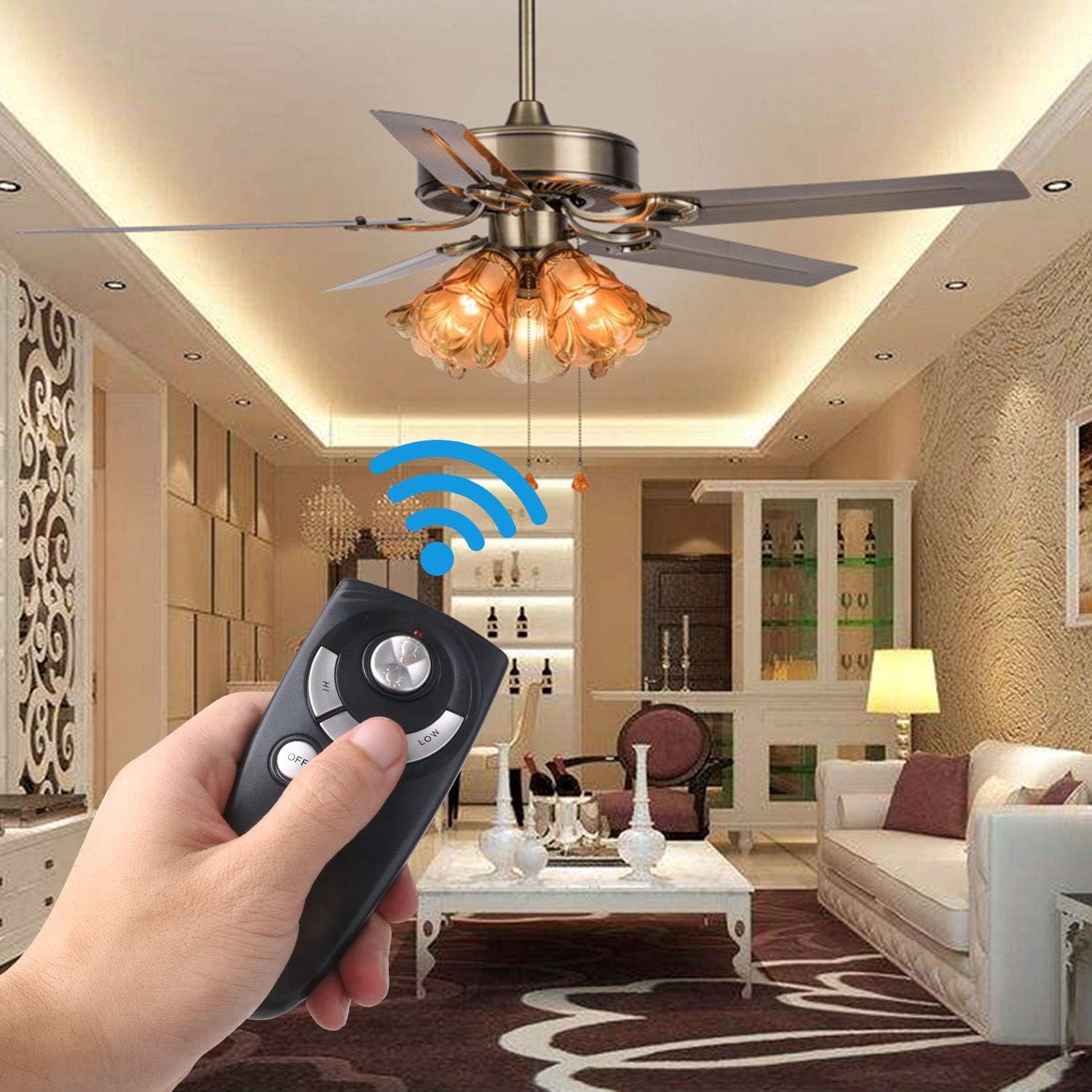
Image: A hand holding the Eogifee UC7083T remote control, with a ceiling fan and its lights visible in the background, illustrating the remote in active use.
문제 해결
| 문제 | 가능한 원인 | 해결책 |
|---|---|---|
| Remote does not control the fan/light. |
|
|
| 표시등이 켜져 있습니다. | 배터리 전원이 부족합니다. | Replace the 12V "A23" battery. |
| 빛은 어두워지지 않습니다. |
|
|
| Fan does not reverse direction. | This remote does not have a reverse function. | The UC7083T remote control does not support fan reverse. This function is typically controlled by a switch on the fan motor housing itself. |
명세서
- 모델: UC7083T
- 상표: Eogifee
- 전원: 1 x 12V "A23" battery (not included)
- 치수: 약 4 x 2 x 0.01cm(10.16 x 5.08 x 0.025인치)
- 무게: 약 3.2온스(90.7그램)
- 호환성: Hampton Bay and Harbor Breeze ceiling fans with UC7083T compatible receivers.
- 특징: 3-speed fan control (High, Medium, Low), Light On/Off, Light Dimming (for incandescent bulbs).
유지
- 리모컨은 부드럽고 마른 천으로 닦으십시오. 연마성 세제나 용제를 사용하지 마십시오.
- 리모컨을 장기간 사용하지 않을 경우, 누액을 방지하기 위해 배터리를 제거하십시오.
- Replace the battery when the indicator light stays on or when the remote's range decreases.
보증 및 지원
For warranty information or technical support, please refer to the seller's contact information or visit the Eogifee store on Amazon. Keep your purchase receipt for warranty claims.
Eogifee Store: Visit the Eogifee Store on Amazon


