1. 서론
This manual provides essential information for the proper installation, operation, and maintenance of your SilverStone Technology PP07E-MBB 30cm 24-pin ATX Motherboard Sleeved Extension Cable. Please read this manual thoroughly before installation to ensure correct usage and optimal performance.
2. 패키지 내용
- 1 x SilverStone PP07E-MBB 24-pin ATX Motherboard Extension Cable

Image 1: The SilverStone PP07E-MBB 24-pin ATX Motherboard Extension Cable, showcasing its black braided sleeving and connectors.
3. 특징
The SilverStone PP07E-MBB extension cable is designed to enhance cable management and aesthetics within a personal computer system. Key features include:
- 0.08mm Ultra-Fine Copper Wire: Utilizes high-quality, ultra-fine copper wires for flexibility and efficient power delivery.
- High-Density Nylon Braid: Features a durable and flexible high-density nylon braid for protection and improved aesthetics.
- Oxygen-Free Copper Wire: Wires are oxygen-free and film-coated to prevent oxidation, ensuring long-term stability.
- 개별 슬리브 처리된 전선: Each wire is individually sleeved in black, contributing to a clean and organized appearance.
- 보편적 인 호환성 : Compatible with all standard ATX, SFX, and Fanless Power Supply Units (PSUs).

이미지 2: 클로즈업 view highlighting the individual sleeving of each wire in black, contributing to a neat appearance.

Image 3: An illustration demonstrating the 0.08mm ultra-fine copper wires, emphasizing their flexibility for complex routing.
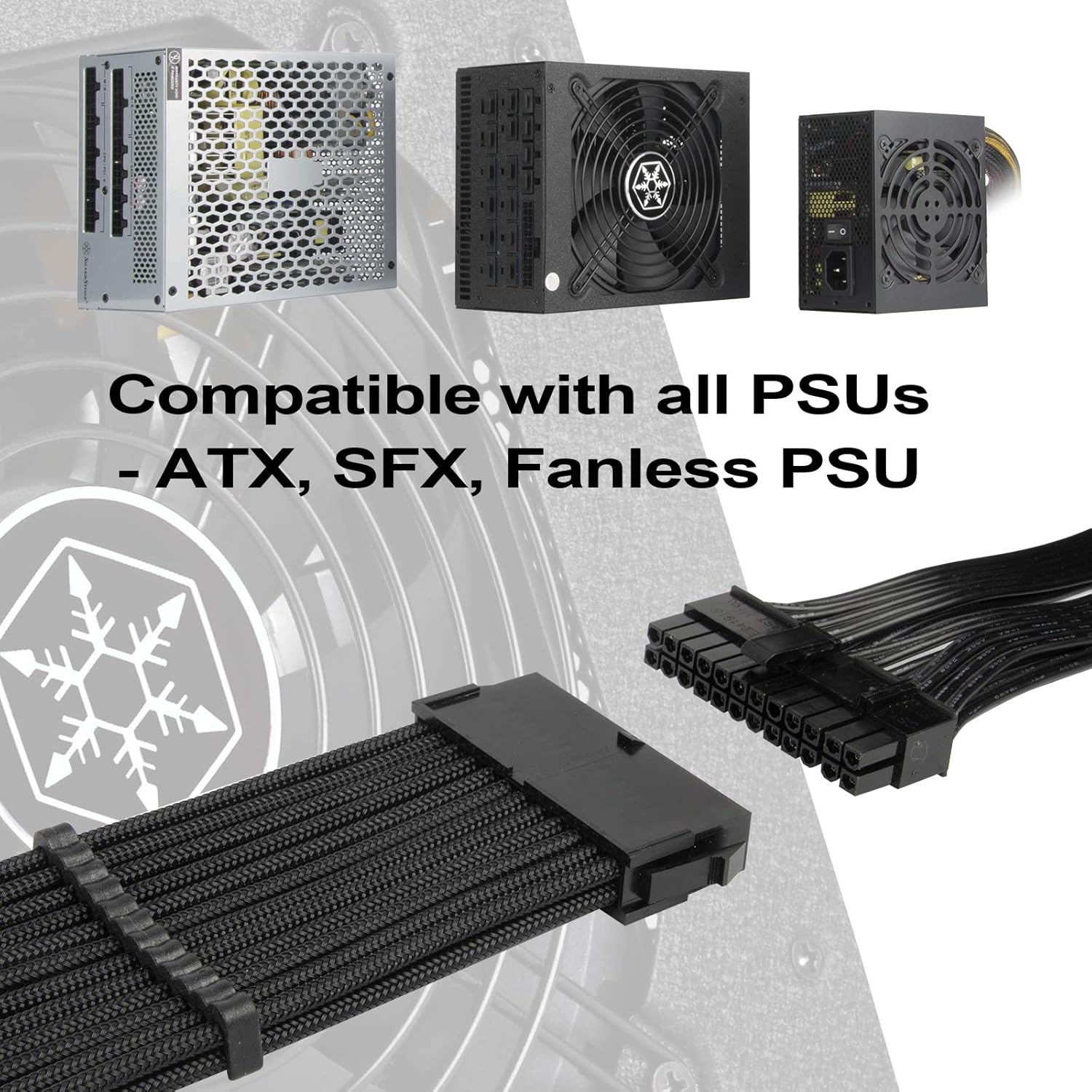
Image 4: This image displays different types of power supply units (PSUs), indicating the cable's compatibility with ATX, SFX, and fanless PSUs.
4. 설정 및 설치
Follow these steps to properly install the 24-pin ATX motherboard extension cable:
- 전원 끄기 시스템: Before beginning, ensure your computer system is completely powered off and unplugged from the wall outlet.
- 커넥터를 찾으세요: Identify the 24-pin ATX power connector from your Power Supply Unit (PSU) and the corresponding 24-pin ATX power input on your motherboard.
- Connect PSU Cable: Connect the male end of your PSU's 24-pin ATX power cable firmly into the female receptacle of the SilverStone PP07E-MBB extension cable. Ensure the latch clicks into place.
- Connect Motherboard: Connect the male end of the SilverStone PP07E-MBB extension cable firmly into the 24-pin ATX power input on your motherboard. Ensure the latch clicks into place.
- 케이블 관리 : Route the extension cable as desired for optimal airflow and aesthetics within your PC case. Utilize the included cable combs (if applicable) to maintain a tidy appearance.

이미지 5: 자세한 view of the 24-pin ATX connector, showing the pin configuration and latch mechanism.

Image 6: An array of cable combs, used to keep the individual sleeved wires neatly aligned and organized.
5. 운영
Once properly installed, the SilverStone PP07E-MBB extension cable functions as a passive conduit for power delivery from your PSU to your motherboard. It requires no active operation. Ensure all connections are secure for stable system performance.
6. 유지관리
The SilverStone PP07E-MBB cable requires minimal maintenance. Periodically inspect the cable for any signs of wear, fraying, or damage. Ensure connections remain secure. If cleaning is necessary, gently wipe the cable with a dry, lint-free cloth. Do not use liquid cleaners or abrasive materials.
7. 문제 해결
- 시스템 전원이 켜지지 않음:
- Ensure the extension cable is fully seated at both the PSU cable and motherboard connections.
- Verify that the PSU itself is powered on and connected to a working power outlet.
- Temporarily remove the extension cable and connect the PSU's 24-pin cable directly to the motherboard to rule out the extension cable as the cause.
- 간헐적인 전원 문제:
- Check for loose connections at both ends of the extension cable.
- Inspect the cable for any visible damage or kinks that might impede power flow.
8. 사양
| 특징 | 세부 사항 |
|---|---|
| 모델명 | RL-PP07E-MBB |
| 상표 | 실버스톤 |
| 커넥터 유형 | 24 Pin ATX (Male-to-Female) |
| 케이블 유형 | 30cm Motherboard 24pin to 24pin Sleeved Extension Cable |
| 호환 장치 | 개인용 컴퓨터 |
| 특징 | 30cm Motherboard 24pin to 24pin Sleeved Extension Cable |
| 추천 용도 | Extending the reach of a 24-pin ATX motherboard power connector |
| 색상 | 검은색 |
| 핀의 수 | 24 |
| 겉감 소재 | 나일론 |
| 최대 볼륨tage | 12 볼트 |
| 품목 무게 | 0.14킬로그램(약 5온스) |
| 한국어: | 844761020163 |
9. 보증 및 지원
SilverStone Technology products are designed for reliability and performance. For specific warranty information, please refer to the warranty card included with your product or visit the official SilverStone Technology website. For technical support or further assistance, please contact SilverStone customer service.
자세한 정보와 지원 리소스는 다음에서 찾을 수 있습니다. 아마존에서 실버스톤 스토어를 만나보세요.


