소개
Thank you for choosing the KLIM Pro Laptop Cooling Pad. This manual provides essential information for setting up, operating, maintaining, and troubleshooting your new cooling pad. Designed to protect your laptop from overheating, the KLIM Pro features powerful fans and an ergonomic design for enhanced performance and comfort.

The KLIM Pro Laptop Cooling Pad, showcasing its two large, illuminated fans and compact design, ready for connection via USB.
설치 지침
냉각 패드 포장 풀기: Carefully remove the KLIM Pro cooling pad from its packaging. Ensure all components, including the USB power cable, are present.
Positioning Your Laptop: Place your laptop centrally on the cooling pad's metal mesh surface. The cooling pad is compatible with laptops up to 15.6 inches.
스탠드 조정: For improved ergonomics and airflow, extend the sturdy rear legs (kickstands) located on the underside of the cooling pad. The frontal stoppers will help secure your laptop in place.
전원 연결: Locate the USB power cable. Plug the smaller end into the USB port on the cooling pad. Plug the larger end into an available USB port on your laptop. The cooling pad features an extra USB port on the cable to ensure you don't lose a valuable port on your laptop.
작동 확인: Once connected, the fans should begin spinning and illuminate with blue LED lights, indicating the cooling pad is active.

This image illustrates the ergonomic benefits of using the KLIM Pro, showing how its adjustable rear stands and frontal stoppers help maintain a comfortable and healthy posture while using your laptop.

A view of the cooling pad's underside, highlighting the convenient cable holder for tidy storage and the extra USB port, which allows you to power the pad without sacrificing a laptop port.
작동 지침
The KLIM Pro Laptop Cooling Pad is designed for simple, plug-and-play operation. It automatically activates when connected to a powered USB port.
주요 특징:
- 강력한 냉각: Equipped with two large, quiet fans that spin at 1200 RPM, the KLIM Pro effectively dissipates heat from your laptop, preventing overheating and improving performance.
- 무음 작동 : The fans operate at a minimal noise level, not exceeding 26 dB, ensuring a quiet working or gaming environment.
- 폭넓은 호환성: Designed to accommodate laptops ranging from 10 to 15.6 inches, providing versatile cooling for various models.
- 내구성 있는 구조: Made with a robust ABS structure and a metal grid surface for long-lasting durability.
Official product video demonstrating the features and benefits of the KLIM Pro Laptop Cooling Pad, including its powerful fans, silent operation, and ergonomic design.

This image visually represents the technical specifications of the cooling pad's fans, showing their 120mm diameter and 1200 RPM rotational speed for efficient cooling.
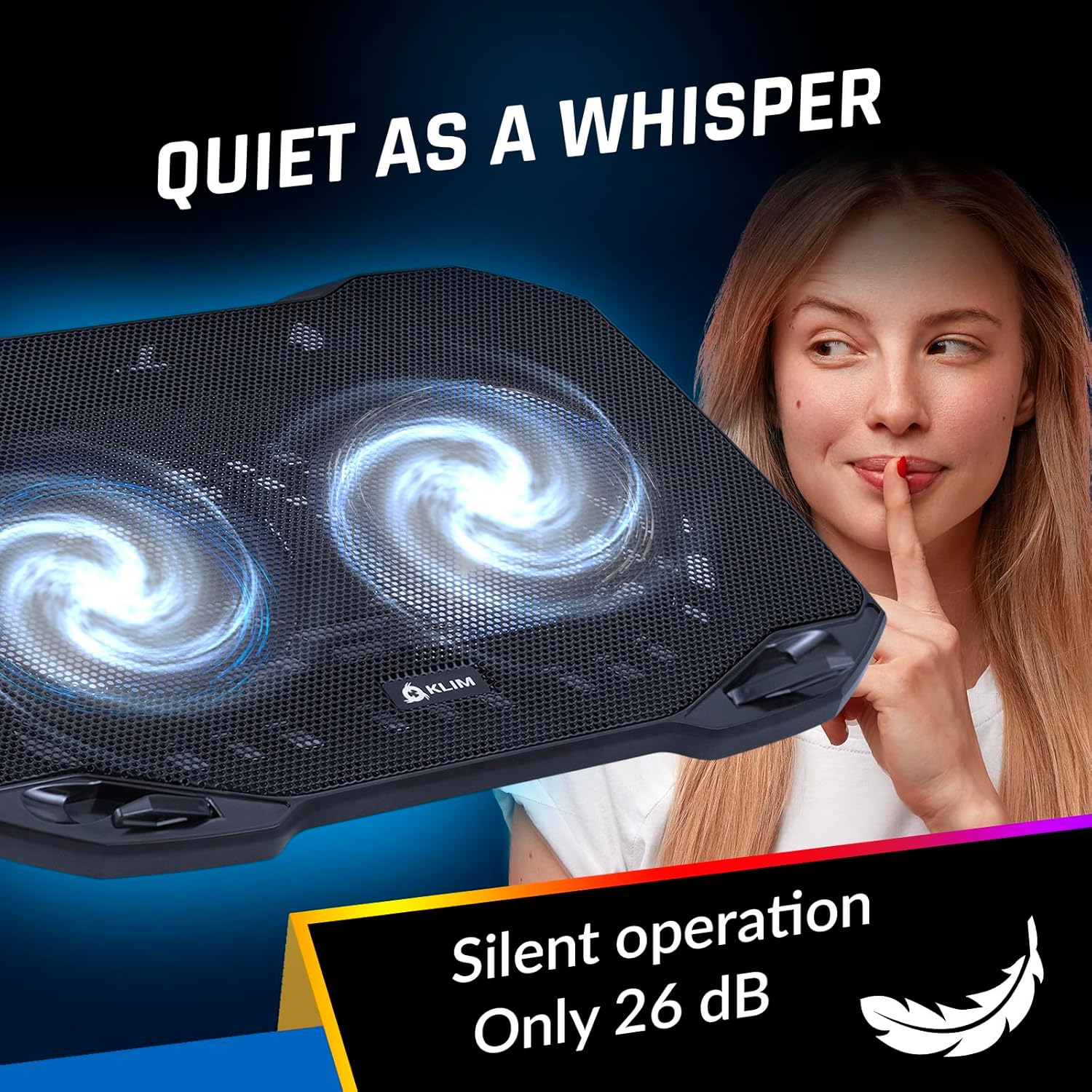
This image emphasizes the silent operation of the KLIM Pro, highlighting that its noise level is below 26 dB, ensuring a distraction-free environment.
유지
To ensure the longevity and optimal performance of your KLIM Pro Laptop Cooling Pad, follow these simple maintenance guidelines:
- 정기 청소: Periodically clean the metal mesh surface and fan blades to prevent dust buildup, which can impede airflow. Use a soft, dry cloth or a can of compressed air.
- 액체 접촉을 피하십시오: Do not expose the cooling pad to liquids. If accidental spills occur, disconnect power immediately and allow it to dry completely before re-use.
- 케이블 관리: Store the USB power cable neatly using the integrated cable holder when not in use to prevent damage.
- 적절한 보관: 장기간 사용하지 않을 경우, 쿨링 패드를 직사광선을 피해 서늘하고 건조한 곳에 보관하십시오.
문제 해결
If you encounter any issues with your KLIM Pro Laptop Cooling Pad, please refer to the following common problems and solutions:
| 문제 | 가능한 원인 | 해결책 |
|---|---|---|
| Fans are not spinning/LEDs are off. | No power supply; loose USB connection; faulty USB port. | Ensure the USB cable is securely plugged into both the cooling pad and a working USB port on your laptop. Try a different USB port. |
| Reduced cooling performance. | Dust buildup on fans/mesh; obstructed airflow; laptop vents blocked. | Clean the cooling pad's mesh and fans. Ensure laptop vents are clear. Adjust the cooling pad's position for optimal airflow. |
| Unusual noise from fans. | Dust/debris in fan blades; fan malfunction. | Disconnect power and carefully remove any visible debris from the fan blades. If the noise persists, contact customer support. |
명세서
| 특징 | 세부 사항 |
|---|---|
| 모델 번호 | 케이81 |
| 치수(길이 x 너비 x 높이) | 14.2" x 10.4" x 0.84"(36.07cm x 26.42cm x 2.13cm) |
| 무게 | 1.1파운드(0.5kg) |
| 팬 속도 | 1200 RPM |
| 팬 수 | 2 |
| 소음 수준 | 26dB 이하 |
| 호환성 | 10~15.6인치 노트북 |
| 재료 | ABS structure, Metal grid |
| 연결성 | USB (with pass-through port) |
보증 및 지원
The KLIM Pro Laptop Cooling Pad comes with a 5년 보증, reflecting our commitment to quality and durability. For any technical assistance, warranty claims, or general inquiries, please visit the official KLIM website or contact our customer support team. Our specialists are available to assist you.
자세한 내용은 다음을 방문하세요. KLIM Techs Official Web대지


