1. 서론
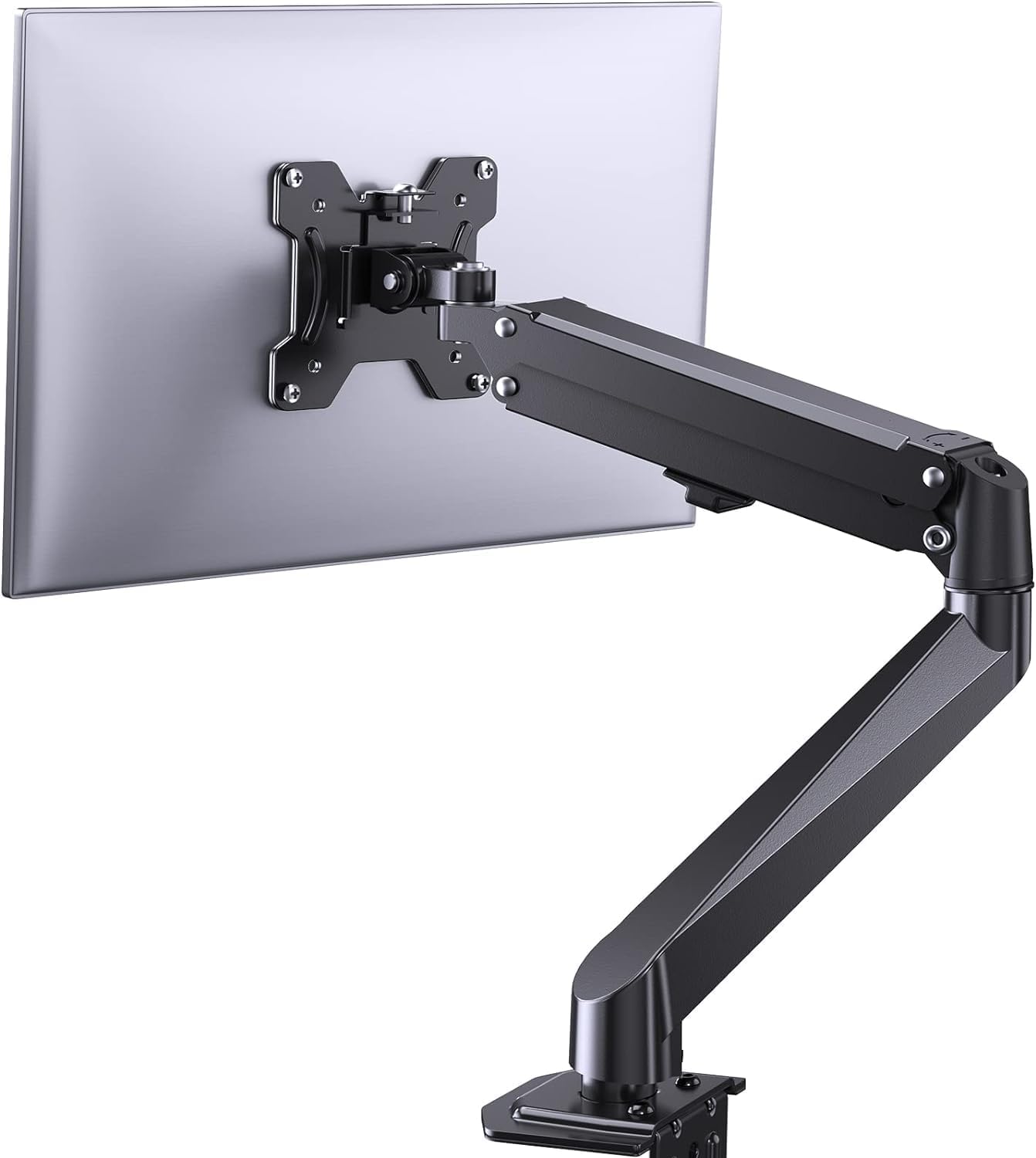
This manual provides comprehensive instructions for the installation, operation, and maintenance of your ErGear Single Monitor Mount, Model EGSS7. This monitor arm is designed to enhance your workspace ergonomics by providing adjustable positioning for a single monitor. Please read this manual thoroughly before installation and retain it for future reference.

Image 1.1: The ErGear Single Monitor Arm (Model EGSS7) in a typical office setup.
2. 안전 정보
Please observe the following safety precautions to prevent injury or damage to your equipment:
- 최대 중량 용량은 14.3파운드(6.5kg)를 초과하지 마십시오.
- Ensure your monitor is between 17 and 27 inches in size.
- Verify that your monitor is VESA compatible (75x75mm or 100x100mm).
- 거치대와 모니터의 무게를 모두 지탱할 수 있는 견고한 책상 표면에 거치대를 설치하십시오.
- Follow all installation steps carefully. Improper installation may result in equipment damage or personal injury.
- 작은 부품은 어린이의 손이 닿지 않는 곳에 보관하세요.
3. 패키지 내용
Before proceeding with installation, please ensure all components are present and undamaged. Refer to the included parts list for detailed identification.
이미지 3.1: 이상view of the ErGear Single Monitor Mount components.
4. 사양
| 특징 | 사양 |
|---|---|
| 상표 | Ergear |
| 모델 | EGSS7 |
| 호환 모니터 크기 | 17~27인치 |
| 중량 용량 | 최대 14.3kg(6.5파운드) |
| VESA 호환성 | 75x75mm, 100x100mm |
| 장착 유형 | C-clamp 또는 그로밋 |
| 재료 | 합금강 |
| 색상 | 검은색 |
| 기울기 범위 | -35° ~ +50° |
| 스위블 범위 | -90° ~ +90° |
| 회전 | 360° |
| 제품 치수 | 41.2 x 30.4 x 10cm |

Image 4.1: Monitor size and weight capacity details.
5. 설정 지침
The ErGear Single Monitor Mount offers two installation options: C-clamp or Grommet mounting. Choose the option best suited for your desk.

Image 5.1: C-clamp and Grommet mounting options with desk thickness ranges.
5.1C-Clamp 설치
- C-cl을 부착하세요amp to the base of the monitor arm.
- C-cl을 위치시키세요amp on the edge of your desk. Ensure the desk thickness is between 0.4 and 3.3 inches.
- cl을 조여주세요amp securely using the provided knob until the mount is stable.
5.2 그로밋 설치
- If your desk has a grommet hole, insert the grommet bolt through the base of the monitor arm and the desk hole. Ensure the desk thickness is between 0.4 and 3.1 inches.
- Secure the mount from underneath the desk using the provided plate and nut.
5.3 모니터 연결하기
- Carefully attach your VESA-compatible monitor to the VESA plate on the arm using the appropriate screws.
- Ensure the screws are tightened firmly but do not overtighten.
5.4 장력 조절
The gas spring arm requires tension adjustment to properly support your monitor's weight. Use the included Allen key to adjust the tension screw located on the arm. Turn clockwise to increase tension for heavier monitors, and counter-clockwise to decrease tension for lighter monitors. Adjust until the monitor stays in position when moved.

이미지 5.2: 내부 view of the flexible gas spring arm.
6. 사용 설명서
Once installed, your ErGear monitor mount allows for flexible positioning of your monitor.
6.1 모니터 위치 조정
- 높이 조정: Gently push or pull the monitor to the desired height. The gas spring mechanism will hold it in place.
- 경사: The monitor can be tilted from -35° to +50° to reduce glare and optimize view각도를 나타냅니다.
- 받침: Swivel the monitor from -90° to +90° for collaborative work or to view content from different angles.
- 회전: 모니터를 360° 회전하여 가로 모드와 세로 모드를 전환하세요.

Image 6.1: Monitor height adjustment.

Image 6.2: Full motion range capabilities of the monitor arm.
6.2 케이블 관리
The monitor arm features an integrated cable management system to keep your workspace tidy. Route your monitor cables through the designated channels on the arm to conceal them.

그림 6.3: 통합 케이블 관리 시스템.
7. 유지관리
Regular maintenance ensures the longevity and optimal performance of your monitor mount.
- 모든 나사와 연결부가 단단히 조여져 있는지 주기적으로 점검하세요.
- 마운트 표면을 부드러운 천으로 닦으십시오.amp 옷감. 연마성 세제를 피하십시오.
- Re-adjust the gas spring tension if your monitor feels too loose or too stiff when moving.
8. 문제 해결
| 문제 | 가능한 원인 | 해결책 |
|---|---|---|
| 모니터가 처지거나 제자리에 고정되지 않습니다. | Gas spring tension is too low. | Increase gas spring tension using the Allen key (clockwise). |
| Monitor is difficult to move. | 가스 스프링 장력이 너무 높습니다. | Decrease gas spring tension using the Allen key (counter-clockwise). |
| 산이 불안정하게 느껴집니다. | C-clamp or grommet connection is loose. | C-cl을 조입니다amp knob or grommet nut. |
| Monitor does not fit the VESA plate. | VESA 패턴이 잘못되었습니다. | Ensure your monitor has a 75x75mm or 100x100mm VESA pattern. |
9. 보증 및 지원
For warranty information or technical support, please refer to the contact details provided with your purchase or visit the official ErGear website. Please have your model number (EGSS7) and purchase date available when contacting support.


