소개
구매해주셔서 감사합니다asing the Uni-Com S/Chime Portable Door Chime 66705. This device is designed to provide a convenient and reliable alert when someone is at your door. This manual provides essential information for the proper setup, operation, and maintenance of your new door chime to ensure optimal performance and longevity.
안전 정보
- 기기를 극한의 온도, 직사광선 또는 높은 습도에 노출시키지 마세요.
- 장치를 물과 기타 액체에서 멀리하세요.
- 기기를 직접 열거나 수리하지 마십시오. 모든 정비는 자격을 갖춘 기술자에게 맡기십시오.
- Dispose of the product and any batteries responsibly according to local regulations.
패키지 내용
모든 품목이 들어 있는지 확인하려면 패키지 내용물을 확인하세요.
- 1 x Uni-Com S/Chime Portable Door Chime Receiver
- 1 x Doorbell Push Button Transmitter

Image: The Uni-Com S/Chime Portable Door Chime receiver unit and the separate push button transmitter unit, both in white.
설정
The Uni-Com S/Chime Portable Door Chime is designed for easy setup. This model operates on AC power, meaning it plugs directly into a wall outlet, eliminating the need for batteries in the receiver unit.
1. 수신기에 전원 공급하기
- Locate a suitable indoor AC power outlet where you wish to hear the chime.
- Plug the Uni-Com S/Chime receiver unit directly into the power outlet. Ensure it is securely seated.
2. Installing the Push Button Transmitter
The push button transmitter is typically battery-operated (batteries not included, please check product packaging for specific battery type if required for the push button). It can be mounted near your door.
- Choose a flat, clean surface near your entrance door for mounting the push button.
- Use the provided screws or adhesive tape to securely attach the push button to the chosen surface. Ensure it is within range of the receiver unit.

Image: The Uni-Com S/Chime Portable Door Chime receiver and push button, superimposed on a background of houses, illustrating typical placement.
운영
Once the receiver is plugged in and the push button is installed, your door chime system is ready for use.
Triggering the Chime
- Press the button on the doorbell transmitter.
- The receiver unit will sound the selected chime melody.
Placement for Optimal Performance
For best results, place the receiver unit in a central location within your home where the chime can be easily heard. Avoid placing it near large metal objects or other electronic devices that may cause interference.
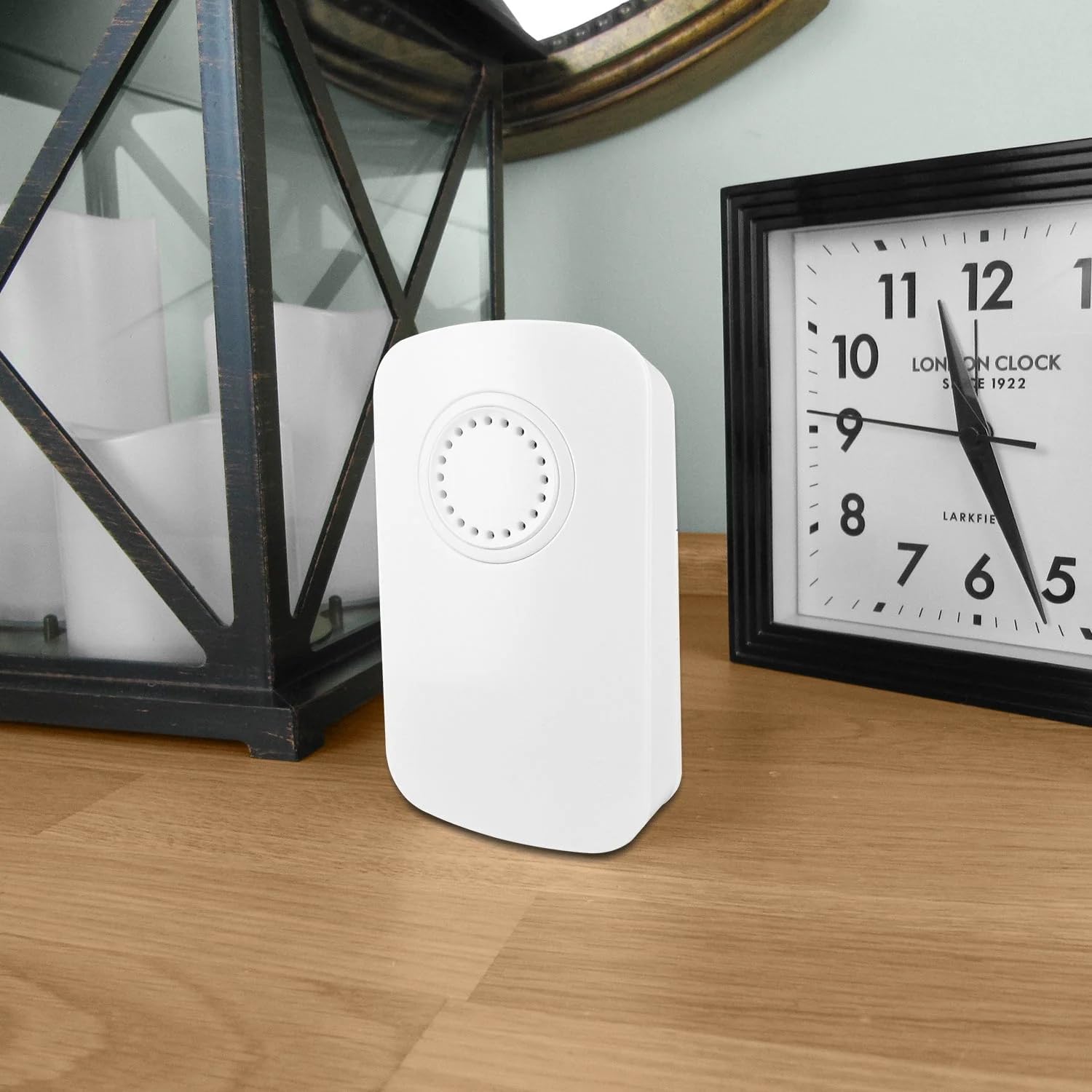
Image: The Uni-Com S/Chime Portable Door Chime receiver unit placed on a wooden surface indoors, next to a clock and a decorative lantern, demonstrating typical indoor placement.

Image: The Uni-Com S/Chime Portable Door Chime receiver unit placed on an outdoor wooden table, with garden foliage and a glass in the background, highlighting its portability and potential for outdoor use (receiver must be indoors and powered).
유지
Regular maintenance will help prolong the life of your door chime.
청소
- Wipe the surfaces of both the receiver and push button with a soft, dry cloth.
- 연마성 세척제, 용제 또는 강한 화학 물질을 사용하지 마십시오.
Battery Replacement (Push Button)
If the push button transmitter stops working or its range decreases, the battery may need replacement. Refer to the specific battery type indicated on the push button unit or its packaging.
- Carefully open the battery compartment on the back of the push button transmitter.
- 기존 배터리를 제거하고 새 배터리를 삽입할 때 극성(+/-)을 반드시 확인하십시오.
- 배터리 칸을 단단히 닫으세요.
문제 해결
If you encounter issues with your Uni-Com S/Chime, try the following solutions:
| 문제 | 가능한 원인 | 해결책 |
|---|---|---|
| 차임벨이 울리지 않습니다. | 수신기에 전원이 공급되지 않았습니다. | Ensure the receiver is securely plugged into a working AC outlet. |
| 차임벨이 울리지 않습니다. | 버튼식 배터리가 방전되었습니다. | Replace the battery in the push button transmitter. |
| 차임벨이 울리지 않습니다. | 범위를 벗어났거나 간섭이 있습니다. | Move the receiver closer to the push button. Avoid placing near large metal objects or other electronics. |
| 차임벨 소리가 간헐적으로 울립니다. | Weak push button battery. | Replace the battery in the push button transmitter. |
| 차임벨 소리가 간헐적으로 울립니다. | 환경적 간섭. | Relocate the receiver or push button to a different position. |
명세서
- 모델: 유엔사66705호
- 제조업체: 유니콤
- 부품 번호: 013979
- 제품 크기: 4.7 x 13.4 x 13.7cm
- 품목 무게: 160g
- 전원: AC (for receiver unit)
- 품목 패키지 수량: 1
- 포함된 구성 요소: S/CHIME PORT DOOR CHIME 66705 (Receiver and Push Button)
- 배터리 포함: No (for receiver), check push button for specific battery requirements.
- 필요한 배터리: No (for receiver), Yes (for push button, type not specified in provided data).
보증
This product is covered by a standard manufacturer's warranty. Please retain your proof of purchase for any warranty claims. For specific warranty terms and conditions, refer to the documentation included with your purchase or contact Uni-Com customer support.
지원하다
If you require further assistance or have questions not covered in this manual, please contact Uni-Com customer support. You can typically find contact information on the product packaging or the official Uni-Com web대지.


