소개
Thank you for choosing the Misby Bladeless Desk Fan. This innovative fan is designed to provide a comfortable and quiet airflow, featuring a bladeless design for enhanced safety and easy cleaning. Its portable nature, touch controls, and integrated LED lighting make it a versatile addition to any bedroom, home office, or living space.
안전 지침
- 선풍기가 넘어지지 않도록 안정적이고 평평한 표면에 놓으세요.
- Do not insert fingers or any objects into the air outlet or inlet. The bladeless design minimizes risk, but caution is always advised.
- Use only the provided USB cable and a standard 2A output power adapter for charging. Using an incompatible adapter may damage the device.
- 선풍기를 물이나 다른 액체로부터 멀리 두십시오.
- Do not disassemble or attempt to repair the fan yourself. Contact customer support for assistance.
- Keep out of reach of small children and pets, despite the bladeless design.
패키지 내용
- Misby Bladeless Desk Fan ×1
- Rechargeable Battery ×1 (pre-installed)
- USB 케이블 ×1
- 사용 설명서 ×1
제품 끝view
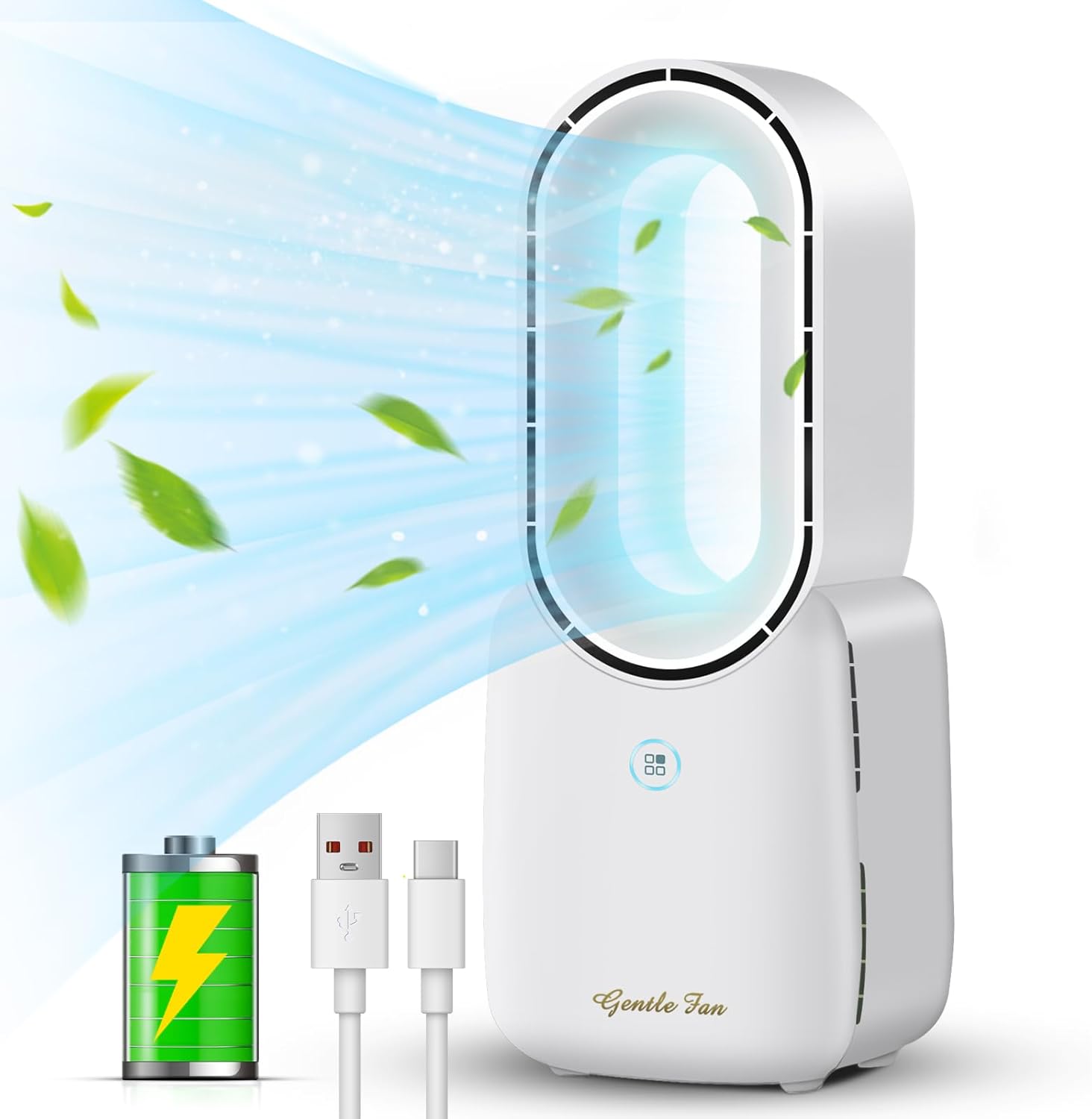
Figure 1: Misby Bladeless Desk Fan with its core components.
The Misby Bladeless Desk Fan features a sleek, modern design. The main unit houses the internal fan mechanism, while the oval-shaped top provides smooth, consistent airflow. The base includes touch-sensitive controls for power, fan speed, and LED lighting.

그림 2: 상세 view of the touch control switch for fan speed settings.
설정
초기 충전
Before first use, fully charge the fan. Connect the provided USB cable to the USB-C port on the back of the fan and plug the other end into a standard 2A output power adapter (not included) or a compatible USB port on a computer or power bank. The LED indicator will show charging status.

Figure 3: Multiple recharging options for the fan.
작동 지침
Power On/Off and Fan Speed Control
- To turn on the fan, lightly touch the power/speed control button on the front of the base. The fan will start at Low speed.
- Tap the button again to cycle through the speeds: Medium, High.
- To activate Natural Wind mode, tap the button a fourth time. This mode simulates natural breezes by varying the fan speed.
- To turn off the fan, tap the button a fifth time after Natural Wind mode, or press and hold the button for 3 seconds from any speed setting.
LED 조명 제어
The fan features a 5-color LED light function to create a warm atmosphere. The light control button is located next to the power/speed button.
- To turn on the LED light, lightly touch the light control button. It will cycle through the available colors.
- Continue tapping the button to change between the 5 different colors.
- To turn off the LED light, tap the button until the light turns off, or press and hold the button for 3 seconds.

Figure 4: The fan's 5-color LED light function in use.
제품 시연 영상
Video 1: A demonstration of the Misby Bladeless Fan's features, including its bladeless design and decorative LED light. This video is provided by the seller, Misby Direct.
유지관리 및 청소
The bladeless design of this fan makes cleaning simple and efficient. Regularly wipe the exterior surfaces with a soft, dry cloth. For dust accumulation within the air outlet, use a soft brush or compressed air to gently clear it. Do not use abrasive cleaners or immerse the fan in water.
문제 해결
| 문제 | 가능한 원인 | 해결책 |
|---|---|---|
| 팬이 켜지지 않습니다. | 배터리가 부족하거나 충전되지 않았습니다. | Connect the fan to a power source using the USB cable and charge fully. |
| 공기 흐름이 약함. | Fan speed set too low; air inlet/outlet blocked. | Increase fan speed using the touch control. Check and clear any obstructions from the air inlets/outlets. |
| LED 조명이 작동하지 않습니다. | 조명 기능이 꺼져 있습니다. 배터리가 부족합니다. | Tap the light control button to turn it on. Ensure the fan is charged. |
| 팬에서 이상한 소리가 납니다. | Foreign object inside; fan not on a stable surface. | Turn off and unplug the fan. Carefully check for any foreign objects. Ensure it's on a stable surface. If noise persists, contact support. |
명세서
| 특징 | 세부 사항 |
|---|---|
| 모델명 | F1 |
| 상표 | 미스비 |
| 치수(D x W x H) | 3.3인치 깊이 x 4.9인치 너비 x 11.8인치 높이 |
| 무게 | 1.6 파운드 |
| 전원 | Battery Powered/Corded Electric (USB Type C) |
| 정격 전원 | 5V-1A |
| 정격 전력 | 10W(최대) |
| 배터리 용량 | 2200mAh 리튬 이온 |
| 배터리 수명 | 4~8시간(속도에 따라 다름) |
| 소음 수준 | 30데시벨 |
| 팬 속도 | 4 (Low, Medium, High, Natural Wind) |
| LED 조명 | 5색 그라데이션 |
| 제어 방법 | 만지다 |
보증 및 지원
Misby strives to provide high-quality products. If you encounter any issues or have questions regarding your Misby Bladeless Desk Fan, please contact our customer support team. We offer a 12-month replacement policy for product defects. For further assistance, please refer to the contact information provided on our official web사이트 또는 구매 영수증.


