소개
Thank you for choosing the KLIM Discman Portable CD Player. This manual provides essential information to help you set up, operate, and maintain your device. Please read it carefully to ensure proper use and to maximize your listening experience.
상자 안에는 무엇이 들어 있나요?
Upon unboxing your KLIM Discman, please verify that all the following items are included:
- KLIM 디스크맨 CD 플레이어
- KLIM Fusion wired earphones
- 이어폰 액세서리
- USB-C 충전 케이블
- 3.5 mm audio jack cable
- 상세 사용자 설명서(본 문서)
- CD player pouch for easy carrying and safety

제품 끝view
Familiarize yourself with the main components and features of your KLIM Discman:

- 내장형 충전식 배터리: Provides long hours of playtime on a single charge.
- Anti-Skip/Anti-Shock Protection: Ensures uninterrupted music playback by preloading music for up to 100 seconds.
- LCD 디스플레이: 트랙 번호, 시간 및 재생 상태를 표시합니다.
- 제어 버튼: Intuitive buttons for playback, volume, and mode selection.
- 3.5mm AUX 출력: 헤드폰이나 외부 스피커를 연결하는 데 사용합니다.
- USB-C 충전 포트: 편리한 충전을 위해.
설정
1. 장치 충전
Before first use, fully charge the KLIM Discman. Connect the provided USB-C charging cable to the device's USB-C port and the other end to a compatible USB power adapter (not included) or a computer's USB port.
- 충전 표시등은 충전 상태를 보여줍니다.
- A full charge provides extended hours of listening pleasure.
2. CD 삽입
- Locate the 'OPEN' switch on the side of the Discman.
- Slide the switch to open the CD compartment lid.
- Carefully place a CD (CD, CD-R, CD-RW, MP3, WMA format) onto the spindle, ensuring it clicks into place.
- 뚜껑이 딸깍 소리가 날 때까지 꽉 닫으세요.

3. Connecting Headphones or External Audio Devices
Plug the KLIM Fusion wired earphones or your preferred 3.5mm audio cable into the AUX output jack on the side of the Discman.
- You can connect the Discman to external speakers or a car audio system using the 3.5mm audio jack cable.
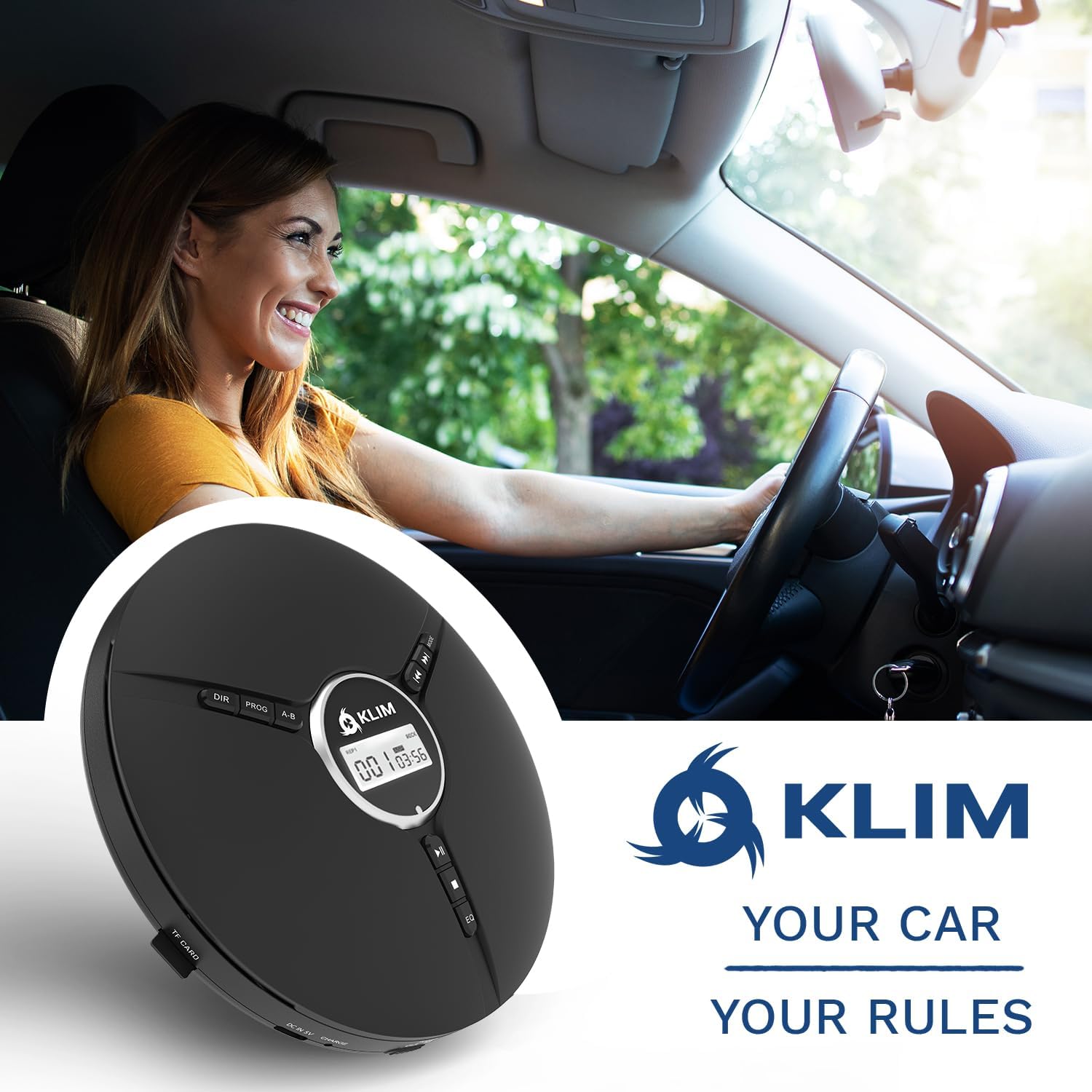
작동 지침
기본 재생 컨트롤
- 전원 켜기/끄기: Slide the 'ON/OFF' switch to power the device on or off.
- Play/Pause (►⏸): 재생을 시작하거나 일시 정지하려면 누르세요.
- 정지 (■): 재생을 중지하려면 누릅니다.
- Previous/Rewind (◀◀): Press once to go to the beginning of the current track. Press multiple times or hold to rewind.
- 다음/빨리 감기 (►►): Press once to skip to the next track. Press multiple times or hold to fast forward.
- 볼륨 조절: Use the dedicated volume dial on the side of the device to adjust the audio level.
- 홀드 스위치: Slide the 'HOLD' switch to lock all buttons and prevent accidental presses during transport.
고급 기능
- EQ 효과: Press the 'EQ' button to cycle through different equalizer presets: BBS (Bass Boost System), POP, JAZZ, ROCK, CLASSIC.
- 재생 모드: Use the 'MODE' button to select playback options such as single loop (repeat one track), shuffle (random playback), or all loop (repeat all tracks).
- 프로그램 플레이: The 'PROG' button allows you to program a specific order of tracks to play. Refer to the on-screen instructions for detailed programming steps.
- AB 반복: The 'A-B' button allows you to repeat a specific section of a track. Press once at the start point (A) and again at the end point (B) to set the loop.

유지
장치 청소
- Wipe the exterior of the Discman with a soft, dry cloth.
- 연마성 세척제나 용제를 사용하지 마십시오.
- For the optical lens, use a specialized CD lens cleaning kit if necessary, following its instructions carefully. Avoid touching the lens directly.
배터리 관리
- 배터리 수명을 연장하려면 배터리를 자주 완전히 방전하지 마세요.
- 장기간 사용하지 않더라도 기기를 정기적으로 충전하십시오.
- 극한의 온도를 피해 서늘하고 건조한 곳에 보관하세요.
CD 관리
- CD를 다룰 때는 지문이나 흠집이 생기지 않도록 가장자리를 잡으세요.
- CD는 부드럽고 보풀 없는 천으로 중앙에서 바깥쪽으로 닦아주세요.
- Store CDs in their cases to protect them from dust and damage.
문제 해결
| 문제 | 가능한 원인 | 해결책 |
|---|---|---|
| 장치의 전원이 켜지지 않습니다. | Low battery; Power switch off; Hold switch engaged. | Charge the device; Ensure 'ON/OFF' switch is 'ON'; Disengage 'HOLD' switch. |
| CD skips or stops playing. | Scratched/dirty CD; Excessive vibration; Disc not seated properly. | Clean or replace CD; Minimize movement; Ensure CD is correctly placed on spindle. |
| 소리가 나지 않습니다. | Headphones not connected; Volume too low; Faulty headphones. | Ensure headphones are fully plugged in; Increase volume; Test with different headphones. |
| 배터리가 충전되지 않습니다. | 케이블/어댑터에 결함이 있습니다. 충전 포트에 문제가 있습니다. | Try a different USB-C cable and power adapter; Contact support if issue persists. |
명세서

| 특징 | 세부 사항 |
|---|---|
| 제품 치수 | 5.51 x 5.51 x 1.1 인치 |
| 품목 무게 | 8.8온스(0.25킬로그램) |
| 모델 번호 | 클림 노마드 |
| 배터리 | 1개의 리튬 금속 배터리(포함) |
| 배터리 수명 | 최대 14시간 |
| 연결 기술 | 보조 |
| 호환 장치 | Headphones, External Speakers |
| 지원되는 디스크 형식 | CD, CD-R, HDCD, WMA, MP3 (via CDs and TF cards) |
| 제조업체 | 클림 |
| 원산지 | 중국 |
보증 및 지원
The KLIM Discman is backed by a generous 5년 보증, guaranteeing reliable performance over time. This commitment reflects the quality and durability of the product's components.
If you encounter any issues or require assistance, please do not hesitate to contact KLIM customer support. Our team of specialists aims to answer within 24 hours.
문의하기: www.klimtechs.com/contact-us


