1. 서론
This manual provides instructions for the proper setup, operation, and maintenance of your IPD IPH-160 Monaural Wired Headset. The IPH-160 is designed for clear communication in various environments, featuring a noise-cancelling microphone and a 3.5mm jack for broad compatibility.
2. 패키지 내용
패키지에 모든 품목이 들어 있는지 확인하세요.
- IPD IPH-160 Monaural Headset
- Quick Disconnect (QD) to 3.5mm Jack Cable (4-pole)
- 이어 쿠션 (기본 장착 또는 여분)
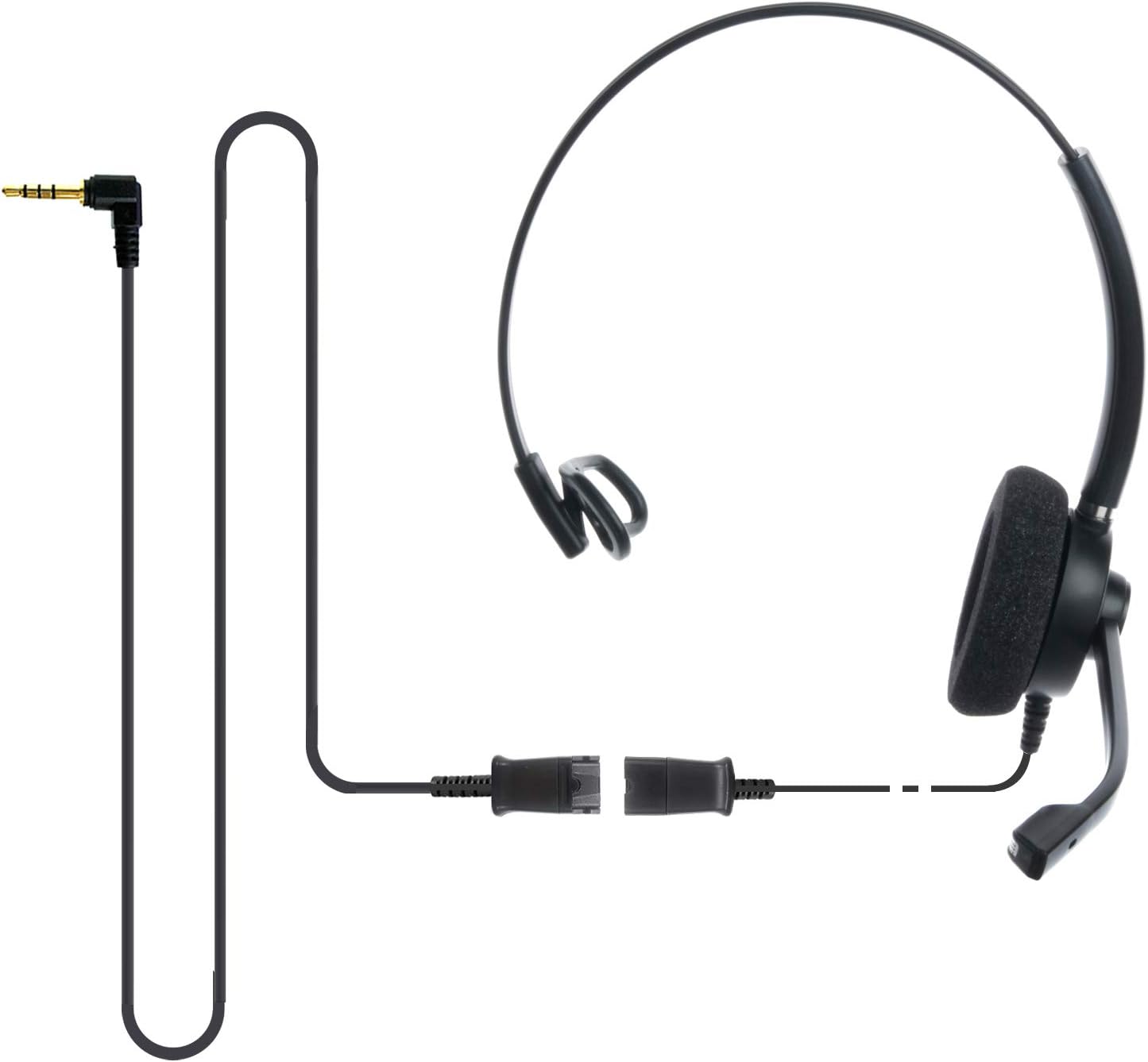
Image: The IPD IPH-160 headset with its detachable Quick Disconnect cable and 3.5mm jack connector.
3. 설정
3.1 헤드셋 연결
- Connect the Quick Disconnect (QD) cable to the headset. Ensure a secure connection.
- Insert the 3.5mm jack of the cable into the corresponding port on your device (Android cell phone, laptop, tablet, Apple MacBook, or other smart device).

이미지: 클로즈업 view of the 3.5mm jack connector, illustrating its connection to a mobile device and laptop.
3.2 장치 호환성
The 3.5mm jack (4 poles) is compatible with a wide range of devices including:
- Android cell phones (e.g., Samsung, Huawei, HTC, ZTE)
- 노트북
- 정제
- Apple MacBooks with a single 3.5mm headset port
메모:
- iPhone 7/7S and later models may require an additional Lightning to 3.5mm adapter (not included).
- If your specific phone model is not listed or you encounter compatibility issues, please contact IPD support for assistance.

Image: The IPD headset shown with various connection options for desk phones, PCs/softphones, and mobile phones, highlighting the versatility of Quick Disconnect cables.
4. 헤드셋 작동
4.1 착용 및 조정
The IPH-160 headset is designed for all-day comfort. Adjust the headband for a secure yet comfortable fit. The microphone boom is flexible; position it approximately 1-2 inches from your mouth for optimal voice pickup.
소음 제거 마이크 4.2개
The headset features a passive noise-cancelling microphone to reduce background noise, ensuring clearer conversations. Proper microphone positioning is crucial for effective noise cancellation.

Image: A user wearing the headset, demonstrating the microphone's position and illustrating the effect of noise cancellation on audio waveforms.
4.3 Acoustic Shock Protection (ASP)
The headset incorporates an Acoustic Shock Protection (ASP) circuit on the speaker. This feature protects your hearing from sudden, unwanted loud noises by cutting sounds over 105dB and maintaining levels below 105dB.
4.4 Wideband Audio
The HD Wideband speaker delivers clear sound, enhancing the quality of your calls and audio monitoring.

Image: A close-up of the headset's ear cushion, visually representing the distinction between acoustic noise and clear sound for high-quality voice communication.
5. 유지관리
5.1 청소
To maintain hygiene and performance, regularly clean the ear cushions and other surfaces of the headset with a soft, dry cloth. Avoid using harsh chemicals or abrasive materials.
5.2 보관
사용하지 않을 때는 직사광선과 극한의 온도를 피해 깨끗하고 건조한 곳에 보관하세요. 손상을 방지하려면 케이블이 꼬이지 않도록 하세요.
6. 문제 해결
6.1 소리가 나지 않거나 볼륨이 낮음
- 3.5mm 잭이 장치에 완전히 삽입되었는지 확인하세요.
- 기기의 볼륨 설정을 확인하세요.
- Verify that the headset is selected as the audio output device in your computer's sound settings.
- Confirm the Quick Disconnect (QD) cable is securely connected to the headset.
6.2 마이크가 작동하지 않음
- 마이크 붐이 입 가까이에 올바르게 위치하도록 하십시오.
- Check your device's microphone input settings and ensure the headset is selected as the input device.
- Test the headset with another compatible device to rule out a device-specific issue.
6.3 호환성 문제
If you experience compatibility problems with your device, especially if it's not explicitly listed as compatible, please contact IPD customer support for guidance.
7. 사양
| 특징 | 사양 |
|---|---|
| 모델명 | IPH-160-35 |
| 연결 기술 | 열광한 |
| 헤드폰 잭 | 3.5 mm Jack (4-pole) |
| 소음 제어 | 패시브 노이즈 캔슬링 |
| 주파수 응답 | 10 kHz (XNUMX kHz) |
| 감광도 | 58데시벨 |
| 임피던스 | 150옴 |
| 품목 무게 | 198그램(7온스) |
| 재료 | 플라스틱 |
| 귀 위치 | 귀 위 |
| 특징 | 소음 제거 |
| 포함된 구성 요소 | 이어쿠션 |
8. 보증 정보
The IPD IPH-160 Headset comes with a 3년 보증 구매일로부터. 본 보증은 정상적인 사용 중 발생한 제조상의 결함에 적용됩니다. 보증 청구를 위해 구매 증빙 서류를 보관해 주십시오.
9. 지원
For technical assistance, warranty claims, or any questions regarding your IPD IPH-160 Headset, please contact IPD customer support. You can find contact information on the official IPD web사이트나 소매업체를 통해 구매하세요.
방문하세요 IPD Store 더 많은 정보와 제품을 확인하세요.


