1. 서론
The Owon PIR313-A Multi Sensor is a versatile device designed to enhance home security and environmental monitoring. It integrates Passive Infrared (PIR) motion detection with temperature and humidity sensing capabilities, all communicating via the ZigBee protocol. This manual provides essential information for the proper installation, operation, and maintenance of your sensor.
2. 제품 특징
- ZigBee HA 1.2 Compliant: Ensures compatibility with various mainstream ZigBee hubs.
- PIR 모션 감지: Detects movement within its specified range and angle.
- 환경 모니터링: 주변 온도와 습도를 측정합니다.
- 높은 안정성: Designed to minimize false alarms.
- 낮은 전력 소모: Contributes to an extended battery life.
- 배터리 부족 경고: Notifies users when battery replacement is needed.
3. 패키지 내용
패키지를 열면 다음 품목이 포함되어 있는지 확인하세요.
- Owon PIR313-A Multi Sensor unit
- 마운팅 브래킷
- Adhesive tape for mounting
- 사용 설명서 (본 문서)
참고: 작동을 위해서는 AA 배터리 2개가 필요하며, 패키지에는 포함되어 있지 않습니다.
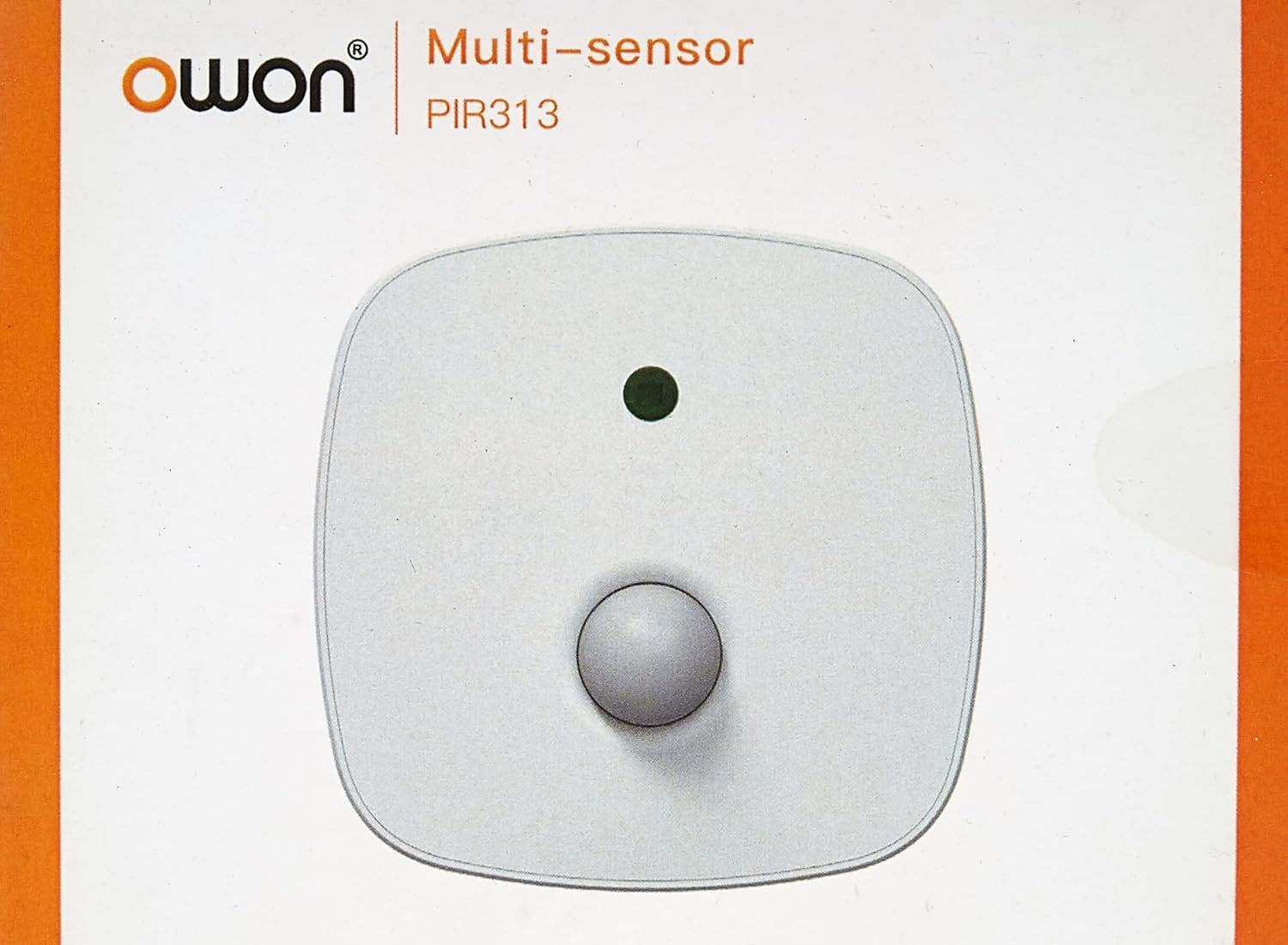
이미지 3.1: 앞쪽 view of the Owon PIR313-A Multi Sensor packaging, displaying the brand 'Owon' and model 'PIR313'.

이미지 3.2: 뒤쪽에 view of the Owon PIR313-A Multi Sensor packaging, highlighting key features such as movement detection, temperature and humidity measurement, ZigBee compatibility, and low power consumption.
4. 안전 정보
- 기기를 극한의 온도, 직사광선 또는 높은 습도에 노출시키지 마세요.
- Avoid placing the device near strong magnetic fields or sources of radio frequency interference.
- Do not attempt to disassemble or modify the sensor, as this will void the warranty and may cause damage.
- Use only specified AA batteries. Ensure correct polarity when inserting batteries.
- 기기를 어린이의 손이 닿지 않는 곳에 보관하세요.
5. 설정
5.1 배터리 설치
- Gently open the back cover of the sensor.
- AA 배터리 2개를 삽입할 때, 극성(+/-)을 정확히 확인하십시오.
- 뒷면 커버를 단단히 닫으세요.

이미지 5.1: 뒤쪽 view of the Owon PIR313-A Multi Sensor, showing the battery compartment cover and product label with model number PIR313.
5.2 ZigBee 게이트웨이와의 페어링
A ZigBee Gateway (hub) is required to control and monitor this device from your smartphone or other connected devices. Refer to your ZigBee Gateway's instructions for specific pairing procedures. Generally, the steps involve:
- Put your ZigBee Gateway into pairing mode.
- On the PIR313-A sensor, locate the pairing button (often a small pinhole button). Press and hold it for a few seconds until the indicator light flashes, indicating it is in pairing mode.
- Once successfully paired, the indicator light will stop flashing or change color according to the sensor's status.
- Confirm the device appears in your ZigBee Gateway's application.
5.3 센서 장착
Choose a suitable location for the sensor, typically in a corner or on a wall, where it can cover the desired detection area without obstruction. Avoid placing it directly facing heat sources or windows where direct sunlight or drafts might cause false readings.
- 적절한 접착을 보장하기 위해 장착 표면을 청소하십시오.
- Attach the adhesive tape to the back of the mounting bracket.
- Secure the mounting bracket to the desired location.
- 센서 유닛을 장착 브래킷에 부착합니다.

이미지 5.2: Mounting accessories, including adhesive tape and a bracket, for securing the Owon PIR313-A Multi Sensor to a surface.

이미지 5.3: 앞쪽 view of the Owon PIR313-A Multi Sensor, showing the PIR lens and indicator light.
6. 운영
Once the sensor is installed and successfully paired with your ZigBee Gateway, it will begin to operate automatically.
- 동작 감지: The sensor will detect movement within its 6-meter range and 120-degree angle. Upon detection, it will send a signal to your ZigBee Gateway.
- 온도 및 습도 모니터링: The sensor continuously monitors the ambient temperature and humidity, transmitting this data to your ZigBee Gateway.
- 알림: Depending on your ZigBee Gateway's configuration, you can set up notifications for motion detection, temperature thresholds, humidity levels, and low battery warnings.
7. 유지관리
- 배터리 교체: When a low battery warning is received, replace both AA batteries promptly to ensure continuous operation. Follow the battery installation steps in Section 5.1.
- 청소: Periodically wipe the sensor's exterior with a soft, dry cloth. Do not use liquid cleaners or abrasive materials, as they may damage the device. Ensure the PIR lens is kept clean and free from dust for optimal performance.
- 펌웨어 업데이트: Check your ZigBee Gateway's application for any available firmware updates for the sensor. Follow the application's instructions for updating.
8. 문제 해결
| 문제 | 가능한 원인 | 해결책 |
|---|---|---|
| Sensor not pairing with Gateway | Sensor not in pairing mode; Gateway not in pairing mode; Interference; Distance too great. | Ensure both sensor and Gateway are in pairing mode. Reduce distance between devices. Check for sources of interference. Try resetting the sensor (if applicable, refer to manufacturer's instructions for reset procedure). |
| 동작 감지 없음 | Obstruction; Incorrect placement; Low battery; Sensor malfunction. | Ensure clear line of sight for the sensor. Reposition the sensor for optimal coverage. Replace batteries. If issue persists, contact support. |
| 부정확한 온도/습도 측정값 | Sensor placed near heat/cold source; Sensor exposed to direct sunlight or drafts. | Relocate the sensor away from direct heat/cold sources, sunlight, or drafts. |
| Low battery warning received | 배터리가 방전되었습니다. | Replace both AA batteries immediately following instructions in Section 5.1. |
9. 사양
| 매개변수 | 값 |
|---|---|
| 모델 번호 | 피르313 |
| 운영 볼륨tage | DC 3V(2*AA 배터리) |
| 대기 전류 | ≤40uA |
| 알람 전류 | ≤30mA |
| 조도 범위 | 0 ~128 klx |
| 조도 해상도 | 0.1 룩스 |
| 온도 범위 | -10~85도 |
| 온도 정확도 | ±0.4°C |
| 습도 범위 | 0~80% 상대습도 |
| 습도 정확도 | ± 4 % RH |
| 거리 감지 | 6m |
| 각도 감지 | 120° |
| Battery Life (All-in-one version) | 약 1년 |
| 네트워킹 모드 | 지그비 |
| Ad-Hoc Networking Distance | ≤ 100 m (open area) |
| 작동 주변 온도 | -10 ~ 50도 |
| 작동 주변 습도 | Maximum 95%RH (non-condensing) |
| RF 간섭 방지 | 10MHz – 1GHz 20 V/m |
| 치수(길이 x 너비 x 높이) | 83 x 83 x 28mm |
| 품목 무게 | 142g |
10. 보증 및 지원
Specific warranty terms and conditions for the Owon PIR313-A Multi Sensor may vary by region and retailer. Please retain your proof of purchase and refer to the warranty information provided at the time of purchase or contact your seller for details.
For technical support or further inquiries, please contact the manufacturer or your authorized dealer. Ensure you have your product model number (PIR313) and purchase details available when seeking support.


