소개
Thank you for choosing the MageGee Pink Gaming Keyboard. This mechanical keyboard is designed to enhance your gaming and typing experience with its responsive blue switches, dynamic backlighting, and durable construction. This manual provides detailed instructions for setup, operation, maintenance, and troubleshooting to ensure optimal performance.

설정
The MageGee Pink Gaming Keyboard is designed for simple plug-and-play functionality, requiring no additional drivers for most operating systems.
키보드 연결
- 컴퓨터(PC 또는 Mac)에서 사용 가능한 USB 포트를 찾으세요.
- Insert the USB connector of the keyboard into the USB port. The keyboard features a gold-plated USB port for stable data transmission.
- Wait for your operating system to recognize the device. This usually happens automatically within a few seconds.
- The keyboard's backlight will illuminate upon successful connection, indicating it is ready for use.

작동 지침
This section details the various functions and features of your MageGee Gaming Keyboard.
주요 특징
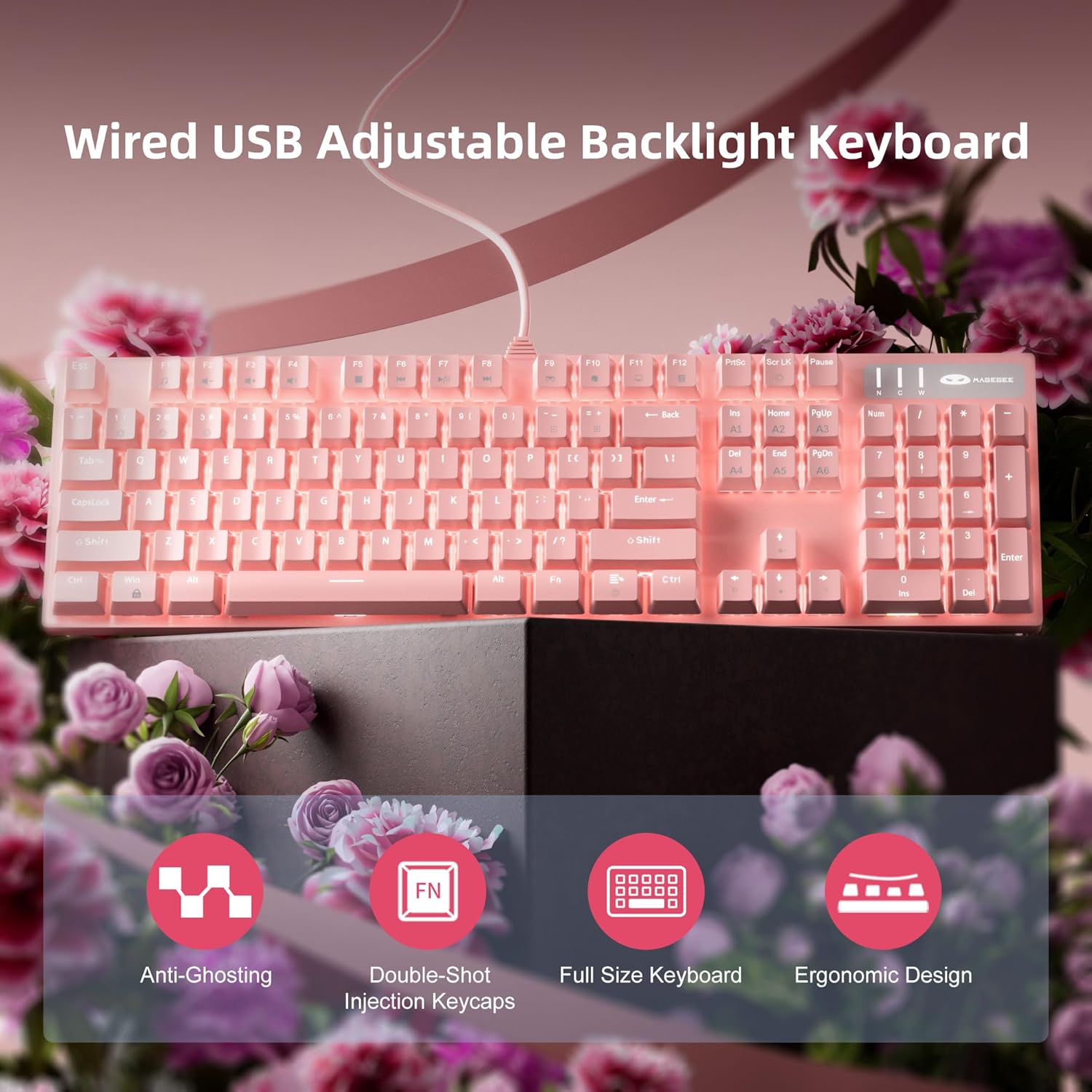
- Professional Blue Switches: Equipped with linear, top-to-bottom switches that offer a smooth and responsive typing experience with a distinct tactile and audible click.
- N키 롤오버: Features 100% anti-ghosting across all 104 keys, ensuring that every simultaneous key press is registered accurately, crucial for fast-paced gaming.
- 동적 백라이트: Offers 18 distinct backlight models to customize your typing environment.
- 극한의 내구성: Built with a solid base and double injection ABS keycaps, designed for long-term use and resistance to wear.
- 폭넓은 호환성: Supports Windows 10, Windows 8, Windows 7, Mac OS X, Windows XP, Windows VISTA, and other common operating systems.
백라이트 제어
The keyboard offers various backlight settings for customization:
- 밝기 조정: 누르다 FN + Up Arrow Key 백라이트 밝기를 높이려면 누르세요. FN + Down Arrow Key 백라이트 밝기를 낮추려면.
- 백라이트 모드 변경: The keyboard has 18 different backlight modes. Refer to the keyboard's function key combinations (e.g., FN + F1-F12, or specific keys) to cycle through these modes. Detailed mode switching instructions may vary; experimentation is encouraged.

유지
적절한 관리는 키보드의 수명을 연장하고 성능을 유지하는 데 도움이 됩니다.
- 청소: 부드럽고 마른 천으로 키보드 표면을 닦아주세요. 더욱 깨끗하게 청소하려면 압축 공기를 사용하여 키캡 사이의 먼지와 이물질을 제거하십시오.
- 키캡 제거: The double injection ABS keycaps are designed for durability. If you need to remove keycaps for cleaning or replacement, use a keycap puller to avoid damaging the switches. Gently pull straight up on the keycap.
- 액체 유출: While the keyboard is designed to be splash-proof, avoid direct exposure to large amounts of liquid. In case of a spill, immediately disconnect the keyboard from your computer and allow it to dry completely before reconnecting.

문제 해결
키보드에 문제가 발생하면 다음 해결 방법을 시도해 보세요.
| 문제 | 가능한 해결책 |
|---|---|
| 키보드가 응답하지 않습니다 |
|
| 백라이트가 작동하지 않거나 어둡습니다 |
|
| 키가 인식되지 않거나 이중 입력이 발생합니다. |
|
명세서
| 특징 | 세부 사항 |
|---|---|
| 제품 치수 | 17 x 5 x 1.5 인치 |
| 품목 무게 | 2.74파운드 |
| 제조업체 | 메이지 |
| 모델 번호 | Storm Pink |
| 연결 기술 | USB |
| 키보드 설명 | 기계적 |
| 추천 용도 | 노름 |
| 특징 | Lighting, Multimedia Keyboard |
| 색상 | 분홍색 |
| 키의 개수 | 104 (전체 크기) |
| 백라이트 색상 지원 | RGB (조절 가능) |
| 스타일 | 현대의 |
| 첫 번째 가능한 날짜 | 17년 2020월 XNUMX일 |
보증 및 지원
MageGee products are built with quality and durability in mind. For specific warranty information, please refer to the warranty card included with your product or visit the official MageGee website. If you require technical assistance or have questions not covered in this manual, please contact MageGee customer support through their official channels.
더 자세한 정보와 제품 업데이트는 다음 웹사이트를 방문하세요. MageGee Store on Amazon.


