소개
This manual provides comprehensive instructions for the safe and efficient use of your TUINYO TP19 Bluetooth Wireless Over-Ear Headphones. Please read this manual thoroughly before operating the device and retain it for future reference.

Image: TUINYO TP19 Bluetooth Wireless Over-Ear Headphones, showcasing the sleek design in black and blue.
안전 정보
- 청력 손상을 방지하려면 높은 볼륨 레벨에 장기간 노출되지 마십시오.
- 운전 중, 자전거를 타는 중 또는 주변 소리를 듣지 못하면 위험할 수 있는 상황에서는 헤드폰을 사용하지 마십시오.
- 장치를 물, 습기 및 극한의 온도로부터 멀리 두십시오.
- 헤드폰을 분해하거나 개조하지 마십시오. 이는 보증을 무효화하고 손상을 초래할 수 있습니다.
- Clean the headphones with a soft, dry cloth. Avoid using harsh chemicals.
패키지 내용
- TUINYO TP19 Bluetooth Wireless Over-Ear Headphones
- 마이크로 USB 충전 케이블
- 3.5mm 오디오 케이블
- 보호 케이스
- 사용 설명서 (본 문서)

Image: All items included in the TUINYO TP19 headphone package: the headphones, a protective case, a micro USB charging cable, and a 3.5mm audio cable.
제품 끝view
The TUINYO TP19 headphones feature a comfortable over-ear design with soft memory-protein earmuffs and an adjustable stainless steel headband for a perfect fit. Controls are intuitively placed on the earcup.

이미지: 상세 view of the headphone's ergonomic features: leather-padded headband, adjustable headband mechanism, soft memory-protein earmuffs, and the equalizer (EQ) button.
주요 특징:
- 고음질 스테레오 사운드: Powered by 40mm neodymium drivers for immersive audio.
- 편안한 디자인: Memory-protein ear cushions and adjustable headband for extended wear.
- 듀얼 모드: 무선 블루투스 및 유선 3.5mm 오디오 연결을 모두 지원합니다.
- 긴 배터리 수명: 한 번 충전으로 최대 40시간 동안 재생할 수 있습니다.
- 내장 마이크: 핸즈프리 통화와 음성 명령을 위해.
- 접이식 디자인 : 휴대가 간편하고 보관이 용이합니다.
설정
1. 헤드폰 충전
- Connect the micro USB charging cable to the charging port on the headphones.
- 케이블의 다른 쪽 끝을 USB 전원 어댑터(포함되지 않음)나 컴퓨터의 USB 포트에 연결합니다.
- The LED indicator will show charging status (typically red while charging, off or blue when fully charged).
- A full charge takes approximately 2-2.5 hours and provides up to 40 hours of music playtime.

Image: Graphic illustrating the impressive battery duration, highlighting up to 35 hours of battery life and a quick charge feature where 15 minutes of charging provides 3 hours of playtime.
2. 전원 켜기/끄기
- 전원 켜기: Press and hold the Power button (usually the multi-function button) for a few seconds until the LED indicator lights up and you hear a power-on prompt.
- 전원 끄기 : LED 표시등이 꺼지고 전원 끄기 안내음이 들릴 때까지 전원 버튼을 몇 초간 다시 길게 누르세요.
3. 블루투스 페어링
- 헤드폰의 전원이 꺼져 있는지 확인하십시오.
- 전원 버튼을 약 5~7초 동안 길게 누르면 LED 표시등이 빨간색과 파란색으로 번갈아 깜빡이며 페어링 모드에 진입합니다.
- 기기(스마트폰, 태블릿, PC)에서 Bluetooth를 활성화하고 사용 가능한 기기를 검색하세요.
- Select "TP 19" from the list of devices.
- Once paired, the LED indicator will flash blue slowly, and you will hear a connection confirmation.
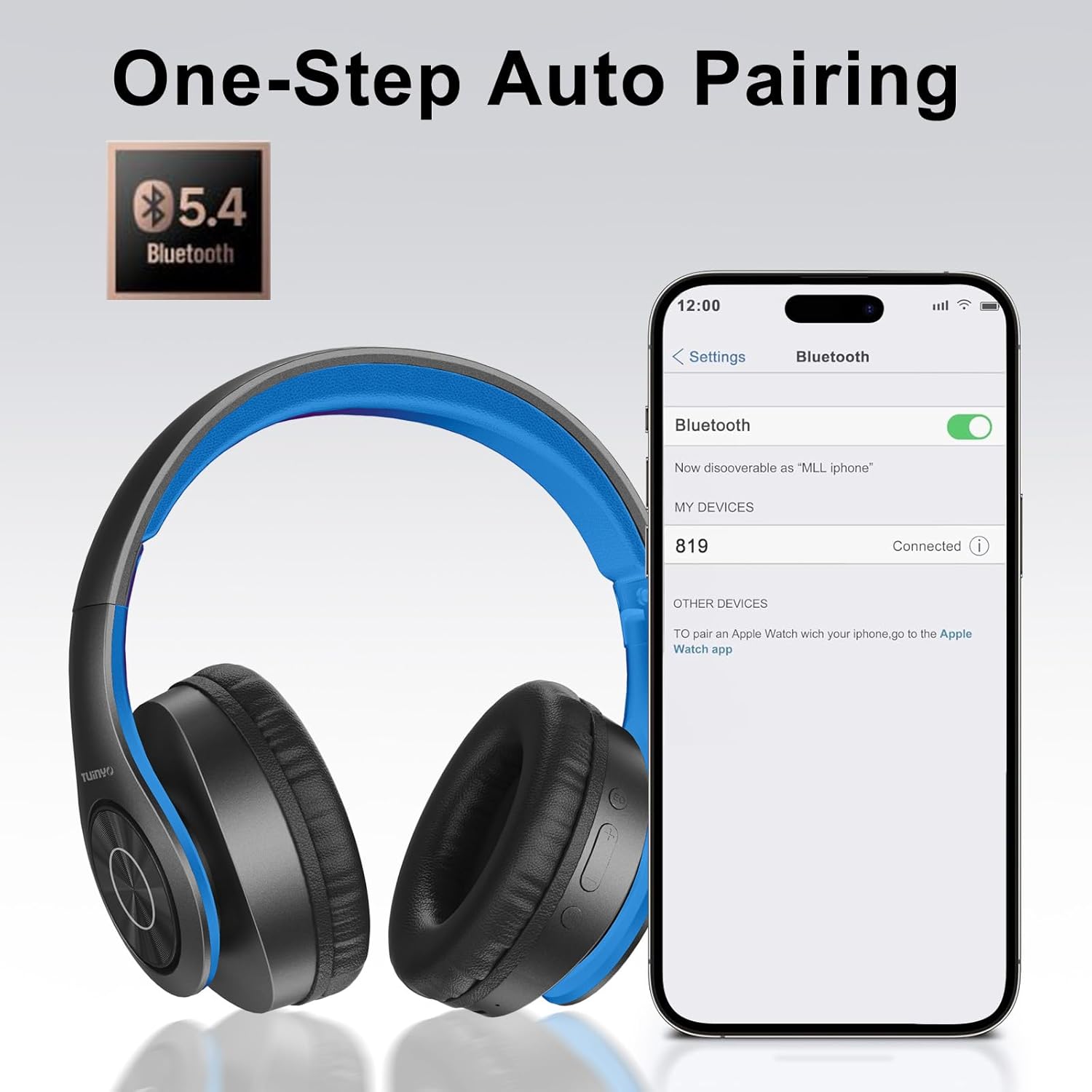
Image: A smartphone screen displaying the Bluetooth settings, showing the "819" (representing the TP19 headphones) successfully connected, illustrating the one-step auto pairing feature.
Video: An official TUINYO video demonstrating the Bluetooth pairing process and showing the headphones in use. This video highlights the ease of connecting the headphones to a device.
작동 지침
1. 무선 모드
- 재생/일시 중지: 다기능 버튼을 한 번 누릅니다.
- 볼륨 업: "+" 버튼을 누르세요.
- 볼륨 작게 : "-" 버튼을 누르세요.
- 다음 트랙: "+" 버튼을 길게 누르세요.
- 이전 트랙 : "-" 버튼을 길게 누르세요.
2. 유선 모드
배터리 잔량이 부족하거나 유선 연결을 선호하는 경우, 포함된 3.5mm 오디오 케이블을 사용할 수 있습니다.
- 3.5mm 오디오 케이블의 한쪽 끝을 헤드폰의 오디오 입력 포트에 연결하십시오.
- Connect the other end to your audio device's 3.5mm jack.
- In wired mode, controls on the headphones may be limited, and playback will be controlled by your connected device.
3. 함수 호출
- 전화 받기/종료: 다기능 버튼을 한 번 누릅니다.
- 전화 거부: 다기능 버튼을 2초 동안 길게 누릅니다.
- 마지막 번호 재다이얼: 다기능 버튼을 두 번 누릅니다.
4. 음성 지원
The headphones support voice-enabled assistants like Siri. Press the Multi-function button twice to activate your device's voice assistant.
5. Sound Effects (EQ Mode)
The headphones feature multiple sound effects (EQ modes) to customize your listening experience. Press the EQ button (often labeled "EQ" or a similar icon) to cycle through available modes such as Normal, Rock, Pop, Classic, Jazz, and Country.
Video: An official TUINYO video showcasing the various sound modes and controls on the headphones, demonstrating how to switch between different equalizer settings.
유지
- Store the headphones in the protective case when not in use to prevent damage.
- 충전 포트와 오디오 잭에 먼지와 이물질이 들어가지 않도록 하십시오.
- Avoid exposing the headphones to direct sunlight or extreme heat for extended periods.
- Do not use abrasive cleaners or solvents on the headphones.
문제 해결
| 문제 | 해결책 |
|---|---|
| 헤드폰의 전원이 켜지지 않습니다. | 헤드폰이 완전히 충전되었는지 확인하세요. 전원에 연결한 후 다시 시도해 보세요. |
| 기기와 페어링할 수 없습니다. |
|
| 무선 모드에서는 소리가 나지 않습니다. |
|
| 유선 모드에서는 소리가 나지 않습니다. |
|
명세서
| 특징 | 세부 사항 |
|---|---|
| 모델명 | 티피19 |
| 연결 기술 | 무선(블루투스) |
| 무선 통신 기술 | 블루투스 5.1 |
| 블루투스 범위 | 10 미터 |
| 오디오 드라이버 유형 | 동적 드라이버 |
| 오디오 드라이버 크기 | 40 밀리미터 |
| 주파수 응답 | 20 kHz (XNUMX kHz) |
| 임피던스 | 32옴 |
| 배터리 수명 | 40시간 |
| 충전 시간 | 2.5시간 |
| 헤드폰 잭 | 3.5 mm 잭 |
| 제어 유형 | 음성 제어, 터치 |
| 특징 | 접이식 |
| 품목 무게 | 8.9온스(251그램) |
| 제품 치수 | 6.85 x 3.9 x 9.72 인치 |
| 재료 | 플라스틱 |
| 포함된 구성 요소 | Cable, Protective Case, micro usb cable |
보증 및 지원
By choosing TUINYO, you are covered by a 30-day hassle-free return policy and a one-year warranty. For any inquiries or assistance, please contact our prompt and friendly customer service, available 24/7.
For further support, visit the official TUINYO store: TUINYO Store


