소개
Thank you for choosing the Spigen PocketBoost 10000mAh Power Bank. This portable charger is designed to provide reliable and fast charging for your mobile devices on the go. Featuring Power Delivery (PD) and Quick Charge 3.0 (QC 3.0) technologies, it ensures efficient power delivery to a wide range of USB-C and USB-A compatible devices. Please read this manual carefully to ensure proper use and maintenance of your power bank.
중요한 안전 정보
본 제품을 사용하기 전에 모든 안전 경고를 읽고 이해해 주십시오.
- Product contains batteries.
- Do not expose to extreme temperatures of hot or cold.
- 사용하지 않을 때 배터리를 장시간 충전 상태로 두지 마십시오.
- Do not dismantle or attempt to repair faulty power banks.
- Do not puncture the batteries within the casing.
상자 안에 무엇이 들어있나요?
Upon opening your Spigen PocketBoost package, you should find the following items:
- Spigen PocketBoost Portable Charger (10000mAh)
- USB-C-USB-C 케이블(1m)
- USB-A-USB-C 케이블(0.5m)
- 여행용 파우치
- 사용 설명서 (본 문서)

Image: All items included in the Spigen PocketBoost package.
제품 끝view
The Spigen PocketBoost is a compact and powerful portable charger designed for convenience and efficiency.

이미지: 앞면 view of the Spigen PocketBoost Power Bank.
주요 특징:
- PD(전력 전달) 기술: Enables lightning-fast USB Type-C charging for a wide range of compatible devices.
- Quick Charge 3.0 (QC 3.0) Compatible: Charges QC 3.0 enabled devices up to 18W, achieving 0% to 50% charge in approximately 30 minutes.
- 듀얼 포트: Equipped with one USB-C port and one USB-A port, allowing simultaneous charging of two smartphones.
- 대용량: 10000mAh capacity provides multiple charges for most smartphones.
- Ergonomic Modern Design: 편안한 취급과 심미적인 매력을 고려하여 설계되었습니다.
- Built-in Multiple Spigen Protection Technology: Includes Intelligent Power Technology for smooth power delivery, Smart IC Chip Protection against overcharging and overvoltage, and ControlHeat™ Technology to prevent overheating.
- Carry-on Safe: Approved for safe travel on airplanes.
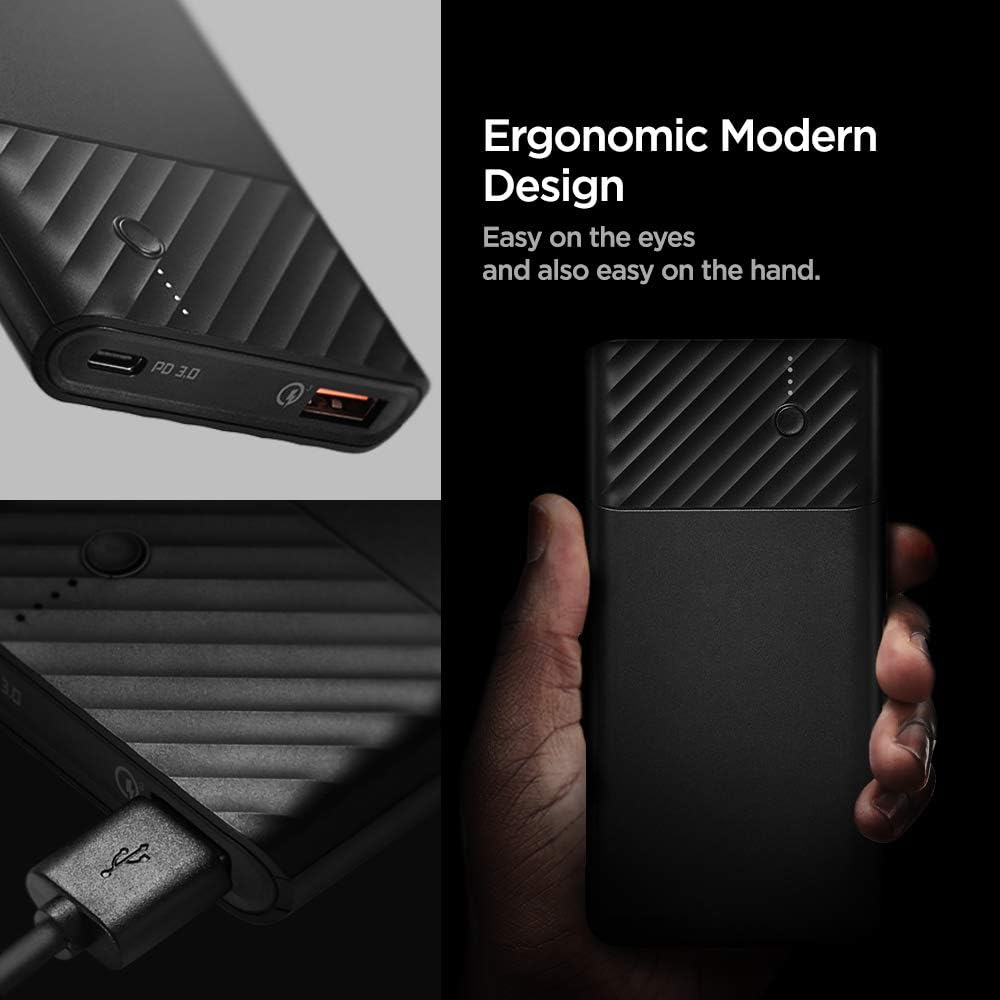
Image: Detail of the ergonomic and modern design of the power bank.
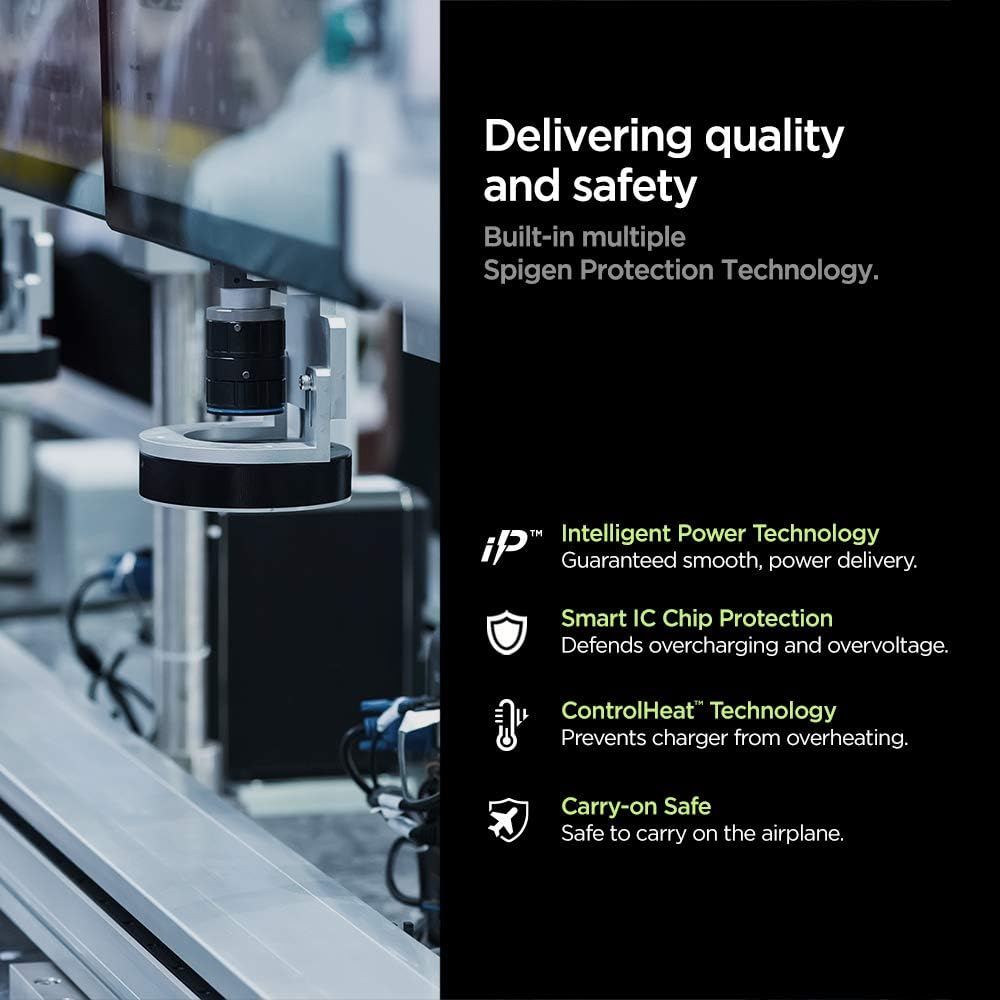
이미지: 이상view of the built-in safety and quality features.
설정
파워뱅크 초기 충전:
- Before first use, fully charge your Spigen PocketBoost power bank.
- Connect the provided USB-C to USB-C cable or USB-A to USB-C cable to the power bank's input port (USB-C port).
- Connect the other end of the cable to a compatible USB wall charger (not included). For fastest charging, use a Power Delivery (PD) or Quick Charge (QC) compatible wall charger.
- 보조 배터리의 LED 표시등은 충전 진행 상황을 보여주기 위해 켜집니다. 완전히 충전되면 4개의 LED가 모두 켜진 상태가 됩니다.
작동 지침
배터리 잔량 확인:
전원 버튼을 한 번 누르면 배터리 잔량을 확인할 수 있습니다. LED 표시등이 켜집니다.
- 4개 LED: 75-100%
- 3개 LED: 50-75%
- 2개 LED: 25-50%
- LED 1개: 0-25%
장치 충전:
The Spigen PocketBoost features both a USB-C port (with Power Delivery) and a USB-A port (with Quick Charge 3.0) for versatile device charging.
- 기기의 충전 케이블을 전원 은행의 적절한 포트(USB-C 또는 USB-A)에 연결합니다.
- 케이블의 다른 쪽 끝을 장치에 연결합니다.
- 보조 배터리가 자동으로 기기 충전을 시작합니다. 만약 충전이 시작되지 않으면 전원 버튼을 한 번 눌러 충전을 시작하세요.
- 두 개의 포트를 모두 사용하여 두 대의 기기를 동시에 충전할 수 있습니다.

Image: Demonstrating fast charging with the power bank.
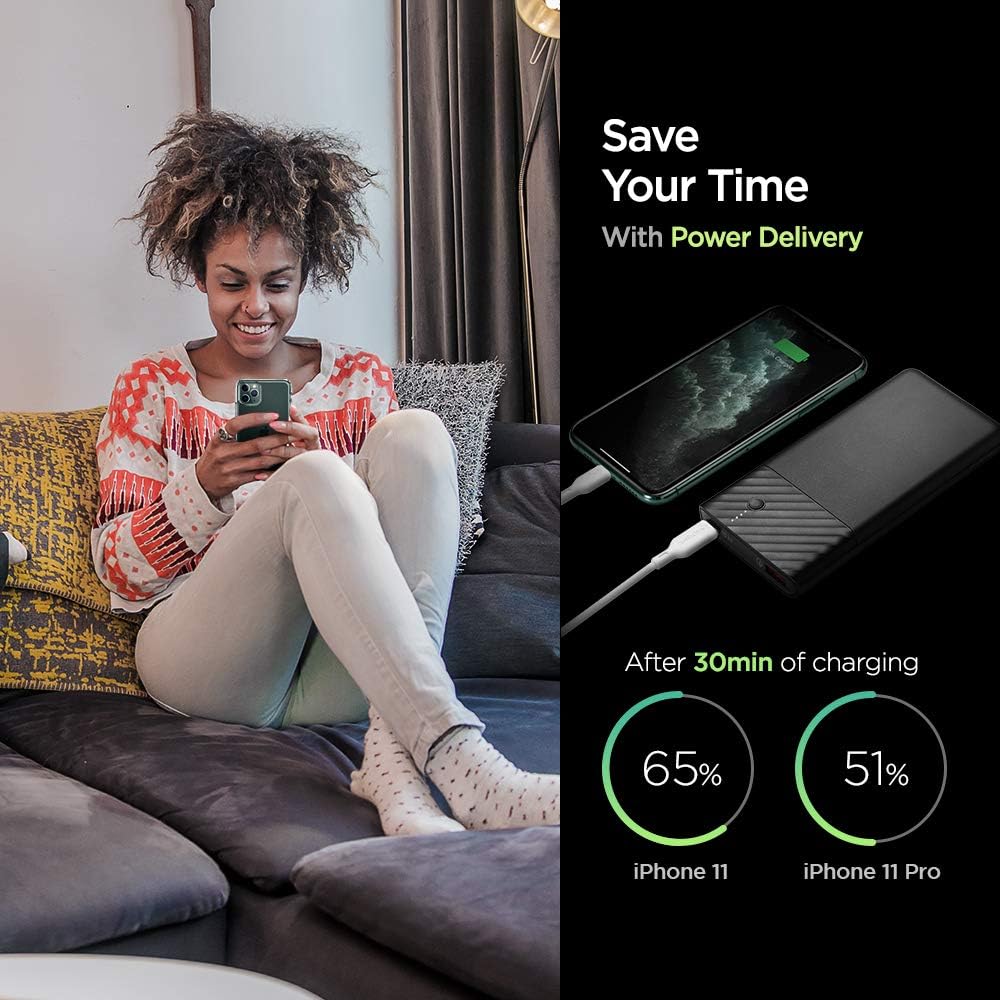
Image: Power Delivery charging efficiency for iPhone models.

Image: Quick Charge 3.0 efficiency for Android devices.
Video: A short demonstration of the Spigen PocketBoost charging a smartphone and wireless earbuds simultaneously. This video highlights the dual-port charging capability and compact design.
유지
- 모바일 배터리는 극한의 온도, 직사광선, 액체에 가까이 두지 마세요.
- 부드럽고 마른 천으로 보조 배터리를 닦으세요. 강한 화학 물질이나 연마재를 사용하지 마세요.
- Store the power bank in a cool, dry place when not in use. For long-term storage, it is recommended to charge the power bank to about 50-75% every 3-6 months to preserve battery health.
- 모바일 충전기를 떨어뜨리거나 강한 충격을 주지 마십시오.
문제 해결
| 문제 | 가능한 원인 | 해결책 |
|---|---|---|
| 보조 배터리가 충전되지 않음 | Cable not properly connected; faulty cable/charger; power bank battery depleted. | Ensure cables are securely connected. Try a different cable or wall charger. Allow the power bank to charge for a longer period. |
| 보조 배터리에서 장치가 충전되지 않음 | Power bank battery depleted; incorrect cable; device not compatible; power bank in standby. | Check power bank battery level. Use the correct cable for your device. Ensure your device is compatible with USB charging. Press the power button on the power bank to activate charging. |
| 느린 충전 | Non-PD/QC compatible charger/cable; device not supporting fast charge. | Use a PD or QC 3.0 compatible wall charger and cable for faster charging of the power bank. Ensure your device supports fast charging technologies (PD/QC) to benefit from the power bank's fast output. |
| 파워뱅크 사용 중 따뜻해짐 | 고속 충전 중 정상 작동; 과부하. | It is normal for the power bank to get slightly warm during charging or discharging. If it becomes excessively hot, disconnect it immediately and contact customer support. |
명세서
| 특징 | 세부 사항 |
|---|---|
| 모델 번호 | F732QC |
| 배터리 용량 | 10000밀리amp 시간(mAh) |
| 제품 치수 | 2.76 x 1.97 x 1.18 인치 |
| 품목 무게 | 7 온스 |
| 커넥터 유형 | USB 타입 C, USB 타입 A |
| 특별 기능 | Power Delivery (PD), Quick Charge 3.0 (QC 3.0) |
| 색상 | 검은색 |
| 제조업체 | 슈피겐 |
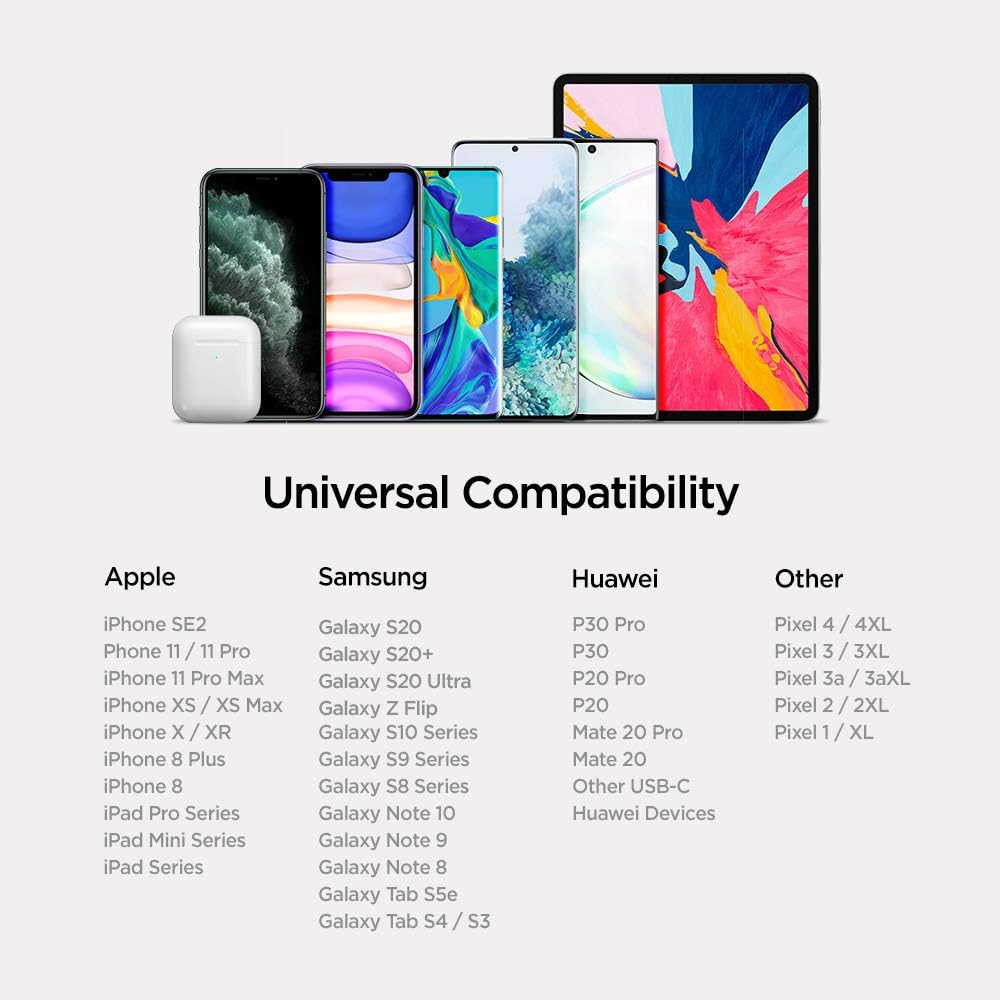
Image: Universal compatibility chart for the power bank.
보증 및 지원
Spigen products are designed with quality and reliability in mind. For warranty information, technical support, or any inquiries regarding your Spigen PocketBoost Power Bank, please visit the official Spigen web사이트를 방문하거나 고객 서비스에 직접 문의하세요.
더 많은 정보와 지원은 다음에서 찾을 수 있습니다. 아마존에서 스피겐 스토어를 만나보세요.


