1. 서론
The FreedConn TCOM-SC is a Bluetooth communication system designed for motorcycle helmets. It allows for wireless communication, music streaming, FM radio, and GPS voice instructions, enhancing safety and convenience during rides. This manual provides detailed instructions for installation, operation, and maintenance of your TCOM-SC unit.
2. 제품 특징
- 블루투스 3.0 연결: For stable wireless connections.
- 인터콤 기능: Supports pairing of up to 3 riders, with 2 riders communicating simultaneously over a range of up to 800 meters.
- LCD 디스플레이: Provides clear visual information on status, battery, and FM radio frequency.
- 방수 디자인 : 다양한 기상 조건에서도 안정적인 성능을 보장합니다.
- FM 라디오 : 내장형 FM 라디오로 엔터테인먼트를 즐길 수 있습니다.
- 고급 소음 제어: Reduces background noise for clear audio.
- 음악 재생: Stereo music streaming with playback control.
- 충전식 배터리: Long standby time and usage duration.
- 보편적 인 호환성 : Suitable for full-face and flip-up helmets.

이미지: 이상view of FreedConn TCOM-SC product features, including 3-rider connection, 800m duplex intercom, phone connectivity, last number redial, FM radio, advanced noise control, stereo music, playback control, individual volume control, rechargeable battery, waterproof, sunproof, dustproof, and hard & soft microphone options.
3. 패키지 내용
모든 품목이 들어 있는지 확인하려면 패키지를 확인하세요.
- 1 x Intercom Host
- 1 x Headset (Soft Mic/Hard Mic options)
- 1 x USB 케이블
- 1 x 3M Clip
- 1 x 클립
- 1 x 드라이버
- 1 x 사용자 설명서
- 6 x Headset Velcro Pads

Image: Visual representation of the FreedConn TCOM-SC package contents, including the intercom host, headset with microphone, USB cable, mounting clips, screwdriver, user manual, and headset velcro pads.
4. 제품 오버view 및 구성 요소
Familiarize yourself with the main components of the TCOM-SC unit:
- LCD 디스플레이 화면: 작동 상태를 보여줍니다.
- 조그 휠: Multi-function control for volume, track skipping, and menu navigation.
- 다기능 버튼: For power, intercom, and phone calls.
- Charger and Headset Socket: For connecting the charging cable and headset.
- 스테레오 이어 스피커: 오디오 출력용.
- 소음 제거 마이크: Available in hard cable (boom mic) and soft cable (flexible mic) versions.

Image: Diagram illustrating the components of the FreedConn TCOM-SC headset, including stereo ear speakers, power on/off and intercom button, LCD display screen, jog wheel, multi-function button, charger and headset socket, noise canceling microphone (hard and soft cable options), and slot cable.
5. 설치
Follow these steps to install the TCOM-SC unit on your helmet:
- 장착 방법을 선택하세요: cl 중에서 선택하세요amp mount (for helmets with an edge) or the adhesive mount (for helmets without a suitable edge).
- 마운트 부착: Securely attach the chosen mount to the left side of your helmet.
- Insert Intercom Unit: Slide the TCOM-SC unit onto the mount until it clicks into place.
- 스피커 설치: Attach the Velcro pads to the inside of your helmet, then place the stereo speakers over the Velcro pads, aligning them with your ears.
- 마이크 설치: For full-face helmets, use the soft cable microphone and position it inside the chin bar. For open-face or flip-up helmets, use the hard cable boom microphone and position it in front of your mouth.
- 헤드셋 연결: Plug the headset cable into the headset socket on the TCOM-SC unit.
- 케이블 경로: Neatly tuck all cables under the helmet padding to avoid obstruction and ensure comfort.
6. 배터리 충전
The TCOM-SC unit is powered by a rechargeable battery. Ensure it is fully charged before first use.
- Connect the provided USB cable to the charging port on the TCOM-SC unit.
- USB 케이블의 다른 쪽 끝을 USB 전원 어댑터(별도 구매) 또는 컴퓨터의 USB 포트에 연결하십시오.
- The LCD display will indicate charging status.
- 충전에는 일반적으로 약 2.5시간이 소요됩니다.
- A full charge provides up to 10 hours of phone calling time, 8 hours of intercom time, and up to 300 hours of standby time.
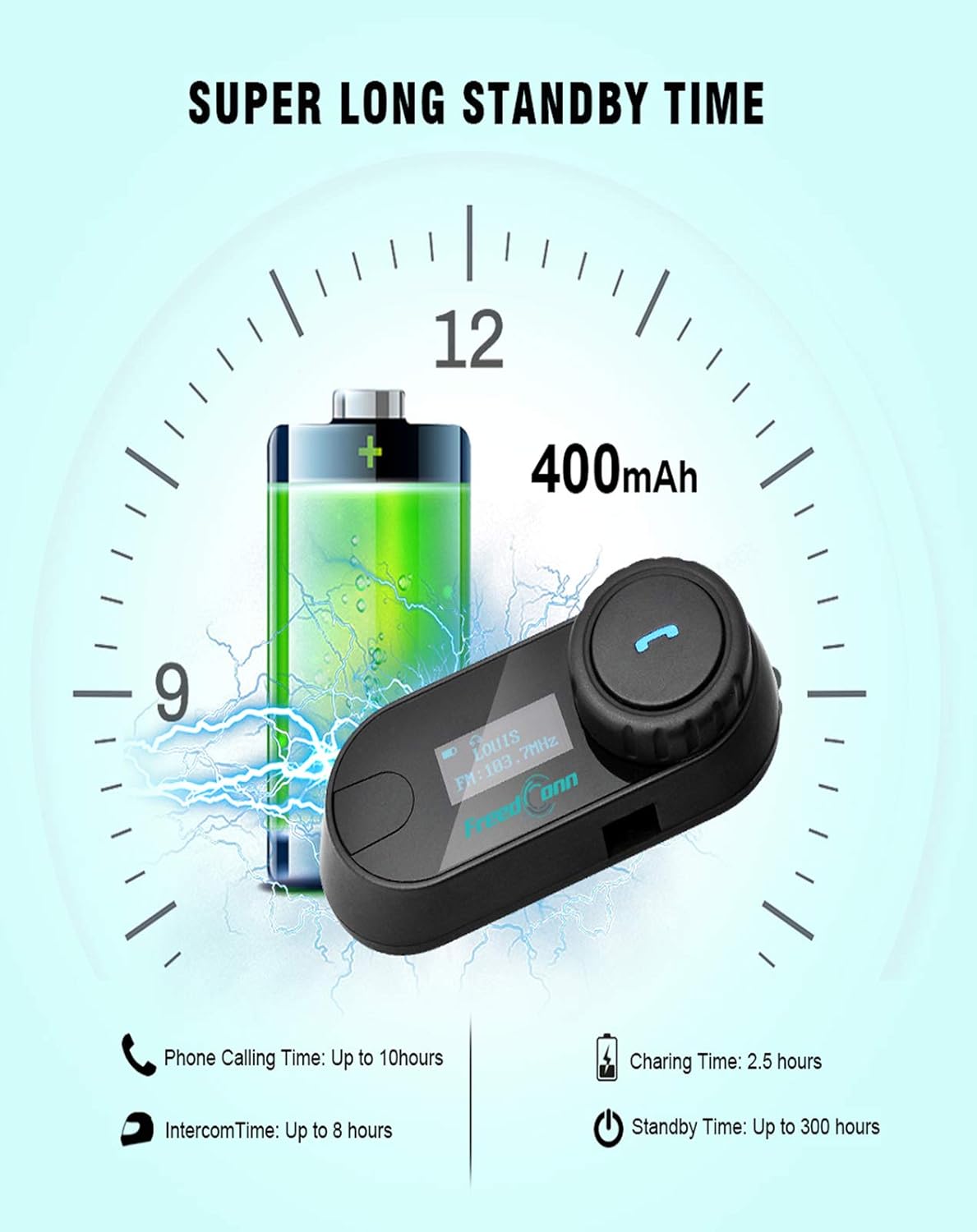
Image: Illustration of FreedConn TCOM-SC battery life and charging details, showing a 400mAh battery, 2.5 hours charging time, up to 10 hours phone calling time, up to 8 hours intercom time, and up to 300 hours standby time.
7. 기본 작업
7.1 전원 켜기/끄기
- 전원 켜기: Press and hold the Multi-function Button for approximately 3 seconds until you hear a voice prompt and the LCD screen illuminates.
- 전원 끄기 : Press and hold the Multi-function Button for approximately 5 seconds until you hear a voice prompt and the LCD screen turns off.
7.2 볼륨 조절
- Rotate the Jog Wheel forward to increase volume.
- Rotate the Jog Wheel backward to decrease volume.
8. 블루투스 페어링
8.1 휴대폰과 페어링
- TCOM-SC 장치의 전원이 꺼져 있는지 확인하십시오.
- Press and hold the Multi-function Button for approximately 5-7 seconds until the LCD screen shows "Pairing" and the indicator light flashes red and blue alternately.
- 휴대폰에서 Bluetooth를 활성화하고 기기를 검색하세요.
- Select "FreedConn TCOM-SC" from the list of available devices.
- If prompted, enter the PIN code "0000".
- Once paired, the LCD will show "Connected" and the indicator light will flash blue slowly.
8.2 Pairing with Another TCOM-SC Unit (Intercom)
To establish intercom communication between two TCOM-SC units:
- Ensure both TCOM-SC units are powered off.
- On both units, press and hold the Multi-function Button for approximately 5-7 seconds until they enter pairing mode (red and blue indicator lights flashing alternately).
- Briefly press the Multi-function Button on 하나 of the units. It will search for the other unit.
- Once connected, both units will show "Intercom" on their LCD screens and the indicator lights will flash blue slowly.
For multi-rider intercom (up to 3 units), repeat the pairing process with the third unit, ensuring only two units are actively communicating at any given time.
9. 작동 기능
9.1 전화 통화
- 전화 받기: 다기능 버튼을 짧게 누르세요.
- 통화 종료: 다기능 버튼을 짧게 누르세요.
- 전화 거부: 다기능 버튼을 2초 동안 길게 누릅니다.
- 마지막 번호 재다이얼: 다기능 버튼을 두 번 누르세요.
9.2 음악 재생
- 재생/일시 중지: 다기능 버튼을 짧게 누르세요.
- 다음 트랙: Rotate the Jog Wheel forward and hold for 2 seconds.
- 이전 트랙 : Rotate the Jog Wheel backward and hold for 2 seconds.
9.3 FM 라디오
- FM 켜기/끄기: Double-press the Multi-function Button to switch between music/intercom and FM radio.
- 스캔 스테이션: Rotate the Jog Wheel forward or backward to change stations.
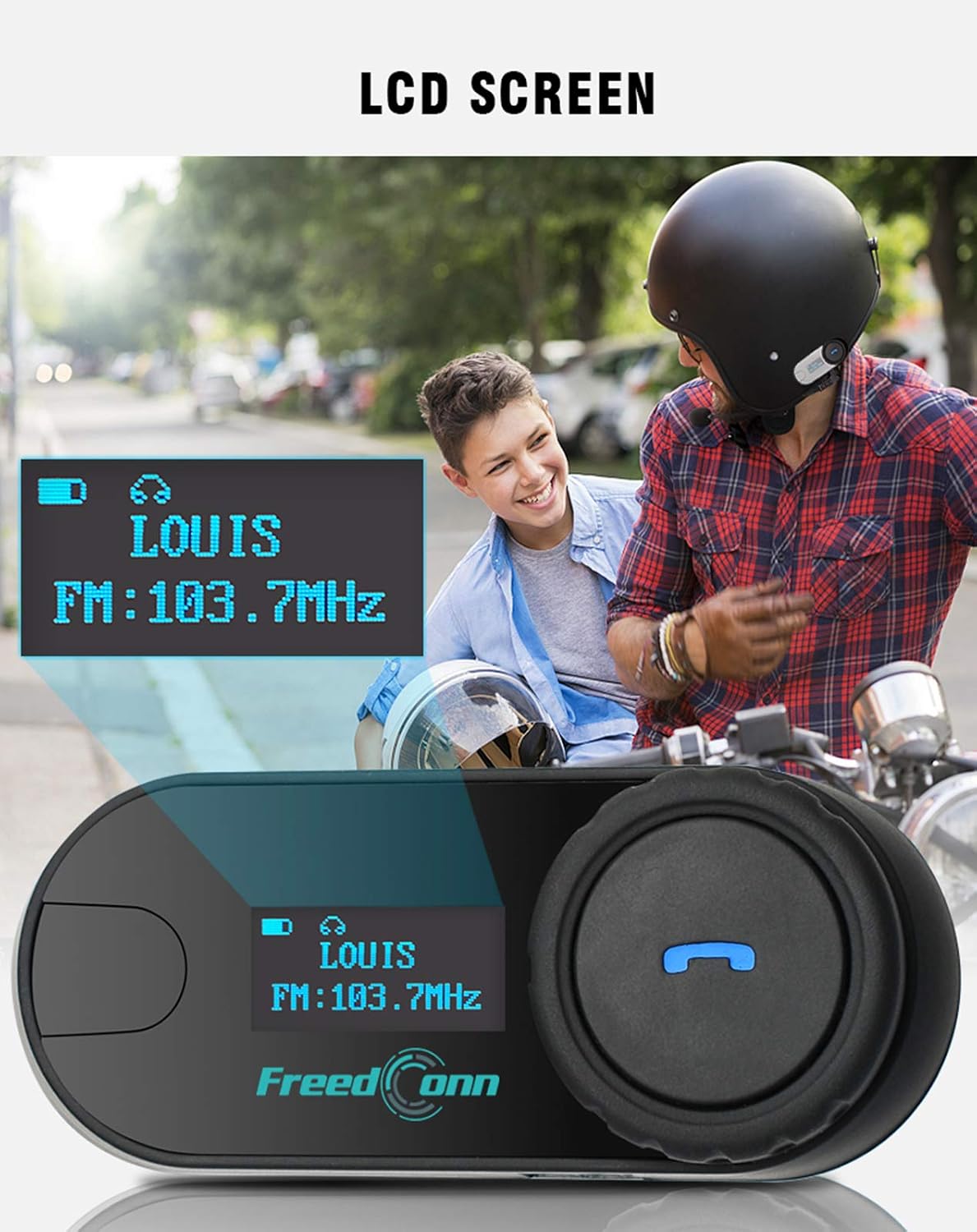
이미지: 클로즈업 view of the FreedConn TCOM-SC LCD screen, displaying information such as connected device name (e.g., LOUIS) and FM radio frequency (e.g., FM: 103.7MHz).
10. 유지관리
- 부드러운 천으로 장치를 청소하십시오. damp 옷감. 강한 화학물질이나 용제를 사용하지 마십시오.
- 충전하지 않을 때는 방수 기능을 유지하기 위해 충전 포트 덮개를 단단히 닫아 두십시오.
- 사용하지 않을 때에는 장치를 서늘하고 건조한 곳에 보관하십시오.
- 장치를 극한의 온도에 노출시키지 마십시오.

Image: The FreedConn TCOM-SC unit shown with water splashing around it, illustrating its waterproof, sun protection, and dust-proof capabilities, highlighting its durable and protective design.
11. 문제 해결
- 전원 없음: 배터리가 충전되어 있는지 확인하십시오. 충전기에 연결한 후 다시 시도하십시오.
- 페어링할 수 없습니다: Make sure both devices are in pairing mode. Turn off and restart both devices, then try pairing again. Ensure no other Bluetooth devices are interfering.
- 소리 없음: Check volume levels on both the TCOM-SC and the connected device. Ensure the headset is properly plugged into the unit.
- 인터콤 연결 해제: Ensure units are within the 800m range and there are no major obstructions. Re-establish the intercom connection.
- 낮은 오디오 품질: Check microphone placement. Ensure speakers are correctly positioned over your ears. Reduce background noise if possible.
12. 사양
| 모델 번호 | TCOM-SC |
| 블루투스 버전 | 3.0 |
| 인터콤 범위 | 최대 800미터 (2인 탑승) |
| 배터리 용량 | 400mAh |
| Phone Calling Time | 최대 10시간 |
| 인터콤 시간 | 최대 8시간 |
| 대기 시간 | 최대 300시간 |
| 충전 시간 | 약 2.5시간 |
| 방수 레벨 | 방수복 |
| 제품 치수 | 1.22 x 0.98 x 3.19 인치 |
| 품목 무게 | 10.2 온스 |
13. 보증 및 지원
For warranty information and technical support, please refer to the official FreedConn web사이트를 방문하거나 판매점에 문의하세요. 구매 증빙 자료로 구매 영수증을 보관하세요.