소개
This manual provides detailed instructions for the setup, operation, maintenance, and troubleshooting of your EasySMX Wireless Controller, model SP5226-R-EU. This controller is designed for use with Nintendo Switch, Nintendo Switch Lite, and Windows PC. Please read this manual thoroughly before use to ensure proper functionality and to maximize your gaming experience.
패키지 내용
패키지에 모든 품목이 들어 있는지 확인하세요.
- 1 x EasySMX Wireless Pro Controller for Nintendo Switch
- 1 x 1.2 Meter USB-C Charging Cable
- 1 x 사용자 매뉴얼(이 문서)
제품 끝view
The EasySMX Wireless Controller features an ergonomic design for comfortable use and includes various buttons and functions for an enhanced gaming experience. Below are images illustrating the controller's layout and key features.

영상: 앞쪽 view of the EasySMX Wireless Controller. This image highlights the controller's main buttons, dual analog sticks, D-pad, and action buttons (A, B, X, Y). Icons above the controller indicate key features such as 6-Axis Gyro, Bluetooth connectivity, Vibration feedback, Switch Host compatibility, and Screenshot functionality.

영상: 뒤쪽에 view of the EasySMX Wireless Controller. This image displays the rear of the controller, including the R and L triggers, and regulatory markings such as "SWITCH Wireless Controller," "Input: DC 5V 500mA," and "Made in China."
컨트롤러 충전하기
The controller is equipped with a built-in 500mAh rechargeable lithium battery. To charge the controller:
- 제공된 USB-C 충전 케이블을 컨트롤러의 USB-C 포트에 연결합니다.
- Connect the other end of the cable to a USB power source (e.g., a Nintendo Switch dock, a computer USB port, or a USB wall adapter).
- The indicator lights on the controller will show the charging status.
A full charge typically takes approximately 2-3 hours. Once fully charged, the controller provides approximately 8 hours of operating time.
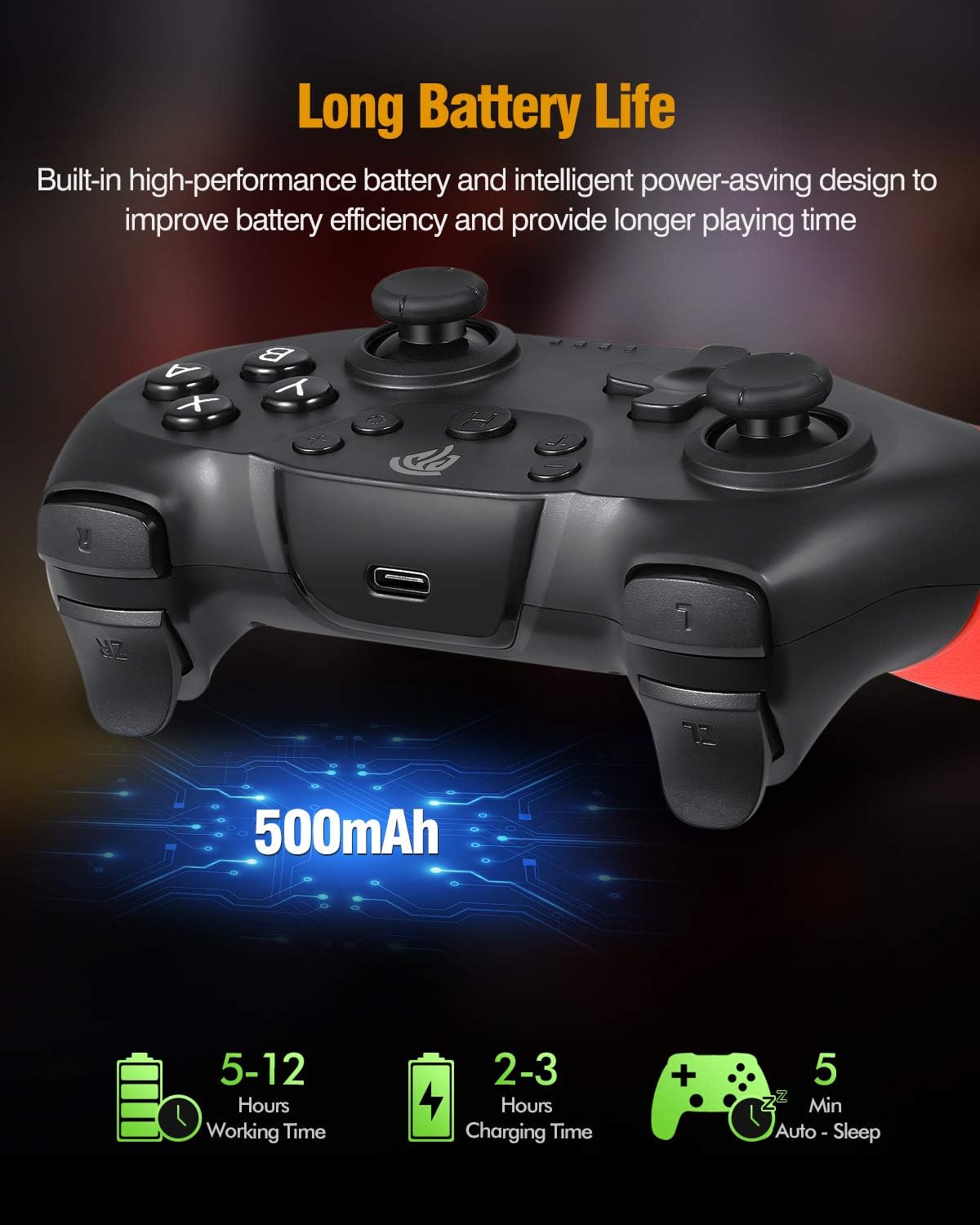
영상: Illustration of the controller's battery life and charging. The image shows the controller with a USB-C port, indicating a 500mAh battery. Text overlays specify a working time of 5-12 hours (note: actual working time is approximately 8 hours as per product features), a charging time of 2-3 hours, and an auto-sleep function after 5 minutes of inactivity.
Nintendo Switch에 연결
Follow these steps to pair your EasySMX Wireless Controller with your Nintendo Switch console:
- From the Nintendo Switch HOME Menu, select "Controllers" > "Change Grip/Order."
- On the controller, press and hold the SYNC button (usually a small button on the top or back) for a few seconds until the LED indicators begin to flash rapidly.
- Once the controller is successfully paired, the player LED(s) corresponding to the controller number will remain lit.
- The controller will automatically connect to the Switch console when powered on if it has been paired previously.
PC(Windows)에 연결하기
The controller can be connected to a Windows PC via Bluetooth or a USB cable.
블루투스 연결 :
- PC에서 Bluetooth가 활성화되어 있는지 확인하세요.
- On your PC, go to "Settings" > "Devices" > "Bluetooth & other devices."
- Select "Add Bluetooth or other device" > "Bluetooth."
- Press and hold the SYNC button on the controller until the LED indicators flash rapidly.
- Select the controller from the list of available Bluetooth devices on your PC.
- 화면의 지시에 따라 페어링 과정을 완료하세요.
유선 연결:
- 충전 케이블의 USB-C 단자를 컨트롤러에 연결하세요.
- 케이블의 USB-A 끝을 PC의 사용 가능한 USB 포트에 연결합니다.
- The PC should automatically detect and install the necessary drivers. The controller will be recognized as a standard gamepad.
작동 기능
터보 기능
The controller supports a Turbo function for rapid firing of buttons. To activate Turbo:
- Press and hold the button you wish to set to Turbo (e.g., A, B, X, Y, L, R, ZL, ZR).
- While holding the button, press the Turbo button once. The button will now continuously register input when held down.
- To deactivate Turbo for that button, repeat the process: hold the button and press the Turbo button again.
진동 피드백
The controller features dual motors for vibration feedback, providing a more immersive gaming experience. Vibration intensity is typically controlled by the game itself.

영상: Illustration of the controller's vibration feedback. The image shows the controller with visual effects emanating from the grips, symbolizing the dual motor vibration. A gaming scene is depicted in the background, suggesting an immersive experience.
Gyro Axis / 6-Axis Somatosensory
The built-in 6-axis gyro provides somatosensory assistance, allowing for subtle and precise aiming movements in compatible games.

영상: Demonstration of the 6-axis somatosensory feature. The image shows hands holding the controller, with a game displayed on a screen in the background. Text indicates that the built-in 6-axis gyro assists subtle aiming with high precision, making aiming movements smoother and faster.
Sleep Function / Automatic Power Off
To conserve battery life, the controller will automatically enter sleep mode after approximately 5 minutes of inactivity. To wake the controller, press any button.
유지
컨트롤러의 수명 연장 및 최적 성능을 보장하려면 다음 유지 관리 지침을 따르십시오.
- 청소: 부드럽고 마른 천을 사용하여 컨트롤러를 청소하세요. 강한 화학 물질이나 연마재는 사용하지 마세요.
- 저장: 컨트롤러는 직사광선과 극한의 온도를 피해 서늘하고 건조한 곳에 보관하세요.
- 낙하 방지: 컨트롤러를 떨어뜨리거나 강한 충격을 주지 마십시오. 내부 구성 요소가 손상될 수 있습니다.
- 액체 노출: 컨트롤러를 액체로부터 멀리하십시오. 액체가 닿았을 경우 즉시 전원을 끄고 완전히 건조시킨 후 다시 사용하십시오.
문제 해결
If you encounter issues with your EasySMX Wireless Controller, refer to the following common problems and solutions:
- 컨트롤러 전원이 켜지지 않습니다.
- Ensure the controller is fully charged. Connect it to a power source using the provided USB-C cable.
- Controller does not pair with Nintendo Switch/PC:
- Ensure the controller is in pairing mode (LEDs flashing rapidly).
- For Switch: Confirm you are in the "Change Grip/Order" menu.
- For PC: Ensure Bluetooth is enabled on your PC and the controller is discoverable.
- Try restarting the controller and the console/PC.
- 다른 무선 장치가 간섭을 일으키지 않는지 확인하세요.
- 입력 지연 또는 연결 끊김:
- Ensure the controller is within the 10-meter operating range of the console/PC.
- 다른 기기에서 발생하는 무선 간섭을 확인하십시오.
- 컨트롤러의 배터리가 충분히 충전되어 있는지 확인하세요.
- 버튼이나 아날로그 스틱이 작동하지 않습니다.
- Restart the controller and the console/PC.
- Ensure the controller's firmware is up to date (check EasySMX official website for updates if available).
- 문제가 지속되면 고객 지원에 문의하십시오.
명세서
| 모델 번호 | SP5226-R-EU |
| 제조업체 | 이지SMX |
| 연결성 | 블루투스 무선 |
| 무선 범위 | 최대 10미터 |
| 배터리 용량 | 500mAh 리튬 배터리 |
| 충전 시간 | 2-3시간 |
| 작동 시간 | 약 8시간 |
| 입력 Voltage | 직류 5V 500mA |
| 호환성 | Nintendo Switch, Switch Lite, Windows PC (Not compatible with Xbox 360/One, Mac, iOS) |
| 특징 | 6-Axis Gyro, Dual Vibration Motors, Turbo Function, Automatic Sleep Mode |
| 치수(패키지) | 16.61 x 16.31 x 7.19cm |
| 무게(패키지) | 340g |
보증 및 지원
EasySMX 제품은 신뢰성과 성능을 고려하여 설계되었습니다. 보증 정보, 기술 지원 또는 추가 지원은 제품과 함께 제공된 보증서를 참조하시거나 EasySMX 공식 웹사이트를 방문하세요. web사이트. 보증 청구를 위해 구매 증빙 자료를 보관해 주세요.


