1. 서론
The Contixo XODO WP3 Smart WiFi Plug provides intelligent control over your home appliances. This device allows you to remotely manage connected electronics via a smartphone application, voice commands through Amazon Alexa or Google Home Assistant, and scheduled timers. This manual outlines the steps for setup, operation, and maintenance to ensure optimal performance and user experience.
2. 안전 정보
- Ensure the plug is used within its specified electrical ratings (voltag(예: 전류, 전력).
- 장치를 분해하거나 개조하지 마세요.
- 물이나 습한 환경에 노출되지 않도록 하세요.
- 어린이의 손이 닿지 않는 곳에 보관하세요.
- 이 장치는 실내에서만 사용하도록 설계되었습니다.
- This smart plug requires a 2.4 GHz Wi-Fi network for connectivity. It is not compatible with 5 GHz Wi-Fi networks.
- The thermoplastic construction provides protection against power surges.
3. 제품 오버view
The XODO WP3 Smart WiFi Plug features a compact design, integrating two standard AC outlets and two USB charging ports. This allows for simultaneous control of multiple devices from a single wall outlet.
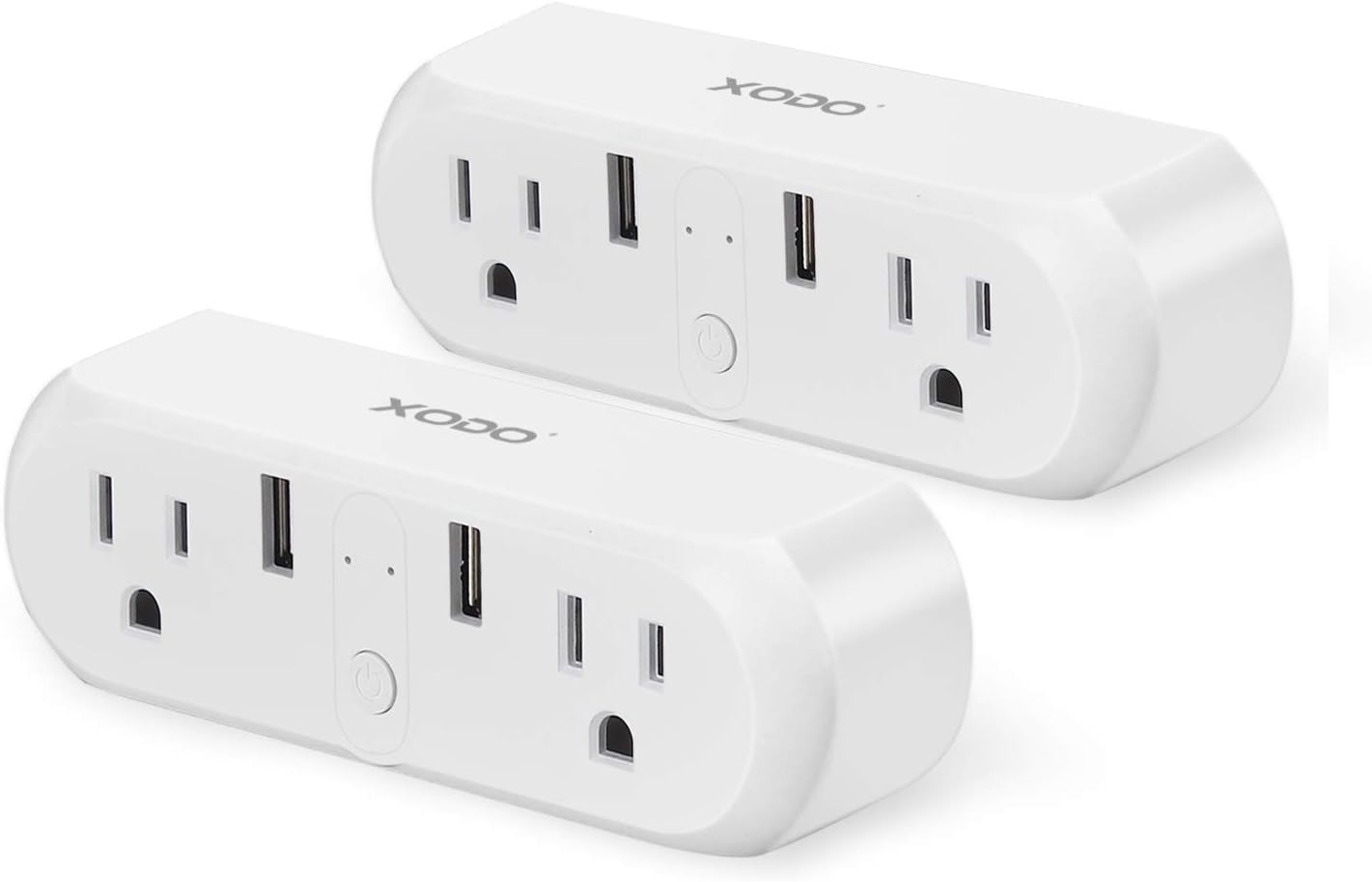
Image: Two XODO WP3 Smart WiFi Plugs, showcasing their design and dual outlet/USB configuration.

Image: A hand holding a single XODO WP3 Smart WiFi Plug, demonstrating its compact and portable size.
주요 특징:
- 원격 제어: Manage devices from anywhere using the Xodo Smart app.
- 음성 제어: 아마존 알렉사 및 구글 홈 어시스턴트와 호환되어 음성 인식 기능을 사용할 수 있습니다.
- 일정 관리 및 타이머: Set automatic on/off schedules for connected appliances.
- 그룹 제어: Control multiple plugs simultaneously or individually.
- 에너지 절약: Monitor and manage power consumption.
4. 설정
4.1 앱 설치
- 다운로드 Xodo Smart Apple App Store(iOS 기기용) 또는 Google Play Store(Android 기기용)에서 앱을 다운로드하세요.
- 새 계정을 등록하거나 이미 계정이 있는 경우 로그인하세요.

Image: A smartphone displaying the Xodo Smart app's connection screen, indicating device initialization.
4.2 장치 페어링
- Plug the XODO WP3 Smart WiFi Plug into a standard wall outlet.
- Open the Xodo Smart app and tap the "+" icon to add a new device.
- Follow the on-screen instructions to connect the smart plug to your 2.4GHz Wi-Fi 네트워크. Ensure your smartphone is also connected to the same 2.4 GHz network during the pairing process.
- No separate hub is required for operation.
- 연결 후에는 쉽게 식별할 수 있도록 플러그 이름을 변경할 수 있습니다(예: "거실 L").amp").
5. 사용 설명서
5.1 기본 켜기/끄기 제어
After successful pairing, you can turn the connected appliance on or off directly from the Xodo Smart app by tapping the device icon.
5.2 Voice Control with Alexa and Google Home
The XODO WP3 Smart WiFi Plug is compatible with Amazon Alexa and Google Home Assistant, allowing for hands-free control.
- Enable the "Xodo Smart" skill/service in your Alexa or Google Home app.
- Link your Xodo Smart account.
- 장치를 검색합니다.
- 다음과 같은 음성 명령을 사용하세요.
- "알렉사, 거실 에어컨 켜줘"amp."
- "오, 구글. 커피 메이커 꺼줘."

Image: A XODO WP3 Smart Plug powering a desk lamp, with a Google Home speaker demonstrating voice control functionality.
5.3 리모컨
Control your devices from any location with an internet connection using the Xodo Smart app on your smartphone.

Image: A woman using her smartphone to control devices remotely, illustrating the convenience of the smart plug.
5.4 스케줄링 및 타이머
Set custom schedules and timers for your appliances to automate their operation.
- In the Xodo Smart app, select the desired plug and navigate to the 'Schedule' or 'Timer' section.
- Set specific times for devices to turn on or off (e.g., lights at dusk, heater before arrival).
- Create recurring schedules for daily or weekly automation.

Image: A kitchen environment with a XODO WP3 Smart Plug and a smartphone showing the app's scheduling interface, demonstrating automated control.
5.5 Group and Individual Control
The Xodo Smart app allows you to name each plug individually. You can also create groups to control multiple plugs simultaneously with a single command or tap.

Image: A XODO WP3 Smart Plug connected to a wall outlet, powering a juicer and an electric kettle, illustrating its application for various appliances.
6. 유지관리
- To clean the smart plug, disconnect it from the power outlet and wipe it with a dry, soft cloth.
- 액체 세척제나 연마재를 사용하지 마세요.
- Ensure the device is completely dry before reconnecting it to power.
7. 문제 해결
- 장치가 Wi-Fi에 연결되지 않음: Ensure your Wi-Fi network is 2.4 GHz. The plug does not support 5 GHz networks. Check your Wi-Fi password and router settings.
- 앱이 응답하지 않습니다: Close and reopen the Xodo Smart app. Ensure your smartphone has a stable internet connection.
- 음성 제어가 작동하지 않습니다: Verify that the Xodo Smart skill/service is enabled and linked correctly in your Alexa or Google Home app. Ensure your voice assistant device is online and within range.
- 전원 플러그가 켜지지 않음: Check if the wall outlet is functioning correctly. Ensure the plug is securely inserted.
If issues persist, please refer to the customer support section for assistance.
8. 사양

Image: Technical specifications for the Xodo WiFi Smart Plug, including electrical ratings and connectivity details.
| 사양 | 세부 사항 |
|---|---|
| 제품 이름 | Xodo WiFi Smart Socket |
| 모델 | WP3 |
| 정격 볼륨tage | 100V-240V AC 50Hz-60Hz |
| 정격 전류 | 10A 최대 |
| Dual USB Port Output | 5V/2A |
| 최대 전력 | 1100와트 |
| 작동 온도 | -20~60도 |
| 지원 시스템 | 안드로이드 또는 iOS |
| WiFi 표준 | 802.11 b/g/n 2.4GHz |
| 제품 치수 | 1.2 x 2.1 x 1.2 인치 |
| 품목 무게 | 10.9 온스 |
9. 보증 및 지원
Contixo is committed to providing outstanding customer service and technical support. Should you encounter any problems or require assistance with your XODO WP3 Smart WiFi Plug, please contact our US-based customer service team.
For support, please visit the official Contixo web자세한 내용은 해당 사이트를 참조하거나 제품 포장과 함께 제공된 연락처 정보를 참조하세요.


