소개
This manual provides detailed instructions for the proper setup, operation, and maintenance of your ZZIPP TXZZ580 UHF 48-Channel Wireless Microphone System. Please read this manual thoroughly before using the product to ensure optimal performance and longevity.
제품 끝view
상자 안에 무엇이 들어있나요?
- Two Handheld Microphones (Transmitters)
- 수신기 유닛
- Power Adapter for Receiver
- 오디오 연결 케이블
- 사용자 설명서
주요 특징
- UHF 무선 기술
- 선택 가능한 48개 채널
- Manual and IR Configuration
- Designed for Karaoke and other vocal applications
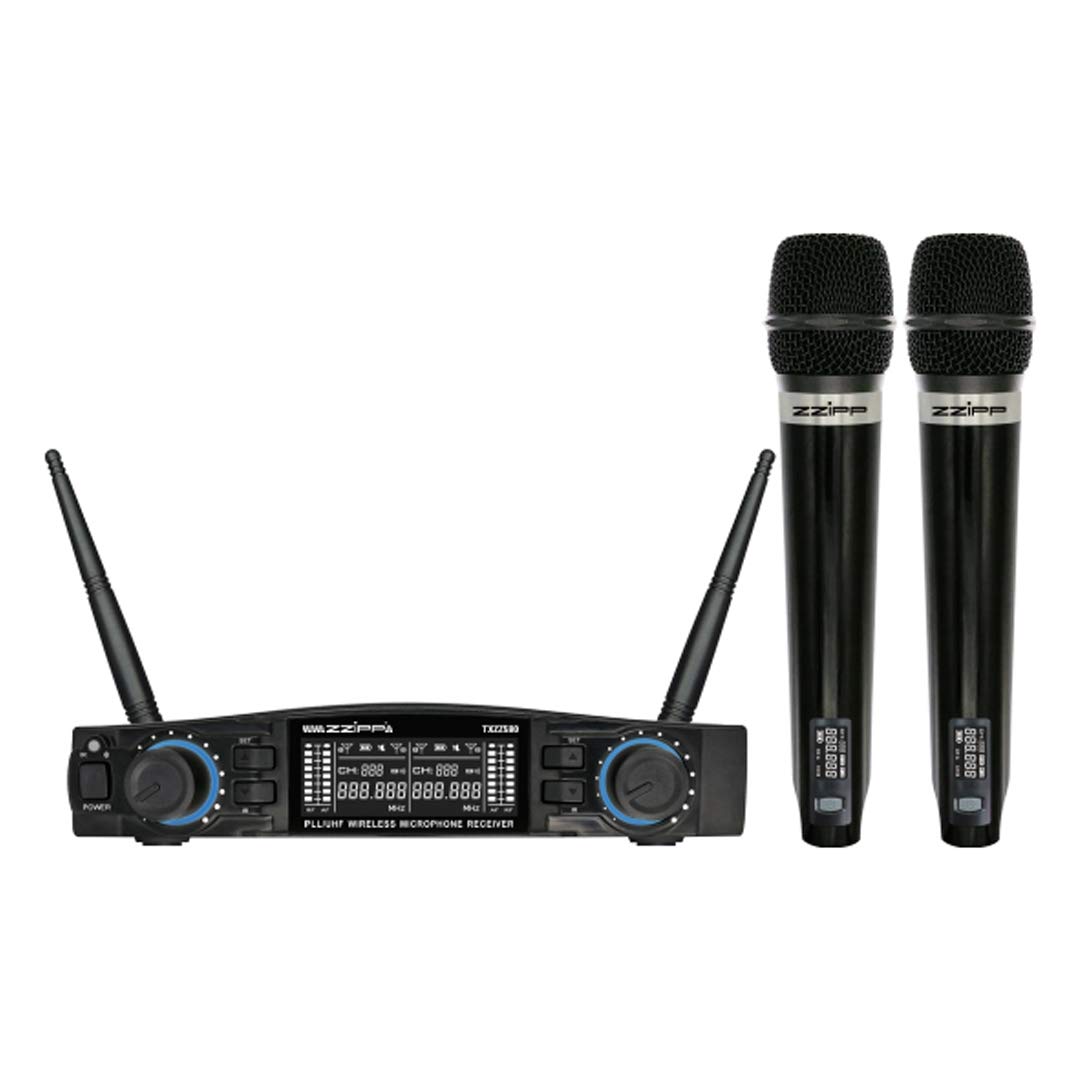
그림 1: 위에view of the ZZIPP TXZZ580 Wireless Microphone System, showing the receiver unit and two handheld microphones.
설정
- 구성 요소 풀기: 모든 품목을 포장에서 조심스럽게 꺼내세요.
- 수신기 배치: Place the receiver unit on a stable surface, away from potential sources of interference such as computers, Wi-Fi routers, or other wireless devices. Ensure good line-of-sight to the area where the microphones will be used.
- 전원 연결: Connect the provided power adapter to the receiver's DC input and then plug it into a suitable power outlet.
- 오디오 출력 연결: Connect the receiver's audio output (e.g., 3.5mm Jack) to the input of your mixer, amplifier, or sound system using the supplied audio cable.
- Install Batteries in Transmitters: Open the battery compartment of each handheld microphone and insert the required batteries (typically AA, not always included). Observe correct polarity.
- 전원 켜기: Turn on the receiver unit and then each handheld microphone.
- Channel Synchronization (Manual/IR):
- 수동 구성: Refer to the receiver's display and controls to manually select a desired channel for each microphone. Ensure each microphone is set to a unique channel to avoid interference.
- IR 동기화: For automatic synchronization, align the IR sensor on the microphone with the IR sensor on the receiver. Activate the IR sync function on the receiver, and the microphone will automatically pair to the selected channel.
- 테스트 사운드: Speak into each microphone to test the audio output through your sound system. Adjust volume levels as needed.
작동 지침
전원 켜기/끄기
- 수화기: 전면 패널의 전원 버튼을 눌러 기기를 켜거나 끄십시오.
- 마이크: Press and hold the power button on the microphone handle until the display illuminates (on) or turns off (off).
채널 선택
The system offers 48 UHF channels. If you experience interference, change the operating channel. This can be done manually on the receiver and then synchronized with the microphone via IR, or directly on the microphone if it supports manual channel adjustment.
볼륨 조절
Adjust the output volume for each microphone using the dedicated volume knobs on the receiver's front panel. Further volume adjustments can be made on your connected mixer or amp리퍼.
사용 팁
- Maintain a clear line of sight between the microphones and the receiver for optimal signal quality.
- 수신기를 간섭을 일으킬 수 있는 큰 금속 물체나 다른 전자 기기 근처에 두지 마십시오.
- Regularly check microphone battery levels to prevent unexpected power loss during use.
- For best sound quality, hold the microphone approximately 2-6 inches from your mouth.
유지
배터리 교체
When the microphone's battery indicator shows low power, replace the batteries immediately. Always use fresh batteries of the correct type (e.g., AA). Remove batteries if the microphones will not be used for an extended period to prevent leakage.
청소
Clean the receiver and microphones with a soft, dry cloth. Do not use liquid cleaners or solvents, as these can damage the finish or internal components. For microphone grilles, a soft brush can be used to remove debris.
저장
Store the system in a cool, dry place, away from direct sunlight and extreme temperatures. If possible, use the original packaging or a protective case for transport and storage.
문제 해결
| 문제 | 가능한 원인 | 해결책 |
|---|---|---|
| 마이크에서 소리가 나지 않음 |
|
|
| 간섭 또는 정적 |
|
|
| 짧은 작동 범위 |
|
|
명세서
- 상표: ZZIPP
- 모델: TXZZ580
- 색상: 검은색
- 무선 유형: 초고주파
- 채널 수: 48
- 연결성: 3.5 mm 잭
- 전원: Corded Electric (for receiver)
- 특징: Manual and IR Configuration
- 권장 사용: 노래방
- 포함된 구성 요소: Two Handheld Microphones, Receiver
보증 및 지원
보증 정보, 기술 지원 또는 서비스 문의는 구매 시 제공된 설명서를 참조하거나 판매점에 문의하십시오. 보증 청구를 위해 구매 증빙 자료를 보관하십시오.


