소개
This manual provides comprehensive instructions for the setup, operation, maintenance, and troubleshooting of your VisionTechShop TVC-60 Counting Scale. Please read this manual thoroughly before using the device to ensure proper functionality and longevity.
설정
개봉 및 배치
Carefully remove the TVC-60 Counting Scale from its packaging. Place the scale on a stable, level surface to ensure accurate measurements. Avoid locations with excessive vibration, drafts, or extreme temperature fluctuations.
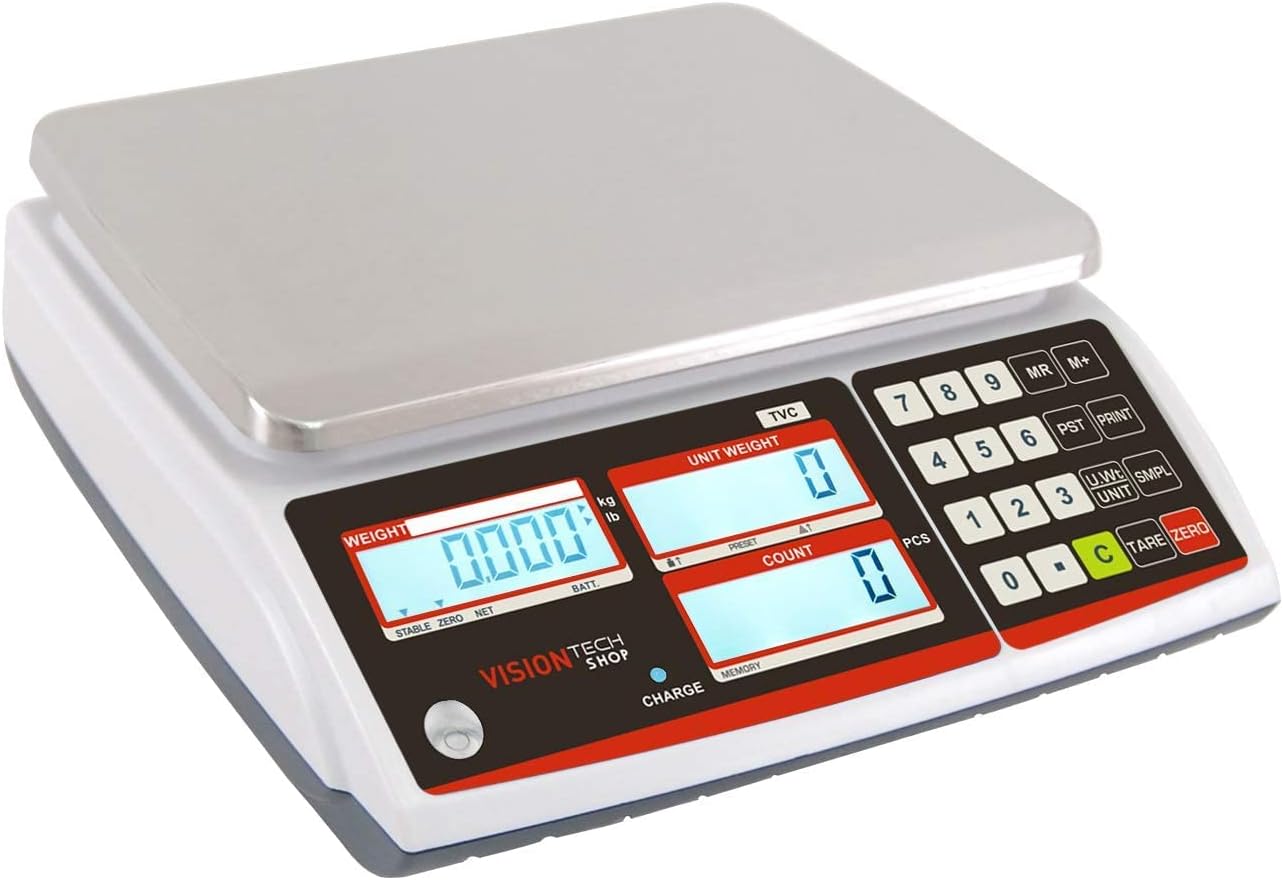
Platter Installation
Place the stainless steel platter securely onto the scale's weighing platform. Ensure it is centered and stable.
전원 연결
Connect the provided power adapter to the scale and a suitable power outlet. The scale can also operate on its internal battery for portability. Ensure the battery is charged for cordless operation.
물리적 차원
The TVC-60 scale has dimensions of approximately 11 inches (width) x 12 inches (depth) x 4 inches (height).

작동 지침
전원 켜기/끄기
를 누르세요 켜짐/꺼짐 button to power the scale on or off.
Unit Switching (Lb/Kg)
The scale supports both pounds (Lb) and kilograms (Kg). Press the 단위 key to switch between these units.
저울 무게
To zero out the weight of a container or tray, place the empty container on the platter and press the 살갈퀴 key. The display will show 0.000, indicating the container's weight has been deducted.
계수 기능
The TVC-60 scale is designed for efficient counting of small parts or coins.
- Place an empty tray on the scale and press the 살갈퀴 key to zero the display.
- 알려진 개수의 s를 배치합니다.ample pieces (e.g., 5 coins) onto the tray.
- Once the weight is stable, use the numeric keypad to enter the quantity of your sample pieces (e.g., '5').
- 를 누르세요 SMPL (Sample) key. The scale will calculate the average unit weight and display it in the "Unit Weight" section. The "Count" section will show the number of samp르 조각.
- You can verify the accuracy by adding a few more pieces. The "Count" display should update accordingly.
- To accumulate count data, press the M+ key after each count.
- To recall the accumulated memory, press the MR 열쇠.
- To clear the accumulated data, press the C 열쇠.

Connectivity and Print Functions
The TVC-60 features a standard RS-232C interface, allowing connection to a computer or printer for data output.

Video Tutorial: Counting Coins
유지
청소
The stainless steel platter is removable for easy cleaning. Use a soft, damp cloth with mild detergent to clean the platter and the scale's body. Avoid abrasive cleaners or excessive moisture.

더스트 커버
A dust cover is included to protect the scale from dust and debris when not in use. Place the dust cover over the scale after each use to maintain its condition.

문제 해결
부정확한 판독
- 스케일이 안정적이고 평평한 표면에 있는지 확인하십시오.
- Check for any obstructions under or around the platter.
- Verify that the scale has been properly tared before weighing or counting.
관련 문서 - TVC-60
 |
GL-6000L 저울 교정 지침 - VisionTechShop VisionTechShop GL-6000L 휴대용 탁상 저울 교정 방법을 단계별로 안내합니다. 다양한 무게 용량에 대한 지침이 포함되어 있습니다. |
 |
VisionTech DSW-100 디지털 저울 사용 설명서 이 설명서는 제품 사양, 기본 작동, 설정 및 문제 해결을 포함하여 VisionTech DSW-100 디지털 저울에 대한 자세한 정보를 제공합니다. |
 |
VTS-CS4 LCD 고해상도 디지털 크레인 스케일 교정 매뉴얼 패널 버튼과 리모컨을 사용한 스케일 용량 설정 및 교정 절차를 다루는 VTS-CS4 LCD 고해상도 디지털 크레인 스케일에 대한 자세한 교정 매뉴얼입니다. |
 |
VLP-100B 펌웨어 업데이트 지침 USB 스틱을 사용하여 VLP-100B 라벨 인쇄 저울의 펌웨어를 업데이트하는 방법에 대한 단계별 가이드입니다. |
 |
S41SBU / S41PBU 금전함 빠른 시작 가이드 S41SBU 및 S41PBU 금전함의 빠른 시작 가이드로, 케이블 설치, 동전 칸막이 조정, 분해 및 잠금 기능에 대한 자세한 내용을 설명합니다. |
 |
TVD 다기능 저울 사용 설명서 V1.2 TVD 시리즈 다기능 저울의 종합적인 사용 설명서로, 설정, 기본 작동, 부품 계수 및 공차 확인과 같은 고급 기능, 사양, 오류 메시지, RS232 출력 등을 자세히 설명합니다. 전원 연결, 단위 선택 및 적산에 대한 지침도 포함되어 있습니다. |