소개
구매해주셔서 감사합니다asing the Havit IX-102 Wired In-Ear Headphones with Microphone. This manual provides essential information for the proper setup, operation, and maintenance of your new earphones. Please read this guide thoroughly before use to ensure optimal performance and longevity of your product.
제품 끝view
The Havit IX-102 headphones are designed for clear audio and convenient communication. Familiarize yourself with the components:
- In-Ear Earphones (Left and Right)
- Integrated Microphone and Control Module (on cable)
- 3.5mm 오디오 잭
- 다양한 크기의 이어쿠션
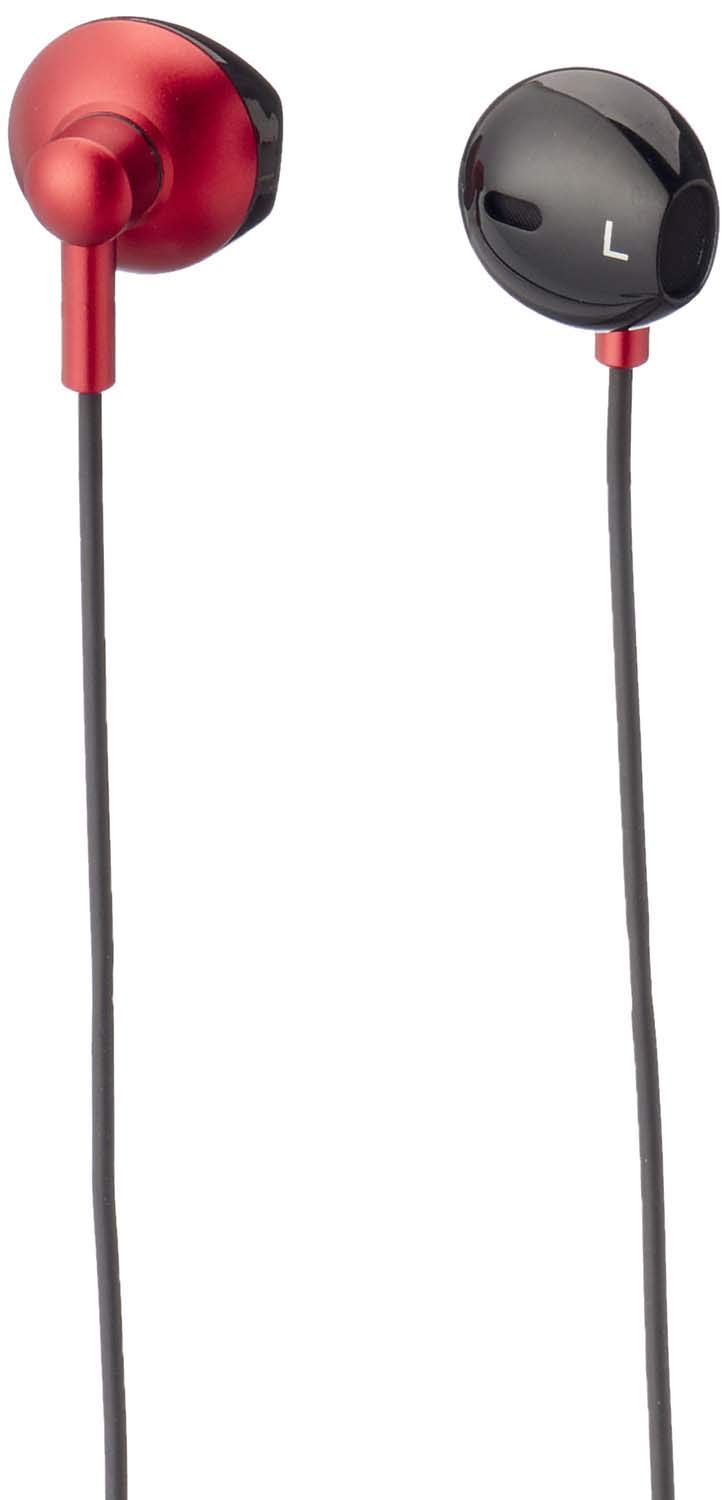
그림 1: Havit IX-102 Wired In-Ear Headphones. This image shows the complete set of in-ear headphones, featuring the earbuds, cable, and 3.5mm audio jack.

그림 2: Cable with Integrated Control Module. This image highlights the cable section that includes the microphone and a potential control button for managing audio and calls.

그림 3: 3.5mm Audio Jack. A close-up view of the standard 3.5mm connector used to plug the headphones into compatible audio devices.

그림 4: Replacement Ear Cushions. This image displays the various sizes of silicone ear cushions provided for a comfortable and secure fit.
설정
- 이어쿠션 선택: Choose the ear cushion size that provides the most comfortable and secure fit for your ears. A good seal enhances sound quality and bass response. Gently attach the selected ear cushions to the earphone nozzles.
- 장치에 연결: Insert the 3.5mm audio jack firmly into the headphone port of your audio device (smartphone, tablet, laptop, MP3 player, etc.). Ensure the jack is fully inserted to prevent audio issues.
- 이어폰 착용: Place the earphones into your ears. Adjust them until they feel comfortable and provide a good seal.
작동 지침
The Havit IX-102 headphones feature an in-line control module for basic audio and call management. Functionality may vary slightly depending on your connected device.
- 음악 재생/일시 중지: Press the button on the control module once to play or pause the current track.
- 전화 받기/종료: When a call comes in, press the button once to answer. During a call, press the button once to end the call.
- 전화 거부: 수신 전화를 거부하려면 약 2초 동안 버튼을 길게 누르세요.
- 다음 트랙: 버튼을 빠르게 두 번 누르면 다음 곡으로 넘어갑니다.
- 이전 트랙 : 이전 곡으로 돌아가려면 버튼을 빠르게 세 번 누르세요.
- 마이크 사용법: The integrated microphone allows for hands-free communication during calls. Ensure the microphone is positioned clearly for optimal voice pickup.
Note: Volume control is typically managed directly on your connected audio device.
유지
Proper care will extend the life of your Havit IX-102 headphones.
- 이어쿠션 청소: Remove the silicone ear cushions and wash them gently with mild soap and water. Rinse thoroughly and allow them to air dry completely before reattaching.
- Cleaning Earphones: Use a soft, dry, lint-free cloth to wipe the earphone bodies. Do not use harsh chemicals or abrasive materials. Avoid getting moisture into the speaker grilles.
- 케이블 관리: Avoid sharp bends, twists, or excessive pulling on the cable. Store the headphones neatly to prevent tangling.
- 저장: When not in use, store your headphones in a clean, dry place, away from extreme temperatures and direct sunlight.
문제 해결
헤드폰에 문제가 발생하면 다음의 일반적인 문제와 해결 방법을 참조하세요.
| 문제 | 가능한 원인 | 해결책 |
|---|---|---|
| 소리가 나지 않거나 볼륨이 작음 |
|
|
| 소리가 왜곡되거나 끊깁니다. |
|
|
| 마이크가 작동하지 않습니다 |
|
|
명세서
| 상표 | 하빗 |
| 모델 번호 | IX-102 |
| 색상 | 검은색과 빨간색 |
| 헤드폰 폼 팩터 | 인이어 |
| 연결 기술 | 열광한 |
| 커넥터 유형 | 3.5mm 잭 |
| 케이블 길이 | 1.2 미터 |
| 재료 유형 | 플라스틱 |
| 품목 무게 | 60그램 |
| 포함된 구성 요소 | 이어쿠션 |
| 호환 장치 | Multiple devices with 3.5mm audio jack |
보증 및 지원
For warranty information or technical support, please refer to the documentation included with your purchase or contact Havit customer service directly. Contact details can typically be found on the manufacturer's official web사이트 또는 제품 포장.
보증 청구를 위해 구매 증빙 서류를 보관하세요.


