1. 서론
Thank you for choosing the Aputure AL-MC Portable LED Light. This manual provides essential information for the safe and effective operation of your device. Please read it thoroughly before use and retain it for future reference. The AL-MC is a compact, versatile RGBWW LED light designed for various video and photography lighting applications, offering precise color control and multiple lighting modes.
2. 제품 오버view
2.1 주요 특징
- RGBWW Color Mixing: Full Hue, Saturation, and Intensity (HSI) color control.
- 조정 가능한 CCT: Color Temperature range from 3200K to 6500K.
- Built-in FX Modes: Multiple pre-programmed lighting effects.
- Sidus Link 앱 제어: Wireless control via Bluetooth.
- 마그네틱 백: Integrated magnets for easy mounting on metallic surfaces.
- 무선 충전: Supports Qi wireless charging standard.
- 소형 및 경량: Highly portable design.
2.2 패키지 내용
The Aputure AL-MC package typically includes the following items:

이미지 1: Aputure AL-MC LED light shown with its accessories, including a black carrying pouch with a red 'A' logo, a white silicone diffuser, several 3M adhesive pads, and a black USB-C charging cable. The light itself is a rectangular white panel with red accents.
- Aputure AL-MC LED Light
- 실리콘 디퓨저
- Magic Tape (Adhesive Pads)
- USB Type-C 충전 케이블
- 운반 파우치
2.3 장치 구성 요소
이미지 2: 측면 view of the Aputure AL-MC light, highlighting its integrated display screen which shows 'HUE 360°' and a battery indicator. Adjacent to the screen are small control buttons labeled 'OK/D' and 'OFF/ON' switch, indicating user interface elements.
- LED 패널: Front light-emitting surface.
- 디스플레이 화면: OLED screen showing settings and battery status.
- 제어 버튼: Buttons for navigation and selection (e.g., OK/D, Menu).
- 전원 스위치: 켜짐/꺼짐 토글 스위치.
- USB-C 포트: 유선 충전용입니다.
- 마그네틱 백: 금속 표면에 부착하기 위한 용도입니다.
3. 설정
3.1 배터리 충전
The AL-MC has a built-in lithium battery. Before first use, fully charge the device.

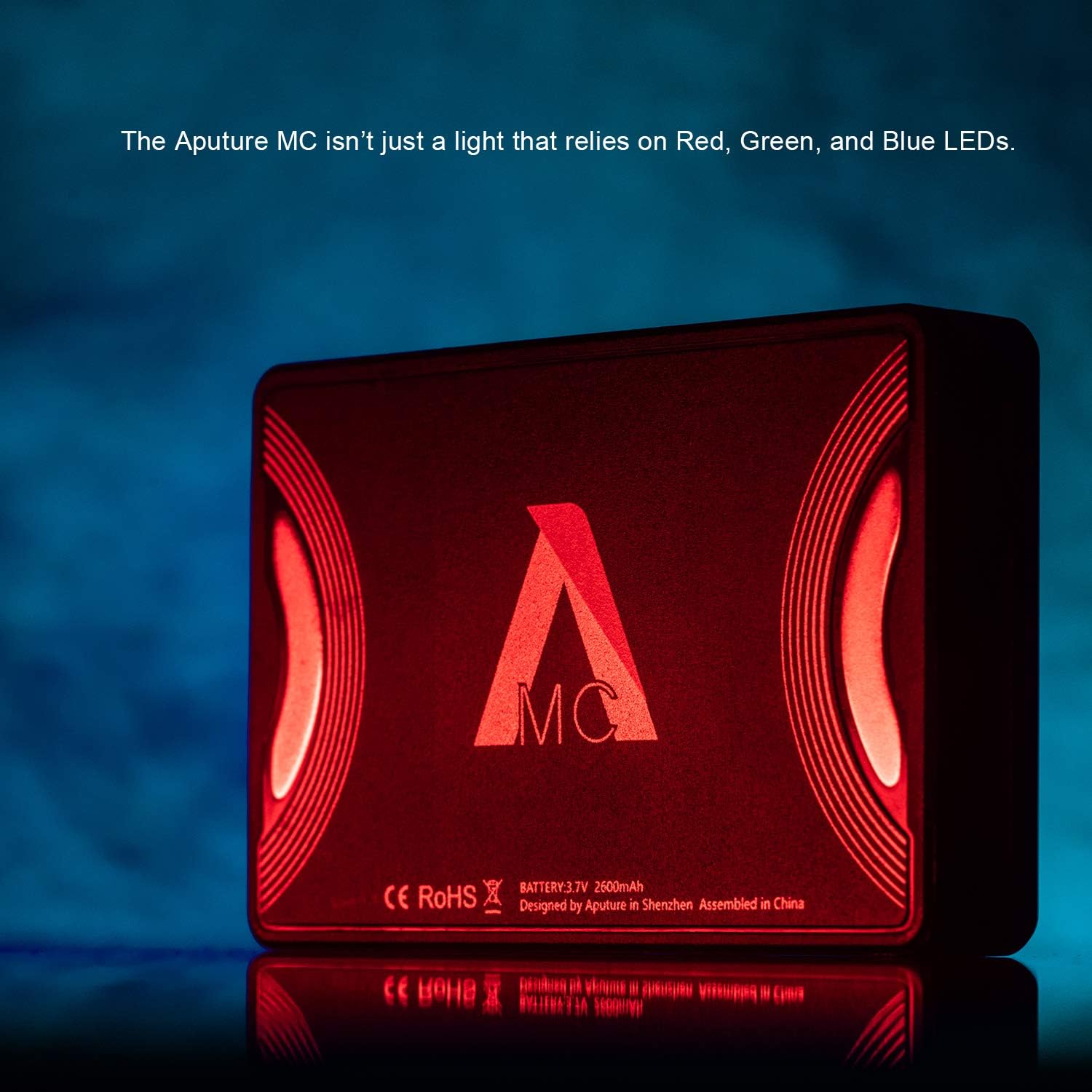
이미지 3: The rear panel of the Aputure AL-MC light, displaying technical specifications such as 'BATTERY: 3.7V 2600mAh'. Text below indicates 'Lithium Battery Powered for 2 hours continuous lighting at max. brightness', highlighting its power source and operational duration.
- USB-C 충전: Connect the provided USB-C cable to the light's USB-C port and a 5V/2A USB power adapter (not included). The battery indicator on the display will show charging status.
- 무선 충전: Place the AL-MC on a Qi-compatible wireless charging pad. Ensure the light is centered on the pad for optimal charging.
3.2 전원 켜기/끄기
Locate the power switch on the side of the unit. Slide it to the 'ON' position to power on the light. Slide it to 'OFF' to power off.
3.3 조명 장착
The AL-MC features integrated magnets, allowing it to be easily attached to any metallic surface. For non-metallic surfaces, use the included adhesive pads (Magic Tape) to create a magnetic mounting point.
4. Operating the Aputure AL-MC
4.1 기본 컨트롤
Use the control buttons next to the display to navigate menus and adjust settings. The 'OK/D' button typically confirms selections or cycles through display information.
4.2 CCT 모드(상관 색온도)
In CCT mode, you can adjust the color temperature from 3200K (warm tungsten) to 6500K (cool daylight) to match ambient light or other fixtures. Use the navigation buttons to select CCT mode and adjust the temperature and brightness.
4.3 HSI 모드 (색조, 채도, 명도)
HSI mode allows for full control over the light's color output. You can select any color from the full 360° color gamut.

이미지 4: The Aputure AL-MC light illuminated with a strong red color, illustrating its ability to produce a wide range of hues through its HSI color control system.
- 색조: Adjusts the color (0-360 degrees).
- 포화: Adjusts the intensity or purity of the color (0-100%).
- 강함: Adjusts the overall brightness of the light (0-100%).
4.4 FX Modes (Special Effects)
The AL-MC includes several built-in lighting effects to simulate various scenarios, such as Paparazzi, Fire, Faulty Bulb, TV, Pulse, Party, Cop Car, and Lightning. Navigate to the FX menu to select and customize these effects.
4.5 Sidus Link 앱 제어
For advanced control and features, download the Sidus Link app from your device's app store. The app allows for remote control of all light functions, including CCT, HSI, FX modes, and firmware updates. Ensure Bluetooth is enabled on your mobile device to connect to the AL-MC.

이미지 5: A hand holding the Aputure AL-MC light, demonstrating its compact, credit card-sized form factor and lightweight nature, making it highly portable for various shooting environments.
5. 유지관리
5.1 청소
To clean the AL-MC, use a soft, dry cloth. Do not use harsh chemicals or abrasive materials, as they may damage the finish or optical components. Keep the LED panel free of dust and fingerprints for optimal light output.
5.2 보관
Store the device in a cool, dry place away from direct sunlight and extreme temperatures. If storing for an extended period, ensure the battery is charged to approximately 50% to prolong its lifespan. Use the provided carrying pouch for protection during transport and storage.
5.3 배터리 관리
Avoid fully discharging the battery frequently. Recharge the battery regularly, even if the light is not in use, to maintain battery health. Do not expose the battery to high temperatures or puncture it.
6. 문제 해결
- 표시등이 켜지지 않음:
- 배터리가 충전되었는지 확인하십시오. 전원에 연결하고 충전 표시등을 확인하십시오.
- 전원 스위치가 'ON' 위치에 있는지 확인하세요.
- 앱 연결 문제:
- 모바일 장치에서 Bluetooth가 활성화되어 있는지 확인하십시오.
- Restart the AL-MC and the Sidus Link app.
- 앱이 최신 버전으로 업데이트되었는지 확인하세요.
- Ensure the AL-MC's firmware is up to date via the app.
- Inconsistent light output or color:
- Check for any obstructions on the LED panel.
- Reset the light to factory settings if issues persist (refer to app or device menu for reset option).
- 장치 과열:
- 장치 주변에 적절한 환기가 이루어지도록 하세요.
- Reduce brightness if operating in a confined space or high ambient temperature.
7. 사양
| 특징 | 사양 |
|---|---|
| 모델 | AL-MC |
| 색온도 범위 | 3200K-6500K |
| 색상 모드 | RGBWW, HSI, CCT, FX |
| 연결성 | Bluetooth (Sidus Link App), USB Type-C |
| 배터리 유형 | Lithium-ion, 3.7V 2600mAh |
| 충전 중 | USB-C, Qi 무선 충전 |
| 품목 무게 | 1.1파운드(약 0.5kg) |
| 패키지 크기 | 5.5 x 4.4 x 3.9 인치 |
| 제조업체 | 아퓨처 |
| ASIN | B07ZKMT4GT |
| 한국어: | 611864765839 |
8. 보증 및 지원
8.1 보증 정보
Aputure products are typically covered by a limited warranty against defects in materials and workmanship. The specific duration and terms of the warranty may vary by region and product. Please refer to the warranty card included with your product or visit the official Aputure web자세한 보증 정보는 사이트를 참조하십시오.
8.2 고객 지원
For technical assistance, troubleshooting, or warranty claims, please contact Aputure customer support. Contact information can usually be found on the official Aputure website or on the product packaging. When contacting support, please have your product model (AL-MC) and purchase information ready.


