1. 제품 오버view
The OIVO PS4 Controller Charging Station is designed to efficiently charge two PlayStation 4, PS4 Slim, or PS4 Pro controllers simultaneously. It features LED indicators to display charging status and incorporates intelligent protection mechanisms to ensure safe and reliable operation.
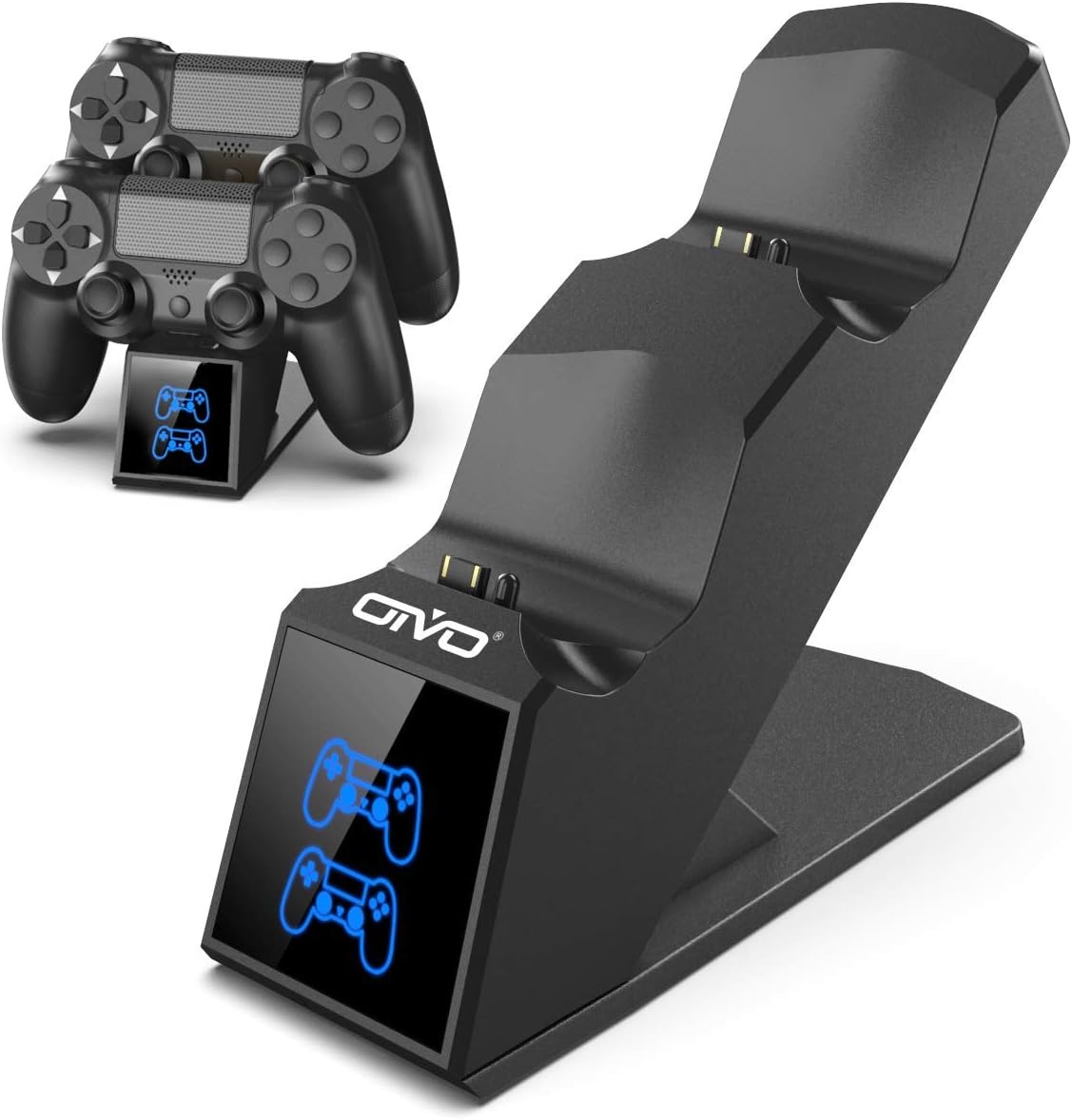
Image 1.1: The OIVO PS4 Controller Charging Station, capable of charging two controllers simultaneously.
2. 패키지 내용
아래 나열된 모든 품목이 패키지에 포함되어 있는지 확인하세요.
- 1 x OIVO PS4 Controller Charging Station
- 1 x 충전 케이블(마이크로 USB)
- 1 x 사용자 매뉴얼(이 문서)
3. 설정 지침
- 충전 스테이션을 연결하세요: Insert the provided charging cable into the Micro USB port on the back of the charging station. Connect the other end of the cable to a compatible 5V/1A power source. Compatible sources include a computer USB port, PS4/Slim/Pro console USB port, wall adapter (not included), or a power bank.
- Place Controllers for Charging: Align the charging port on your PS4 controller with the connector pins on the charging station. Gently push the controller down until it securely docks. The LED indicator on the station will change color to show the charging status.

Image 3.1: Illustration of compatible power sources and how to correctly place a PS4 controller onto the charging station.
4. 사용 설명서
4.1 충전 컨트롤러
Once controllers are docked, the charging process begins automatically. The station is designed to charge two controllers simultaneously in approximately 1.8 hours.
- LED 표시등: The front panel features LED indicators for each charging slot.
- 빨간불: Indicates that the PS4 controller is currently charging.
- 블루 라이트: Indicates that the PS4 controller is fully charged or the station is in standby mode (no controller or fully charged controller).

Image 4.1: The LED indicators on the charging station display red when charging and blue when fully charged or in standby.
4.2 고속 충전 기능
The charging station is equipped with an upgraded copper chip, enabling fast charging for both controllers. This allows for a full charge of two controllers in approximately 1.8 hours.

Image 4.2: Visual representation of the 1.8-hour fast charging cycle for two controllers.
5. 안전 기능
The OIVO PS4 Controller Charging Station integrates smart chips and high-quality components to provide comprehensive protection for your controllers and the charging station itself. These protections include:
- 과열 방지 기능: 충전 중 과열을 방지합니다.
- 단락 보호: 단락 방지 장치.
- 과전류 보호 : 과도한 전류 흐름을 방지합니다.
- 오버볼tage 보호: 볼륨에 대한 방어막tag전자 스파이크.

Image 5.1: Visual representation of the intelligent protection features built into the charging station.
6. 유지관리
- 청소: Disconnect the charging station from the power source before cleaning. Use a soft, dry cloth to wipe the surface. Do not use liquid cleaners or abrasive materials.
- 저장: 사용하지 않을 때는 충전 스테이션을 직사광선과 극한 온도 변화를 피해 서늘하고 건조한 곳에 보관하십시오.
- 손질: 기기를 떨어뜨리거나 강한 충격을 가하지 마십시오. 기기를 직접 분해하거나 수리하지 마십시오.
7. 문제 해결
| 문제 | 해결책 |
|---|---|
| Controller not charging (no LED light) |
|
| 충전이 느림 |
|
| LED light is blue but controller is not fully charged |
|
8. 사양
| 특징 | 세부 사항 |
|---|---|
| 상표 | 오이 보 |
| 모델 번호 | 12359687031 |
| 색상 | 파란색 |
| 커넥터 유형 | USB |
| 호환 장치 | Game Console (PS4, PS4 Slim, PS4 Pro controllers) |
| 특별 기능 | 빠른 충전 |
| 총 USB 포트 | 2 (for charging controllers) |
| 입력 Voltage | 5 볼트 |
| Amp에라 지 | 1아 |
| 포함된 구성 요소 | USB 케이블 |
| 제조업체 | 오이 보 |
| 원산지 | 중국 |
9. 보증 및 지원
This OIVO product comes with a 2년 제조사 보증 구매일로부터. 이 보증은 정상적인 사용 하에서 재료 및 제조상의 결함을 포함합니다.
The warranty does not cover damage caused by accident, misuse, abuse, neglect, unauthorized modification or repair, or damage from external causes such as power surges.
For warranty claims or technical support, please contact OIVO customer service through the retailer where the product was purchased or visit the official OIVO web연락처 정보 사이트.

