마이크로소프트 서피스 프로 키보드 사용 설명서
Model: QJW-00001
소개
This manual provides essential information for the setup, operation, maintenance, and troubleshooting of your Microsoft Surface Pro Keyboard. Designed for seamless integration with Surface Pro X and Surface Pro 8 devices, this keyboard offers a full mechanical keyset, backlit keys, and a large trackpad for an optimal typing experience.
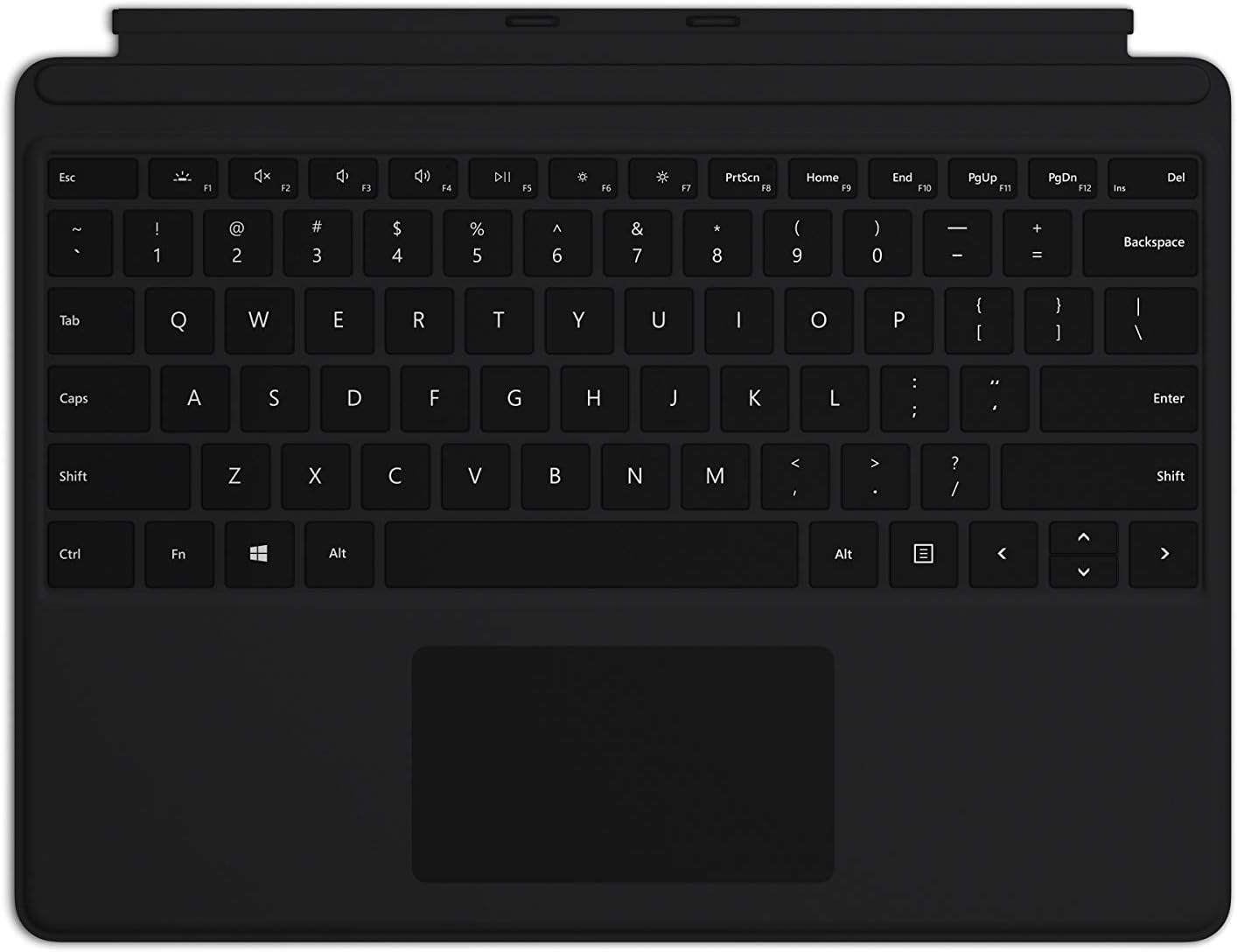
Image: The Microsoft Surface Pro Keyboard in black, showcasing its full QWERTY layout and integrated trackpad.
설정
패키지 내용
- 서피스 프로 키보드
키보드 연결
The Microsoft Surface Pro Keyboard connects instantly to your compatible Surface device via magnetic stability. Ensure your Surface Pro X or Surface Pro 8 device is powered on.
- Align the magnetic connector edge of the keyboard with the corresponding port at the bottom edge of your Surface Pro X or Surface Pro 8 device.
- Gently push the keyboard towards the device until it clicks securely into place. The magnetic connection will guide it.
- Once connected, the keyboard will be recognized automatically by your Surface device.
The keyboard is designed to adjust to almost any angle, providing a stable typing experience. It also serves as a protective cover for your screen when closed, helping to conserve battery life.

이미지: 위에서 아래로 view of the Microsoft Surface Pro Keyboard, illustrating its compact design and how it integrates with a Surface device.
키보드 작동
Typing and Navigation
The keyboard features a full mechanical keyset with optimal key spacing for fast and fluid typing. The large trackpad provides precise navigation and control, supporting multi-touch gestures as configured in your Surface device's settings.
백라이트 키
The keys are backlit, allowing for comfortable use in low-light conditions. The backlight intensity can typically be adjusted through your Surface device's display settings or via dedicated function keys (if present on your specific model).
Protective and Power Saving Features
When not in use, fold the keyboard over the screen of your Surface device. This action protects the screen from scratches and helps conserve battery power by putting the device into a low-power state. To use your Surface as a tablet, fold the keyboard completely back behind the device.
유지
청소
To maintain the appearance and functionality of your keyboard, clean it regularly:
- 부드럽고 털이 없는 천을 살짝 사용하세요.ampened with water or a mild cleaning solution (e.g., isopropyl alcohol diluted with water) to wipe the surface of the keys and trackpad.
- 키보드에 액체를 직접 뿌리지 마십시오.
- 키 사이의 먼지와 이물질을 제거하려면 압축 공기를 사용하세요.
- Ensure the keyboard is completely dry before reattaching it to your Surface device.
저장
When storing the keyboard separately from your Surface device, keep it in a clean, dry environment away from extreme temperatures and direct sunlight.
문제 해결
키보드가 응답하지 않음
- 연결 확인: Ensure the keyboard is securely attached to your Surface device. Detach and reattach it firmly.
- 장치 재시작: Restart your Surface Pro X or Surface Pro 8. This can often resolve minor software glitches.
- 업데이트 확인: Ensure your Surface device's operating system and drivers are up to date. Go to Windows Update settings.
- 다른 장치에서 테스트: If possible, test the keyboard with another compatible Surface device to determine if the issue is with the keyboard or the device.
백라이트가 작동하지 않음
- 밝기 조정: Try adjusting the backlight brightness using the function keys or through Windows display settings.
- 절전 모드: Ensure your device is not in a power-saving mode that might disable the backlight.
트랙패드 문제
- 트랙패드 청소: 트랙패드 표면이 깨끗하고 이물질이 없는지 확인하십시오.
- 설정 확인: Verify trackpad settings in Windows (Settings > Devices > Touchpad).
- 드라이버 재설치: In Device Manager, try uninstalling and reinstalling the trackpad driver.
명세서
| 특징 | 세부 사항 |
|---|---|
| 상표 | 마이크로소프트 |
| 모델 번호 | QJW-00001 |
| 호환 장치 | Surface Pro X, Surface Pro 8 |
| 연결 기술 | Magnetic (Physical Connection) |
| 키보드 설명 | Full mechanical keyset, backlit keys, large trackpad |
| 색상 | 검은색 |
| 품목 무게 | 11.8 온스(약 334.5그램) |
| 제품 크기(LxWxH) | 11.38 x 8.71 x 0.2인치(약 28.9 x 22.1 x 0.5cm) |
| 키의 개수 | 79 |
| 키보드 백라이팅 | 단색 LED |
보증 및 지원
For warranty information and technical support, please refer to the documentation included with your Surface Pro X or Surface Pro 8 device, or visit the official Microsoft Support website. You can typically find support resources, FAQs, and contact options at support.microsoft.com.
보증 청구를 위해 구매 증명서를 보관하십시오.


