1. 서론
The LUME CUBE 2.0 is a compact, app-controlled, and waterproof LED light designed for photography and video applications. It provides professional-quality illumination for various indoor and outdoor shooting environments, offering adjustable brightness and robust construction.

Image 1.1: The LUME CUBE 2.0 Portable LED Light, showcasing its compact, cube-shaped design with the light emitter facing forward and control buttons on top.
2. 상자 안에 무엇이 들어있나요?
상자를 풀 때 모든 구성품이 들어 있는지 확인하세요.
- Lume Cube 2.0 LED Light
- DSLR 슈 마운트
- USB-C 충전 케이블
3. 제품 오버view
The LUME CUBE 2.0 is engineered with several key features to enhance your lighting capabilities:
- 전문적인 품질: Daylight balanced 5600K, 95+ CRI, and a diffused beam angle of 80º for consistent and high-quality illumination.
- 조정 가능한 밝기: Offers 10 levels of brightness control, accessible via manual buttons or wirelessly through Bluetooth.
- 스마트폰 제어: Seamless integration with the Lume-X app for both iPhone and Android devices, enabling remote control of light settings.
- 방수 및 내구성: Constructed with an aluminum housing, providing waterproof capabilities up to 10 meters (30 feet).
- 소형 및 휴대성: Designed for ease of transport and use in various locations.

이미지 3.1: 상단 view of the LUME CUBE 2.0, showing the power button and brightness adjustment buttons (+/-) for manual control.
4. 설정
4.1. 장치 충전
Before initial use, fully charge your LUME CUBE 2.0. Connect the provided USB-C charging cable to the device's charging port and plug the other end into a compatible USB power source.
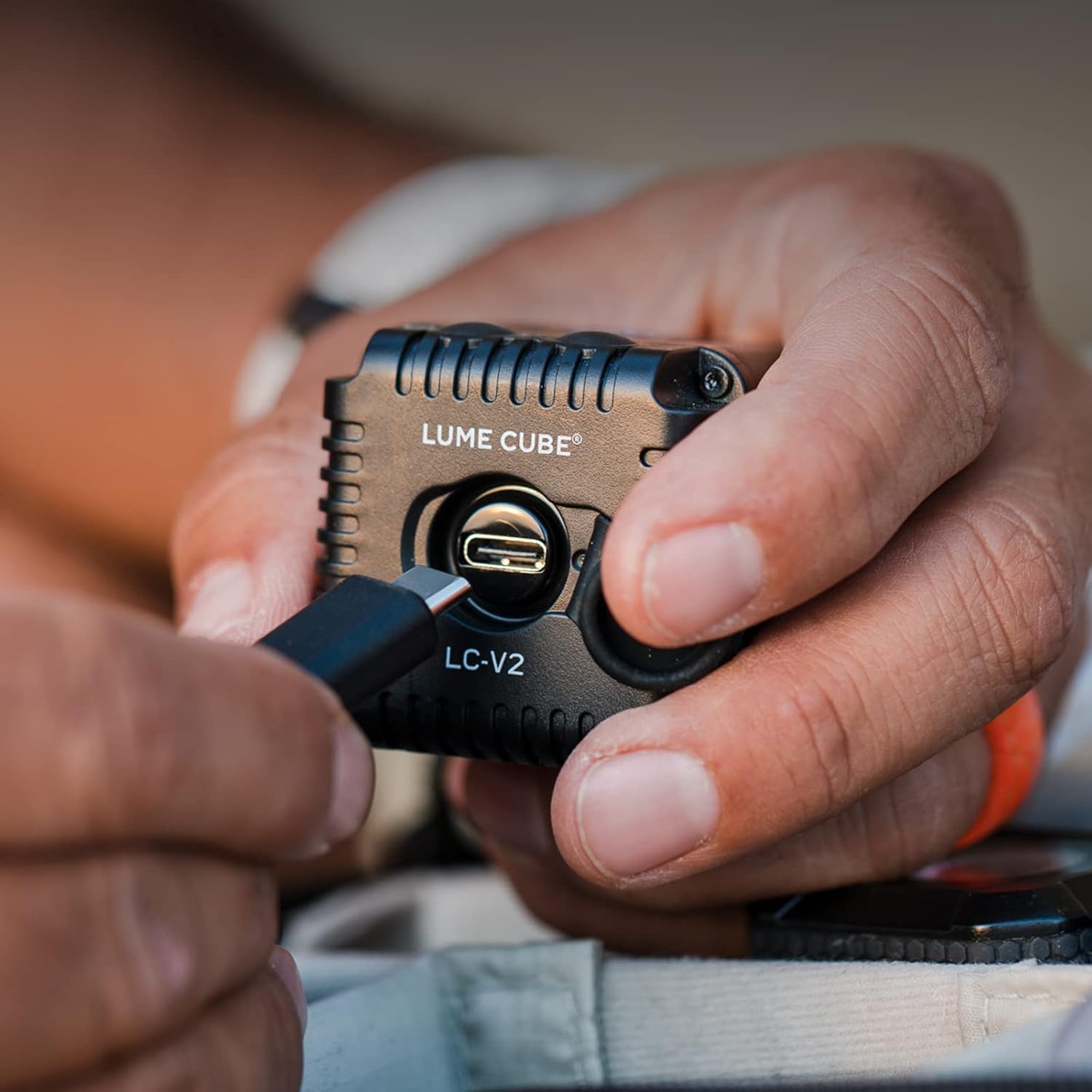
Image 4.1: A hand connecting a USB-C cable to the LUME CUBE 2.0 for charging. The charging port is visible on the side of the device.
4.2. 장착 옵션
The LUME CUBE 2.0 includes a DSLR shoe mount for easy attachment to cameras. It can also be mounted to various accessories using its integrated 1/4"-20 tripod thread.

Image 4.2: The LUME CUBE 2.0 attached to the hot shoe of a DSLR camera, providing on-camera illumination.
4.3. App Control (Lume-X App)
For advanced control, download the Lume-X app from the App Store (iOS) or Google Play Store (Android). Enable Bluetooth on your smartphone and follow the in-app instructions to pair with your LUME CUBE 2.0. The app allows for wireless brightness adjustment and other settings.

Image 4.3: A smartphone displaying the Lume-X app interface, showing controls for brightness and strobe settings for the LUME CUBE 2.0.
5. 사용 설명서
5.1. 전원 켜기/끄기
- To power on, press and hold the power button (marked with a circle and vertical line) on the top of the LUME CUBE 2.0 until the light illuminates.
- 전원을 끄려면 표시등이 꺼질 때까지 전원 버튼을 다시 길게 누르세요.
5.2. 밝기 조정
- 수동 제어: Use the '+' and '-' buttons on the top of the device to increase or decrease brightness in 10 distinct levels.
- 앱 제어: Open the Lume-X app on your paired smartphone and use the brightness slider to precisely adjust the light output.
5.3. 방수 사용
The LUME CUBE 2.0 is designed to be waterproof up to 10 meters (30 feet). Ensure all ports and covers are securely closed before submerging the device in water.

Image 5.1: The LUME CUBE 2.0 resting on a rock in shallow water, demonstrating its waterproof capability.
6. 유지관리
- 청소: 부드럽고 마른 천으로 기기를 닦으세요. 잘 지워지지 않는 얼룩은 약간 거친 천을 사용하세요.amp 천으로 닦으세요. 연마성 세제나 용제는 사용하지 마세요.
- 저장: Store the LUME CUBE 2.0 in a cool, dry place when not in use.
- 배터리 관리 : 배터리 수명을 최적화하려면 배터리를 자주 완전히 방전시키지 마십시오. 사용하지 않는 시간에도 정기적으로 기기를 충전하십시오.
7. 문제 해결
- 장치가 켜지지 않음: Ensure the battery is charged. Connect to a power source using the USB-C cable and attempt to power on after a few minutes.
- 앱에 연결할 수 없습니다:
- 스마트폰에서 Bluetooth가 활성화되어 있는지 확인하세요.
- Verify the LUME CUBE 2.0 is powered on.
- Restart both the LUME CUBE 2.0 and your smartphone.
- Ensure the Lume-X app is updated to the latest version.
- Light Output Issues: Check brightness settings via manual controls or the app. Ensure the device is not in a low-power mode.
8. 사양
| 특징 | 세부 사항 |
|---|---|
| 제품 치수 | 1.57 x 1.57 x 1.57 인치 |
| 품목 무게 | 8.4 온스 |
| 품목 모델 번호 | LC-V2-1 |
| 배터리 | 1개의 리튬 폴리머 배터리(포함) |
| 연결 기술 | 블루투스, USB |
| 하드웨어 인터페이스 | 블루투스 |
| 한국어: | 810019500381 |
| 제조업체 | Lume Cube, Inc. |
9. 보증 및 지원
For warranty information and technical support, please refer to the official LUME CUBE web사이트를 방문하거나 고객 서비스에 직접 문의하세요. 보증 청구를 위해 구매 증빙 자료를 보관하세요.
온라인 리소스: www.lumecube.com/support


