1. 서론
Thank you for choosing the Kaidi KD-750 Bluetooth Headphones. This manual provides essential information for the proper setup, operation, and maintenance of your device. Please read it thoroughly before use to ensure optimal performance and longevity of your headphones.
2. 패키지 내용
패키지에 모든 품목이 들어 있는지 확인하세요.
- 1 x Kaidi KD-750 Bluetooth Headphones
- 1 x USB 충전 케이블
- 1 x Reinforced 3.5mm Audio Cable with Microphone (P2 Cable)
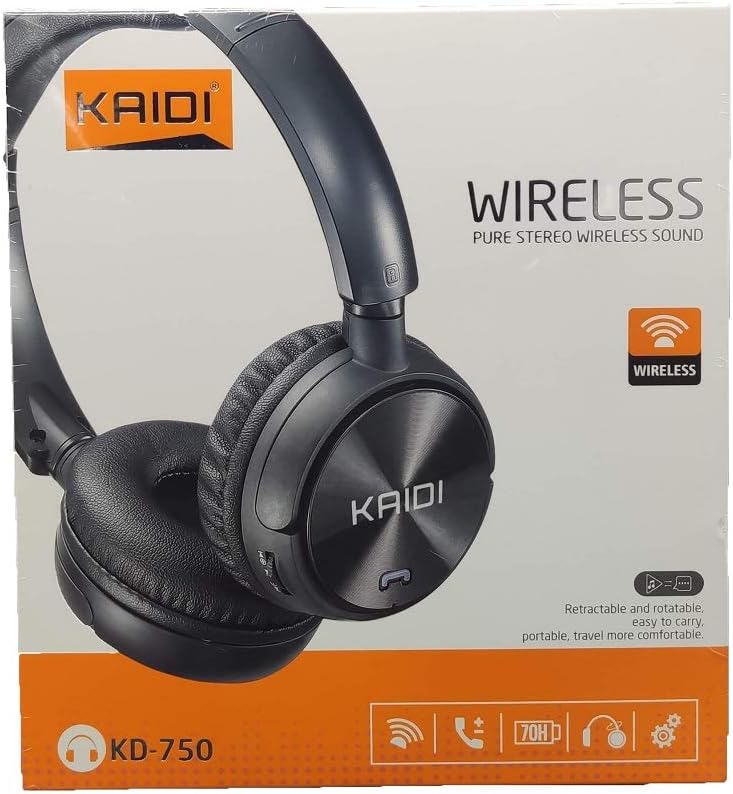
이미지: 앞면 view of the Kaidi KD-750 retail packaging, showing the headphones and branding.
3. 제품 오버view
Familiarize yourself with the various parts and controls of your Kaidi KD-750 headphones.

이미지: 앞면 view of the Kaidi KD-750 Bluetooth Headphones, showcasing the earcups with Kaidi logo and the adjustable headband.
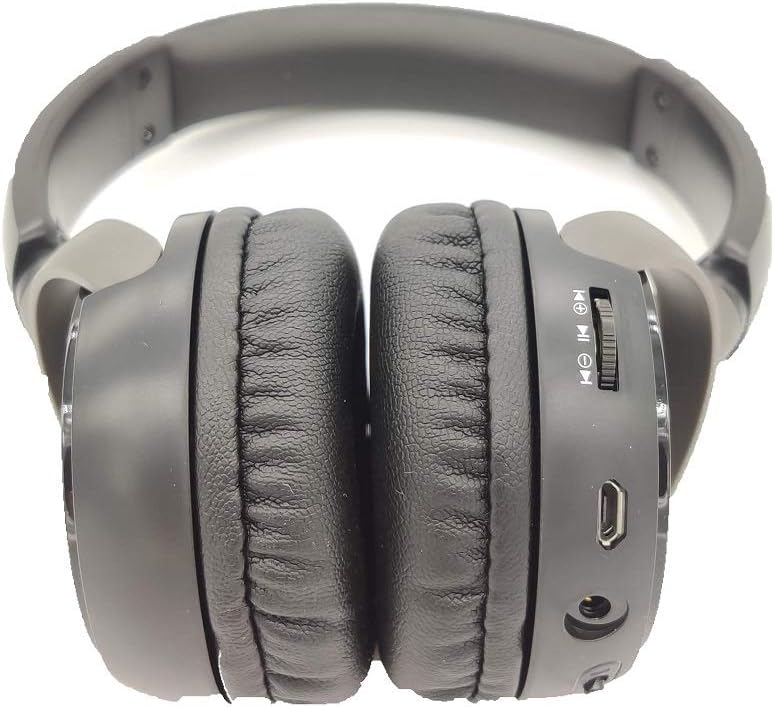
이미지: 측면 view of the Kaidi KD-750 Bluetooth Headphones, highlighting the control buttons, charging port, and audio jack on the earcup.

Image: Back of the Kaidi KD-750 retail box, featuring a diagram of the headphone controls and key product features.
3.1. 제어 및 포트
- Power Button / Multi-function Button: 전원 켜기/끄기, 재생/일시정지, 통화 받기/끊기.
- 볼륨 높이기 / 다음 트랙 버튼: 짧게 누르면 볼륨이 커지고, 길게 누르면 다음 곡으로 넘어갑니다.
- 볼륨 낮추기/이전 트랙 버튼: 짧게 누르면 볼륨 감소, 길게 누르면 이전 곡 재생입니다.
- 모드 버튼(M): Switch between Bluetooth, FM Radio, and SD Card modes.
- 마이크로 USB 충전 포트: 헤드폰을 충전합니다.
- 3.5mm AUX 입력: 동봉된 오디오 케이블을 사용하여 유선으로 연결할 수 있습니다.
- 마이크로 SD 카드 슬롯: Micro SD 카드에서 직접 음악을 재생합니다.
- 마이크로폰: 핸즈프리 통화를 위해.
4. 설정
4.1. 헤드폰 충전
처음 사용하기 전에 헤드폰을 완전히 충전하십시오.
- 충전 케이블의 Micro USB 끝을 헤드폰의 충전 포트에 연결합니다.
- 충전 케이블의 USB-A 단자를 USB 전원 어댑터(별매) 또는 컴퓨터의 USB 포트에 연결하십시오.
- The LED indicator will illuminate (usually red) during charging.
- Once fully charged (approximately 2 hours), the LED indicator will change color or turn off (refer to specific LED behavior in the specifications).
메모: 배터리 수명은 완충 시 약 5시간입니다.
4.2. 블루투스 페어링
헤드폰을 블루투스 지원 기기와 페어링하세요.
- 헤드폰이 꺼져 있는지 확인하십시오.
- 전원 버튼을 약 3~5초 동안 길게 누르면 LED 표시등이 파란색과 빨간색으로 번갈아 깜빡이며 페어링 모드에 진입합니다.
- 기기(스마트폰, 태블릿, 컴퓨터)에서 Bluetooth를 활성화하고 사용 가능한 기기를 검색하세요.
- Select "KD-750" from the list of found devices.
- 페어링이 완료되면 LED 표시등은 일반적으로 파란색으로 천천히 깜빡이거나 파란색으로 계속 켜져 있습니다.
- 비밀번호가 필요한 경우 "0000"을 입력하십시오.
블루투스의 유효 작동 범위는 약 10미터(33피트)입니다.
5. 사용 설명서
5.1. 전원 켜기/끄기
- 전원 켜기: Press and hold the Power Button for 2-3 seconds until the LED indicator lights up.
- 전원 끄기 : Press and hold the Power Button for 3-4 seconds until the LED indicator turns off.
5.2. 음악 재생(블루투스 모드)
- 재생/일시 중지: 전원 버튼을 짧게 누르세요.
- 다음 트랙: 볼륨 높이기 버튼을 길게 누르세요.
- 이전 트랙 : 볼륨 낮추기 버튼을 길게 누르세요.
- 볼륨 업: 볼륨 높이기 버튼을 짧게 누르세요.
- 볼륨 작게 : 볼륨 낮추기 버튼을 짧게 누르세요.
5.3. 전화
- 전화 받기: 전화벨이 울리면 전원 버튼을 짧게 누르세요.
- 통화 종료: 통화 중에 전원 버튼을 짧게 누르세요.
- 전화 거부: 전화벨이 울릴 때 전원 버튼을 길게 누르세요.
- 마지막 번호 재다이얼: 전원 버튼을 두 번 누르세요.
5.4. Mode Switching (FM Radio / SD Card / AUX)
를 누르세요 모드(M) 버튼 to cycle through available modes: Bluetooth, FM Radio, and SD Card playback.
5.4.1. FM 라디오 모드
- Switch to FM mode using the Mode (M) Button.
- Long press the Power Button to automatically scan and save available FM stations.
- Short press the Volume Up/Down buttons to adjust volume.
- Long press the Volume Up/Down buttons to switch between saved stations.
5.4.2. 마이크로 SD 카드 재생
- Insert a Micro SD card (with MP3 files) into the SD card slot.
- Switch to SD Card mode using the Mode (M) Button. The headphones will automatically begin playing music from the card.
- Use the Play/Pause, Volume Up/Down, and Next/Previous Track controls as in Bluetooth mode.

이미지: 클로즈업 view of the Micro SD card slot on the Kaidi KD-750 headphones.
5.4.3. AUX 유선 모드
- Connect one end of the included 3.5mm audio cable to the AUX input on the headphones.
- 다른 쪽 끝을 장치의 3.5mm 오디오 출력에 연결합니다.
- 헤드폰이 자동으로 AUX 모드로 전환됩니다.
- In AUX mode, controls on the headphones (volume, track control) may not function; use your connected device for control.
6. 유지관리 및 관리
- 부드럽고 마른 천으로 헤드폰을 닦으세요. 연마성 세제나 용제를 사용하지 마세요.
- 헤드폰을 극한의 온도, 습도 또는 직사광선에 노출시키지 마세요.
- 헤드폰을 물이나 기타 액체에 담그지 마십시오.
- 헤드폰을 사용하지 않을 때는 서늘하고 건조한 곳에 보관하십시오.
- 배터리 수명 유지를 위해 장기간 사용하지 않더라도 헤드폰을 정기적으로 충전하십시오.
7. 문제 해결
7.1. 헤드폰의 전원이 켜지지 않습니다.
해결책: The battery may be depleted. Connect the headphones to a power source using the USB charging cable and allow them to charge for at least 30 minutes before attempting to power on again.
7.2. Cannot pair with a Bluetooth device.
- 해결책 1: Ensure the headphones are in pairing mode (LED flashing blue and red alternately).
- 해결책 2: 기기의 블루투스가 켜져 있는지, 그리고 헤드폰이 기기에서 10미터 이내에 있는지 확인하세요.
- 해결책 3: 기기의 블루투스를 껐다가 다시 켜고 검색을 다시 시도해 보세요.
- 해결책 4: 이전에 페어링한 적이 있다면, 기기의 블루투스 목록에서 헤드폰을 "잊기" 또는 "페어링 해제"한 다음 다시 페어링해 보세요.
7.3. 소리가 나지 않거나 볼륨이 작습니다.
- 해결책 1: 헤드폰과 연결된 기기의 볼륨 레벨을 확인하세요.
- 해결책 2: 헤드폰이 블루투스 또는 3.5mm AUX 케이블을 통해 제대로 연결되었는지 확인하십시오.
- 해결책 3: If using AUX mode, ensure the cable is fully inserted into both the headphones and the audio source.
7.4. FM radio reception is poor.
해결책: Move to an open area away from obstructions or electronic interference. The 3.5mm audio cable can sometimes act as an antenna; try connecting it even if not using AUX mode for improved reception.
8. 사양
| 블루투스 버전: | v4.2 |
| 지원되는 프로토콜: | AVRCP1.3, A2DP1.0, HFP1.5, HSP1.0 |
| 유효 범위 : | 10미터(33피트) |
| 작동 주파수: | 2.402GHz - 2.480GHz |
| 배터리 유형: | Built-in 3.7V 300mAh Rechargeable Lithium Battery |
| 충전량tage: | 직류 4.2V - 5.5V |
| 충전 시간: | 약 2시간 |
| 배터리 지속 시간: | 재생 시간은 약 5시간입니다. |
| 스피커 임피던스: | 32옴 |
| 소음 제어: | 패시브 노이즈 캔슬링 |
| 연결 기술 : | 블루투스, 3.5mm 잭 |
| 호환 장치: | Any device supporting Bluetooth connectivity |
| 제품 무게: | 190g |
| 색상: | 검은색 |
9. 보증 및 지원
The Kaidi KD-750 Bluetooth Headphones come with a standard manufacturer's warranty against defects in materials and workmanship. Please refer to the warranty card included with your purchase for specific terms and conditions, including the warranty period.
For technical support, troubleshooting assistance, or warranty claims, please contact your retailer or the official Kaidi customer service. Contact information can typically be found on the product packaging or the official Kaidi web대지.
보증을 위해 구매 증빙서류를 보관하세요.


