1. 서론
The ThermoPro TP200B is a digital indoor/outdoor thermometer designed to monitor temperature and humidity levels in your environment. This manual provides detailed instructions for setting up, operating, and maintaining your device to ensure accurate readings and optimal performance.
2. 패키지 내용
- 1 x ThermoPro TP200B Main Unit (Indoor Display)
- 1 x Outdoor Temperature Sensor (Wireless)
- AAA 배터리 5개(포함)
- 1 x 사용자 설명서
3. 주요 특징
- Large Backlit Display with Large Digits: Features a 3.3-inch LCD display with large digits for easy readability, even in low light conditions.
- 최대/최소 기록: Stores and displays maximum and minimum temperature and humidity records for the past 24 hours.
- Color Air Comfort Indicator: A visual indicator with an arrow shows current air conditions (Dry/Comfort/Wet), allowing for environmental adjustments.
- 매우 정확한 판독값: Equipped with a premium sensor for precise temperature and humidity measurements, accurate to ±2°F and ±2-3%RH.
- 사용자 친화적인 디자인: Easily adjust settings with three front-facing buttons.
- 다양한 배치 옵션: Can be wall-mounted, placed on a tabletop, or attached via magnetic back.
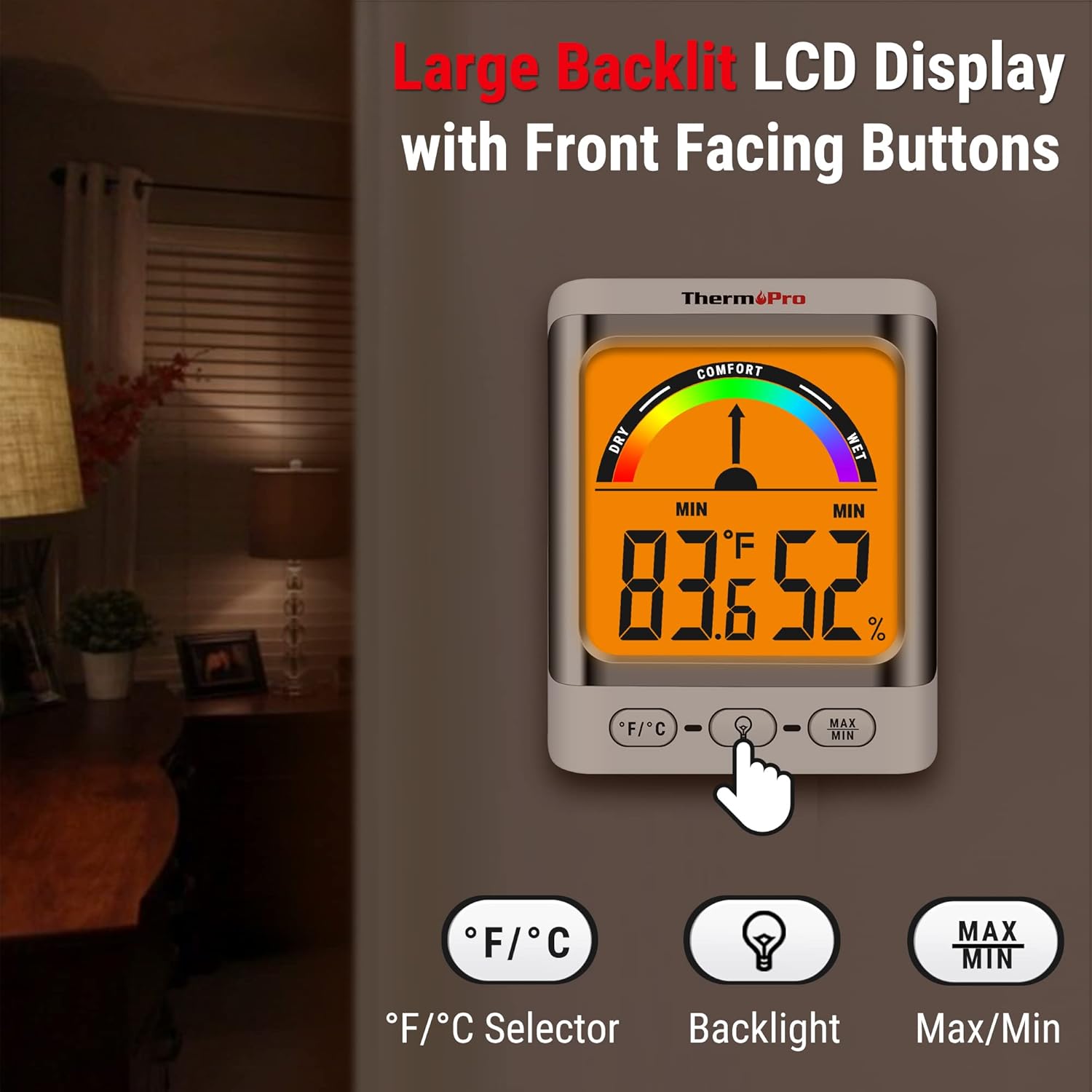
Image: The ThermoPro TP200B main unit display, highlighting the large digits, comfort indicator, and the three control buttons: °F/°C selector, Backlight, and Max/Min.
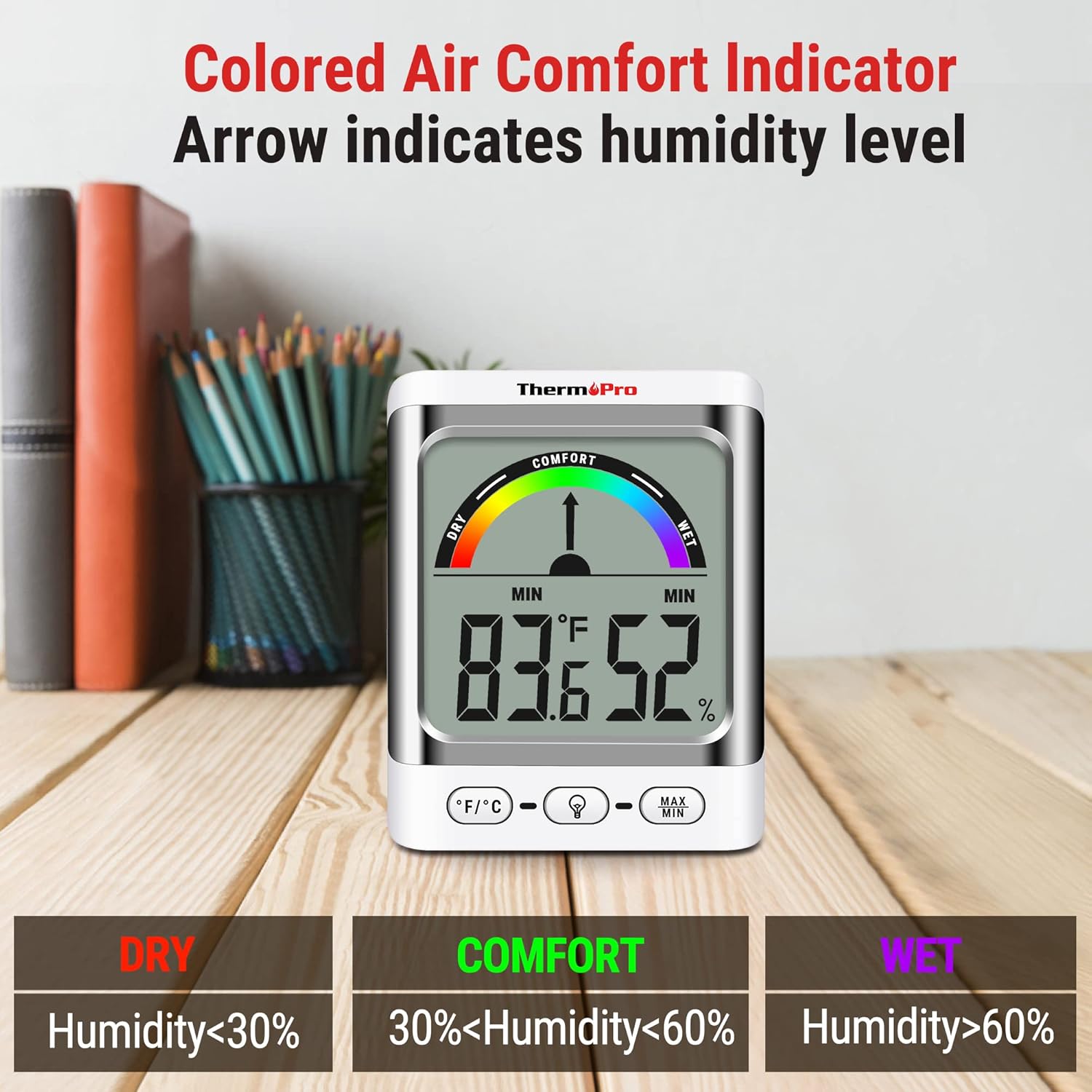
Image: A close-up of the ThermoPro TP200B display, illustrating the colored comfort indicator that visually represents dry (humidity <30%), comfort (30% < humidity < 60%), and wet (humidity >60%) conditions.
4. 설정
- 배터리 설치:
- 본체와 실외 센서 뒷면의 배터리함을 여세요.
- Insert the provided AAA batteries, ensuring correct polarity (+/-).
- 배터리함을 단단히 닫으십시오.
- 센서 배치:
- Place the outdoor sensor in a location that is protected from direct sunlight and precipitation for accurate readings.
- Ensure the sensor is within the 500ft wireless range of the main unit.
- 메인 유닛 배치:
- The main unit can be placed on a tabletop using its integrated stand, mounted on a wall, or attached to a metallic surface via its magnetic back.
- Position the main unit in a central location indoors for optimal signal reception from the outdoor sensor.

이미지: 전amples of flexible placement options for the ThermoPro TP200B, including wall mounting, magnetic attachment to a refrigerator, and freestanding on a countertop.
5. 사용 설명서
5.1 디스플레이 오버view
The large LCD display shows indoor temperature, humidity, and the comfort level indicator. The outdoor temperature is displayed from the wireless sensor.
5.2 버튼 기능
- °F/°C 버튼: Press to switch between Fahrenheit and Celsius temperature units.
- 백라이트 버튼: Press to activate the backlight for 15 seconds, improving visibility in dim conditions.
- 최대/최소 버튼: 를 눌러주세요 view the maximum and minimum temperature and humidity recorded over the past 24 hours. Press again to cycle through current, MAX, and MIN readings. Hold to reset MAX/MIN records.

Image: The ThermoPro TP200B displaying maximum and minimum temperature and humidity values, accompanied by a conceptual graph showing how these values fluctuate over a 24-hour period.
6. 유지관리
- 청소: 본체와 센서를 부드러운 천으로 닦으십시오.amp 옷감. 연마성 세제를 사용하거나 물에 담그지 마십시오.
- 배터리 교체: Replace batteries when the low battery indicator appears on the display. Ensure to use fresh AAA batteries.
- 저장: 장기간 기기를 보관할 경우, 누출을 방지하기 위해 배터리를 제거하세요.
7. 문제 해결
- 화면 표시 안 됨/배터리 부족 표시: Replace all batteries in both the main unit and the outdoor sensor.
- 부정확한 판독:
- 실외 센서가 직사광선에 노출되거나 극한 기상 조건에 노출되지 않도록 하십시오.
- Verify the main unit and sensor are within effective range and not obstructed by thick walls or electronic interference.
- Allow both units to stabilize for 30 minutes after initial setup or battery replacement.
- No Signal from Outdoor Sensor:
- Relocate the main unit or sensor closer to each other.
- 두 장치의 배터리를 확인하세요.
- Reset the connection by removing batteries from both units, waiting a few minutes, then reinserting them.
8. 사양
| 특징 | 세부 사항 |
|---|---|
| 모델명 | TP200B |
| 상표 | ThermoPro |
| 특징 | 높은 정확도 |
| 색상 | 하얀색 |
| 디스플레이 유형 | 디지털 |
| 전원 | 배터리 구동(AAA 배터리 5개 포함) |
| 온도 정확도 | ± 2 ° F (± 1.1 ° C) |
| 습도 정확도 | ±2% from 30% to 80% RH; ±3% outside this range |
| 응답 시간 | 0.5초 |
| 품목 무게 | 4.2 온스 |
| 품목 길이 | 3.9 인치 |

Image: Multiple ThermoPro TP200B units demonstrating consistent temperature and humidity readings, highlighting the specified accuracy tolerances of ±2°F (±1.1°C) for temperature and ±2% RH (30-80% range) for humidity.

Image: A visual comparison showcasing the large, compact display of the ThermoPro TP200B (3.3 inches) next to a smaller, generic thermometer (1.7 inches), emphasizing its enhanced readability.
9. 보증 및 지원
ThermoPro는 본 제품의 재료 및 제조상의 결함에 대해 보증을 제공합니다. 자세한 보증 정보, 제품 등록 또는 기술 지원은 ThermoPro 공식 웹사이트를 방문하십시오. web해당 사이트를 방문하거나 고객 서비스에 문의하세요. 구매 증빙 자료로 구매 영수증을 보관하세요.
공식 ThermoPro Web대지: www.thermopro.com


