1. 서론
This manual provides detailed instructions for operating your MYPIN 1080P HDMI Video Capture Card. This device allows you to record Full HD 1080P video content from various HDMI sources, including game consoles, set-top boxes, and video players, directly onto a TF card without requiring a PC. It features a 3.5-inch LCD for real-time preview and playback, a remote control for convenient operation, and a built-in rechargeable battery for portable use. Please read this manual thoroughly to ensure proper use and maintenance of your device.
2. 패키지 내용
아래 나열된 모든 품목이 패키지에 포함되어 있는지 확인하세요.
- MYPIN 1080P HDMI Video Capture Card
- 원격 제어
- 사용 설명서
- HDMI 케이블
- USB 충전 케이블

The image displays the MYPIN 1080P HDMI Video Capture Card alongside its accessories: a remote control, a printed instruction manual, an HDMI cable, and a USB charging cable.
3. 제품 오버view
Familiarize yourself with the components and ports of your MYPIN Video Capture Card.
3.1 장치 레이아웃

This image shows the front of the MYPIN capture card, highlighting its 3.5-inch LCD screen on the left and the control buttons on the right. The included remote control is also visible below the device.

The image illustrates the side of the MYPIN capture card, detailing its various ports and controls. These include the HDMI In, HDMI Out, TF card slot, PC/DC USB port for power and data transfer, a microphone input, a headset output, and the On/Off switch.
3.2 제어판 및 리모콘
The device features an integrated control panel and comes with a dedicated remote control for ease of use.

This image provides a closer look at the control panel on the MYPIN capture card and its remote. Key buttons such as 'Rec/Stop', 'Menu', 'OK', and directional arrows are clearly visible, indicating support for both manual and remote operation.
4. 설정 가이드
4.1 장치 전원 공급
- Connect the USB Charge Cable to the PC/DC 캡처 카드의 포트.
- USB 케이블의 다른 쪽 끝을 전원(예: USB 벽면 어댑터, 컴퓨터 USB 포트)에 연결하십시오.
- 슬라이드 켜짐/꺼짐 switch to the 'ON' position to power on the device.
4.2 TF 카드 삽입
- 장치의 전원이 꺼져 있는지 확인하세요.
- 위치 TF 카드 slot on the side of the device.
- Insert a TF card (up to 128 GB, formatted to FAT32 or exFAT) into the slot until it clicks into place.
4.3 Connecting HDMI Sources
- Connect an HDMI cable from your video source (e.g., game console, set-top box) to the HDMI 입력 캡처 카드의 포트.
- (선택) 대상 view the content on an external display while recording, connect another HDMI cable from the HDMI 출력 port on the capture card to your TV or monitor.
4.4 오디오 장치 연결
- To record external audio commentary, connect a 3.5mm TRS standard microphone to the 마이크 input port. (Note: TRRS microphones are not supported).
- To monitor audio privately, connect headphones to the 헤드폰 출력 포트.
This image clarifies microphone compatibility, showing a diagram that distinguishes between TRS (Tip-Ring-Sleeve) and TRRS (Tip-Ring-Ring-Sleeve) 3.5mm audio jacks. It explicitly states that only TRS standard microphones are supported for recording with the device.
5. 운영
5.1 기본 녹음
- 장치의 전원을 켭니다.
- Ensure your HDMI source is connected and active. The video feed should appear on the 3.5-inch LCD screen.
- 를 누르세요 녹화 / 중지 button on the device or the remote control to start recording. The recording indicator will illuminate.
- 를 누르세요 녹화 / 중지 녹화를 중지하려면 버튼을 다시 누르세요. 녹화가 시작되었습니다. file will be saved to the inserted TF card.
5.2 재생
- From the main interface, navigate to the playback menu using the directional buttons and confirm with OK.
- Select the desired recorded file 목록에서.
- 누르다 OK 재생을 시작하세요.
- Use the control buttons (Rew, F.F, Pause/Play) for media control.
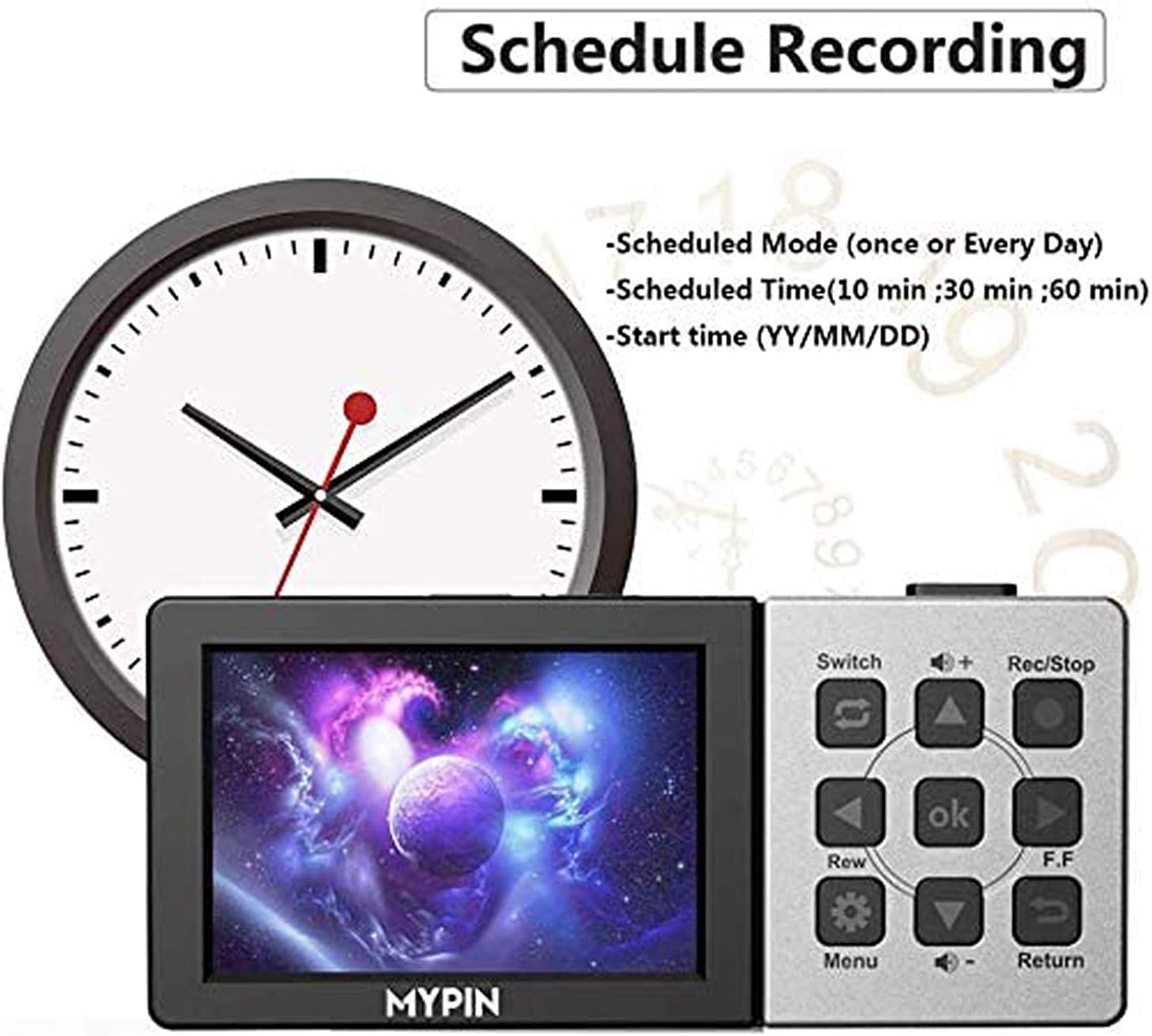
5.3 예약 녹화
The device supports scheduling recordings for convenience.
- Access the Menu using the 메뉴 button on the device or remote.
- Navigate to the "Schedule Recording" option.
- Set the desired recording mode (e.g., once, daily), scheduled time (e.g., 10 min, 30 min, 60 min), and start time (YY/MM/DD).
- Confirm your settings. The device will automatically begin recording at the specified time.

This image shows the user interface for setting up scheduled recordings on the MYPIN capture card. It highlights options to configure the recording mode (e.g., once, daily), duration (e.g., 10, 30, 60 minutes), and the specific start date and time.
5.4 볼륨 조절
Use the volume buttons on the device or remote control to adjust the playback volume through the built-in speaker or connected headphones.
6. 유지관리
- 기기를 깨끗하고 먼지가 없는 상태로 유지하세요. 청소 시에는 부드럽고 마른 천을 사용하세요.
- 극한의 온도, 습도 또는 직사광선에 장치를 노출하지 마십시오.
- 기기를 분해하려고 시도하지 마세요. 그럴 경우 보증이 무효화됩니다.
- Ensure the TF card is properly inserted and removed to prevent damage.
7. 문제 해결
If you encounter issues with your MYPIN Video Capture Card, refer to the following common solutions:
| 문제 | 가능한 원인 | 해결책 |
|---|---|---|
| No video on LCD screen or external display. | Incorrect HDMI connection, source not active, or incompatible resolution. | Check all HDMI cable connections. Ensure the video source is powered on and outputting a signal. Verify the source resolution is 1080P or lower. |
| 기기가 녹화 중이 아닙니다. | TF card full, not inserted, or incompatible format. | Ensure a TF card is inserted and has sufficient free space. Format the TF card to FAT32 or exFAT if necessary. |
| No audio from microphone input. | Incorrect microphone type or connection. | Ensure you are using a 3.5mm TRS standard microphone. Check the microphone connection. |
| 리모컨이 응답하지 않습니다. | Low battery in remote, obstructed IR sensor. | Replace the remote control battery. Ensure there is a clear line of sight between the remote and the device's IR sensor. |
| 기록됨 files are split into multiple segments. | This is normal behavior for long recordings due to file system limitations. | The device automatically splits recordings into segments (e.g., 25-minute files) to manage file sizes on the TF card. This is not an error. |
8. 사양
Key technical specifications for the MYPIN 1080P HDMI Video Capture Card:
- 비디오 캡처 해상도: 1080p@60fps
- 표시하다: 3.5인치 LCD
- 저장: TF Card (up to 128 GB, FAT32/exFAT)
- 입력: HDMI, 3.5mm Microphone (TRS standard)
- 산출: HDMI, 3.5mm Headset
- 배터리: 내장형 3000mAh 리튬 배터리
- 전원 공급 장치: USB 직류 5V
- 치수: 약 6.89 x 4.57 x 2.05인치 (포장 크기 기준)
- 무게: 13.7 ounces (approximate item weight)
- 모델 번호: B07VB65SDK
9. 보증 및 지원
보증 정보 및 기술 지원에 대해서는 구매 시 제공된 연락처 정보를 참조하거나 MYPIN 공식 웹사이트를 방문하십시오. web사이트. 보증 청구를 위해 구매 증빙 자료를 보관하세요.


