소개
Welcome to the user manual for your Picun Elite P80S Wireless Headset. This guide provides detailed instructions for setup, operation, maintenance, and troubleshooting to ensure you get the most out of your device. Please read this manual thoroughly before using the headset.
패키지 내용
- Picun Elite P80S Headset
- Detachable AUX Microphone
- USB 충전 케이블
- AUX Cable for Wired Transmission

Image: Picun Elite P80S Wireless Headset with detachable microphone, showcasing its design and included microphone.
제품 끝view
헤드셋 구성 요소 및 컨트롤
The Picun Elite P80S headset features an ergonomic design with easy-to-access media buttons for various functions. These include controls for music playback, call management, vibration mode, LED light display, and volume adjustments.

Image: The Picun Elite P80S Wireless Headset shown in its folded configuration, highlighting its portable design.

Image: The Picun Elite P80S Wireless Headset displayed on a stand, providing a clear view of its over-ear design, earcups, and adjustable headband.
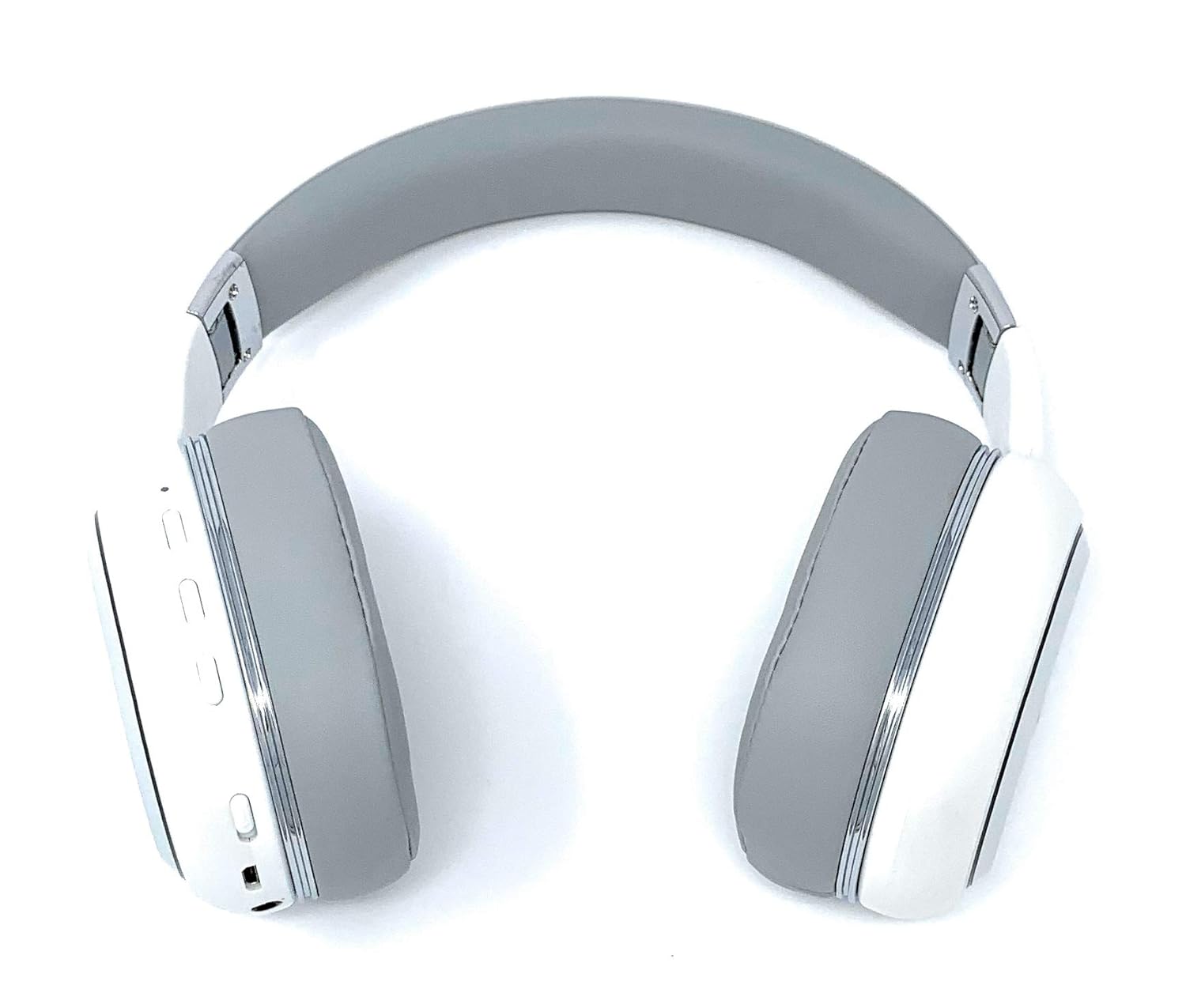
Image: A rear perspective of the Picun Elite P80S Wireless Headset, illustrating the placement of control buttons on the earcup.

Image: A detailed close-up of the right earcup hinge and the 'R' indicator on the Picun Elite P80S Wireless Headset, showing construction details.
설정
헤드셋 충전하기
Before initial use, fully charge the headset. Use the provided USB charging cable with any compatible USB adapter or device.
- 헤드셋의 충전 포트에 USB 충전 케이블을 연결하세요.
- USB 케이블의 다른 쪽 끝을 전원에 연결합니다.
- A full charge provides approximately 40 hours of game time or 60 hours of music/media playback in wireless mode.
블루투스 페어링
To connect your headset wirelessly:
- 헤드셋의 전원이 꺼져 있는지 확인하십시오.
- LED 표시등이 깜박여 페어링 모드를 나타낼 때까지 전원 버튼을 길게 누릅니다.
- 기기(스마트폰, 태블릿, 컴퓨터)에서 Bluetooth를 활성화하고 사용 가능한 기기를 검색하세요.
- Select "Picun P80S" from the list of found devices.
- 연결이 완료되면 LED 표시등이 계속 켜져 있거나 천천히 깜빡입니다.
유선 연결
For a wired connection, use the provided AUX cable:
- Connect one end of the AUX cable to the headset's AUX port.
- Connect the other end to your audio device's 3.5mm audio jack.
- The headset can be used indefinitely in wired mode, regardless of battery charge.
마이크 부착
The headset includes a detachable microphone for clear communication:
- Locate the microphone port on the headset.
- Gently insert the detachable microphone into the port until it clicks into place.
- The microphone is designed to reduce ambient noise for high-definition vocals.
작동 지침
전원 켜기/끄기
- 전원 켜기: LED 표시등이 켜질 때까지 몇 초 동안 전원 버튼을 길게 누르세요.
- 전원 끄기 : LED 표시등이 꺼질 때까지 전원 버튼을 몇 초간 길게 누르세요.
음악 재생
- 재생/일시 중지: 재생/일시정지 버튼을 한 번 누르세요.
- 다음 트랙: Press and hold the 'Volume Up' button.
- 이전 트랙 : Press and hold the 'Volume Down' button.
통화 관리
- 전화 받기/종료: 다기능 버튼을 한 번 누릅니다.
- 전화 거부: 다기능 버튼을 2초 동안 길게 누릅니다.
Dual Shock/Vibration Mode
This mode enhances audio with deep bass and vibrations, ideal for music, movies, and gaming.
- 활성화/비활성화: Use the dedicated 'Vibration/Dual Shock Mode On-Off toggle switch' on the headset.
LED 조명 디스플레이
The headset features an LED light display.
- 켜기/끄기: Use the dedicated 'LED Light Display On-Off button' on the headset.
볼륨 조절
- 볼륨 증가: '볼륨 높이기' 버튼을 누르세요.
- 볼륨 감소: '볼륨 낮추기' 버튼을 누르세요.
유지
청소
- 부드럽고 마른 천으로 헤드셋을 닦으십시오.
- 연마성 세척제나 용제를 사용하지 마십시오.
- 충전 포트와 오디오 잭에 먼지와 이물질이 들어가지 않도록 하십시오.
저장
- 헤드셋은 직사광선과 극한의 온도를 피해 서늘하고 건조한 곳에 보관하세요.
- When not in use for extended periods, ensure the headset is fully charged before storing.
문제 해결
전원이 없습니다
- 헤드셋이 완전히 충전되었는지 확인하세요.
- 충전 케이블과 전원 공급 장치가 정상적으로 작동하는지 확인하십시오.
소리가 나지 않습니다
- 헤드셋과 연결된 기기의 볼륨 레벨을 확인하세요.
- If using Bluetooth, ensure the headset is properly paired and connected.
- If using a wired connection, ensure the AUX cable is securely plugged into both the headset and the audio source.
- 다른 오디오 소스나 장치로 테스트해 보세요.
블루투스 페어링 문제
- 헤드셋이 페어링 모드인지 확인하십시오(LED가 깜빡임).
- 기기의 Bluetooth를 껐다가 켜세요.
- 기기의 이전 Bluetooth 연결을 지우고 다시 페어링을 시도하세요.
- Ensure the headset is within the effective range of your Bluetooth device.
명세서
| 특징 | 설명 |
|---|---|
| 모델명 | Elite P80S |
| 연결 기술 | 블루투스 |
| 무선 통신 기술 | 블루투스 |
| 포함된 구성 요소 | Headset, Detachable AUX Microphone, USB Charging Cable, AUX Cable for Wired Transmission |
| 연령대 (설명) | 성인 |
| 재료 | 인조 가죽 |
| 제어 유형 | 볼륨 조절, 리모컨 |
| 케이블 기능 | 분리 가능 |
| 품목 무게 | 820g(0.82킬로그램) |
| 항목 수 | 1 |
| 특징 | 소음 제거 |
| 제조업체 | 피쿤 |
| 하드웨어 플랫폼 | 게임 콘솔 |
| 마이크 형식 | Built-In, Detachable AUX Microphone |
| 필요한 배터리 | 아니요(내부 충전식 배터리) |
| 폼 팩터 | 귀 위 |
| 색상 | 하얀색 |
| 소음 제어 | 능동 소음 제거 |
| 헤드폰 잭 | 3.5 mm 잭 |
보증 정보
The Picun Elite P80S Wireless Headset is covered by a manufacturer's warranty. For specific details regarding warranty terms, duration, and claims process, please refer to the warranty policy provided at the time of purchase or contact Picun customer support.
고객 지원
If you encounter any issues not covered in this manual or require further assistance, please contact Picun customer support through their official website or the contact information provided with your product packaging. Please have your product model (P80S) and purchase details ready when contacting support.


