1. 서론
This manual provides detailed instructions for the installation, operation, and maintenance of your COOAU 4MP Wireless Security Camera, Model 827S-400. Designed for indoor use, this camera offers advanced features such as 4MP Ultra HD video, Pan/Tilt/Zoom (PTZ) functionality, two-way audio, and intelligent detection capabilities to enhance your home monitoring experience.
2. 제품 오버view
The COOAU 4MP Wireless Security Camera is a versatile indoor monitoring device. Familiarize yourself with its components and key features:
2.1개의 구성요소
- COOAU 4MP Wireless Security Camera Unit
- 전원 어댑터
- USB 전원 케이블
- 설치 부속품 (나사, 벽 앵커)
- 사용 설명서 (본 문서)
2.2 주요 특징
- 4MP 울트라 HD 비디오: 선명하고 자세한 음식 사진을 촬영합니다.tage.
- 팬/틸트/줌(PTZ): 360° 수평 회전과 120° 수직 회전을 제공하여 광범위한 영역을 커버합니다.
- 양방향 오디오 : 통신을 위한 마이크와 스피커가 내장되어 있습니다.
- 지능형 감지: Features sound detection, motion detection, and motion tracking with alerts.
- 향상된 야간 투시경: Provides clear monitoring in low-light conditions.
- 유연한 스토리지: Supports local storage via Micro SD card (up to 128GB, not included) and cloud storage options.
- 알렉사 호환성: 아마존 알렉사와 연동하여 음성 제어가 가능합니다.

Image: The COOAU 4MP Wireless Security Camera, highlighting its compact design and key functionalities like 360-degree coverage and 4MP HD view.
3. 설정
Follow these steps to set up your COOAU Wireless Security Camera:
3.1 앱 설치
- Scan the QR code provided in the camera's packaging or search for "MIPC" in your device's app store (Apple App Store for iOS or Google Play Store for Android).
- MIPC 앱을 다운로드하여 설치하세요.
- 앱을 열고 새 사용자 계정을 만들거나 이미 계정이 있는 경우 로그인하세요.
3.2 전원 연결
- USB 전원 케이블을 카메라의 전원 포트에 연결하세요.
- 전원 어댑터를 표준 전기 콘센트에 연결하십시오.
- The camera will power on and initiate its startup sequence. Wait for a voice prompt indicating it's ready for connection.
3.3 네트워크 구성(Wi-Fi)
- In the MIPC app, tap the '+' icon to add a new device.
- Select the camera type (e.g., "Wireless IP Camera").
- Choose "Wi-Fi connection" as the network connection method.
- Follow the on-screen instructions to enter your Wi-Fi network details (SSID and password).
- The app may instruct you to scan a QR code displayed on your phone with the camera, or to place your phone near the camera for sound pairing.
- Once connected, you will hear a confirmation sound from the camera, and the app will indicate successful addition.
- Set a new password for the camera for security purposes.
Video: Demonstrates the indoor camera connection steps, including app installation, power connection, and Wi-Fi setup.
3.4 카메라 장착
The camera can be placed on a flat surface or mounted to a ceiling. Use the provided mounting accessories for ceiling installation. Ensure the camera is positioned to cover the desired monitoring area.
4. 사용 설명서
Learn how to utilize the various features of your COOAU camera:
4.1 라이브 View 및 PTZ 제어
- Open the MIPC app and select your camera from the device list to access the live video feed.
- Use the on-screen controls to pan (rotate horizontally up to 355°), tilt (move vertically up to 120°), and digitally zoom the camera view.
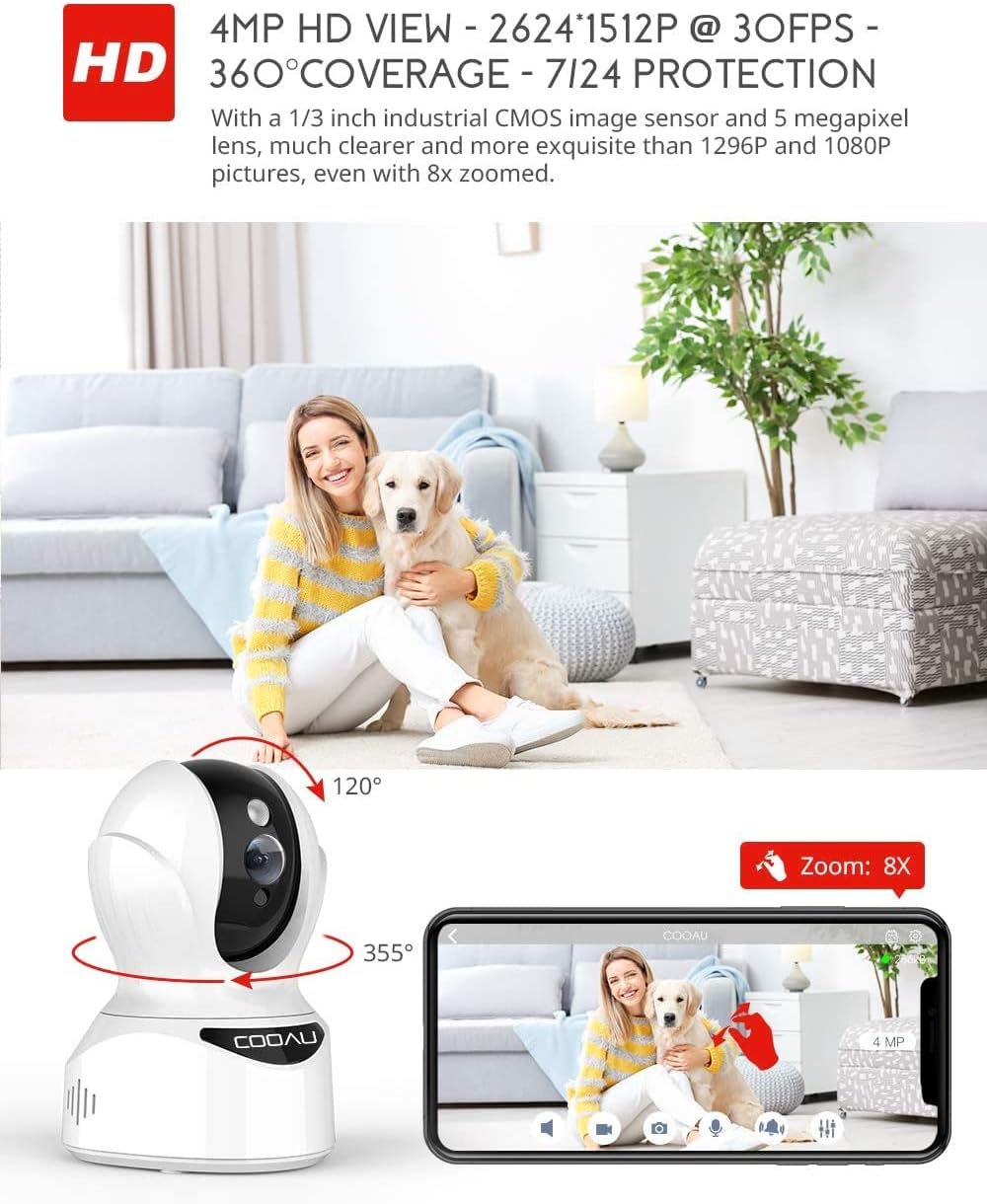
Image: Illustrates the camera's Pan/Tilt capabilities, offering 355° horizontal and 120° vertical rotation for comprehensive room coverage.
4.2 양방향 오디오
- 라이브 중 view앱에서 마이크 아이콘을 탭하면 카메라 스피커를 통해 말할 수 있습니다.
- 카메라에 내장된 마이크를 통해 카메라가 설치된 위치의 소리를 들을 수 있습니다.

Image: Depicts the two-way audio feature, enabling clear communication through the camera's built-in anti-noise and echo cancellation microphone and speaker.
4.3 Intelligent Detection and Alerts
- Access the camera settings in the MIPC app to configure motion detection, sound detection, and motion tracking.
- Enable push notifications to receive alerts on your smartphone when activity is detected.
- Motion tracking allows the camera to automatically follow moving objects within its field of view.
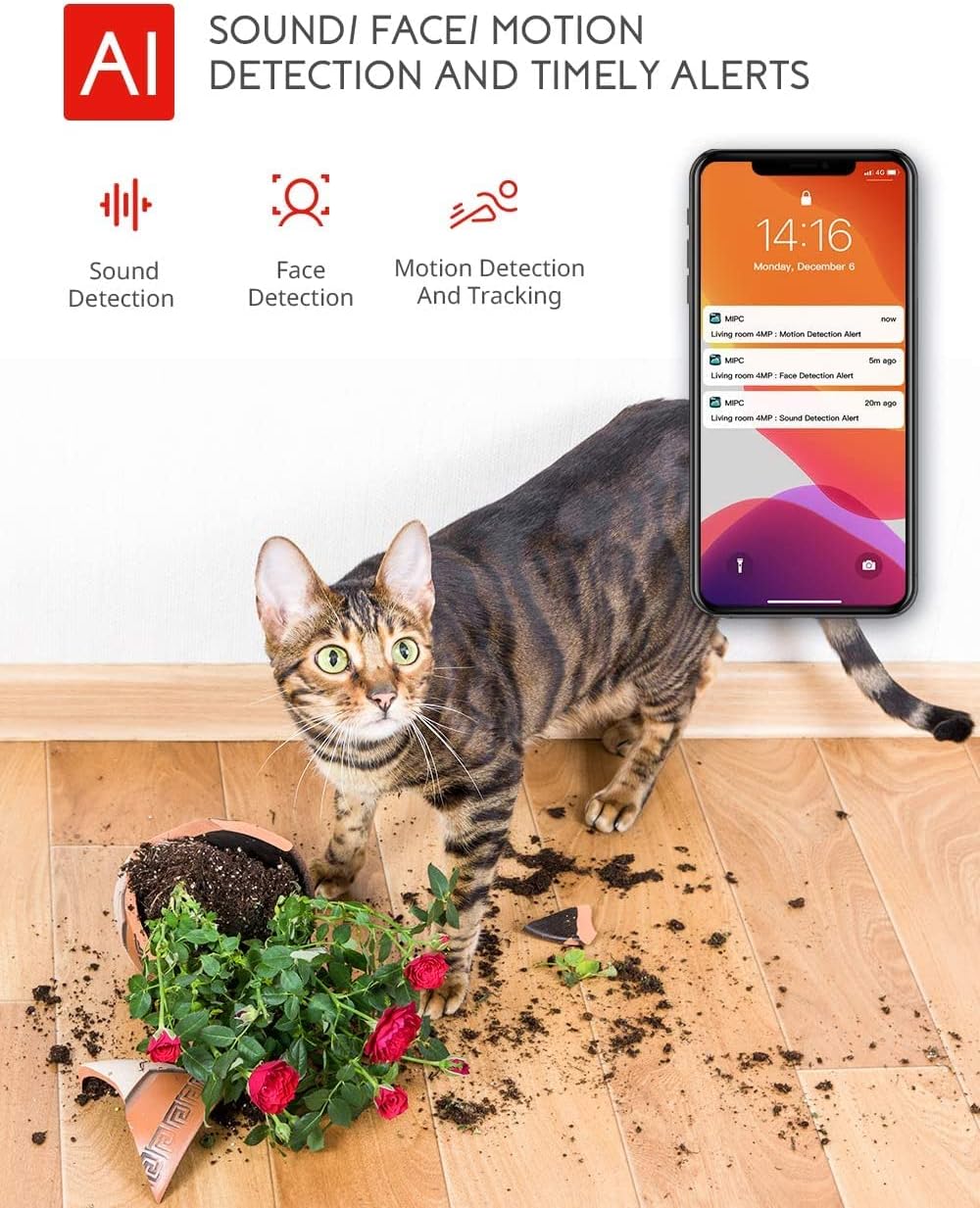
Image: Highlights the AI-powered sound, face, and motion detection features, with timely alerts sent to your smartphone.
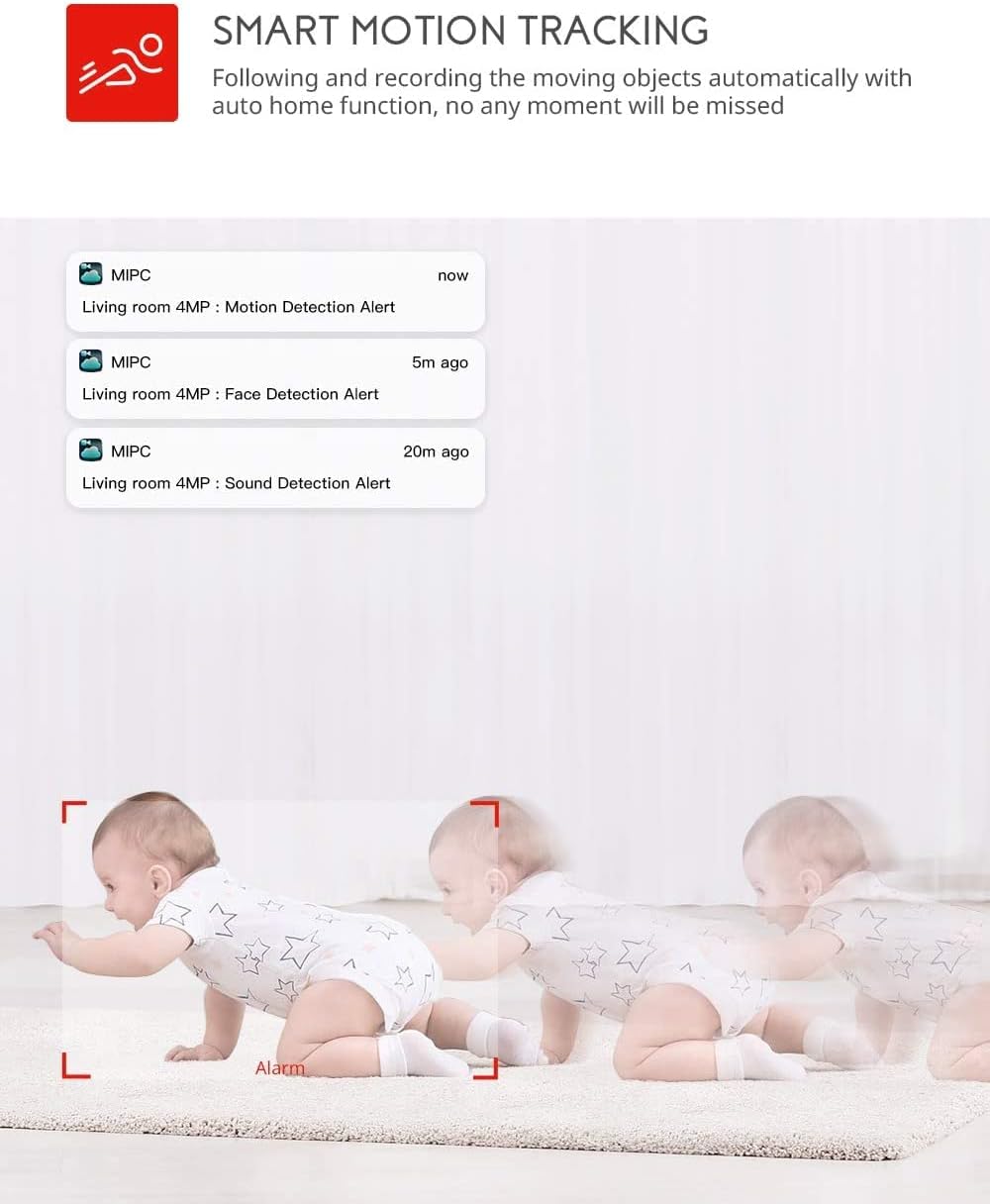
Image: Illustrates the smart motion tracking feature, where the camera automatically follows and records moving objects.
4.4 야간 투시경
- 조명이 어두운 환경에서는 카메라가 자동으로 야간 투시 모드로 전환됩니다.
- This feature provides clear black and white video footage without additional light sources.
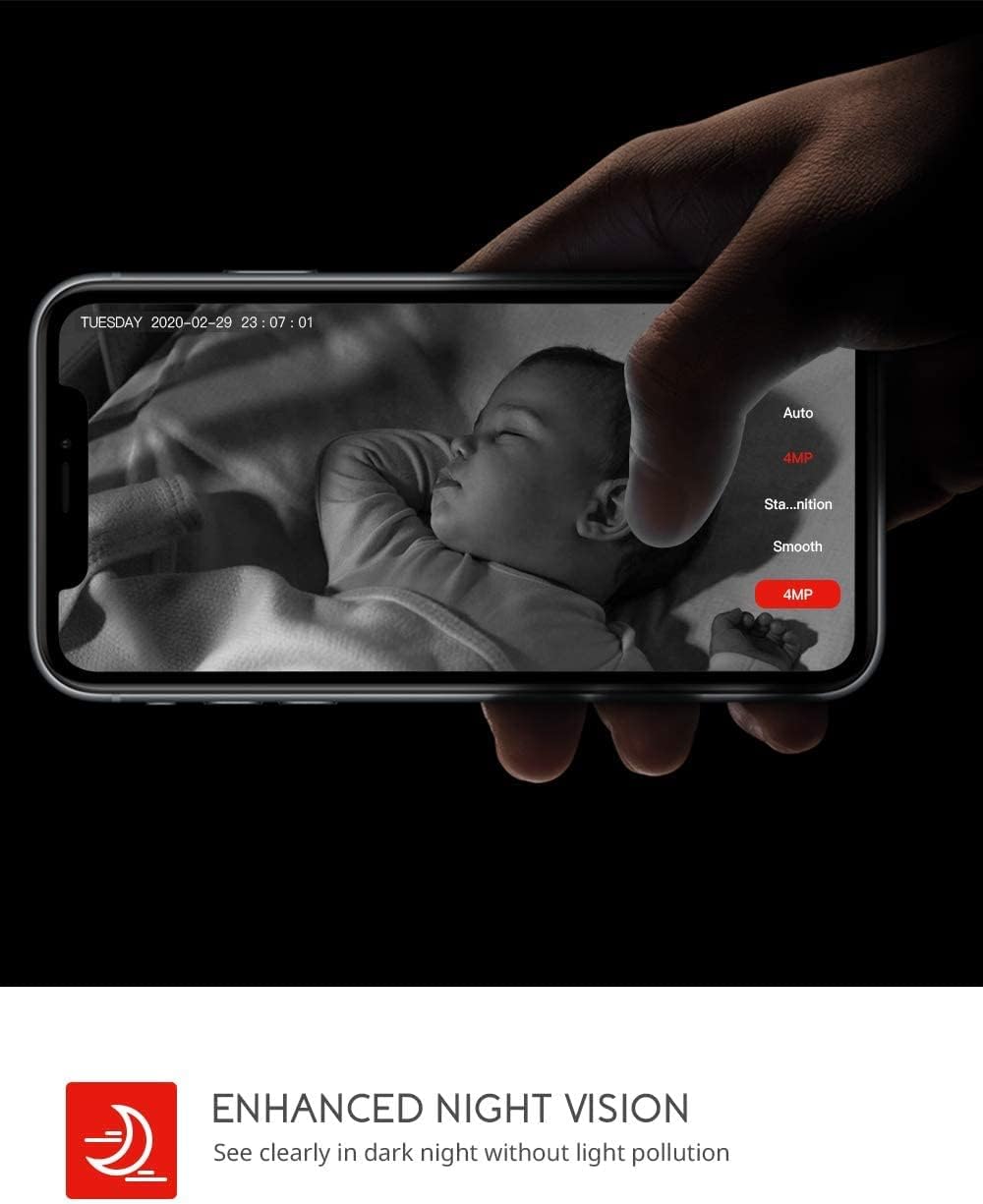
Image: Demonstrates the enhanced night vision capability, providing clear visibility in dark environments.
4.5 저장 옵션
- 마이크로 SD 카드 : Insert a Micro SD card (up to 128GB, Class 10 or higher recommended) into the designated slot for local video recording.
- 클라우드 스토리지: The MIPC app offers optional cloud storage services for secure off-site backup of your recordings.
4.6 다중 사용자 지원
- Share camera access with family members or trusted individuals through the MIPC app.
- This allows multiple users to view the live feed and receive alerts simultaneously.

Image: Illustrates the camera's support for multiple devices and users, allowing footage sharing across various platforms.
5. 유지관리
적절한 유지 관리는 카메라의 수명과 최적의 성능을 보장합니다.
- 청소: 부드럽고 마른 천을 사용하여 카메라 렌즈와 본체를 닦으세요. 연마성 세척제나 용제는 사용하지 마세요.
- 놓기: 카메라를 직사광선, 열원, 과도한 습기가 없는 안정적인 위치에 놓으세요.
- 소프트웨어 업데이트: MIPC 앱에서 펌웨어 업데이트를 정기적으로 확인하여 카메라에 최신 기능과 보안 강화 기능이 적용되도록 하십시오.
- 전원 공급 장치: 카메라와 함께 제공된 정품 전원 어댑터만 사용하십시오.
6. 문제 해결
카메라에 문제가 발생하면 다음의 일반적인 문제와 해결 방법을 참조하세요.
| 문제 | 해결책 |
|---|---|
| 카메라가 Wi-Fi에 연결되지 않습니다. | Ensure your Wi-Fi password is correct. Check if the camera is within range of your Wi-Fi router. Reset the camera by pressing the reset button for 1 second and try connecting again. Ensure your router is 2.4GHz compatible. |
| 비디오 품질이 좋지 않습니다. | Check your internet connection speed. Ensure the camera lens is clean. Adjust the video resolution settings in the MIPC app. |
| 동작 감지가 작동하지 않습니다. | Verify that motion detection is enabled in the app settings. Adjust the sensitivity level. Ensure there are no obstructions blocking the camera's view. |
| 양방향 음성이 불분명합니다. | Ensure your phone's volume is up. Check for any interference or background noise near the camera or your phone. |
| 카메라가 오프라인 상태입니다. | Check the power connection to the camera. Verify your Wi-Fi network is active and stable. Restart the camera and your router. |
7. 사양
Detailed technical specifications for the COOAU 4MP Wireless Security Camera (Model 827S-400):
| 특징 | 사양 |
|---|---|
| 모델 번호 | 827S-400 |
| 효과적인 스틸 해상도 | 4 MP |
| 효과적인 비디오 해상도 | 4 MP |
| 연결 기술 | 무선(Wi-Fi) |
| 실내/실외 사용 | 실내 |
| 특별 기능 | Motion Sensor, Sound Detection, Motion Tracking, 2-Way Audio, Night Vision |
| 컨트롤러 유형 | 아마존 알렉사 |
| 마운트 유형 | 천장 마운트 |
| 저장 옵션 | Cloud/SD Storage (up to 128GB) |
| 프레임 속도 | 30fps |
| 품목 치수 | 3.35 x 3.35 x 4.72 인치 |
| 전원 | 교류/직류 |
| GTIN / UPC | 889328768553 |
8. 보증 및 지원
For warranty information or technical support, please contact COOAU customer service. You can reach us via:
- 공식 메일함: info@cooau.net
- 공식 페이스북: COOAU Official


