소개
Thank you for choosing the GameMax H605 Micro ATX Gaming Tower Case. This manual provides essential information for the proper installation, operation, and maintenance of your new PC case. Please read this manual thoroughly before beginning assembly to ensure optimal performance and safety.
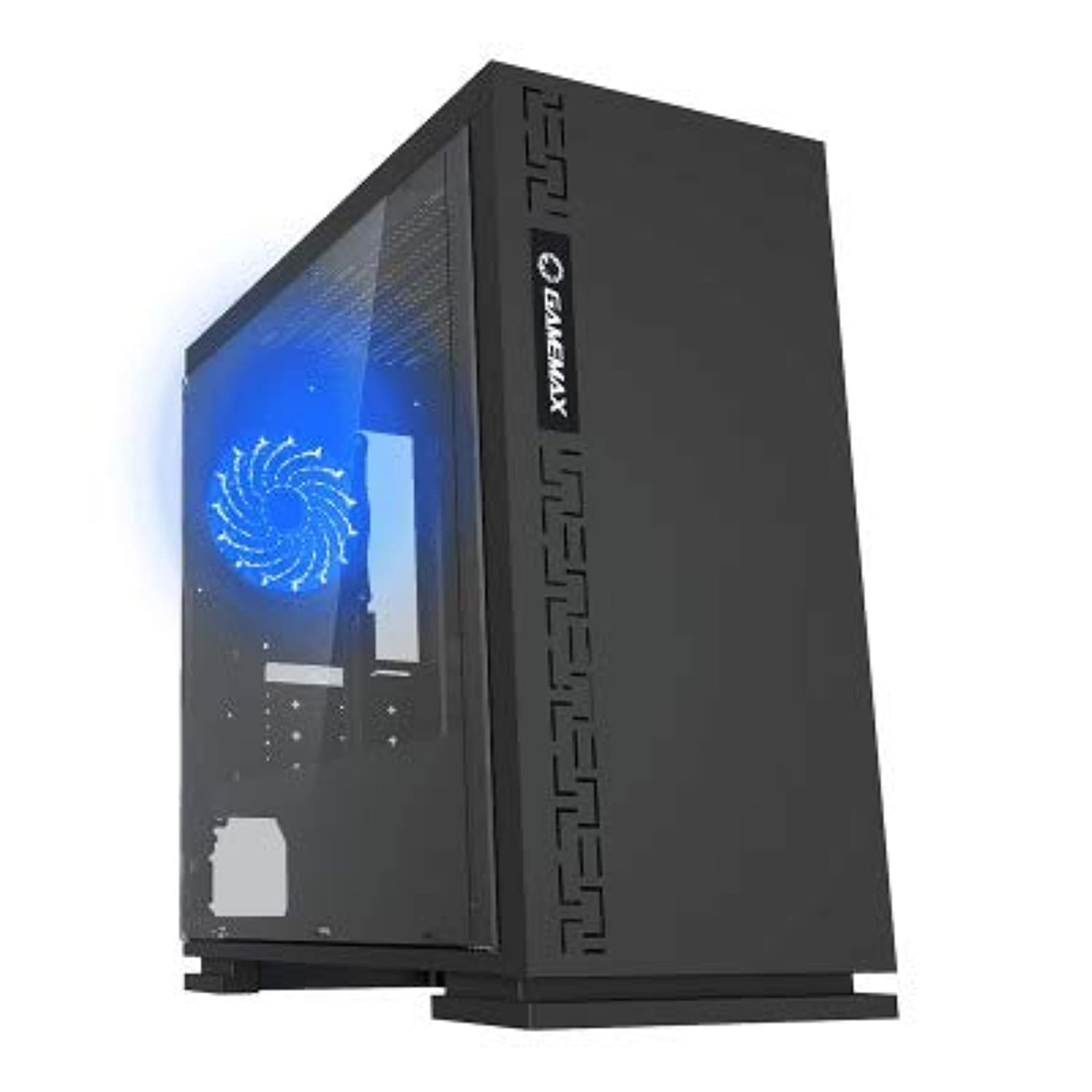
그림 1: 전면 view of the GameMax H605 Micro ATX Gaming Tower Case, showcasing its sleek design and front panel.
The GameMax H605 is designed for Micro ATX motherboards and features a compact yet efficient layout for gaming components. It includes one pre-installed LED fan at the rear for immediate cooling. The case is constructed from steel and plastic, offering a balance of durability and aesthetics.
안전 정보
설치 및 작동 중에는 다음 안전 지침을 준수해 주십시오.
- 구성 요소를 설치하거나 제거하기 전에 항상 벽면 콘센트에서 전원 공급 장치를 분리하세요.
- 정전기 방전(ESD)으로 인한 민감한 부품 손상을 방지하기 위해 정전기 방지 손목 스트랩을 착용하십시오.
- 물리적 손상을 방지하기 위해 구성품을 조심스럽게 다루십시오.
- 케이스를 액체나 과도한 습기로부터 멀리하십시오.
- 과열을 방지하려면 케이스 주변의 적절한 환기를 확보하세요.
패키지 내용
Verify that all the following items are present in your GameMax H605 package:
- GameMax H605 Micro ATX Gaming Tower Case
- 부속품 상자 (나사, 스탠드오프, 케이블 타이)
- 사용 설명서 (본 문서)
If any items are missing or damaged, please contact your retailer or GameMax support.
설정
1. 사건 준비
- 케이스를 평평하고 안정적인 표면에 놓으십시오.
- 케이스 뒷면의 엄지 나사를 풀고 패널을 뒤로 밀어 측면 패널을 제거합니다.

그림 2: 내부 view of the GameMax H605 case with the side panel removed, showing the motherboard tray and drive bays.
2. 마더보드 설치
- 케이스 후면 개구부에 I/O 실드를 설치합니다.
- Align your Micro ATX motherboard with the standoffs inside the case. Ensure the standoffs match the screw holes on your motherboard.
- 제공된 나사로 마더보드를 고정합니다.
3. 저장 드라이브 설치
- For 3.5-inch HDDs, slide the drive into the designated drive cage bays and secure with screws if necessary.
- For 2.5-inch SSDs, mount them onto the dedicated SSD brackets or trays and secure with screws.
4. 전원 공급 장치 설치
- Position the power supply unit (PSU) in the bottom rear compartment of the case.
- 파워서플라이에 포함된 나사를 사용하여 파워서플라이를 케이스에 고정하십시오.
5. 그래픽 카드 및 확장 카드 설치
- 케이스 후면에서 필요한 확장 슬롯 덮개를 제거하십시오.
- 그래픽 카드 또는 기타 확장 카드를 마더보드의 해당 PCIe 슬롯에 장착하십시오.
- 카드를 나사로 고정합니다.

그림 3: 후면 view of the GameMax H605 case, showing expansion slots and I/O shield opening.
6. 케이블 관리
마더보드 트레이 뒤쪽의 케이블 라우팅 컷아웃과 고정 지점을 활용하여 케이블을 정리하세요. 이렇게 하면 공기 흐름이 원활해지고 외관도 깔끔해집니다.
운영
Once all components are installed and connected, replace the side panels and connect your peripherals (monitor, keyboard, mouse) to the motherboard's I/O ports. Connect the power cable to the PSU and a wall outlet. Press the power button on the front panel to start your system.

그림 4: 상단 전면 view of the GameMax H605 case, highlighting the front panel I/O ports and power button.
유지
Regular maintenance helps ensure the longevity and optimal performance of your PC case and components:
- 먼지 청소: Periodically clean dust from the case interior, fans, and filters using compressed air or a soft brush. Ensure the system is powered off and unplugged before cleaning.
- 케이블 정리 상태 점검: 케이블이 공기 흐름이나 팬 작동을 방해하지 않도록 케이블 배선 상태를 주기적으로 점검하십시오.
- 팬 검사: Verify that all fans are spinning freely and are free from obstructions.
문제 해결
PC 조립 중 문제가 발생하면 다음의 일반적인 문제 해결 단계를 고려해 보세요.
- 전원 없음: Ensure all power cables (24-pin ATX, 8-pin CPU, GPU power) are securely connected. Check if the PSU switch is in the 'ON' position.
- 디스플레이 없음: Verify that the monitor cable is connected to the graphics card (not the motherboard I/O) and that the monitor is powered on and set to the correct input.
- 과열: Check fan connections and ensure they are spinning. Clean any dust buildup. Verify proper airflow within the case.
- 느슨한 연결: Re-seat RAM modules, graphics card, and all power/data cables to ensure they are firmly in place.
명세서
| 특징 | 세부 사항 |
|---|---|
| 상표 | 게임맥스 |
| 품목 모델 번호 | H605 블랙 |
| 제조업체 | 게임맥스 |
| 시리즈 | H605 블랙 |
| 색상 | 검은색 |
| 하드웨어 플랫폼 | 윈도우 7 |
| 배터리 포함 | 아니요 |
| 품목 무게 | 7.53그램 |
| 마더보드 호환성 | 마이크로 ATX |
| 케이스 유형 | 미드 타워 |
| 제품의 권장 용도 | 노름 |
| 재료 | Solid Plastic Alloy |
| 냉각 방식 | Water (Implies compatibility for water cooling solutions) |
| 모델명 | H605 블랙 |
| 팬 크기 | 120 밀리미터 |
| 총 USB 포트 | 1 |
| 첫 번째 이용 가능 날짜 | 9년 2019월 XNUMX일 |
보증 및 지원
GameMax products are designed for reliability and performance. For warranty information, please refer to the warranty card included with your purchase or visit the official GameMax website. If you require technical assistance or have questions regarding your GameMax H605 case, please contact GameMax customer support through their official channels.
보증 청구를 위해 구매 증명서를 보관하십시오.


