소개
This manual provides essential information for the operation and maintenance of your SOAR NHL ShockBox LED Wireless Bluetooth Speaker. Please read this manual thoroughly before using the device to ensure proper functionality and to maximize your user experience.
The SOAR NHL ShockBox LED Wireless Bluetooth Speaker is a portable audio device designed for wireless music playback and hands-free calling. It features Bluetooth 5.0 technology for stable connectivity and integrated LED lights that synchronize with audio output.
주요 특징
- 휴대용 및 경량 디자인: Engineered for easy transport and use in various environments.
- 프리미엄 스테레오 사운드: 선명하고 강력한 오디오 출력을 제공합니다.
- 블루투스 5.0 기술: Ensures wireless connection to all Bluetooth-enabled devices within a range of up to 30 feet (approximately 9 meters).
- 배터리 수명 연장: Provides over 5 hours of continuous music playback or talk time on a single charge.
- 충전식 배터리: Equipped with a built-in rechargeable battery; a Micro USB cable is included for charging.
- 동적 LED 조명: Features multiple color LED lights that illuminate and move in sync with the rhythm of the music.
- 내장 스피커폰: Includes a built-in microphone for hands-free calling.
- Officially Licensed NHL Product: Displays official NHL team branding.
패키지 내용
패키지에 모든 품목이 들어 있는지 확인하세요.
- SOAR NHL ShockBox LED Wireless Bluetooth Speaker
- 마이크로 USB 충전 케이블
- 사용 설명서 (본 문서)
설치 가이드
스피커 충전하기
- 스피커에서 마이크로 USB 충전 포트를 찾으세요.
- Connect the included Micro USB cable to the speaker's charging port.
- USB 케이블의 다른 쪽 끝을 호환되는 USB 전원(예: 컴퓨터 USB 포트, USB 벽면 어댑터)에 연결합니다.
- The LED indicator will typically show charging status (e.g., solid red while charging, off when fully charged). A full charge provides over 5 hours of operation.
전원 켜기/끄기
- To power on, press and hold the Power button until the LED indicator lights up and an audible prompt is heard.
- To power off, press and hold the Power button until the LED indicator turns off and an audible prompt is heard.
블루투스 페어링
- Ensure the speaker is powered on and in pairing mode (indicated by a flashing LED light and an audible prompt).
- 블루투스 기능이 있는 기기(스마트폰, 태블릿, 컴퓨터)에서 블루투스 설정으로 이동하세요.
- Bluetooth를 활성화하고 사용 가능한 장치를 검색합니다.
- Select "SOAR ShockBox" from the list of found devices.
- Once paired, the speaker will provide an audible confirmation, and the LED indicator will typically change to a solid light or a slow pulse.
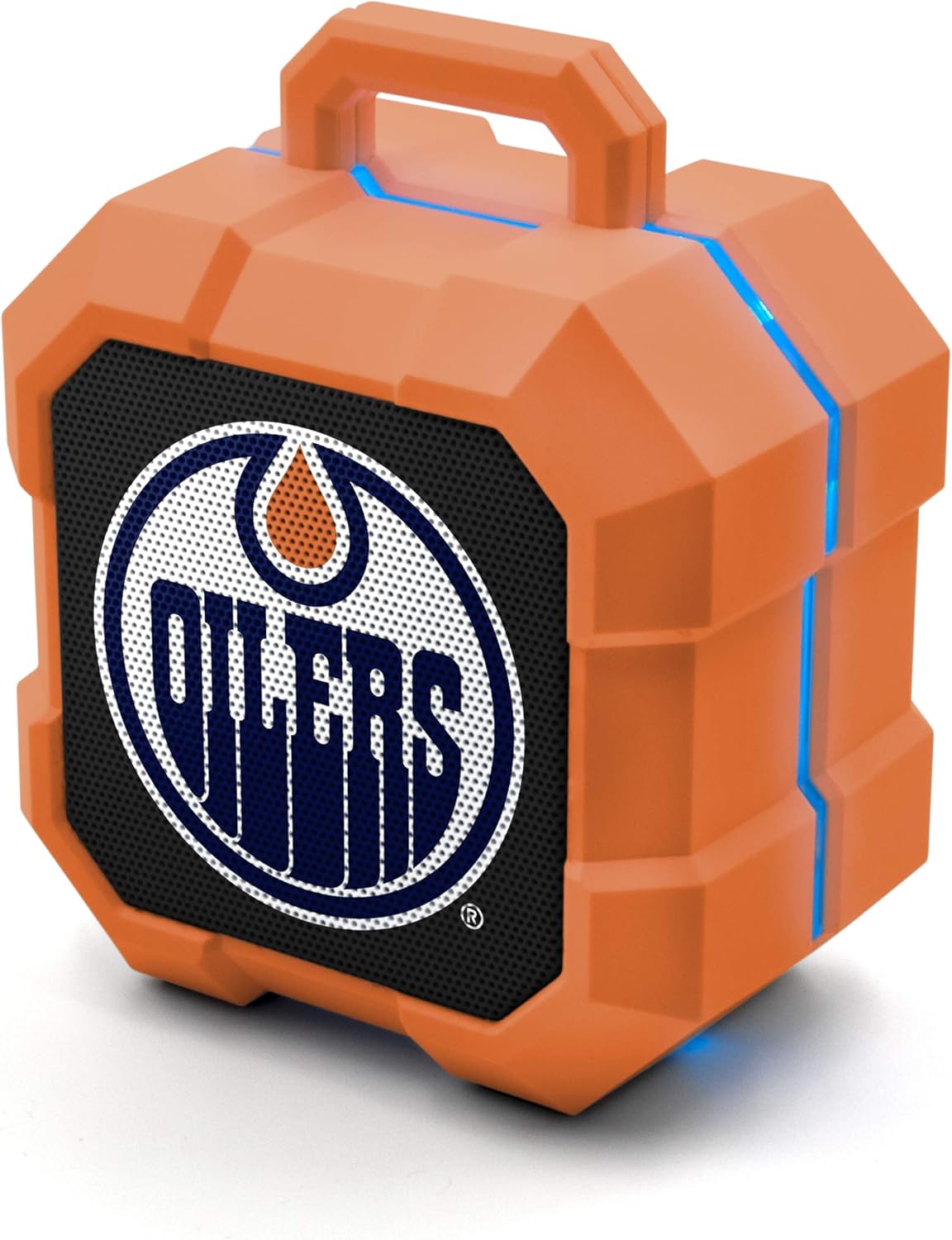
Image: The SOAR NHL ShockBox LED Wireless Bluetooth Speaker, featuring the Edmonton Oilers logo on the front grille and blue LED light accents along the top and sides. This image displays the primary product design.
작동 지침
음악 재생
- After successful Bluetooth pairing, open your music application on your connected device and begin playback.
- 볼륨 조절은 일반적으로 연결된 기기를 통해 이루어집니다.
- The speaker's LED lights will automatically synchronize with the music's beat.
스피커폰 기능
- When a call is received while connected via Bluetooth, the speaker will ring.
- To answer a call, press the Multi-function button (often the Play/Pause button).
- To end a call, press the Multi-function button again.
- To reject a call, press and hold the Multi-function button.
Stereo Pairing (TWS Function)
For an enhanced audio experience, two SOAR ShockBox speakers can be paired together to create a true wireless stereo (TWS) system.
- 두 스피커 모두 전원이 꺼져 있는지 확인하십시오.
- 두 스피커의 전원을 동시에 켜세요. 페어링 모드로 진입합니다.
- On one of the speakers, double-press the Power button (or a dedicated TWS button if available). The speakers will attempt to connect to each other.
- Once successfully paired, an audible confirmation will be heard, and one speaker will act as the master (left channel) and the other as the slave (right channel).
- Connect your Bluetooth device to the master speaker as described in the "Bluetooth Pairing" section.

Image: This illustration demonstrates the True Wireless Stereo (TWS) function, showing two SOAR ShockBox speakers connected wirelessly to a single device for synchronized audio playback.
관리 및 유지 보수
- 청소: 스피커 외부를 닦을 때는 부드럽고 마른 천을 사용하십시오. 연마성 세척제, 용제 또는 독한 화학 물질은 사용하지 마십시오.
- 저장: 스피커는 직사광선과 극한의 온도를 피해 시원하고 건조한 곳에 보관하세요.
- 방수 기능: 이 스피커는 방수 기능이 없습니다. 물, 비 또는 과도한 습기에 노출시키지 마십시오.
- 배터리 관리 : 배터리 수명을 연장하려면 배터리를 자주 완전히 방전하지 마세요. 장시간 사용하지 않더라도 스피커를 정기적으로 충전하세요.
- 손질: Do not drop, disassemble, or attempt to repair the speaker yourself. This may void the warranty and cause damage.
문제 해결
| 문제 | 가능한 원인 | 해결책 |
|---|---|---|
| 스피커의 전원이 켜지지 않습니다. | 배터리가 소진되었습니다. | 제공된 Micro USB 케이블을 사용하여 스피커를 충전하세요. |
| Bluetooth 장치와 페어링할 수 없습니다. | 스피커가 페어링 모드가 아닙니다. 기기의 블루투스가 꺼져 있습니다. 기기가 연결 범위를 벗어났습니다. | Ensure speaker is in pairing mode (flashing LED). Turn Bluetooth on your device. Move device closer to speaker (within 30 ft). Forget previous pairings on your device and try again. |
| 소리가 나지 않거나 볼륨이 작습니다. | 스피커 또는 기기의 볼륨이 너무 작습니다. 스피커가 연결되어 있지 않습니다. | 스피커와 연결된 기기의 볼륨을 모두 높이세요. 스피커가 제대로 페어링되었는지 확인하세요. |
| LED 조명이 작동하지 않습니다. | Feature may be disabled (if applicable); malfunction. | Ensure music is playing. If the issue persists, contact customer support. |
명세서
| 특징 | 세부 사항 |
|---|---|
| 모델 번호 | NHL-BTX2-LFS |
| 블루투스 버전 | 5.0 |
| 무선 범위 | 최대 30피트(9미터) |
| 배터리 수명 | Over 5 hours (music/talk time) |
| 충전 포트 | 마이크로 USB |
| 스피커 출력 | 3W |
| 크기(대략) | 3.6 in (width) x 4.5 in (height) |
| 제조업체 | Prime Brands Group Inc. |
| 첫 번째 이용 가능 | 18년 2022월 XNUMX일 |

Image: This graphic illustrates the approximate dimensions of the SOAR ShockBox speaker, showing a width of 3.6 inches and a height of 4.5 inches.

Image: A visual representation highlighting the 3-watt speaker driver, emphasizing its compact size while delivering significant audio output.
보증 및 지원
For warranty information and customer support, please refer to the contact details provided on the product packaging or visit the official SOAR web사이트. 보증 청구에 대비해 구매 증빙 자료로 구매 영수증을 보관하세요.
제조업체: Prime Brands Group Inc.


