소개
Thank you for choosing the Macally Wireless Bluetooth Keyboard. This multi-device keyboard is designed to enhance your productivity across various platforms, including Mac, iOS, Windows, and Android devices. Featuring 110 keys, 20 Mac OS shortcuts, and a numeric keypad, it offers a comfortable and efficient typing experience. Its ultra-slim design and rechargeable battery make it an ideal companion for both work and leisure.

Image: The Macally Wireless Bluetooth Keyboard, showcasing its full layout and sleek silver design.
패키지 내용
- Macally Wireless Bluetooth Keyboard
- 충전 케이블
- 사용자 가이드
설정
1. 키보드 충전
Before initial use, fully charge the keyboard using the included charging cable. Connect the cable to the keyboard's charging port and a USB power source. The LED indicator will show charging status.

Image: Illustration showing the keyboard connected to a charging cable, emphasizing its rechargeable nature.
2. 장치와 페어링
The Macally Wireless Bluetooth Keyboard supports connecting up to three Bluetooth-enabled devices simultaneously. Follow these steps to pair your devices:
- 전원 스위치를 사용하여 키보드를 켭니다.
- Press and hold one of the Bluetooth keys (BT1, BT2, or BT3) for a few seconds until the corresponding LED indicator starts blinking rapidly. This indicates pairing mode.
- On your device (computer, tablet, or smartphone), go to Bluetooth settings and search for available devices.
- Select "Macally Keyboard" (or similar name) from the list.
- If prompted, enter the pairing code displayed on your screen using the Macally keyboard and press Enter.
- Once paired, the LED indicator will stop blinking and remain solid for a few seconds before turning off.
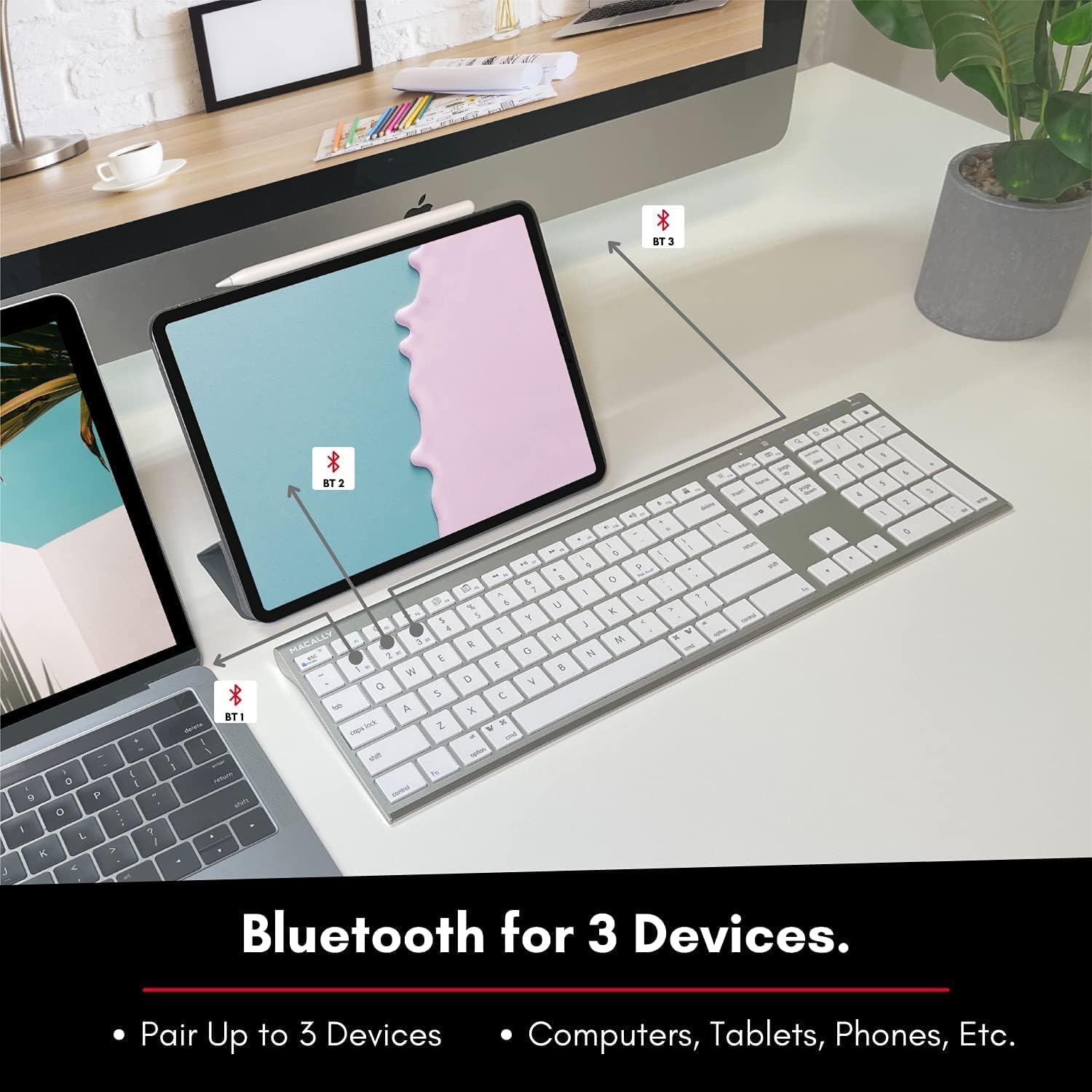
Image: The keyboard connected to a laptop and a tablet, illustrating its multi-device pairing capability.
작동 지침
장치 간 전환
To switch between paired devices, simply press the corresponding Bluetooth key (BT1, BT2, or BT3) once. The keyboard will automatically connect to the selected device within a few seconds.

Image: Visual representation of the keyboard seamlessly switching between a smartphone, iMac, and laptop, highlighting the multi-sync feature.
기능 키 및 단축키
The keyboard features a full set of 110 keys, including a numeric keypad and 20 dedicated Mac OS shortcut keys. These shortcuts provide quick access to various functions such as brightness control, volume adjustment, media playback, and more. Refer to your device's operating system documentation for specific shortcut functionalities.
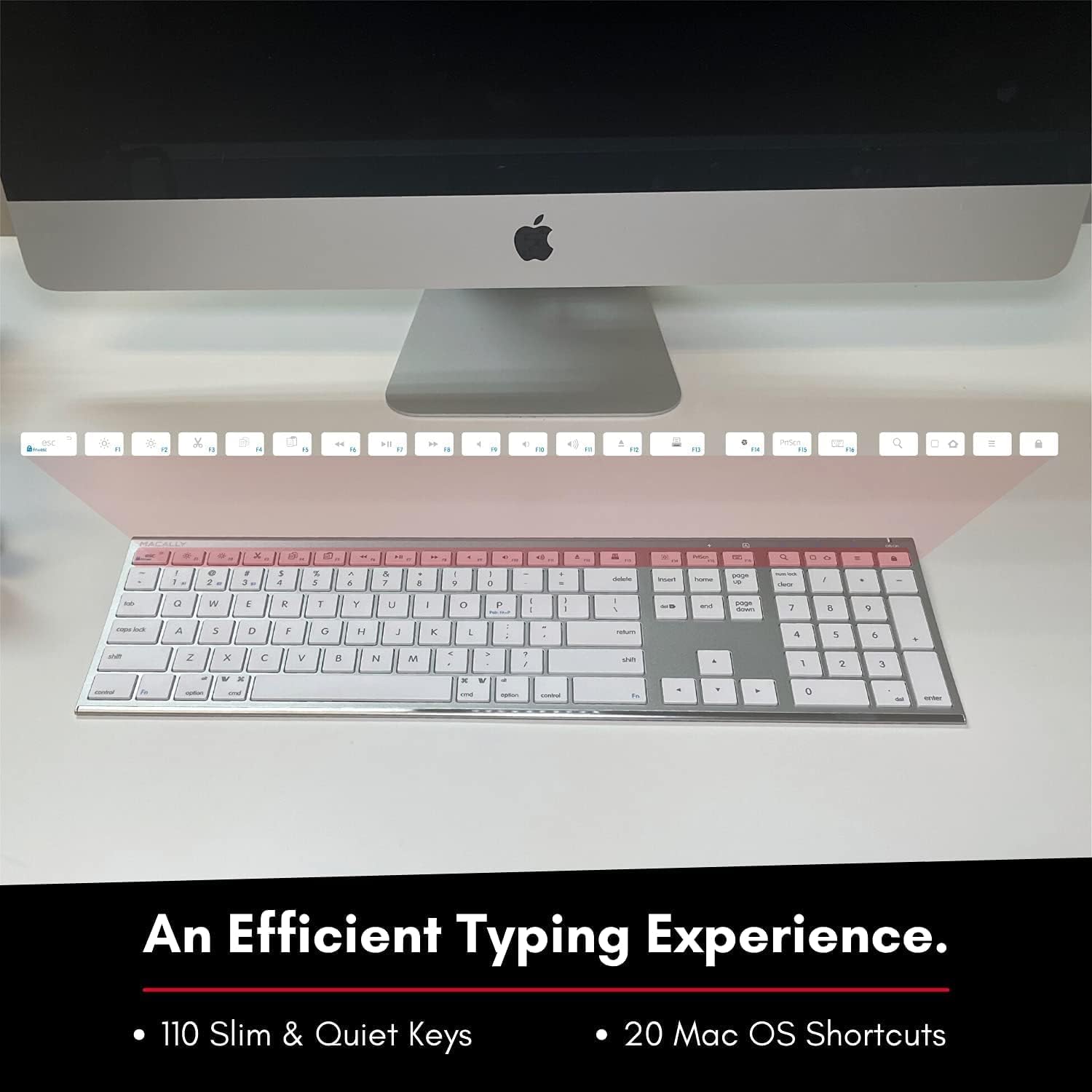
Image: Close-up of the keyboard's top row, highlighting the dedicated function and shortcut keys.
호환성
This keyboard is broadly compatible with a range of operating systems and devices, including:
- 맥 OS
- 윈도우
- iOS(아이폰, 아이패드)
- 기계적 인조 인간

Image: The keyboard positioned in front of an iMac, indicating its compatibility with Mac systems.
유지
To ensure the longevity and optimal performance of your Macally Wireless Bluetooth Keyboard, follow these maintenance guidelines:
- 청소: 부드럽고 보풀 없는 천으로 키보드 표면을 닦으세요. 잘 지워지지 않는 얼룩은 살짝 두드려 닦아내세요.amp천에 물이나 순한 세척액을 묻혀 닦아주세요. 과도한 습기는 피하세요.
- 배터리 관리 : The keyboard features a built-in rechargeable battery. To maximize battery life, avoid fully discharging the battery frequently. Charge the keyboard when the low battery indicator appears.
- 저장: 장기간 사용하지 않을 때는 배터리 수명 절약을 위해 키보드를 끄십시오. 직사광선과 극한 온도 변화를 피해 서늘하고 건조한 곳에 보관하십시오.
- 유출을 방지하세요: 내부 부품이 손상되는 것을 방지하려면 키보드 근처에 액체가 닿지 않도록 하세요.
문제 해결
Keyboard Not Responding or Typing Incorrectly
- 키보드가 충전되어 있는지 확인하세요.
- Verify that the keyboard is powered on and the correct Bluetooth channel (BT1, BT2, or BT3) is selected for your device.
- 키보드와 기기를 다시 페어링해보세요.
- Check if the Fn lock is active. On the top right, there should be a lock symbol with an FN in the lock. If there is a Blue LED light on the panel which is on the top right, then press and hold Fn 그리고 누르세요 키보드 to shut off the Fn lock.

Image: A troubleshooting tip for the Fn lock feature, showing the relevant keys.
Mouse Keys Issue (macOS)
- If your keyboard inputs are behaving like mouse movements, you may have "Mouse Keys" enabled.
- Go to System Preferences (or System Settings on newer macOS versions), then click on 접근성. After that, scroll to 포인터 제어 그리고 비활성화 Enable Mouse Keys.

Image: A troubleshooting tip for disabling Mouse Keys in system settings.
블루투스 연결 문제
- 기기의 Bluetooth가 활성화되어 있고 검색 가능한지 확인하세요.
- Move the keyboard closer to your device to ensure a strong signal.
- 잠재적인 간섭원(예: 다른 무선 장치, 큰 금속 물체)을 제거하세요.
- 키보드와 장치를 모두 다시 시작합니다.
명세서
| 상표 | 매 캘리 |
| 모델 번호 | ACEBTKEY-US |
| 제품 치수 | 18.11 x 6.3 x 0.91 인치 |
| 품목 무게 | 14.9 온스 |
| 연결 기술 | 블루투스 |
| 키의 개수 | 110 |
| 호환 장치 | 맥OS, 윈도우, iOS, 안드로이드 |
| 배터리 | 3 Lithium Polymer batteries (included, rechargeable) |
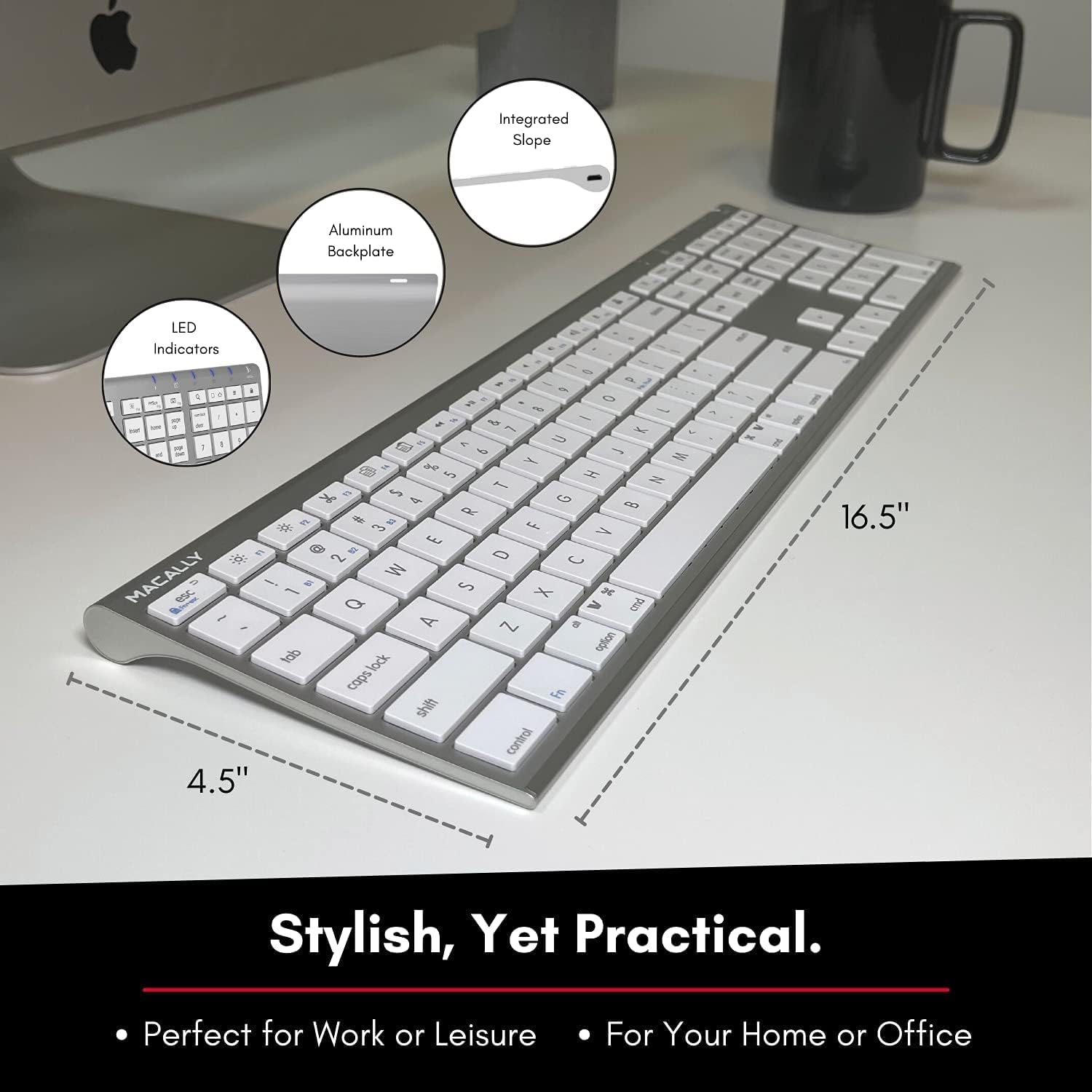
Image: Diagram illustrating the physical dimensions of the Macally Wireless Bluetooth Keyboard.
보증 및 지원
Macally is committed to delivering high-quality, user-friendly workflow solutions. For any product inquiries, technical support, or warranty information, please visit the official Macally web해당 웹사이트를 방문하거나 고객 서비스 센터에 문의하십시오. 더 많은 정보와 지원 자료는 다음에서 찾을 수 있습니다. 아마존에서 Macally 스토어를 만나보세요.


