소개
The BOYA BY-CIP2 is an adapter cable designed to connect external 3.5mm stereo microphones (specifically battery-powered microphones) or other audio sources to smartphones and laptops with a single audio input. This cable facilitates high-quality audio recording directly to your mobile device or computer.
중요 참고 사항: This cable is compatible only with battery-powered microphones. Passive (non-battery-powered) microphones cannot be connected to a phone using this cable.
제품 끝view
The BY-CIP2 cable allows you to utilize various audio devices with your smartphone or compatible laptop. Its primary function is to convert the output of a stereo microphone (TRS) to a TRRS input suitable for mobile devices, ensuring proper signal transmission for recording.
주요 특징:
- Enables connection of stereo battery-powered microphones to smartphones.
- Compatible with Android and iOS smartphones, as well as laptops with a single audio input.
- Supports connection of various audio sources like computers, DVD players, audio recorders, Walkmans, and MP3 players with headphone outputs.
- Designed for clear audio signal transmission.

그림 1: The BOYA BY-CIP2 adapter cable, showing its 3.5mm TRRS male connector and 3.5mm TRS female jack.
설치 지침
- 커넥터 식별: The BY-CIP2 cable has two ends: a 3.5mm TRRS male plug (with three black rings on the metal tip) and a 3.5mm TRS female jack (the receptacle).
- 마이크 연결: Plug your battery-powered 3.5mm stereo microphone (or other audio source) into the 3.5mm TRS female jack of the BY-CIP2 cable. Ensure the microphone is powered on if it requires batteries.
- 장치에 연결: Insert the 3.5mm TRRS male plug of the BY-CIP2 cable into the headphone/microphone combo jack of your smartphone or compatible laptop.
- 연결 확인: Your device should now recognize an external microphone. You may need to select the external microphone as the input source in your device's audio settings or recording application.

그림 2: 클로즈업 view of the 3.5mm TRRS male connector, designed for smartphone and laptop compatibility.
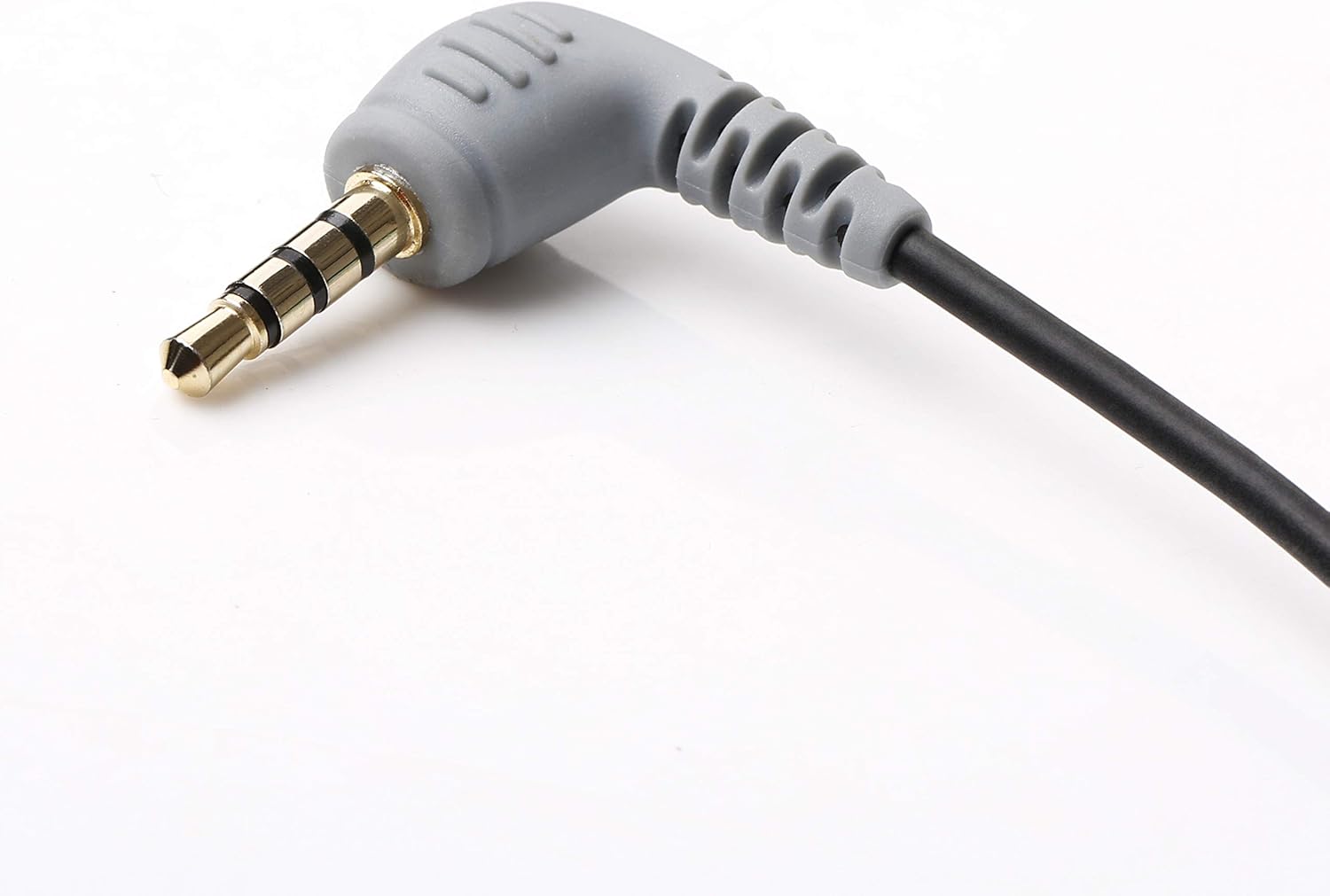
그림 3: 클로즈업 view of the 3.5mm TRS female jack, where the external microphone is connected.
작동 지침
Once the BY-CIP2 cable and microphone are properly connected to your device, you can begin recording audio.
- Open Recording Application: Launch your preferred audio recording application on your smartphone or laptop (e.g., Voice Memos, Camera app for video, third-party recording apps).
- 입력 소스 선택: In some applications or device settings, you may need to manually select the external microphone as the audio input source.
- 녹음 시작: Initiate recording within your chosen application. The audio will now be captured through the connected external microphone.
- (가능하다면) 오디오 모니터링: If your recording application or device allows, monitor the audio levels to ensure proper sound capture.

그림 4: 각진 view of the TRRS connector, highlighting its robust design for secure connection.
유지
To ensure the longevity and optimal performance of your BOYA BY-CIP2 cable, follow these maintenance guidelines:
- 저장: 케이블은 직사광선과 극한 온도 변화를 피해 서늘하고 건조한 곳에 보관하십시오. 케이블을 너무 세게 감거나 심하게 구부리지 마십시오. 내부 전선이 손상될 수 있습니다.
- 청소: Gently wipe the cable and connectors with a soft, dry cloth to remove dust or dirt. Do not use harsh chemicals or abrasive cleaners.
- 손질: 케이블을 연결하거나 분리할 때는 케이블 자체를 잡아당기지 말고 항상 커넥터 하우징을 잡으십시오. 이렇게 하면 연결 부위에 무리가 가는 것을 방지할 수 있습니다.

그림 5: 상세한 view of the 3.5mm TRRS connector, showing the four contact points for audio input and output.
문제 해결
If you encounter issues while using your BY-CIP2 cable, refer to the following troubleshooting tips:
- 오디오 입력 없음:
- Ensure your microphone is 배터리 구동 and its batteries are charged. The BY-CIP2 cable does not provide phantom power.
- Verify that both ends of the cable are securely plugged into the microphone and your device.
- Check your device's audio settings or recording application to ensure the external microphone is selected as the input source.
- Test the microphone directly with another compatible device if possible, to rule out a microphone issue.
- Poor Audio Quality / Signal Degradation:
- 모든 연결부가 단단히 고정되어 있고 이물질이 없는지 확인하십시오.
- 케이블을 전자기 간섭 발생원(예: 전원 케이블, Wi-Fi 라우터) 근처에 두지 마십시오.
- Test with a different microphone or audio source to determine if the issue lies with the cable or the connected device.
- Check the microphone's settings (gain, sensitivity) to ensure they are appropriate for your recording environment.
- Incompatibility with TRS Microphones (e.g., Rode TRRS to TRS):
- The BY-CIP2 is designed to connect a TRS (stereo) microphone to a TRRS (smartphone) input. If you are trying to convert a TRRS microphone (like some Rode models designed for smartphones) to a TRS input, this cable is not suitable. Ensure your microphone's output type matches the cable's input requirement (TRS microphone into the BY-CIP2's TRS female jack).
명세서
| 상표 | 보야 |
| 모델 | BY-CIP2 |
| 커넥터 유형 | Auxiliary (3.5mm TRRS Male to 3.5mm TRS Female) |
| 호환 장치 | Smartphones (Android & iOS), Laptops with single audio input, MP3 Players, Computers, Headphones |
| 필요한 배터리 | No (for cable), Yes (for connected microphone if applicable) |
| 제품 치수 | 600 x 0.3 x 0.3 cm (approx. 6 meters length); 13 grams |
| ASIN | B07SC49P88 |


