제품 끝view
The MUSE MT-201 is a retro-style portable turntable designed for playing vinyl records, streaming music via Bluetooth, and digitizing your vinyl collection to USB. It features built-in stereo speakers, an AUX input for external devices, and RCA output for connecting to an external ampliifier 또는 스피커.
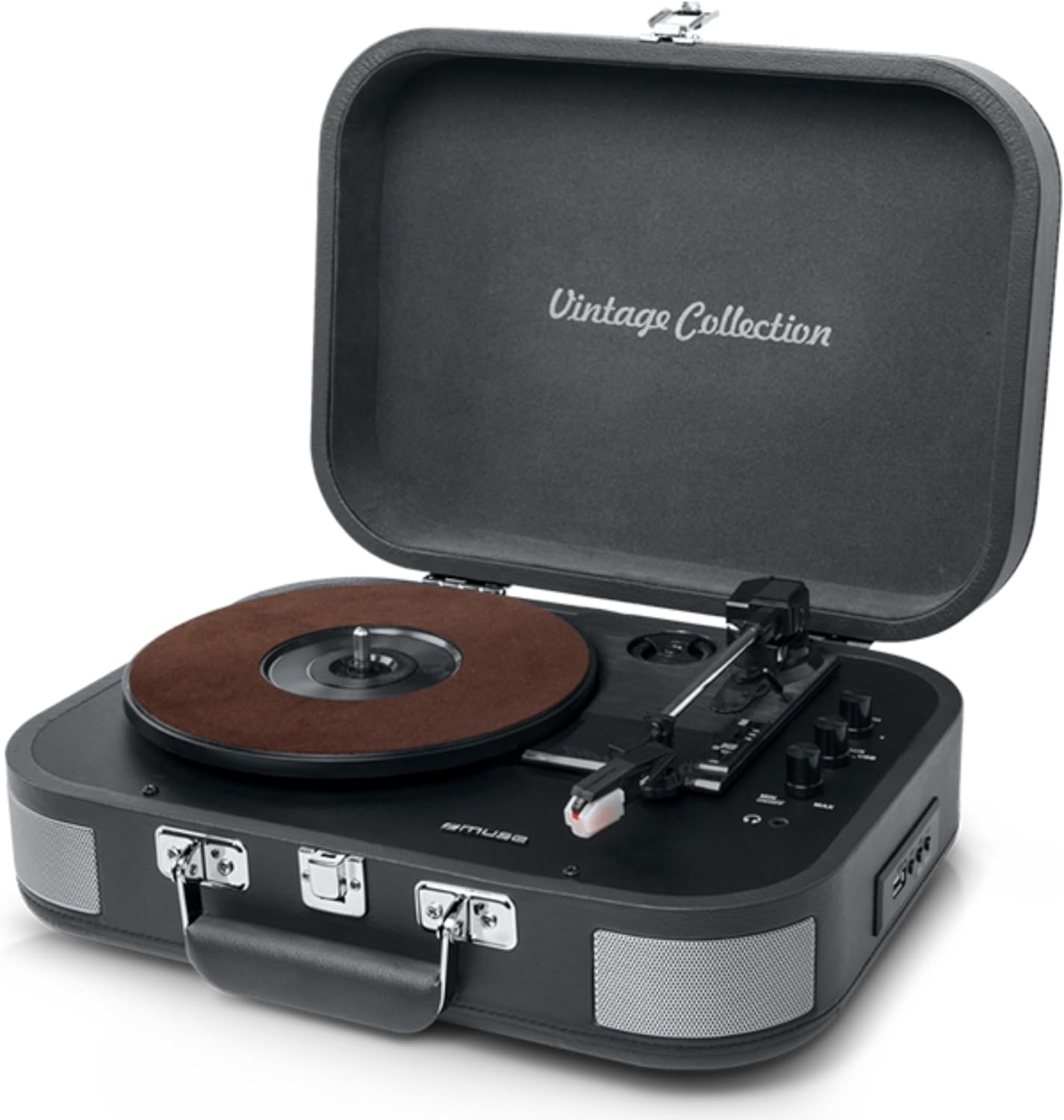
Figure 1: The MUSE MT-201 Retro Turntable in its open position, showcasing the record platter, tonearm, and control knobs. The case features a 'Vintage Collection' inscription on the lid.

Figure 2: The MT-201 turntable placed on a wooden surface in a home environment, highlighting its compact and portable design. The lid is open, ready for record playback.
주요 특징
- 3단 속도 턴테이블: 33, 45, 78 RPM 레코드를 지원합니다.
- 자동 정지 기능: Automatically stops playback at the end of a record.
- 블루투스 연결: Stream music wirelessly from compatible devices.
- USB Playback & Recording: MP3 재생 files from a USB stick or digitize vinyl records directly to USB without a PC.
- 보조 입력: Connect external audio sources like MP3 players.
- RCA 출력 : 외부에 연결 amplifiers or powered speakers for enhanced audio.
- 헤드폰 잭: 개인적으로 듣기 위한 것입니다.
- 내장형 스테레오 스피커: Integrated speakers for immediate playback.
- 휴대성 있는 디자인: Housed in a briefcase-style cabinet for easy transport.

Figure 3: An infographic highlighting key features such as stereo playback (33/45/78 RPM), Bluetooth streaming, vintage wood casing, and automatic shut-off for safety.

Figure 4: This image emphasizes the vintage design of the turntable, showing it both closed as a portable case and open for playback, illustrating its blend of classic aesthetics with modern functionality.
패키지 내용
패키지에 모든 품목이 들어 있는지 확인하세요.
- MUSE MT-201 Turntable
- AC 어댑터
- Additional Stylus (x1pc)
- 45RPM 어댑터
- 사용 설명서
설정
- 짐 풀기: 턴테이블을 포장에서 조심스럽게 꺼내십시오. 나중에 운반하거나 보관할 때를 위해 포장재를 보관하십시오.
- 놓기: 턴테이블을 직사광선, 열원, 과도한 먼지 또는 진동을 피해 안정적이고 평평한 곳에 놓으십시오.
- 전원 연결: Connect the supplied AC adapter to the DC IN jack on the back of the turntable and then plug the adapter into a standard wall outlet.
- 뚜껑 열림: 턴테이블의 뚜껑을 엽니다.
- 스타일러스 보호: Remove the stylus protective cap from the needle before use.
작동 지침
비닐 레코드 재생
- 전원 켜기: Turn the POWER/VOLUME knob clockwise to power on the unit and adjust the volume.
- 모드 선택: Set the FUNCTION switch to PHONO mode.
- 속도 선택: Place a record on the platter. Select the appropriate speed (33, 45, or 78 RPM) using the SPEED selector switch. Use the 45 RPM adapter for 7-inch singles.
- 재생 시작: Gently lift the tonearm using the cue lever and position the stylus over the desired track on the record. Lower the tonearm slowly onto the record.
- 자동 정지: The turntable features an auto-stop function that will automatically stop the platter rotation when the record finishes. To disable this, set the AUTO STOP switch to OFF.
- 재생 종료: At the end of the record, lift the tonearm, return it to the tonearm rest, and lower the cue lever.
블루투스 연결
- 모드 선택: Set the FUNCTION switch to BT (Bluetooth) mode. The Bluetooth indicator will flash.
- 편성: Enable Bluetooth on your mobile device (smartphone, tablet, etc.) and search for the device named "MUSE MT-201".
- 연결하다: Select "MUSE MT-201" from the list of available devices. Once connected, the Bluetooth indicator will stop flashing and remain solid.
- 재생: You can now play music from your Bluetooth device through the turntable's speakers.
USB 재생 및 녹음
- USB 재생 : Insert a USB flash drive into the USB port. Set the FUNCTION switch to USB mode. The unit will automatically detect and play compatible audio files(예: MP3).
- Recording Vinyl to USB: While playing a vinyl record, press the REC button to start recording. The recording indicator will light up. Press REC again to stop recording. The recorded audio will be saved as an MP3 file USB 드라이브에.
AUX 입력
- 장치 연결: Connect an external audio device (e.g., MP3 player, smartphone) to the AUX IN jack using a 3.5mm audio cable (not supplied).
- 모드 선택: Set the FUNCTION switch to AUX mode.
- 재생: 연결된 기기에서 오디오를 재생하세요. 소리는 턴테이블 스피커를 통해 출력됩니다.
Audio Outputs (RCA and Headphone)
- RCA 출력 : Use RCA cables (not supplied) to connect the RCA OUT jacks on the back of the turntable to the audio input of an external amplifier or powered speakers. This bypasses the internal speakers.
- 헤드폰 잭: Plug 3.5mm headphones into the PHONES jack for private listening. The internal speakers will be muted when headphones are connected.
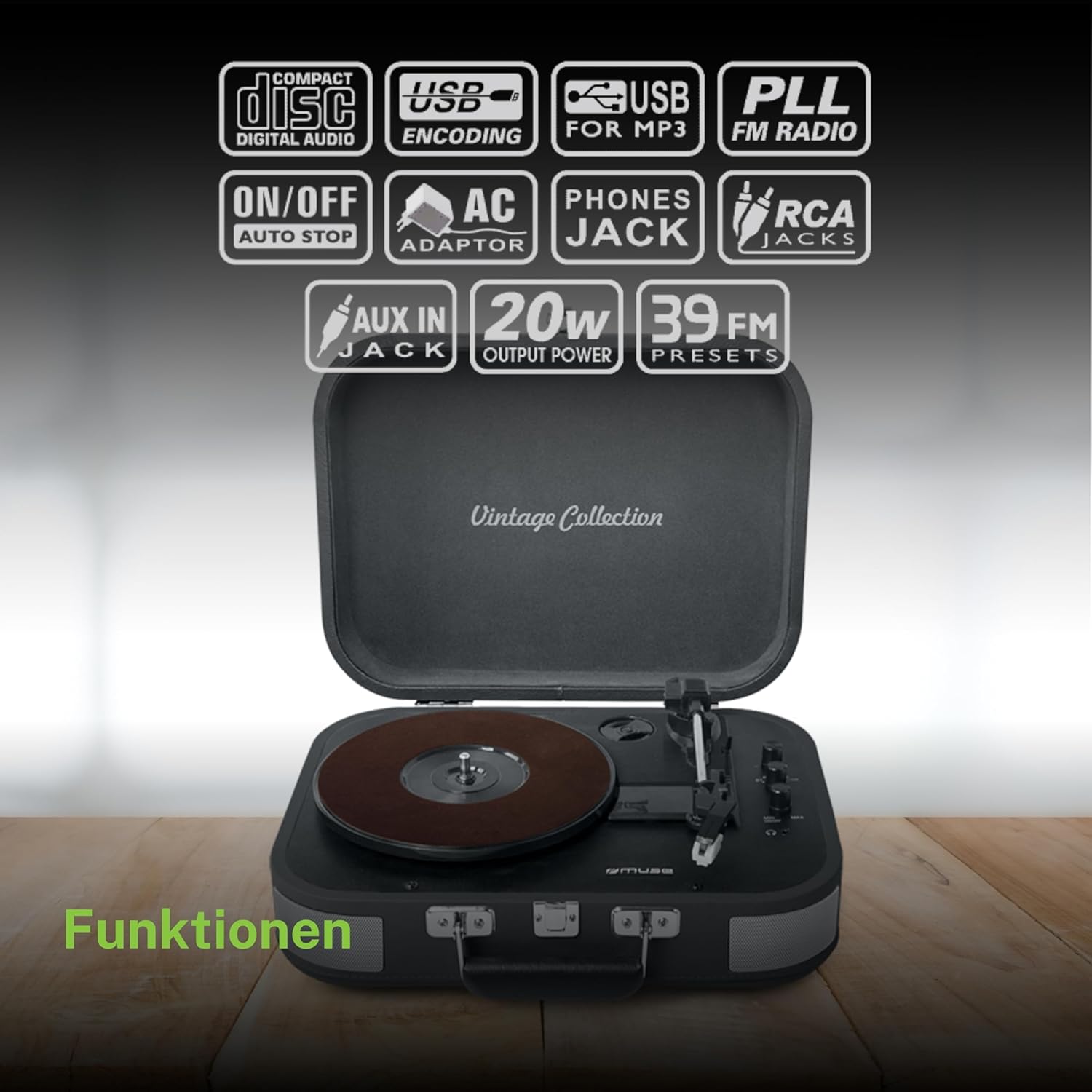
그림 5: 오버view of the various functions and connectivity options, including Compact Disc Digital Audio (though not a CD player, likely indicating digital audio compatibility), USB encoding for MP3, USB for MP3, PLL FM Radio (though not explicitly listed in features, may be a generic icon), ON/OFF Auto Stop, AC Adaptor, Phones Jack, RCA Jacks, AUX In Jack, 20W Output Power, and 39 FM Presets (again, FM radio not explicitly listed for this model).
유지
- 캐비닛 청소: Wipe the cabinet with a soft, slightly damp 천으로 닦으세요. 연마성 세척제, 왁스, 용제 등은 사용하지 마세요.
- 스타일러스 청소하기: 부드러운 브러시를 사용하여 스타일러스 펜의 뒤쪽에서 앞쪽으로 부드럽게 닦아주세요. 손가락으로 스타일러스 펜을 만지지 마세요.
- 기록 관리: 레코드를 깨끗하게 유지하고 먼지가 쌓이지 않도록 하세요. 레코드가 휘어지는 것을 방지하기 위해 슬리브에 넣어 세워서 보관하세요.
- 스타일러스 교체: The stylus has a limited lifespan. If sound quality deteriorates, replace the stylus with a new one (an additional stylus is included in the package).
문제 해결
| 문제 | 가능한 원인 | 해결책 |
|---|---|---|
| 전원이 없습니다 | 전원 어댑터가 연결되지 않았거나 콘센트에 결함이 있습니다. | AC 어댑터가 본체와 작동하는 벽면 콘센트에 제대로 꽂혀 있는지 확인하십시오. |
| 스피커에서 소리가 나지 않음 | Volume too low; Function mode incorrect; Headphones connected; RCA output connected. | Increase volume; Select correct function (PHONO, BT, USB, AUX); Disconnect headphones; Disconnect RCA cables if using internal speakers. |
| 기록 건너뛰기 | Dirty or scratched record; Stylus worn out; Turntable not level; Excessive vibration. | Clean record; Replace stylus; Place turntable on a stable, level surface; Avoid placing near vibrating objects. |
| 블루투스가 연결되지 않습니다 | Turntable not in BT mode; Device too far; Device already connected to another unit. | Set function to BT; Ensure device is within range (approx. 10m); Disconnect from other Bluetooth devices. |
| USB 녹음이 작동하지 않습니다 | USB drive full or incompatible format; Record not playing. | Ensure USB drive has sufficient space and is formatted correctly (FAT32); Ensure record is playing when REC button is pressed. |
기술 사양
| 특징 | 사양 |
|---|---|
| 모델명 | MT-201 DG |
| 상표 | 뮤즈 신 |
| 연결 기술 | USB, 블루투스, AUX, RCA |
| 최대 회전 속도 | 분당 78회전 |
| 특별 기능 | Integrated Speaker, Adjustable Speed, Digital Recorder |
| 재료 | 플라스틱 |
| 품목 무게 | 2.3 킬로그램 |
| 스타일 | 레트로 |
| 색상 | 회색 |
| 제품 치수 | 36 x 29 x 12.9cm |
| 전력 소비량(켜짐 상태) | 10 와트 |
| 필요한 배터리 | 1 AAAA Battery (not included, likely for remote if applicable, or internal clock/memory) |

Figure 6: A technical diagram illustrating the dimensions of the MUSE MT-201 turntable: 360mm (length), 290mm (width), and 129mm (height).


