소개
Thank you for choosing the Joyroom JR-T05 Wireless Earbuds. This manual provides essential information for the safe and efficient use of your device. Please read it thoroughly before use and retain it for future reference.
제품 끝view
The Joyroom JR-T05 consists of two wireless earbuds and a portable charging case. Familiarize yourself with the components:
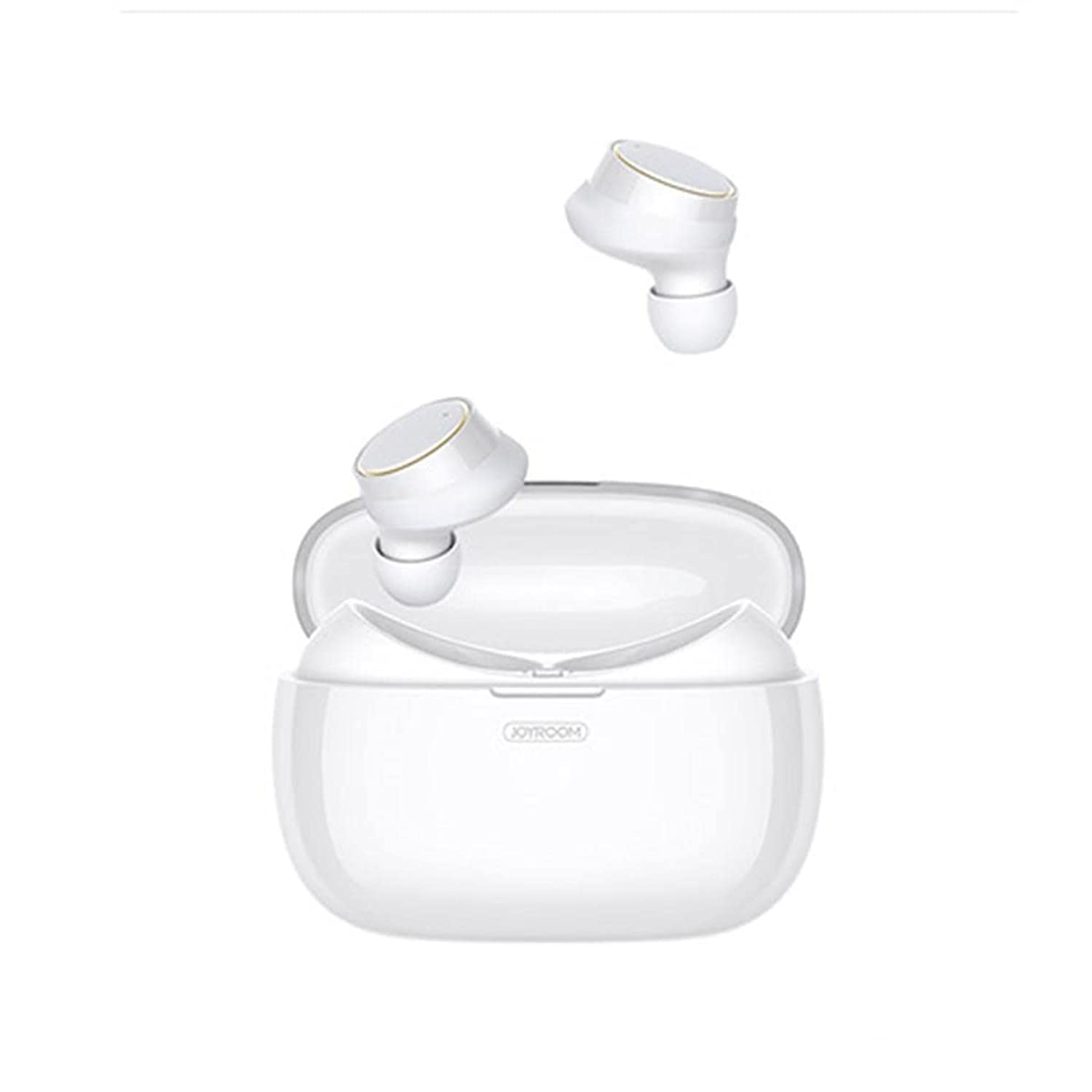
Image: Joyroom JR-T05 Wireless Earbuds and Charging Case. This image displays the white Joyroom JR-T05 wireless earbuds, with one earbud positioned partially within its charging case and the other earbud shown separately above. The charging case is also white and features the 'JOYROOM' brand logo.
- 이어 버드 : Left and Right wireless earbuds with in-ear design.
- 충전 케이스: 이어버드를 충전하고 보관할 수 있는 휴대용 케이스입니다.
- 충전 케이블: (Not explicitly mentioned but implied for charging case)
설정
1. 초기 충전
- 양쪽 이어버드를 충전 케이스에 넣습니다.
- 호환되는 USB 케이블을 사용하여 충전 케이스를 전원에 연결하세요.
- Allow the case and earbuds to fully charge before first use. Charging indicators will show the status.
2. 블루투스 페어링
- 이어버드가 충전되어 있는지 확인하세요.
- Open the charging case. The earbuds will automatically enter pairing mode (indicated by flashing lights, refer to product for specific light patterns).
- 휴대전화 또는 블루투스 지원 기기에서 블루투스 설정으로 이동하세요.
- 검색 "JR-T05" or a similar device name in the list of available devices.
- Select "JR-T05" to connect. Once connected, the earbuds will indicate successful pairing (e.g., a voice prompt or steady light).
- 이후 사용 시에는 케이스에서 이어버드를 꺼내면 마지막으로 페어링된 기기에 자동으로 연결됩니다.
작동 지침
The JR-T05 earbuds feature touch controls for various functions:
- 전원 켜기: 충전 케이스에서 이어버드를 꺼내세요. 전원이 자동으로 켜집니다.
- 전원 끄기 : Place earbuds back into the charging case. They will power off automatically. Alternatively, disconnect Bluetooth from your device.
- 재생/일시 중지: 한쪽 이어폰을 한 번 탭하세요.
- 다음 트랙: 오른쪽 이어버드를 두 번 탭합니다.
- 이전 트랙 : 왼쪽 이어버드를 두 번 탭합니다.
- 전화 받기/종료: Tap either earbud once during an incoming call or during an active call.
- 전화 거부: 전화가 걸려올 때 이어버드 중 하나를 약 2초 동안 길게 누르세요.
- Voice Assistant 활성화 : Triple-tap either earbud (functionality may vary by device).
- 볼륨 조절: Volume is typically controlled via your connected mobile device.
- Single/Dual Earbud Mode: The earbuds support independent use. You can use either the left or right earbud alone, or both together for stereo sound.
유지
- 청소: 부드럽고 마른 보풀 없는 천을 사용하여 이어버드와 충전 케이스를 닦으세요. 강한 화학 물질이나 연마재를 사용하지 마세요.
- 저장: 사용하지 않을 때는 이어버드를 충전 케이스에 보관하여 보호하고 충전 상태를 유지하세요. 서늘하고 건조한 곳에 극한의 온도를 피해 보관하세요.
- 배터리 관리 : To prolong battery life, avoid fully discharging the earbuds and charging case frequently. Charge regularly, even if not used for extended periods.
- 방수 기능: The earbuds feature an IPX5 water-resistant design, protecting them from sweat and light splashes. They are not designed for submersion in water or use during swimming. Ensure earbuds are dry before placing them in the charging case to prevent damage.
문제 해결
| 문제 | 해결책 |
|---|---|
| 이어폰이 기기와 페어링되지 않습니다. |
|
| 한쪽 이어버드만 작동합니다. |
|
| 이어폰이 충전되지 않습니다. |
|
| 음질이 좋지 않거나 연결이 끊깁니다. |
|
명세서
| 특징 | 세부 사항 |
|---|---|
| 상표 | 조이룸 |
| 모델 번호 | JR-T05 |
| 연결성 | 무선(블루투스 4.2) |
| 색상 | 하얀색 |
| 귀 위치 | 인이어 |
| 마이크로폰 | Yes, with Noise Cancellation |
| 방수성 | IPX5 (Resistant to sweat and light splashes) |
| 충전 케이스 배터리 용량 | 1500 mAh (can charge earbuds approximately 10 times) |
| 제품 치수 | 3.9 × 2 × 2 inches (approximate) |
| 제품 무게 | 63.5 grams (earbuds and case combined) |
| 제어 유형 | 터치 컨트롤 |
| 호환 장치 | 모바일 폰 |
| 권장 사용 | 전화 걸기 |
안전 정보
- 청력 보호: 청력 손상을 방지하려면 장시간 높은 볼륨으로 청취하지 마십시오.
- 운전 안전: 운전이나 자전거를 탈 때 이어폰을 사용하면 주의가 산만해지거나 위험을 초래할 수 있으므로 사용하지 마십시오.
- 충전 중: Use only approved chargers and cables. Do not attempt to charge the device if it is wet.
- 처분: 제품과 배터리는 해당 지역 규정에 따라 책임감 있게 폐기하십시오. 일반 생활 쓰레기와 함께 버리지 마십시오.
- 작은 부품: 이 제품에는 질식 위험이 있는 작은 부품이 포함되어 있습니다. 어린이의 손이 닿지 않는 곳에 보관하십시오.
보증 및 지원
For warranty information and customer support, please refer to the documentation provided with your purchase or contact the retailer where you purchased the Joyroom JR-T05 Wireless Earbuds. Keep your proof of purchase for warranty claims.


