소개
The TENMIYA A200 Portable Bluetooth Speaker is designed to provide high-quality audio with versatile connectivity options. Featuring Bluetooth 5.0, FM radio, TF card, USB, and AUX input, this speaker offers a comprehensive audio experience for various environments, from home to outdoor gatherings. Its compact design and remote control functionality ensure ease of use and portability.

Image: The TENMIYA A200 speaker in beech color, showcasing its front panel with a large speaker grille, digital display, control buttons, and a remote control placed in front.
상자 안에 무엇이 들어있나요?
구성품이 모두 들어있고 양호한 상태인지 확인해주세요.
- 1 x TENMIYA A200 Bluetooth Speaker
- 1 x 원격 제어
- 1 x AUX 케이블(3.5mm)
- 1 x USB 충전 케이블
- 1 x 사용자 매뉴얼(이 문서)
설정
1. 스피커 충전
Before first use, fully charge the speaker. Connect the provided USB charging cable to the speaker's DC 5V input port and the other end to a USB power adapter (not included) or a computer USB port. The charging indicator will show the charging status. A full charge typically takes about 3-4 hours.
2. 전원 켜기/끄기
Locate the power switch on the side of the speaker. Slide it to the "ON" position to power on the speaker. Slide it to the "OFF" position to power off.
3. 블루투스 연결
- Power on the speaker. It will automatically enter Bluetooth pairing mode, indicated by a flashing Bluetooth icon on the digital display.
- 기기(스마트폰, 태블릿, 노트북)에서 Bluetooth를 활성화하고 사용 가능한 기기를 검색하세요.
- Select "TENMIYA A200" from the list of devices.
- Once connected, the speaker will emit a confirmation sound, and the Bluetooth icon on the display will stop flashing.

Image: The TENMIYA A200 speaker displaying "Bluetooth 4.1" (note: product specs state 5.0, this image might be older) and a smartphone screen showing music playback, illustrating Bluetooth connectivity.
4. AUX 입력 연결
For devices without Bluetooth, use the provided 3.5mm AUX cable. Connect one end to the speaker's AUX input port and the other end to the audio output jack of your device (e.g., MP3 player, computer, TV). The speaker will automatically switch to AUX mode.
5. TF 카드 및 USB 재생
Insert a TF (MicroSD) card or a USB flash drive containing MP3 music files into the respective slots on the side of the speaker. The speaker will automatically detect the storage device and begin playing music.
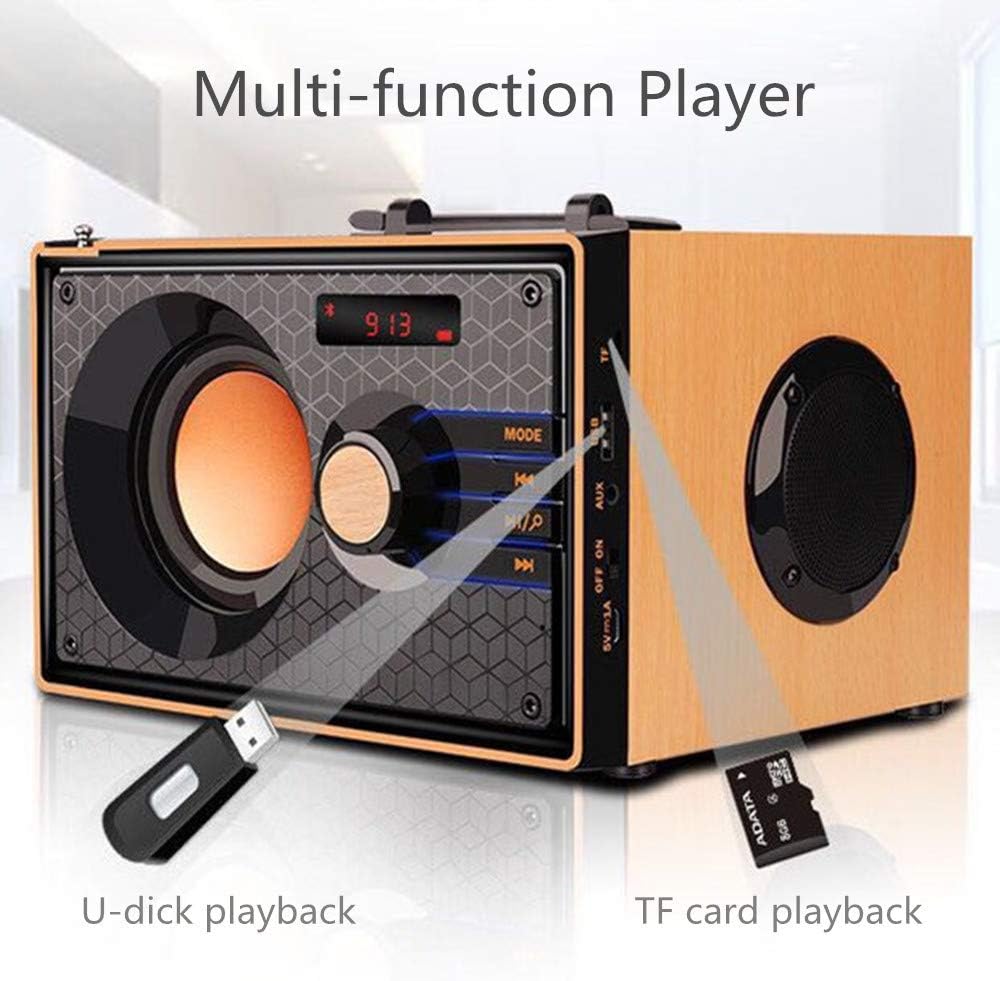
Image: A close-up of the side panel of the TENMIYA A200 speaker, highlighting the USB and TF card input slots with a USB drive and TF card inserted, demonstrating multi-function playback.
작동 지침
1. 모드 선택
를 누르세요 방법 button on the speaker's front panel or the remote control to cycle through available modes: Bluetooth, FM Radio, AUX, TF Card, and USB.
2. 볼륨 조절
Rotate the large knob on the front panel clockwise to increase volume and counter-clockwise to decrease volume. Alternatively, use the 볼륨+ 그리고 권 리모컨의 버튼.
3. Playback Control (Bluetooth, TF Card, USB)
- 를 누르세요 재생/일시정지 버튼(▶▶) 현재 트랙을 재생하거나 일시 정지합니다.
- 를 누르세요 이전 트랙 버튼(◀◀) to go to the beginning of the current track or the previous track.
- 를 누르세요 다음 트랙 버튼(▶▶) 다음 트랙으로 건너뜁니다.
4. FM 라디오 작동
- FM 모드로 전환하려면 다음을 사용하세요. 방법 단추.
- 사용 가능한 방송국을 자동으로 검색하고 저장하려면 버튼을 길게 누르세요. 재생/일시정지 button. The speaker will scan and store stations with strong signals.
- To manually tune or navigate through saved stations, use the 이전 트랙 그리고 다음 트랙 버튼.
- Extend the telescopic antenna on the back of the speaker for improved FM reception.

Image: A man relaxing on a couch, listening to the TENMIYA A200 speaker which has its telescopic antenna extended, indicating FM radio functionality.
5. 원격 제어 사용
The included remote control provides convenient access to all speaker functions from a distance of up to 10 feet. Functions include power on/off, mode selection, volume control, track navigation, play/pause, and direct station input for FM radio (if supported by the remote's number pad).
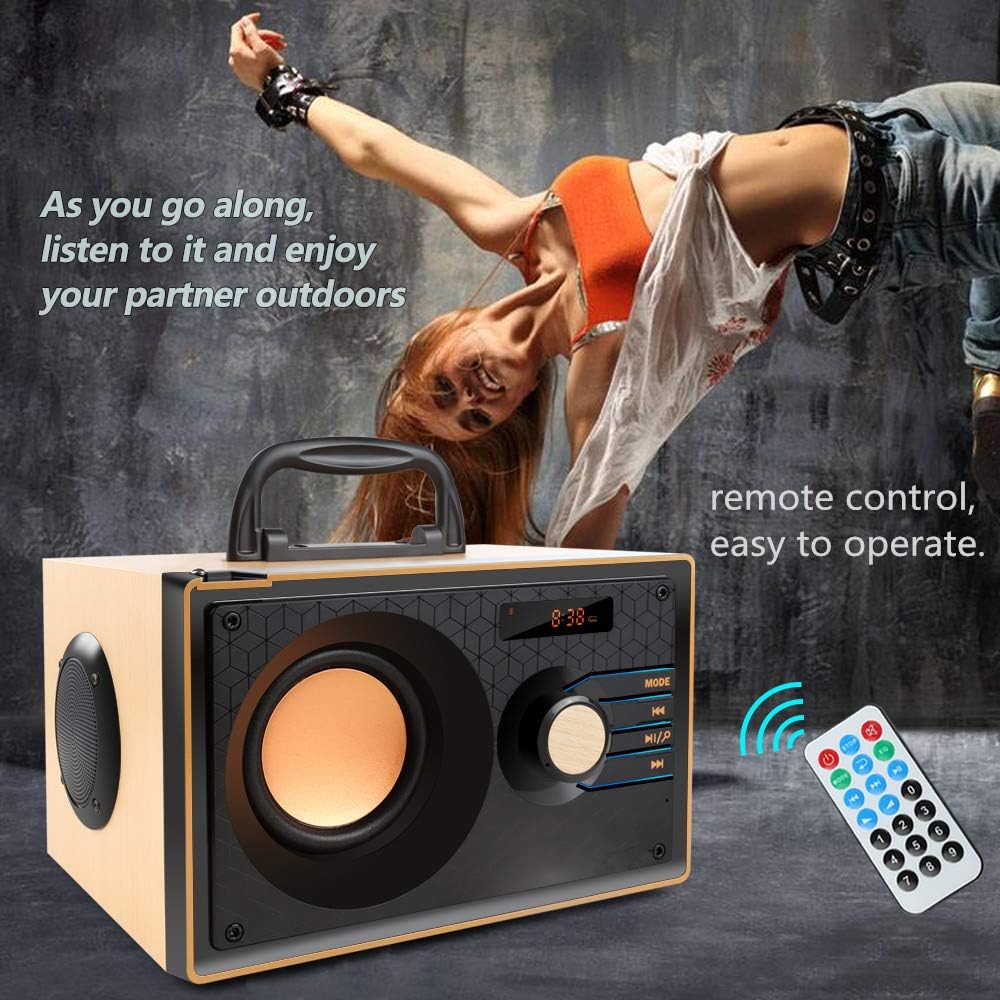
Image: The TENMIYA A200 speaker with its remote control, emphasizing the ease of operation from a distance.
유지
- 스피커를 물, 습기 및 직사광선으로부터 멀리하십시오.
- 부드럽고 마른 천으로 스피커를 닦으세요. 연마성 세제나 용제를 사용하지 마세요.
- 스피커를 떨어뜨리거나 강한 충격을 주지 마십시오.
- 장시간 사용하지 않을 때는 스피커를 시원하고 건조한 곳에 보관하세요.
문제 해결
| 문제 | 가능한 원인 | 해결책 |
|---|---|---|
| 스피커의 전원이 켜지지 않습니다. | 배터리 부족; 전원 스위치가 꺼져 있습니다. | 스피커를 충전하세요. 전원 스위치가 "켜짐" 위치에 있는지 확인하세요. |
| 소리가 나지 않습니다. | 볼륨이 너무 낮습니다. 잘못된 모드가 선택되었습니다. 기기가 제대로 연결되지 않았습니다. | Increase volume; Press MODE button to select correct input; Reconnect device. |
| 블루투스 연결에 실패했습니다. | 스피커가 페어링 모드가 아닙니다. 기기의 Bluetooth가 꺼져 있습니다. 스피커와의 거리가 너무 멀습니다. | Ensure speaker is in Bluetooth mode and flashing; Turn on device Bluetooth; Move device closer (within 10 meters/33 feet). |
| FM 라디오 수신이 좋지 않습니다. | 안테나가 확장되지 않음; 신호가 약한 지역입니다. | Fully extend the telescopic antenna; Try repositioning the speaker for better signal. |
| 리모컨이 작동하지 않습니다. | Battery depleted; Obstruction between remote and speaker; Too far from speaker. | Replace remote battery; Remove obstructions; Move closer to speaker (within 10 feet). |
명세서
| 특징 | 세부 사항 |
|---|---|
| 상표 | 텐미야 |
| 모델 | A200 |
| 스피커 출력 전력 | 10W (5W + 2.5W x 2) |
| 스피커 유닛 | 3" + 2" x 2 |
| 주파수 응답 | 60Hz - 20KHz |
| 블루투스 버전 | 5.0 |
| 블루투스 범위 | 최대 10미터(33피트) |
| 배터리 용량 | 2200mAh |
| 충전 시간 | 약 3-4시간 |
| 플레이 시간 | 약 8시간(볼륨 40% 기준) |
| 입력 전원 | 직류 5V |
| 치수(길이 x 너비 x 높이) | 7.5 x 6.1 x 4.7인치(190 x 155 x 120mm) |
| 품목 무게 | 2.91파운드 |
| 지원되는 기능 | Bluetooth, FM Radio, TF Card, USB, AUX Input |
| 제어 방법 | Manual buttons, Remote Control |

Image: The TENMIYA A200 speaker with its dimensions labeled (190mm length, 155mm depth, 120mm height), illustrating its compact size.
보증 및 지원
The TENMIYA A200 Portable Bluetooth Speaker comes with a worry-free 12-month warranty. If you encounter any issues or have questions regarding your product, please contact our customer service team. We are committed to providing the best customer service and will respond to your inquiries within 24 hours.
For support, please refer to the contact information provided on the product packaging or the seller's page where you purchased the item.


