소개
This manual provides detailed instructions for the Superior Electronics Ready5 Smart Universal Remote Control, Model SUPTRB019. This remote is designed for immediate use with a wide range of LG, Samsung, Sony, Philips, and Panasonic televisions, eliminating the need for complex programming.
주요 특징은 다음과 같습니다.
- Universal compatibility with major TV brands (LG, Samsung, Sony, Philips, Panasonic).
- Ready-to-use functionality; no programming required.
- Full Smart TV compatibility for enhanced control.
- Dedicated quick access buttons for popular streaming services like Netflix and Prime Video.
- Ergonomic design with intuitive button layout for comfortable and immediate operation.
- 오래 지속되는 성능을 위해 내구성 있는 소재로 제작되었습니다.

Image: The Superior Electronics Ready5 Smart Universal Remote Control shown in its retail packaging, highlighting its "Ready to Use" feature and compatibility with various TV brands.
설정
1. 배터리 삽입
The remote control requires two (2) AAA batteries (not included). Follow these steps to insert them correctly:
- 리모콘 뒷면에 있는 배터리함 덮개를 찾으세요.
- 덮개를 아래로 밀거나 래치(있는 경우)를 눌러 보관 공간을 엽니다.
- Insert two AAA batteries, ensuring that the positive (+) and negative (-) terminals align with the indicators inside the compartment. Incorrect polarity can prevent the remote from functioning.
- 배터리 덮개를 제자리에 밀어 넣어 딸깍 소리가 날 때까지 밀어 넣습니다.

이미지: 후면 view of the remote control, illustrating the location of the battery compartment for easy access and battery insertion.
2. 초기 사용
The Superior Electronics Ready5 Smart remote control is designed for immediate use with compatible LG, Samsung, Sony, Philips, and Panasonic TVs. Once the batteries are correctly inserted, the remote is ready to operate your television without any additional programming or setup. Simply point the remote at your TV and begin using its functions.
작동 지침
This section details the primary functions of the buttons on your Ready5 Smart remote control.

이미지: 앞면 view of the Superior Electronics Ready5 Smart remote control, displaying all buttons and their layout for easy identification.
버튼 기능 이상view
| 단추 | 기능 |
|---|---|
| 힘 (●) | TV를 켜거나 끕니다. |
| 입력 | 입력 소스(HDMI, AV 등)를 선택합니다. |
| Smart Video / NET.TV | Direct access to Smart TV features or specific streaming apps. |
| 3D | Activates or deactivates 3D mode (if supported by TV). |
| 가이드 | 전자 프로그램 가이드를 표시합니다. |
| 메뉴 | TV의 메인 메뉴를 엽니다. |
| Subt. | 자막을 켜거나 끕니다. |
| 좋아요 | 즐겨찾는 채널 목록에 접속합니다. |
| 정보 | 현재 프로그램이나 입력에 대한 정보를 표시합니다. |
| 탐색(위, 아래, 왼쪽, 오른쪽, 확인) | 메뉴를 탐색하고 선택 사항을 확인합니다. |
| 뒤쪽에 | 이전 화면 또는 메뉴로 돌아갑니다. |
| 출구 | 현재 메뉴나 애플리케이션을 종료합니다. |
| 볼륨 +/- | 볼륨을 높이거나 낮춥니다. |
| 무음 | TV 소리를 음소거하거나 음소거 해제합니다. |
| Ch +/- | 채널을 위 또는 아래로 변경합니다. |
| 숫자 패드(0-9) | Directly enters channel numbers or numerical inputs. |
| 목록 | 채널 또는 미디어 목록을 표시합니다. |
| 넷플릭스 | 넷플릭스 애플리케이션을 바로 실행합니다. |
| 프라임 비디오 | 아마존 프라임 비디오 애플리케이션을 바로 실행합니다. |
| 색상 버튼(빨강, 초록, 노랑, 파랑) | Functions vary depending on the TV model and current menu/application. |
| Media Control (Play, Pause, Stop, Rewind, Fast Forward, Record) | 미디어 재생을 제어합니다(예: USB, 스트리밍 앱). |
Smart TV and Streaming Access
The Ready5 Smart remote is designed to seamlessly integrate with your Smart TV's functionalities. Use the navigation buttons to browse Smart TV menus and applications. The dedicated Netflix and Prime Video buttons provide instant access to these popular streaming platforms, allowing you to start watching your favorite content with a single press.
유지
리모컨 청소
리모컨의 최적 성능과 긴 수명을 보장하려면 다음 청소 지침을 따르십시오.
- 청소하기 전에 항상 배터리를 제거하십시오.
- 부드럽고 마른 천으로 리모컨 표면을 닦으세요.
- 완고한 먼지에는 약간 damp천에 물이나 순하고 연마성이 없는 세제를 묻혀 닦아주세요. 과도한 습기는 피하세요.
- 강한 화학 물질, 연마 세척제 또는 용제는 리모컨의 마감이나 내부 구성 요소를 손상시킬 수 있으므로 사용하지 마십시오.
- Ensure the remote is completely dry before reinserting batteries.
배터리 관리 및 교체
Replace batteries when the remote's response becomes sluggish or it stops functioning. Always replace both batteries at the same time with new AAA batteries. Do not mix old and new batteries, or different types of batteries. Dispose of used batteries responsibly according to local regulations.
문제 해결
If you encounter issues with your Ready5 Smart remote control, refer to the following common problems and solutions:
원격 응답 없음
- 배터리 확인: 배터리가 극성(+/-)에 맞게 올바르게 삽입되었는지, 그리고 방전되지 않았는지 확인하십시오. 필요한 경우 새 AAA 배터리로 교체하십시오.
- 시선: 리모컨과 TV의 적외선 수신기 사이에 장애물이 없는지 확인하십시오. 리모컨을 TV를 향해 똑바로 조준하십시오.
- 거리: 유효 작동 범위(최대 10미터) 내에 있는지 확인하십시오.
- 텔레비젼 힘: TV 전원이 켜져 있는지, 대기 모드가 아닌지 확인하십시오.
특정 버튼이 작동하지 않습니다
- 일반 기능: If most buttons work but a few do not, it might indicate a specific TV model's lack of support for that particular function via universal remote, or a dirty contact under the button.
- Smart TV/Streaming Buttons: Ensure your TV is a Smart TV and has the respective applications (Netflix, Prime Video) installed and updated.
호환성 문제
The Ready5 Smart remote is pre-programmed for LG, Samsung, Sony, Philips, and Panasonic TVs manufactured from 2000 onwards. If your TV is from a different brand or an older model, full functionality may not be guaranteed. No programming is required for the listed compatible brands.
명세서
| 특징 | 세부 사항 |
|---|---|
| 모델명 | Ready5 Smart |
| 모델 번호 | SUPTRB019 |
| 상표 | 우수한 전자 제품 |
| 호환 장치 | LG, Samsung, Sony, Philips, Panasonic Televisions (models from 2000 onwards) |
| 연결 기술 | 적외선 (IR) |
| 전원 | AAA 배터리 2개(포함되지 않음) |
| 최대 범위 | 10미터(약 33피트) |
| 제품 치수 | 5 x 1.5 x 19cm (약 1.97 x 0.59 x 7.48인치) |
| 무게 | 100그램(약 3.53온스) |
| 색상 | 검은색 |
| 특징 | Universal, immediately ready for use (no programming) |
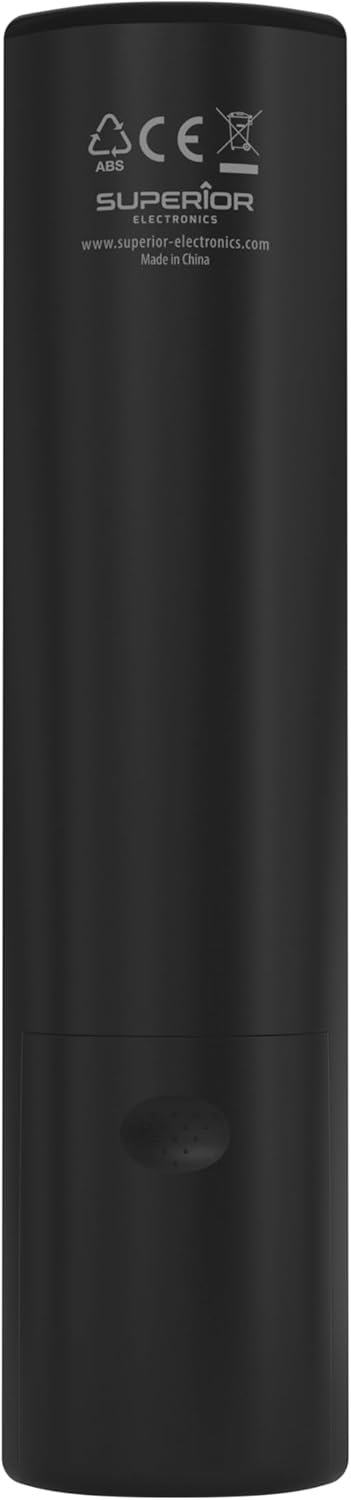
Image: The remote control with its approximate dimensions (4.8 cm width, 19.5 cm length) highlighted for reference.
보증 정보
Specific warranty details for the Superior Electronics Ready5 Smart Universal Remote Control are typically provided with your purchase documentation or can be found on the official Superior Electronics web본 사이트. 보증 범위, 약관 및 조건에 대한 자세한 내용은 아래 자료를 참조하십시오.
지원하다
For further assistance, technical support, or additional product information, please visit the official Superior Electronics web해당 웹사이트를 방문하거나 고객 서비스 부서에 문의하십시오. 연락처 정보는 일반적으로 제품 포장이나 제조업체의 안내에 나와 있습니다. web대지.
Manufacturer: Superior Electronics
자세한 내용은 다음을 방문하세요. Superior Electronics Store on Amazon.


