1. 서론
Thank you for choosing the Havit HV-MS989GT Wireless Optical Mouse. This manual provides essential information for the proper setup, operation, and maintenance of your new device. Please read it thoroughly before use and retain it for future reference.
2. 안전 정보
- To protect the mouse, avoid using it on rough surfaces. A high-quality mouse pad is recommended for optimal performance and longevity.
- The optical sensor emits a strong light. Do not direct the light towards your eyes or the eyes of others.
- The mouse contains precise electronic components. Do not twist, disassemble, or attempt to repair the mouse yourself, as this may shorten its service life or cause damage.
- 장치를 물과 기타 액체에서 멀리하세요.
- 장치를 극한 온도에 노출시키지 마십시오.
3. 패키지 내용
개봉 후 포장 내용물을 꼭 확인하세요.
- Havit HV-MS989GT Wireless Optical Mouse
- USB 나노 수신기
- AA 배터리 (사전 설치되어 있거나 별도로 제공될 수 있습니다)
- 사용 설명서 (본 문서)
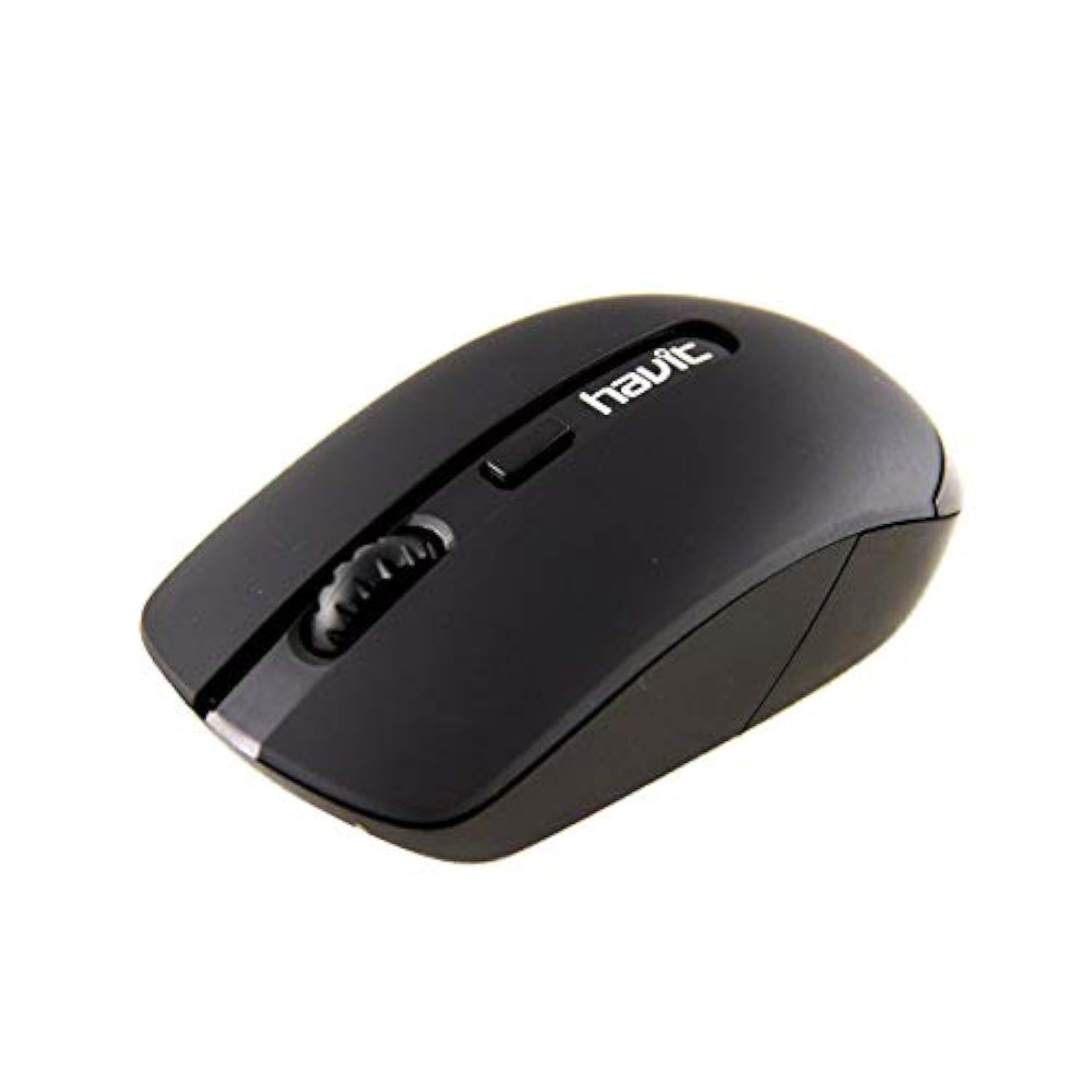
Image 1: Havit HV-MS989GT Wireless Optical Mouse in its retail packaging.
4. 제품 오버view
The Havit HV-MS989GT is a 2.4 GHz wireless optical mouse designed for comfort and precision. It features an ambidextrous design, making it suitable for both left and right-handed users.
- 왼쪽 버튼: 표준 클릭 기능.
- 오른쪽 버튼: 표준 마우스 오른쪽 클릭 기능.
- 스크롤 휠: 스크롤 가능한 문서의 경우 web 페이지. 마우스 가운데 클릭 버튼으로도 사용할 수 있습니다.
- 광학 센서: Located on the underside for precise tracking.
- 배터리 칸: 쥐의 아랫면에 위치해 있습니다.
- USB Nano Receiver Storage: A dedicated slot on the underside of the mouse for convenient storage of the receiver when not in use or during travel.

이미지 2: 클로즈업 view of the Havit HV-MS989GT mouse, highlighting the scroll wheel and main buttons.
5. 설정
- 배터리 설치 : 마우스 밑면의 배터리 덮개를 엽니다. AA 배터리 1개를 극성(+/-)을 맞춰서 삽입합니다. 덮개를 닫습니다.
- USB 수신기 연결: Remove the USB Nano Receiver from its storage slot on the underside of the mouse. Plug the receiver into an available USB port on your computer (PC or laptop).
- 전원 켜기: The mouse should automatically power on and connect to the receiver. If there is an ON/OFF switch, ensure it is in the "ON" position. Your computer's operating system will typically install the necessary drivers automatically.
- 테스트 기능: Move the mouse to check if the cursor responds on your screen. If not, refer to the Troubleshooting section.
6. 사용 설명서
- 무선 작동: The mouse operates using 2.4 GHz wireless technology, providing a stable connection up to 8 meters from the USB receiver.
- 양손잡이 디자인: The ergonomic design allows for comfortable use by both left-handed and right-handed individuals.
- 자동 수면 기능: To conserve battery life, the mouse features an integrated automatic sleep function. If inactive for a period, it will enter a low-power sleep mode. To wake it up, simply move the mouse or click any button.
- DPI 감도: The mouse provides a resolution range of 800-1600 DPI for precise and quick tracking.
- 시스템 호환성: Compatible with Windows 2000, XP, Vista, Windows 7, Windows 8, Windows 10, Linux, and Mac operating systems.
7. 유지관리
- 청소: 부드럽고 마른 천을 사용하여 마우스를 닦으세요. 강한 화학 물질이나 연마재는 사용하지 마세요.
- 배터리 교체: When the mouse performance degrades or it stops responding, replace the AA battery. Ensure proper polarity when inserting the new battery.
- 수신기 보관: Always store the USB Nano Receiver in its dedicated slot on the mouse when traveling or not in use to prevent loss.
- 최적의 표면: For best tracking performance and to protect the optical sensor, use the mouse on a clean, smooth surface, preferably with a high-quality mouse pad.
8. 문제 해결
| 문제 | 가능한 해결책 |
|---|---|
| 마우스가 반응하지 않거나 커서가 움직이지 않습니다. |
|
| Erratic cursor movement. |
|
| 마우스 연결이 자주 끊깁니다. |
|
9. 사양
| 상표 | 하빗 |
| 모델 번호 | HV-MS989GT |
| 마우스 유형 | 광마우스 |
| 연결성 | 무선(2.4GHz) |
| 무선 거리 | 8 미터 |
| 치수(길이 x 너비 x 높이) | 104 × 58 × 37mm |
| 버튼의 수 | 4 |
| DPI 해상도 | 800-1600DPI |
| 키 라이프 | 1,000,000번 클릭 |
| 전원 공급 장치 | 1x AA 배터리 |
| 지원되는 운영 체제 | Windows 2000, XP, Vista, Windows 7, Windows 8, Windows 10, Linux, Mac |
| 손의 방향 | 양손잡이 |
10. 보증 및 지원
For warranty information, please refer to the warranty card included with your product or contact your retailer. You may also visit the official Havit web지원 리소스와 연락처 정보를 제공하는 사이트입니다.
For additional assistance, please contact Havit customer support through their official channels.


