1. 서론
구매해주셔서 감사합니다asing the SENCOR SWS 3000 W Weather Station. This device provides accurate indoor and outdoor temperature and humidity readings, along with time and date display. Please read this manual carefully before operating the device to ensure proper use and to maximize its lifespan.
2. 안전 정보
- 본체 또는 센서를 극한 온도, 직사광선 또는 습기에 노출시키지 마십시오.
- 장치를 떨어뜨리거나 강한 충격을 가하지 마십시오.
- 직접 분해하거나 수리하지 마십시오. 모든 정비는 자격을 갖춘 기술자에게 맡기십시오.
- 사용한 배터리는 현지 규정에 따라 책임감 있게 폐기하십시오.
- 기기를 어린이의 손이 닿지 않는 곳에 보관하세요.
3. 패키지 내용
모든 품목이 들어 있는지 확인하려면 패키지 내용물을 확인하세요.
- SENCOR SWS 3000 W Main Unit (Weather Station)
- 무선 옥외용 센서
- 사용 설명서 (본 문서)
4. 제품 오버view

Figure 4.1: The SENCOR SWS 3000 W Weather Station main unit (left) and its accompanying wireless outdoor sensor (right).

그림 4.2: 각도 view of the SENCOR SWS 3000 W main unit, showcasin디스플레이와 제어 버튼이 있습니다.
The SENCOR SWS 3000 W Weather Station consists of a main display unit and a wireless outdoor sensor. The main unit features a clear LCD display with white backlight, showing indoor and outdoor temperature, humidity, time, and date. The wireless sensor transmits outdoor data to the main unit.

그림 4.3: 클로즈업 view of the wireless outdoor sensor, which transmits temperature and humidity data to the main unit.

그림 4.4: 후면 view of the main unit, showing the battery compartment and the integrated stand for tabletop placement.
5. 설정
5.1 배터리 설치
The SENCOR SWS 3000 W Weather Station is battery-powered. Ensure you have the correct battery types as specified in the specifications section.
- 메인 유닛: Open the battery compartment cover on the back of the main unit (refer to Figure 4.4). Insert the required AAA batteries, observing the correct polarity (+/-). Close the cover securely.
- 무선 센서 : Open the battery compartment cover on the back of the wireless sensor (refer to Figure 4.3). Insert the required batteries (typically AAA), observing the correct polarity (+/-). Close the cover securely.
5.2 센서 배치
Proper placement of the wireless sensor is crucial for accurate outdoor readings.
- Place the sensor in a shaded area to avoid direct sunlight, which can cause inaccurate temperature readings.
- Ensure the sensor is protected from direct rain or snow.
- Position the sensor within the effective transmission range (up to 30 meters in open air) of the main unit. Walls and other obstacles can reduce this range.
- 무선 신호를 방해할 수 있는 대형 금속 물체나 가전제품 근처에 센서를 설치하지 마십시오.

그림 5.1: 예ample placement of the main unit indoors and the wireless sensor outdoors for optimal performance.
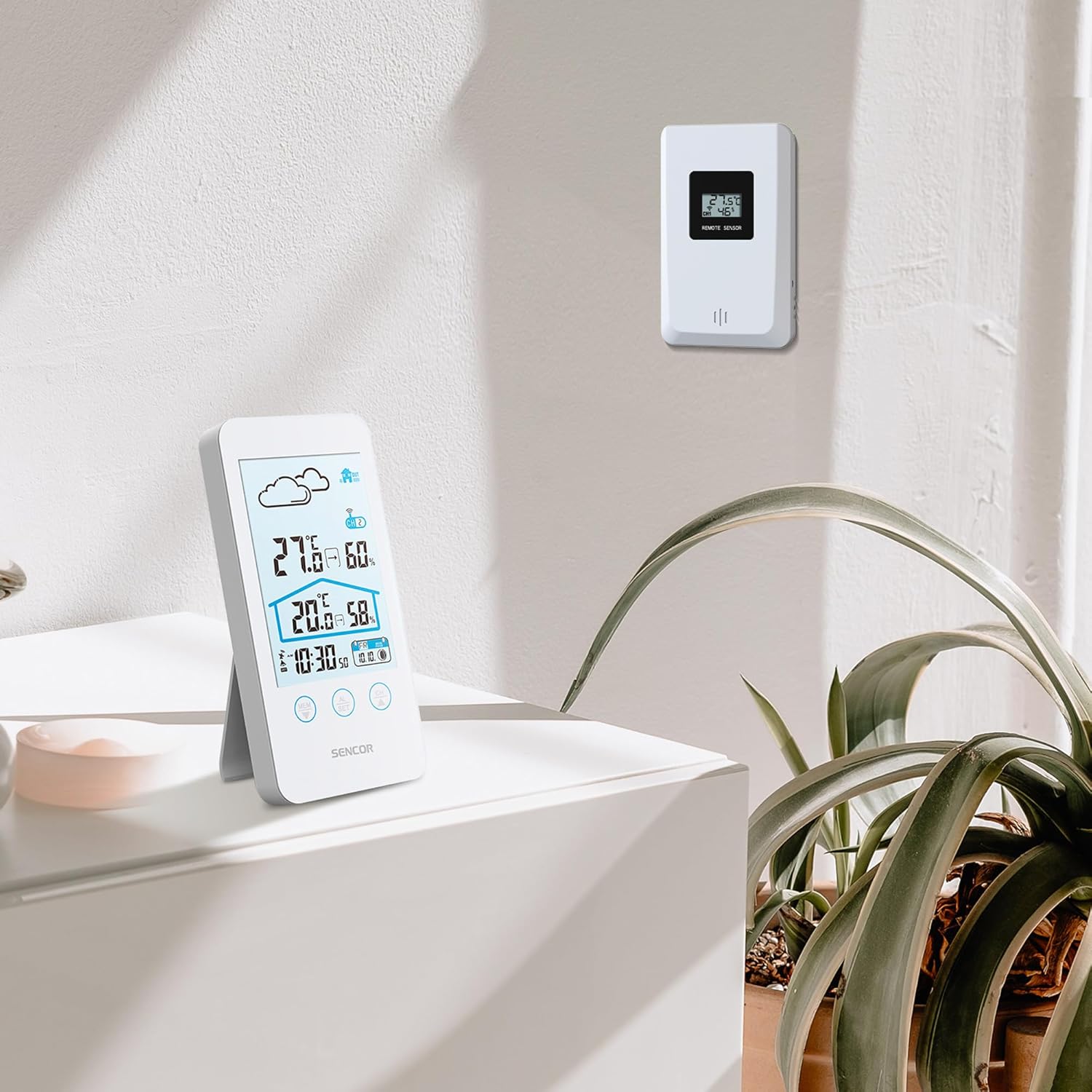
Figure 5.2: The main unit can be placed on a flat surface, while the sensor is mounted on a wall or suitable outdoor location.
5.3 초기 전원 켜기 및 페어링
After installing batteries in both units, the main unit will automatically search for the wireless sensor. This process may take a few minutes.
- Place the main unit and the sensor close to each other during the initial pairing process.
- 연결되면 실외 온도와 습도가 본체 디스플레이에 표시됩니다.
- If the connection is not established, remove and reinsert the batteries from both units, then try again.
6. 사용 설명서
6.1 디스플레이 정보
The LCD display provides various information at a glance:
- 실외 온도 및 습도: Displayed prominently at the top.
- 실내 온도 및 습도: Displayed below the outdoor readings.
- 시간 및 날짜 : Located at the bottom of the display.
- 일기예보 아이콘: An icon indicating predicted weather conditions (e.g., sunny, cloudy, rainy).
- 채널 표시기: Shows which sensor channel is currently displayed (if multiple sensors are used).
- 배터리 표시기: Alerts when batteries are low for either unit.

그림 6.1: 상세 view of the SENCOR SWS 3000 W display, highlighting various information segments.
6.2 시간 및 날짜 설정
To set the time and date on your weather station:
- Press and hold the "AL/SET" button (usually located below the display) for a few seconds until the time digits start flashing.
- Use the "CH" or "MEM" buttons to adjust the flashing value (e.g., hour, minute).
- Press "AL/SET" again to confirm the setting and move to the next adjustable item (e.g., minute, year, month, day).
- Repeat until all settings are configured. Press "AL/SET" one last time to exit the setting mode.
6.3 온도 단위 선택(°C/°F)
섭씨(°C)와 화씨(°F) 사이를 전환하려면:
- Locate the °C/°F button, usually on the back or side of the main unit, or sometimes integrated with another button (e.g., "MEM" or "CH" with a short press).
- Press this button to toggle between the two temperature units. The display will update accordingly.
6.4 채널 선택 (다중 센서용)
If you have multiple wireless sensors (up to 3 supported by SWS 3000 W), you can switch between their readings:
- Press the "CH" button (Channel) on the main unit.
- Each press will cycle through the available channels (CH1, CH2, CH3) or an auto-cycle mode.
- Ensure each sensor is set to a different channel using its internal switch (if available).
6.5 Memory Function (Min/Max Readings)
The weather station records the minimum and maximum temperature and humidity readings over a period.
- Press the "MEM" button (Memory) to view 기록된 최대값.
- Press "MEM" again to view 기록된 최소값.
- Press "MEM" a third time to return to current readings.
- To clear the recorded Min/Max values, press and hold the "MEM" button while view그들에게.
7. 유지관리
- 청소: 본체와 센서를 부드러운 천으로 닦아주세요.amp 천. 연마성 세척제나 용매를 사용하지 마십시오.
- 배터리 교체: Replace batteries when the low battery indicator appears on the display. Always replace all batteries in a unit at the same time.
- 저장: 장기간 보관할 경우 누액을 방지하기 위해 모든 배터리를 제거하십시오. 서늘하고 건조한 곳에 보관하십시오.
8. 문제 해결
| 문제 | 가능한 원인 | 해결책 |
|---|---|---|
| 본체에 디스플레이가 없습니다. | 배터리가 소진되었거나 잘못 삽입되었습니다. | 배터리 극성을 확인하고 새 배터리로 교체하십시오. |
| Outdoor reading not displayed or flashing. | 센서 범위 이탈, 센서 배터리 부족 또는 간섭 발생. | Move sensor closer to main unit. Replace sensor batteries. Relocate units away from interference sources. Re-pair units if necessary. |
| 온도/습도 측정값이 정확하지 않습니다. | Sensor exposed to direct sunlight or moisture. | 센서를 그늘지고 보호된 장소로 옮기십시오. |
| 시간/날짜가 잘못되었습니다. | Not set correctly or batteries removed. | 시간과 날짜를 설정하려면 6.2절의 지침을 따르십시오. |
9. 사양
| 특징 | 세부 사항 |
|---|---|
| 모델 번호 | SWS 3000 W |
| 상표 | 시너 |
| 본체 치수(길이 x 너비 x 높이) | 80 x 161 x 23mm |
| 본체 중량 | 165g |
| 실내 온도 범위 | 0 °C ~ 60 °C |
| 실외 온도 범위 | 0 °C ~ 60 °C |
| 온도 정확도 | ±1 °C |
| 습도 범위 | 상대습도 20% ~ 95% |
| 무선 주파수 | 433MHz |
| 전송 범위 | 최대 30m (야외) |
| 전원(주 장치) | AAA 배터리(포함되지 않음) |
| 전원(센서) | AAA 배터리(포함되지 않음) |
| 특징 | 가벼운 디자인 |
| 색상 | 하얀색 |
Note: Specifications are subject to change without notice. Battery quantities are typical and should be confirmed with product packaging.
10. 보증 및 지원
SENCOR products are designed and manufactured to the highest quality standards. For warranty information, please refer to the warranty card included with your product or visit the official SENCOR website. For technical support or service inquiries, please contact SENCOR customer service through their official channels.
보증을 위해 구매 증빙서류로 구매 영수증을 보관하세요.


