소개
This manual provides comprehensive instructions for the proper setup, operation, and maintenance of your Eosphorus SF-400C Science Digital Scale. This high-precision digital scale is designed for accurate weight measurements in various settings, including laboratories, schools, and home use. It features a 0.01g accuracy, a capacity of up to 600g, multiple units of measure, and a backlit LCD display for clear readings.
상자 안에 무엇이 들어있나요?
제품을 개봉하신 후 다음 구성품이 모두 있는지 확인해 주십시오.
- Eosphorus SF-400C Electronic Scale
- USB 코드
- AC/DC 어댑터
- 사용 설명서 (본 문서)

Image: The Eosphorus SF-400C digital scale, showing the main unit, USB cord, and AC/DC adapter, representing the typical contents of the product package.
설정
- 놓기: Place the scale on a firm, flat, and stable surface to ensure accurate readings. Avoid surfaces prone to vibrations or drafts.
- 전원 공급 장치: The scale offers multiple power options:
- USB 코드: Connect the included USB cord to the scale and a compatible USB power source (e.g., computer USB port, USB wall adapter).
- AC/DC 어댑터: Connect the included AC/DC adapter to the scale and a standard electrical outlet.
- 배터리: (Batteries not included) Insert 2 x 1.5V AAA batteries into the battery compartment located on the underside of the scale, observing correct polarity.
- 앞유리 설치: The scale includes a plastic windshield to minimize the impact of air movement on measurements, especially for very small weights. Carefully place the windshield over the weighing pan.
- 초기 전원 켜기: "를 누르세요켜짐/꺼짐" button to turn on the scale. The display will show "88888" and then "0.00g" (or the last used unit) when ready for use.

Image: The digital scale with its various power supply options, including the USB cable, AC/DC adapter, and a representation of AAA batteries.
작동 지침
기본 계량
- 저울이 안정적인 표면에 놓여 있고 전원이 켜져 있는지 확인하십시오.
- Wait for the display to show "0.00g" (or your desired unit).
- Gently place the item to be weighed onto the center of the stainless steel weighing pan.
- LCD 화면에 표시된 무게를 읽으세요.
용기 기능
The Tare function allows you to subtract the weight of a container, so you only measure the net weight of its contents.
- 저울판 위에 빈 용기를 올려놓습니다.
- "를 누르세요살갈퀴" button. The display will reset to "0.00g".
- Add the items you wish to weigh into the container. The display will show only the weight of the added items.
홀드 기능
The Hold function allows you to freeze the displayed weight on the LCD screen, even after removing the item from the pan.
- While an item is on the scale and its weight is displayed, press the "잡고 있다" 버튼을 클릭하세요.
- The displayed weight will remain on the screen until the button is pressed again or the scale is turned off.
Multiple Units of Measure
The scale supports various units of measure. To switch between units, press the "방법" button repeatedly until your desired unit is displayed.
Supported units include:
- 그램(g)
- 온스 (oz)
- 파운드(lb)
- 킬로그램(kg)
- Thulam (tl)
- Piece Counting (pcs)

Image: The scale's display showing different measurement units, illustrating the multiple weighing modes available for selection.
Piece Counting (PCS)
This function allows you to count a large number of small, uniform items.
- With the scale on, press the "PC(전자제품)" 버튼을 클릭하세요.
- 다음으로 선택ample size (e.g., 10, 20, 50, 100 pieces) by pressing the "방법" 버튼을 클릭하세요.
- 정확한 개수의 s를 넣으세요ample pieces (e.g., 10 pieces) on the weighing pan.
- "를 누르세요PC(전자제품)" button again to confirm the sample. The display will show "PCS" and the number of pieces.
- 이제 더 많은 물건을 추가할 수 있으며, 저울은 s 값을 기준으로 물건의 개수를 세어줍니다.amp르 무게.
구경 측정
Your Eosphorus SF-400C scale comes pre-calibrated from the factory. However, external calibration is accessible to the user if needed to maintain accuracy over time or after significant environmental changes.
For detailed calibration instructions, please refer to the specific calibration procedure outlined in the full electronic user's manual available on the Amazon product page in the "Product guides and documents" section. Typically, calibration requires a known weight (not included).
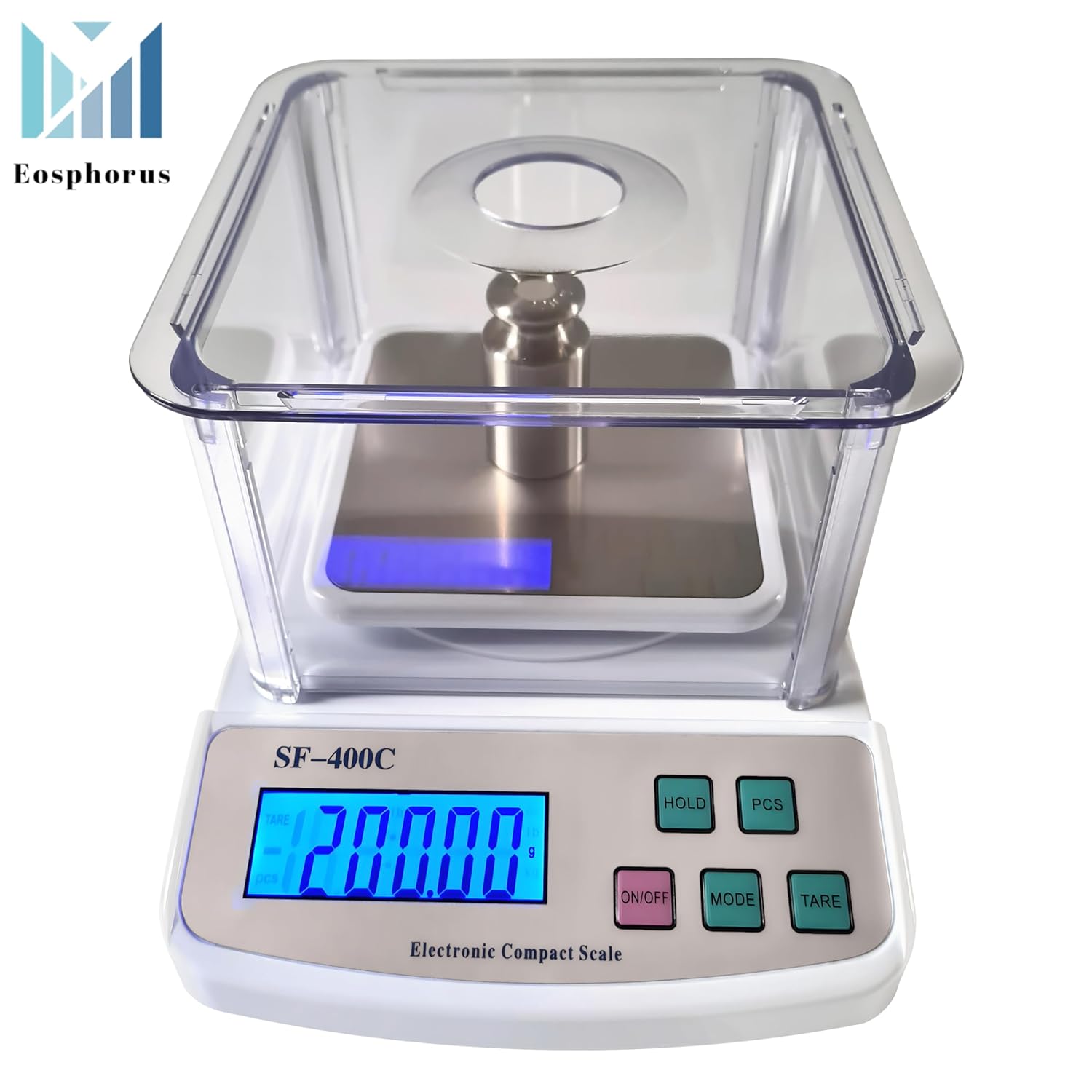
Image: The digital scale showing a successful calibration indicated by "PASS" on the display, with a calibration weight placed on the weighing pan.
유지
- 청소: Wipe the scale surface and weighing pan with a soft, damp cloth. Do not use abrasive cleaners or immerse the scale in water. The plastic windshield can be removed and cleaned separately with mild soap and water.
- 저장: Store the scale in a clean, dry environment away from extreme temperatures, humidity, and direct sunlight.
- 배터리 교체: If using batteries, replace them when the low battery indicator appears on the display to ensure continued accurate operation.
- 조심스럽게 다루십시오: Avoid dropping the scale or subjecting it to sudden shocks, as this can damage the internal sensors.
문제 해결
| 문제 | 가능한 원인 | 해결책 |
|---|---|---|
| 저울이 켜지지 않습니다. | No power, dead batteries, or faulty power connection. | Check USB cord/AC adapter connection. If using batteries, replace them. |
| 부정확하거나 일관성이 없는 판독값. | Unstable surface, drafts, scale not calibrated, or overloaded. | Place scale on a firm, level surface. Avoid drafts. Ensure weight is within capacity. Perform calibration if necessary. |
| "EEEE" 또는 "O-Ld"가 표시됩니다. | 규모가 과부하되었습니다. | Remove excess weight immediately. Do not exceed the maximum capacity of 600g. |
| 디스플레이에 "UNST"가 표시됩니다. | Unstable reading due to movement or vibration. | Ensure the scale is on a stable surface and there is no movement during weighing. |
명세서
- 모델: SF-400C
- 용량: 600 Grams (0.01g accuracy)
- 정확성: 0.01g / 0.0005온스
- 측정 단위: Gram (g), Ounce (oz), Pound (lb), Kilogram (kg), Thulam (tl), Piece Counting (pcs)
- 디스플레이 유형: 백라이트 LCD
- Weighing Pan Size: Square 4.7 x 4.7 inches (Stainless Steel)
- 전원 공급 장치: USB cord, AC/DC adapter (included), 2 x 1.5V AAA batteries (not included)
- 특별 기능: Backlit Display, High Precision, Unit Conversion, Tare Function, Hold Function, Piece Counting, Windshield
- 패키지 크기: 10.63 x 8.03 x 4.57 인치
- 품목 무게: 1.98 파운드
- 제조업체: Eosphorus US
보증 및 지원
Eosphorus products are designed for reliability and performance. For any questions, technical support, or warranty inquiries, please contact Eosphorus customer service through the retailer where the product was purchased or visit the official Eosphorus store page on Amazon:


