소개
This manual provides detailed instructions for the setup, operation, and maintenance of your MoKo RD9528A Travel Alarm Clock. Please read this guide thoroughly to ensure proper use and to maximize the lifespan of your device.
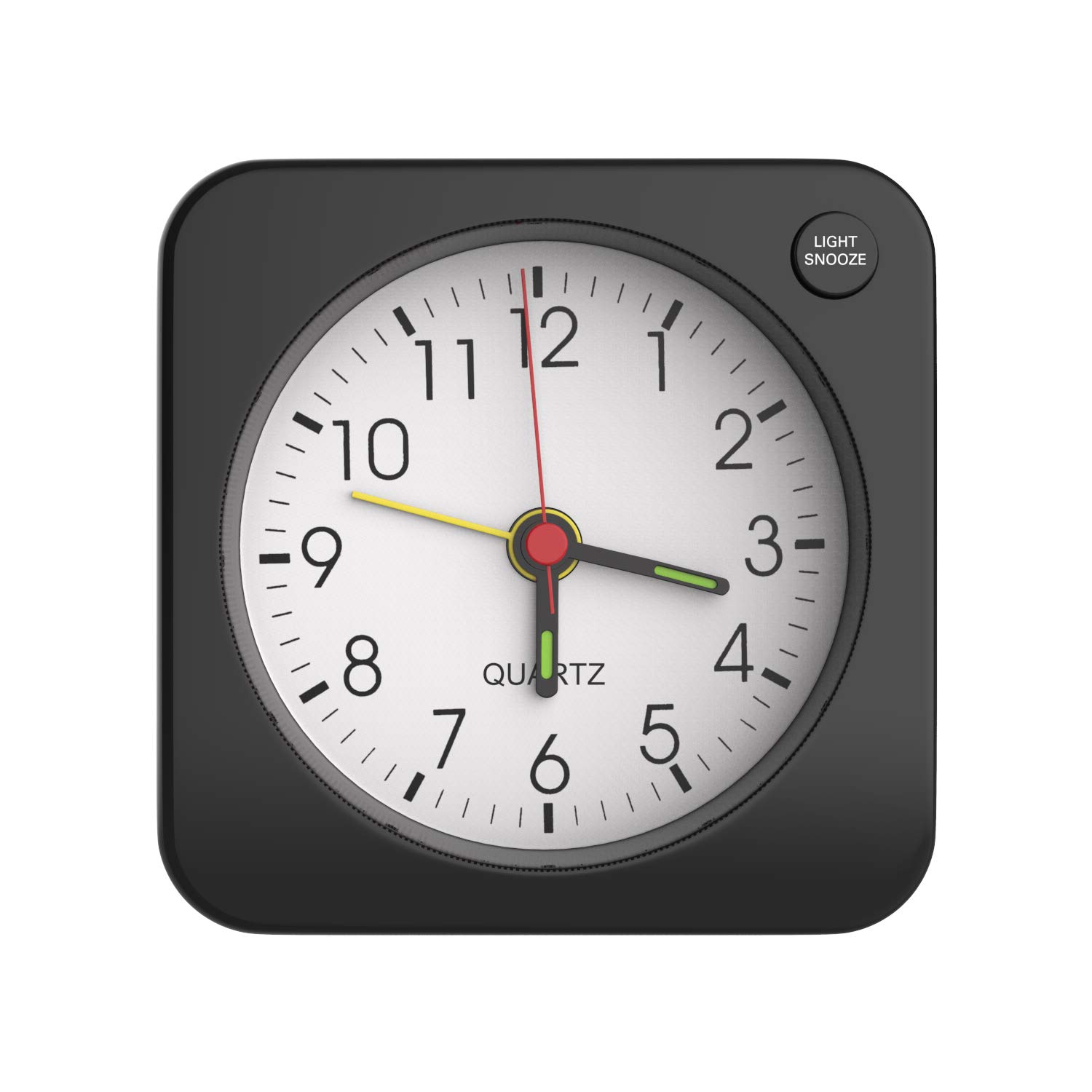
Image: The MoKo RD9528A Travel Alarm Clock, a compact square device, shown held in a hand to illustrate its small size.
제품 특징
- 컴팩트한 디자인: Made from durable plastic with a classic square shape, suitable for various environments.
- 백라이트 기능: Features a soft yellow backlight for easy time viewing in low-light conditions. Activated by the LIGHT/SNOOZE button.
- 간편한 알람 설정: Simple alarm switch on top for activation and deactivation. Alarm volume increases gradually in four stag에스.
- 스누즈 기능 : A 5-minute snooze feature, activated by pressing the LIGHT/SNOOZE button.
- 휴대성: Mini, lightweight, and portable design, ideal for travel or placement in various rooms.
- 배터리 구동: Operates on 1 AA battery (not included).
설정
배터리 설치
- 시계 뒷면에서 배터리 칸을 찾으세요.
- 배터리함 덮개를 살살 밀어서 여세요.
- Insert one AA battery, ensuring the positive (+) terminal is attached first, then the negative (-) terminal.
- 배터리 덮개를 단단히 닫으세요.

Image: A visual guide demonstrating the correct procedure for inserting an AA battery into the clock's battery compartment.
Note: The battery is not included with the clock.
작동 지침
시간 설정
On the back of the clock, locate the 시간 설정 knob. Rotate this knob clockwise or counter-clockwise to adjust the clock hands to the current time.

Image: The rear panel of the alarm clock, highlighting the Time Setting knob and other controls.
알람 설정
- 위치 알람 설정 knob on the back of the clock.
- 이 다이얼을 돌려 알람 바늘을 원하는 기상 시간으로 설정하세요.
- To activate the alarm, push the 알람 스위치 (located on the top of the clock) upwards.
- To deactivate the alarm, push the 알람 스위치 아래쪽으로.

Image: A diagram illustrating the alarm switch position for activating (up) and deactivating (down) the alarm function.
스누즈 기능
알람이 울리면 버튼을 누르세요. 라이트 / 스누즈 button located on the top right side of the clock face. This will temporarily silence the alarm for approximately 5 minutes before it sounds again.

Image: The alarm clock on a nightstand, demonstrating the action of pressing the LIGHT/SNOOZE button to activate the snooze feature.
백라이트 활성화
To illuminate the clock face in the dark, press the 라이트 / 스누즈 button. The soft yellow backlight will turn on, allowing you to view the time clearly at night. Release the button to turn off the backlight.

Image: The alarm clock displaying its soft yellow backlight in a dimly lit setting, activated by a user's finger.
유지
- 청소: 부드럽고 마른 천으로 시계를 닦으십시오. 연마성 세제나 용제를 사용하지 마십시오.
- 배터리 교체: Replace the AA battery when the clock's performance diminishes or stops. Always dispose of used batteries responsibly.
- 저장: 장기간 시계를 보관할 경우, 누액을 방지하기 위해 배터리를 제거하십시오.
문제 해결
| 문제 | 가능한 원인 | 해결책 |
|---|---|---|
| Clock is not working or stops intermittently. | 배터리가 부족하거나 방전되었습니다. 배터리가 제대로 설치되지 않았습니다. | Replace the AA battery with a new one. Ensure the battery is inserted with correct polarity (+/-). |
| 알람이 울리지 않습니다. | Alarm switch is in the OFF position; alarm time not set correctly; low battery. | Push the Alarm Switch upwards to the ON position. Verify the alarm hand is set to the desired time. Replace the battery if needed. |
| 백라이트가 작동하지 않습니다. | Low battery; LIGHT/SNOOZE button not pressed firmly. | Replace the AA battery. Ensure the LIGHT/SNOOZE button is pressed completely. |
| Loud ticking noise. | This is a characteristic of some analog quartz movements. | This is generally not a malfunction. If the noise is excessive or new, ensure the clock is on a stable surface. |
명세서
| 특징 | 세부 사항 |
|---|---|
| 상표 | 모코 |
| 모델 번호 | RD9528A |
| 색상 | 검은색 |
| 디스플레이 유형 | 비슷한 물건 |
| 스타일 | Classic, Square |
| 특별 기능 | Alarm, Snooze, Backlight |
| 전원 | 배터리 작동 (AA 배터리 1개 필요) |
| 재료 | 플라스틱 |
| 치수(길이 x 너비 x 높이) | 2.36 x 1.1 x 2.36인치(6 x 2.8 x 6cm) |
| 품목 무게 | 1.41 온스(40그램) |
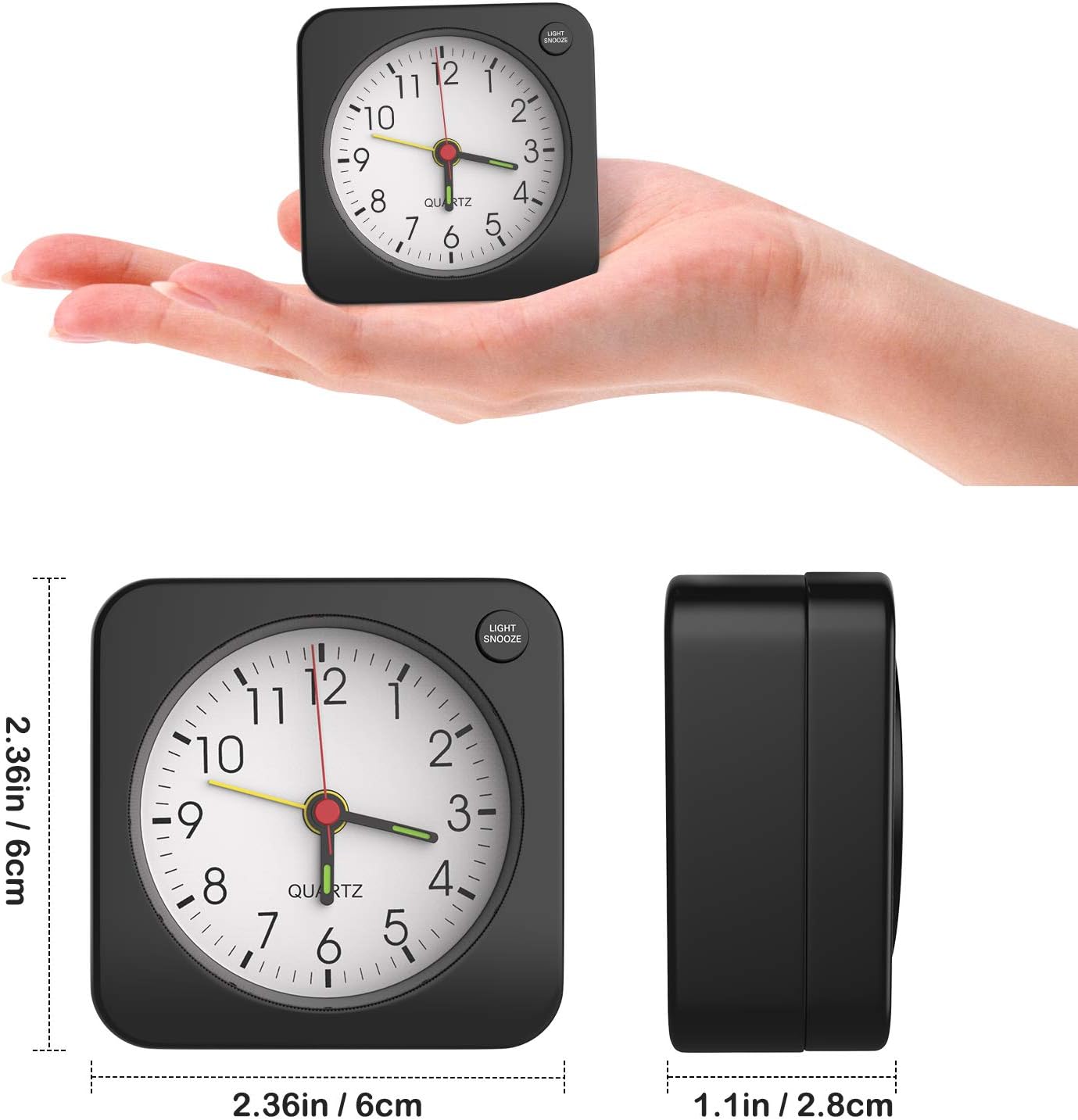
Image: The alarm clock shown with its precise measurements for length, width, and height.
보증 및 지원
For warranty information or technical support, please refer to the retailer's return policy or contact MoKo customer service directly through their official website or the platform where the product was purchased. Please have your model number (RD9528A) and purchase details ready.


