1. 제품 오버view
The DAYTECH Wireless Call Button Alarm System is designed to provide a convenient and reliable communication method for individuals requiring assistance, such as elderly persons, patients, or those with disabilities. It consists of a portable call button (transmitter) and a receiver unit, enabling users to alert caregivers or family members from a distance.

Image 1.1: The DAYTECH Wireless Call Button Alarm System, featuring the receiver and the call button.
2. 주요 특징
- 무선 통신: Allows for easy signal transmission from the call button to the receiver, providing freedom of movement for both users and caregivers.
- 사용자 친화적인 디자인: The call button is designed for easy pressing, suitable for individuals with limited grip strength.
- 유연한 설치: The compact call button can be carried in a pocket, worn around the neck (lanyard included), or mounted using the provided fixing bracket and double-sided adhesive. The battery-operated receiver can be placed anywhere.
- 볼륨 및 음색 조절 가능: The receiver offers 5 levels of volume control (0-110dB) and 55 different ringtone options.
- 시각적 표시기: Features an LED indicator light on the receiver for visual alerts.
- IP55 방수 송신기: The call button is resistant to water splashes, making it suitable for use in bathrooms, kitchens, or near entrances.
- 저전력 표시: The receiver provides an audible "dididi" alert when its battery power is low, ensuring timely battery replacement.
3. 패키지 내용
짐을 풀 때 아래 나열된 품목이 모두 있는지 확인하세요.
- 1 x 수신기 유닛
- 1 x Transmitter (Call Button)
- Batteries (3 x AAA for receiver, 1 x CR2032 for transmitter - typically pre-installed or included)
- Lanyard for call button
- Fixing bracket and double-sided adhesive for mounting
4. 설정 가이드
4.1. 배터리 설치
The receiver requires 3 AAA batteries. The transmitter typically comes with a pre-installed CR2032 battery. If not, or if replacing, follow these steps:
- Open the battery cover on the back of the receiver unit.
- AAA 배터리 3개를 올바른 극성(+/-)에 맞춰 넣으세요.
- 배터리 덮개를 단단히 닫으세요.

Image 4.1: Steps for battery installation in the receiver unit.
4.2. 송신기와 수신기 페어링
The units are usually pre-paired. If re-pairing is needed or to add more transmitters:
- Ensure batteries are installed in both units.
- On the receiver, long-press the volume control button until it emits a sound (e.g., "Chingdong"). This indicates it's in pairing mode.
- Immediately press the button on the transmitter. The receiver will sound again, confirming successful pairing.
5. 사용 설명서
5.1. 전화 걸기
To alert a caregiver or family member, simply press the large red "CALL" button on the transmitter. The receiver will then emit a sound and flash its LED indicator.

Image 5.1: Illustrates the use of the call button and receiver in a home setting.
5.2. 볼륨 및 벨소리 조정
On the receiver unit, use the dedicated volume buttons to cycle through the 5 volume levels. To change the ringtone, press the music selection button to choose your preferred melody from the 55 available options.

Image 5.2: Demonstrates volume adjustment, music selection, and portability of the receiver.
6. 유지관리
6.1. 배터리 교체
When the receiver emits a continuous "dididi" sound, it indicates low battery power. Replace the 3 AAA batteries in the receiver as described in Section 4.1. The transmitter's CR2032 battery typically lasts longer but should be replaced if the signal strength diminishes or the button stops responding.
6.2. 청소
Wipe the units with a soft, dry cloth. Do not use abrasive cleaners or immerse the receiver in water. The transmitter is IP55 waterproof, meaning it can withstand splashes but should not be submerged.
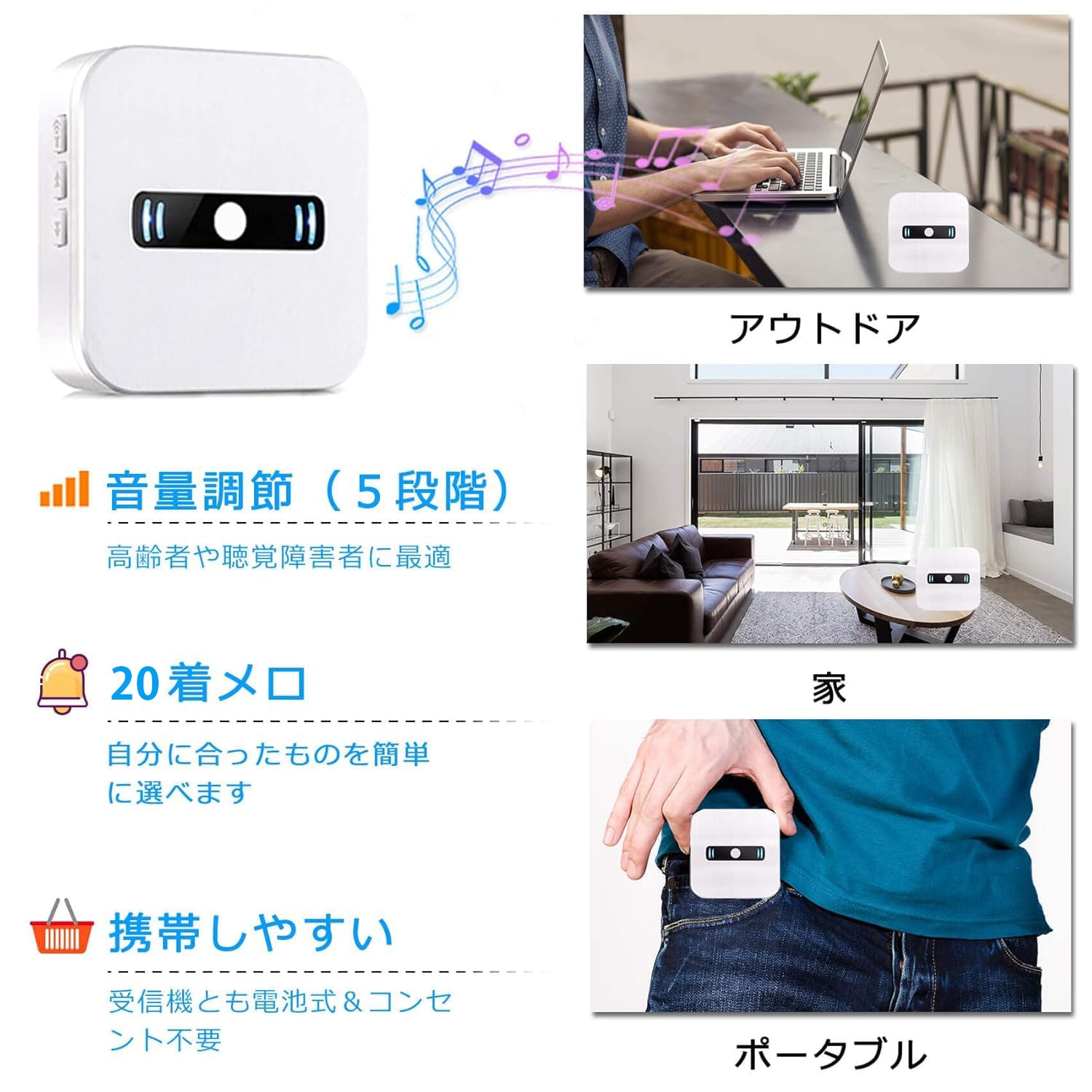
Image 6.1: Illustrates the IP55 waterproof capability of the transmitter in various locations.
7. 문제 해결
- 수신기에서 소리가 나지 않음:
- Check if the receiver batteries are installed correctly and are not depleted.
- Ensure the receiver is not in silent mode (volume set to 0).
- 송신기와 수신기가 올바르게 페어링되었는지 확인하십시오(섹션 4.2 참조).
- Check if the transmitter battery needs replacement.
- Ensure the distance between the transmitter and receiver is within the maximum range (150 meters in open air) and there are no significant obstructions.
- Receiver sounds "dididi": This indicates low battery power in the receiver. Replace the AAA batteries.
- Signal range is reduced: This could be due to thick walls, metal structures, or other electronic interference. Try repositioning the receiver or transmitter. Low battery in either unit can also reduce range.
8. 기술 사양
| 사양 | 세부 사항 |
|---|---|
| 모델 번호 | 1-CC02 1-1 |
| 상표 | 데이텍 |
| 권tage | 110볼트(DC) |
| 제어 방법 | 만지다 |
| 소음 수준 | 110dB(최대) |
| 장착 유형 | 벽걸이형 |
| 최대 범위 | 150미터(야외) |
| 품목 무게 | 190g |
| 제품 크기(LxWxH) | 18.7 x 8.8 x 3cm |
| 수신기 배터리 | AAA 배터리 3개 (포함) |
| Transmitter Water Resistance | IP55 |
9. 보증 및 지원
This product comes with a lifetime quality guarantee from the date of purchase. For any questions, issues during use, or support inquiries, please contact the manufacturer or your point of purchase. We are committed to ensuring your satisfaction.


