1. 서론
구매해주셔서 감사합니다asing the WamGra BY28 P Bluetooth Speaker Night Light Alarm Clock. This device combines a high-quality Bluetooth speaker, a versatile night light with touch control, a digital alarm clock, and an MP3 player, offering multiple functionalities in one compact unit. Please read this manual carefully to ensure proper use and optimal performance.

이미지 1.1: The WamGra BY28 P Bluetooth Speaker Night Light Alarm Clock, showcasing its main design and available color variations.
2. 패키지 내용
다음 품목이 패키지에 포함되어 있는지 확인하세요.
- WamGra BY28 P Bluetooth Speaker Night Light Alarm Clock x 1
- 사용 설명서 x 1
3. 제품 오버view
기기의 다양한 부분과 조작법에 익숙해지세요.

이미지 3.1: 위에view of the device's features, including the control panel, Bluetooth connectivity, hands-free call function, and various input ports.
제어판(상단)
- Touch Mesh Net: Controls light modes and brightness.
- 전원 버튼: Turns the device on/off, displays time when light is off.
- 모드 버튼: Switches between Bluetooth, MP3, AUX, and Clock modes.
- 볼륨 높이기/다음 트랙 버튼: 볼륨을 높이고 다음 트랙으로 넘어갑니다.
- 볼륨 낮추기/이전 트랙 버튼: 볼륨을 줄이고 이전 트랙으로 건너뜁니다.
- 재생/일시정지/통화 버튼: 음악을 재생/일시정지하고, 전화를 받고 끊습니다.
후면 포트
- 마이크로 SD 카드 슬롯: MP3 재생을 위해 files from a micro SD card.
- USB 호스트 포트: MP3 재생을 위해 fileUSB 플래시 드라이브에서 s.
- AUX-IN 포트: 3.5mm 오디오 케이블을 통해 외부 오디오 장치를 연결합니다.
- USB DC 5V Charging Port: 장치를 충전합니다.
- 온 / 오프 스위치: 주 전원 스위치.
4. 초기 설정
4.1 장치 충전
- 처음 사용하기 전에 기기를 완전히 충전하세요.
- Connect the provided USB charging cable to the USB DC 5V charging port on the back of the speaker.
- 케이블의 다른 쪽 끝을 USB 전원 어댑터(포함되지 않음) 또는 컴퓨터 USB 포트에 연결합니다.
- 충전 표시등이 켜집니다. 완전히 충전하는 데는 약 6시간이 걸립니다.
- Once fully charged, the indicator light will turn off or change color.
The built-in rechargeable battery provides approximately 8 hours of operation, depending on usage (volume, light brightness).
4.2 전원 켜기/끄기
- To power on, slide the ON/OFF switch on the back of the device to the 'ON' position. The display will light up.
- 전원을 끄려면 ON/OFF 스위치를 'OFF' 위치로 밀어주세요.
5. 작동 모드
5.1 블루투스 스피커 모드
The device functions as a Bluetooth 4.0 speaker, allowing wireless audio streaming from compatible devices up to 10 meters (32.81 feet).
- 장치의 전원이 켜져 있는지 확인합니다.
- 를 누르세요 방법 button until you hear a voice prompt indicating Bluetooth mode. The Bluetooth indicator will flash.
- 스마트폰, 태블릿 또는 기타 Bluetooth 지원 기기에서 Bluetooth를 활성화하고 사용 가능한 기기를 검색하세요.
- Select "BY28 P" from the list to pair. Once paired, you will hear a confirmation sound, and the Bluetooth indicator will stop flashing.
- You can now play audio from your connected device.
핸즈프리 통화
- When a call comes in during Bluetooth mode, press the 재생 / 일시 중지 / 통화 버튼을 클릭합니다.
- 를 누르세요 재생 / 일시 중지 / 통화 버튼을 다시 누르면 통화가 종료됩니다.
- 를 누르고 계세요 재생 / 일시 중지 / 통화 버튼을 눌러 수신 전화를 거부합니다.
5.2 야간 조명 모드
The device features a touch-activated lamp with warm white and color-changing light options.
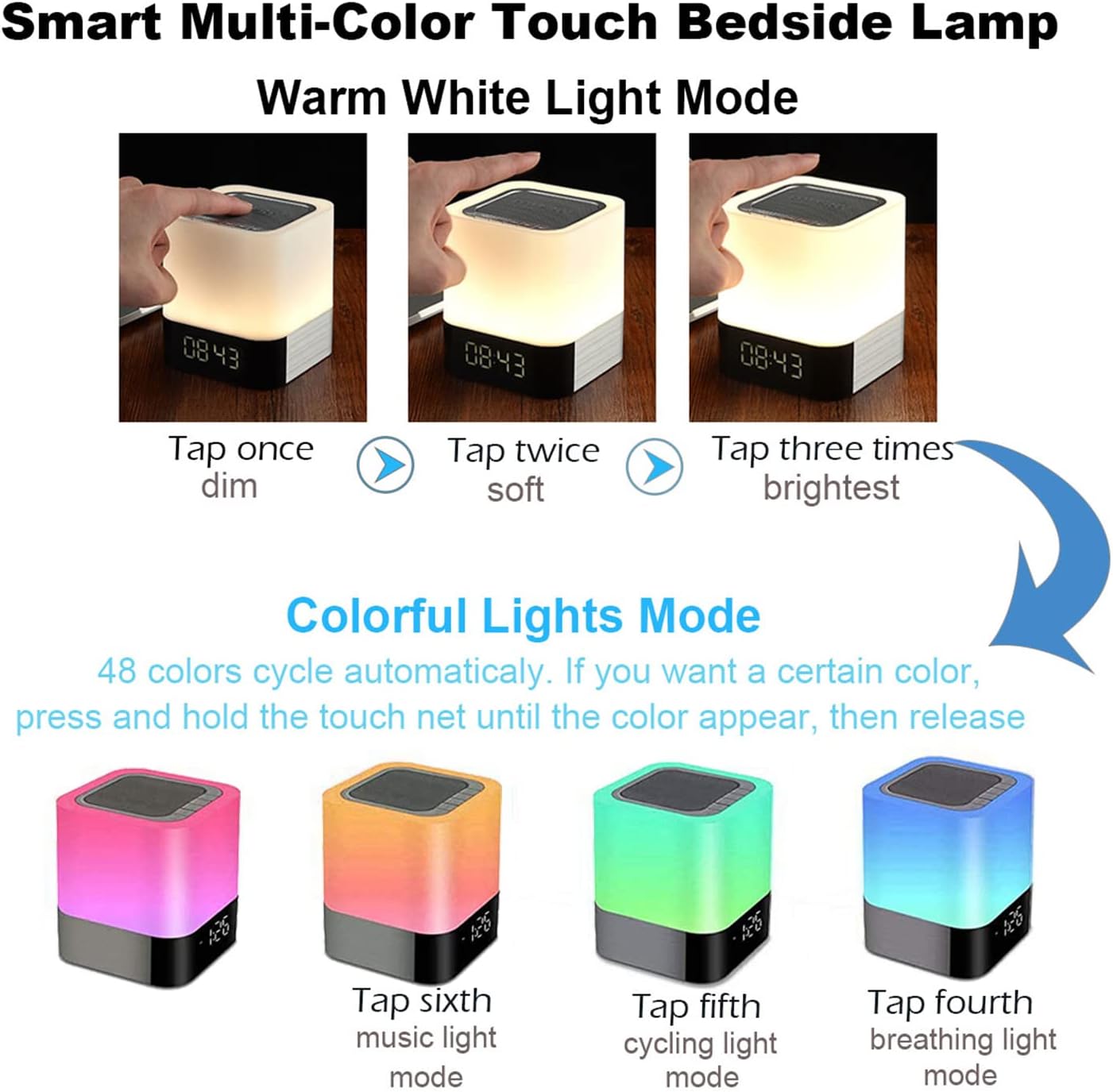
이미지 5.1: Visual guide for controlling the warm white and colorful light modes using the touch mesh net.
따뜻한 백색광 모드
- Tap the top mesh net once to turn on the dim warm white light.
- Tap a second time for soft warm white light.
- Tap a third time for the brightest warm white light.
- Tap a fourth time to turn off the warm white light.
Colorful Lights Mode (48 Colors)
- From any warm white light setting, press and hold the top mesh net until the light switches to the colorful mode.
- The colors will cycle automatically.
- To select a specific color, press and hold the touch net again when your desired color appears, then release. The light will stay on that color.
- To switch back to automatic color cycling, tap the mesh net.
- To turn off the colorful light, tap the mesh net until the light turns off.
5.3 알람 시계 모드
The device features a digital alarm clock with snooze function and the ability to set custom alarm sounds.
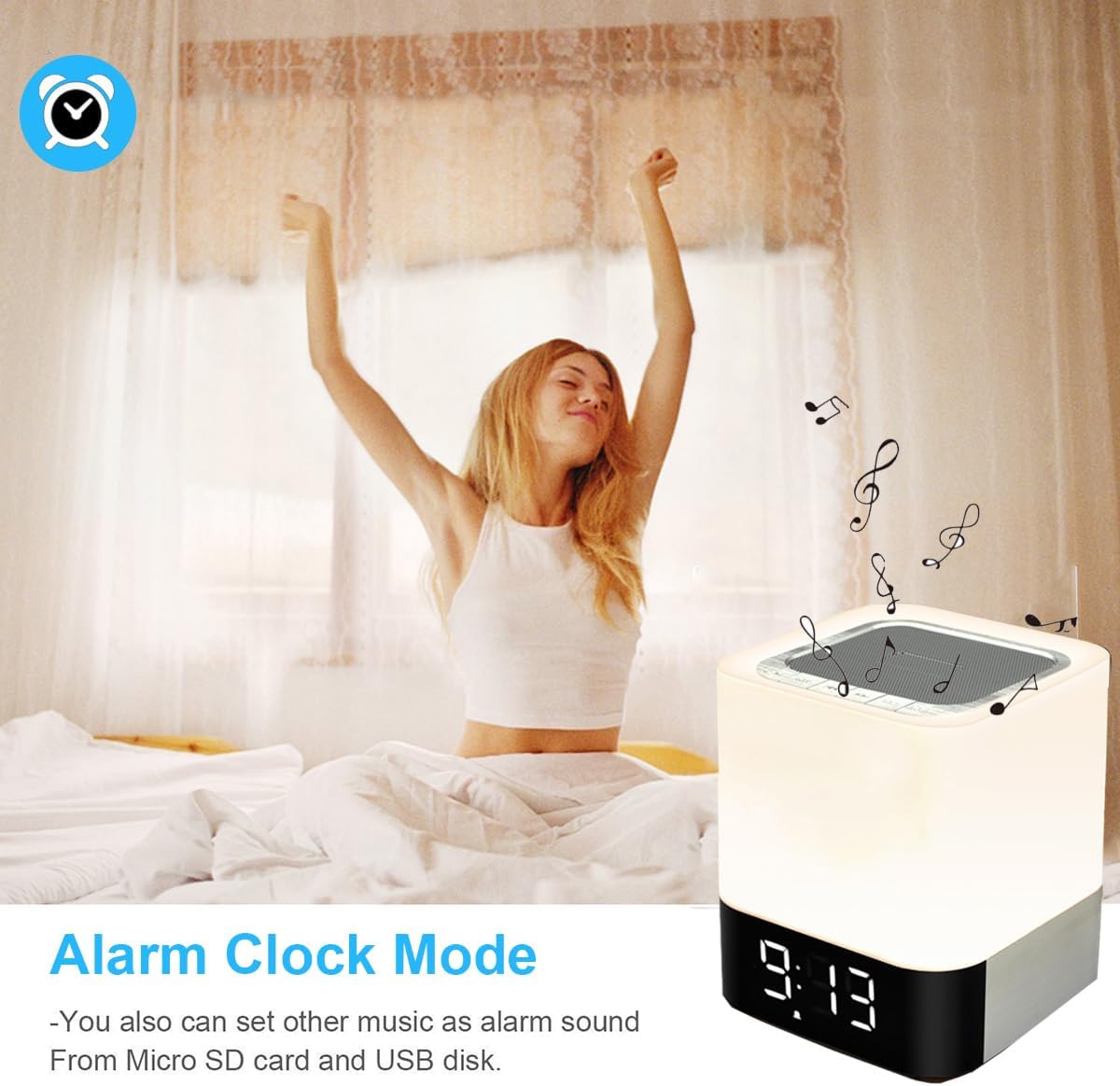
이미지 5.2: The alarm clock mode, highlighting the option to use custom MP3 songs as alarm sounds.
시간 설정
- 를 누르세요 방법 button until the clock display is active.
- 를 누르고 계세요 방법 시간 숫자가 깜빡일 때까지 버튼을 누르세요.
- 사용하세요 볼륨 업/다음 트랙 그리고 볼륨 낮추기/이전 트랙 버튼으로 시간을 조정합니다.
- 를 누르세요 방법 button again to switch to minute adjustment. Adjust minutes using the volume buttons.
- 를 누르세요 방법 button a third time to confirm the time setting.
알람 설정
- In clock display mode, press the 자명종 button (usually indicated by an alarm icon, or a long press of the Mode button after time setting).
- The alarm hour digits will flash. Use the 볼륨 업/다음 트랙 그리고 볼륨 낮추기/이전 트랙 알람 시간을 설정하는 버튼.
- 를 누르세요 자명종 button again to switch to minute adjustment. Adjust minutes using the volume buttons.
- 를 누르세요 자명종 button a third time to confirm the alarm setting. The alarm icon will appear on the display.
Custom Alarm Sound (MP3)
- To use your favorite song as an alarm, save an MP3 file to a micro SD card or USB flash drive.
- Create a folder named "ALARM" on the root directory of your micro SD card or USB flash drive and place your desired MP3 file(s) inside.
- Insert the micro SD card or USB flash drive into the corresponding port on the device.
- The device will automatically use the MP3 file(s) in the "ALARM" folder as the alarm sound.
스누즈 기능
- When the alarm rings, tap the top mesh net once to activate the snooze function. The alarm will ring again after 5 minutes.
- To stop the alarm completely, quickly tap the top mesh net twice.
5.4 MP3 Player Mode
Play music directly from a micro SD card or USB flash drive.
- Insert a micro SD card or USB flash drive containing MP3 file해당 포트로 s를 보냅니다.
- 를 누르세요 방법 button until you hear a voice prompt indicating MP3 mode (or card/USB mode).
- The device will automatically start playing the MP3 files.
- 사용하세요 볼륨 업/다음 트랙 그리고 볼륨 낮추기/이전 트랙 트랙을 탐색하는 버튼입니다.
- 사용하세요 재생/일시정지 버튼을 눌러 재생을 일시 중지하거나 다시 시작합니다.
5.5 AUX-IN 모드
3.5mm 오디오 케이블을 사용하여 외부 오디오 장치를 연결합니다.
- Connect one end of a 3.5mm audio cable (not included) to the AUX-IN port on the back of the speaker.
- 다른 쪽 끝을 외부 장치(예: MP3 플레이어, 노트북)의 오디오 출력 잭에 연결합니다.
- 를 누르세요 방법 button until you hear a voice prompt indicating AUX mode.
- 외부 기기에서 오디오를 재생하세요. 볼륨은 스피커와 외부 기기 모두를 통해 조절할 수 있습니다.
6. 유지관리
- 부드럽고 마른 천으로 기기를 닦으세요. 연마성 세제나 용제는 사용하지 마세요.
- Keep the device away from water and excessive moisture. Although it has some water resistance, it is not fully waterproof.
- 장치를 극한의 온도나 직사광선에 노출시키지 마십시오.
- If not used for a long period, charge the battery at least once every three months to prolong its lifespan.
7. 문제 해결
| 문제 | 가능한 해결책 |
|---|---|
| 장치의 전원이 켜지지 않습니다. | Ensure the ON/OFF switch is in the 'ON' position. Check battery level and charge the device if necessary. |
| 스피커에서 소리가 나지 않습니다. | Check volume levels on both the speaker and the connected device. Ensure the correct mode (Bluetooth, MP3, AUX) is selected. For Bluetooth, ensure successful pairing. |
| 블루투스 페어링에 실패했습니다. | Ensure the speaker is in Bluetooth mode and discoverable. Turn off and on Bluetooth on your device. Move the speaker closer to your device. |
| 빛이 터치에 반응하지 않습니다. | Ensure the device is powered on. Try tapping the mesh net firmly. |
| 알람이 울리지 않습니다. | Verify the alarm time is set correctly and the alarm function is activated (alarm icon visible). Ensure MP3 files for custom alarms are correctly placed in an "ALARM" folder on the root directory of the storage device. |
8. 사양
| 특징 | 세부 사항 |
|---|---|
| 모델명 | BY28 P |
| 상표 | 왐그라 |
| 제품 치수 | 3.9"D x 3.9"W x 4.4"H (10cm D x 10cm W x 11.2cm H) |
| 품목 무게 | 1.35파운드(0.61kg) |
| 스피커 유형 | 휴대용 블루투스 스피커 |
| 스피커 최대 출력 전력 | 5 와트 |
| 무선 통신 기술 | 블루투스 4.0 |
| 블루투스 범위 | 10미터(32.81피트) |
| 연결 기술 | 블루투스, 보조(3.5mm), USB |
| 제어 방법 | 만지다 |
| 전원 | 배터리 구동(리튬 이온 배터리 1개 포함) |
| 배터리 용량 | 4400mAh |
| 충전 시간 | 약 6시간 |
| 특별 기능 | Color Changing Light, Dimmable Light, Rechargeable, MP3 Player, Hands-Free Call |
9. 보증 및 지원
This product comes with a limited warranty. Please refer to the warranty information provided at the time of purchase for details regarding coverage and duration.
For technical support, troubleshooting assistance, or warranty claims, please contact your retailer or the manufacturer directly. Contact information can typically be found on the product packaging or the brand's official web대지.


