1. 제품 오버view
The JBL LIVE 100 In-Ear Headphones are designed to deliver high-quality audio with enhanced bass performance. Featuring an inline remote with a microphone, these headphones allow for hands-free calls and voice assistant interaction. The premium aluminum housing and tangle-free fabric cable ensure durability and ease of use. Multiple ear-tip sizes are included for a comfortable and secure fit.
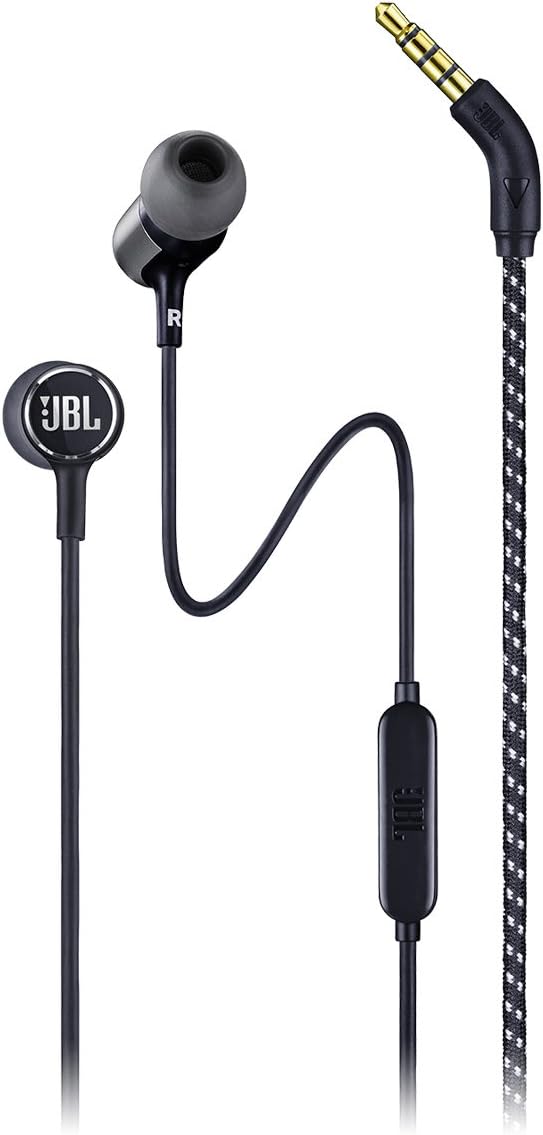
이미지 1.1: 전체 view of the JBL LIVE 100 In-Ear Headphones, showcasing the earbuds, inline remote, and 3.5mm audio jack.
2. 상자 안에 무엇이 들어있나요?
Upon unboxing your JBL LIVE 100 In-Ear Headphones, you should find the following items:
- JBL LIVE 100 In-Ear Headphones
- 운반 파우치
- Multiple Sized Ear-tips (S, M, L)
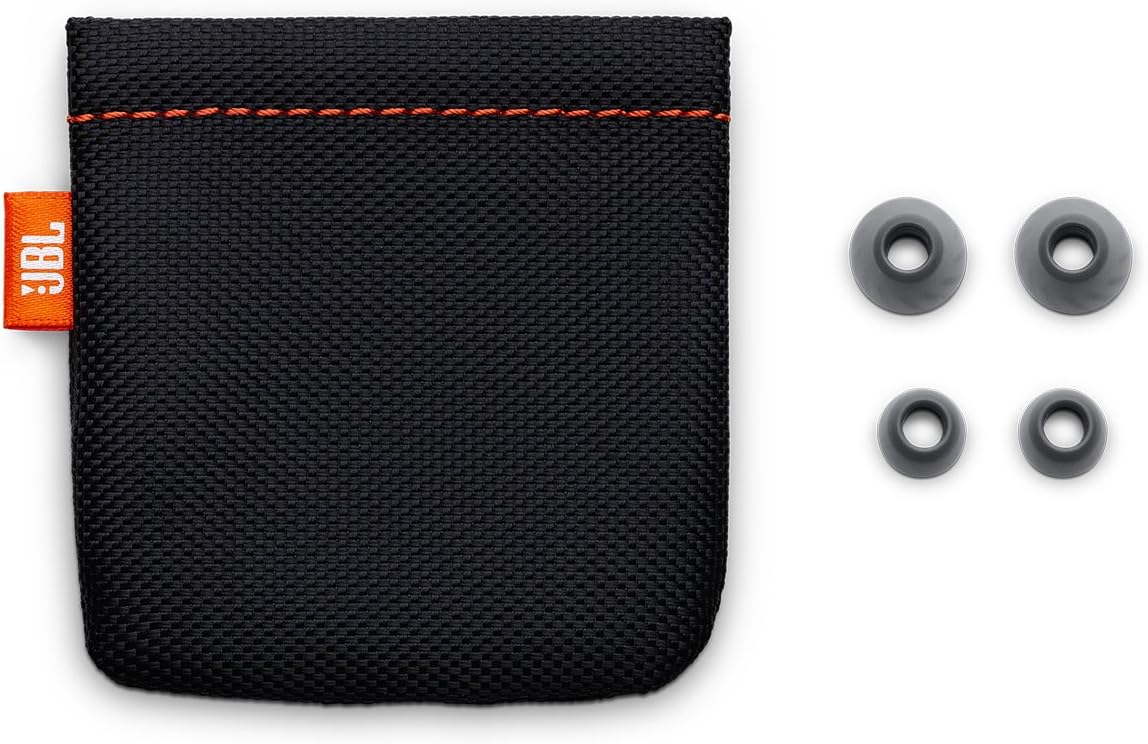
Image 2.1: The included carrying pouch and various sizes of ear tips for a customized fit.
3. 설정 지침
- Select the Correct Ear-tips: Choose the ear-tip size that provides the most comfortable and secure fit in your ears. A good seal is essential for optimal sound quality and noise isolation.
- 헤드폰을 연결하세요: Gently insert the earbuds into your ears. The 'L' marking indicates the left earbud, and 'R' indicates the right earbud. Adjust them until they feel snug and comfortable.
- 장치에 연결: Plug the 3.5mm stereo jack into the audio output port of your smartphone, laptop, tablet, or other compatible audio device.
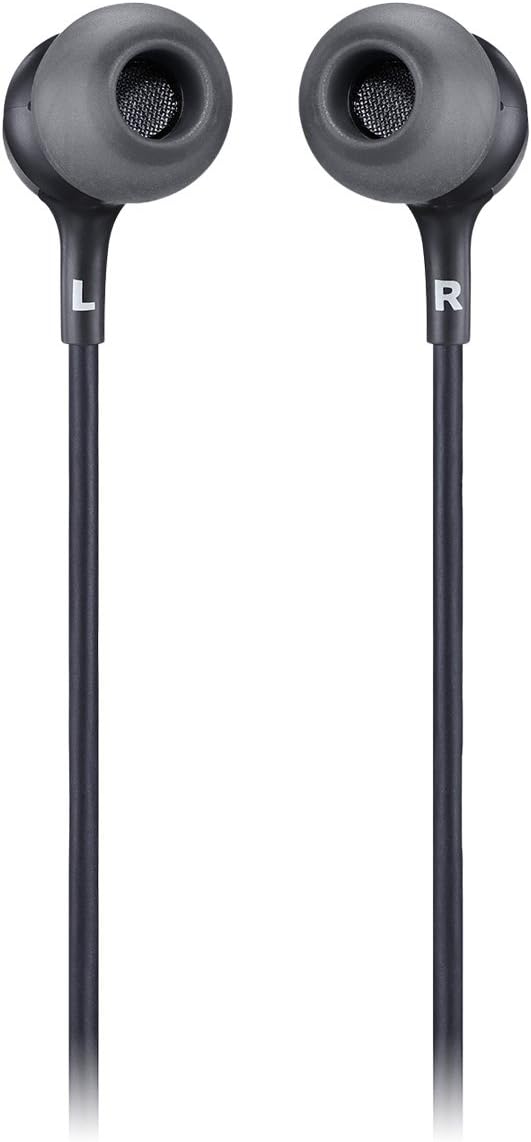
Image 3.1: Close-up of the JBL LIVE 100 earbuds, highlighting the left (L) and right (R) indicators for proper placement.
4. 사용 설명서
The JBL LIVE 100 In-Ear Headphones feature an inline remote for convenient control of your audio and calls.
- 오디오 재생: Once connected, your device's audio will play through the headphones. Use your device's volume controls to adjust the listening level.
- 핸즈프리 통화: The integrated microphone allows you to make and receive calls without removing your headphones. Press the button on the inline remote to answer or end a call.
- 음성 어시스턴트 : The inline remote supports voice assistant functionality. Press and hold the button to activate your device's voice assistant (e.g., Siri, Google Assistant).

Image 4.1: Detail of the inline remote control, which includes a microphone for hands-free communication.
Video 4.1: An official product video demonstrating the features and usage of the JBL LIVE 100 In-Ear Headphones.
5. 유지관리
To ensure the longevity and optimal performance of your JBL LIVE 100 In-Ear Headphones, follow these maintenance guidelines:
- 청소: Regularly clean the ear-tips with a soft, damp cloth. Ensure they are completely dry before reattaching them to the earbuds. Do not use harsh chemicals or abrasive materials.
- 케이블 관리: The tangle-free fabric cable is designed for durability, but avoid excessive pulling or sharp bends to prevent damage.
- 저장: When not in use, store the headphones in the provided carrying pouch to protect them from dust, dirt, and physical damage.
- 습기를 피하세요: These headphones are not water-resistant. Avoid exposure to liquids, high humidity, or extreme temperatures.
6. 문제 해결
If you encounter issues with your JBL LIVE 100 In-Ear Headphones, refer to the following common solutions:
- 소리 없음:
- 3.5mm 잭이 기기의 오디오 포트에 완전히 삽입되었는지 확인하세요.
- 기기의 볼륨 설정을 확인하세요.
- 헤드폰이 다른 오디오 기기에 연결되어 있는지 확인하여 기기 자체의 문제인지 여부를 판단하십시오.
- 나쁜 음질:
- Verify that the ear-tips are correctly sized and form a good seal in your ears.
- 이어버드 그릴에서 이물질을 청소하세요.
- 오디오 소스의 품질이 좋은지 확인하세요.
- 마이크가 작동하지 않음:
- Ensure the 3.5mm jack is fully inserted. Some older devices may not fully support inline microphone functionality.
- 기기의 마이크 입력 설정을 확인하세요.
- Headphones Fall Out:
- Try different sizes of ear-tips to find the most secure fit.
- Ensure the headphones are inserted correctly into your ear canal.
7. 사양
| 특징 | 사양 |
|---|---|
| 모델명 | JBL 라이브 100 |
| 연결 기술 | 열광한 |
| 커넥터 유형 | 3.5mm 스테레오 잭 |
| 오디오 드라이버 크기 | 8 밀리미터 |
| 주파수 응답 | 20Hz - 20kHz |
| 임피던스 | 31옴 |
| 소음 제어 | 소리 차단 |
| 제어 유형 | Remote, Voice Assistant |
| 케이블 기능 | Tangle Free Fabric Cable |
| 재료 | 알류미늄 |
| 품목 무게 | 3.17온스(90그램) |
| 제품 치수 | 3.94 x 1.26 x 6.3 인치 |
| 방수 레벨 | 방수가 되지 않음 |
8. 보증 및 지원
JBL products are manufactured to the highest standards and are designed for reliable performance. For detailed warranty information, please refer to the warranty card included with your product or visit the official JBL website. For technical support, product registration, or further assistance, please visit the JBL support page or contact their customer service directly.
온라인 지원: www.jbl.com/support


