1. 서론
This manual provides instructions for the Altec Lansing Mini LifeJacket Jolt Bluetooth Speaker. This portable speaker features Bluetooth connectivity, Qi wireless charging, a built-in USB charging port, and a durable, waterproof design. Please read this manual thoroughly before using the device to ensure proper operation and longevity.

그림 1: 전면 view of the Altec Lansing Mini LifeJacket Jolt Bluetooth Speaker.
2. 패키지 내용
패키지에 모든 품목이 들어 있는지 확인하세요.
- Altec Lansing Mini LifeJacket Jolt Bluetooth Speaker
- 충전 케이블(USB-C-USB-A)
- 빠른 시작 가이드(이 디지털 매뉴얼에는 포함되지 않음)
3. 제품 오버view
스피커의 구성 요소와 제어 장치에 대해 알아보세요.

그림 2: 상단 view of the speaker, highlighting control buttons and the Qi wireless charging pad.
3.1. 제어 버튼
- 전원 버튼: 전원을 켜거나 끄려면 길게 누릅니다.
- 블루투스 페어링 버튼: 블루투스 페어링 모드를 시작합니다.
- 볼륨 높이기(+): 볼륨이 증가합니다.
- 볼륨 낮추기(-): 볼륨을 줄입니다.
- 재생/일시 정지 버튼: 오디오를 재생하거나 일시 정지합니다. 또한 전화를 받거나 끊을 수 있습니다.
- 음성 지원 버튼: 기기의 음성 비서(Siri, Google Assistant)를 활성화합니다.
- House Party Pairing Button: Connects multiple Altec Lansing speakers.
3.2. 포트 및 표시기

그림 3: 측면 view of the speaker, showing the protected charging port.
- USB-C 충전 포트: 스피커의 내장 배터리를 충전합니다.
- USB-A 출력 포트: 외부 장치를 충전하는 데 사용됩니다.
- LED 표시등: 전원, 충전, 블루투스 상태를 표시합니다.
- Qi 무선 충전 패드 : Located on the top surface for wireless charging compatible devices.
4. 설정
4.1. 스피커 충전
Before first use, fully charge the speaker. The speaker provides up to 16 hours of playback on a single charge.

Figure 4: The speaker offers up to 16 hours of play time.
- Open the protective flap on the side of the speaker to access the USB-C charging port.
- 제공된 USB-C 케이블을 스피커의 충전 포트에 연결하십시오.
- USB-C 케이블의 다른 쪽 끝을 USB 전원 어댑터(포함되지 않음) 또는 컴퓨터의 USB 포트에 연결합니다.
- LED 표시등은 충전 상태를 표시하고, 완전히 충전되면 꺼집니다.
4.2. 전원 켜기 / 끄기
- 전원을 켜려면 전원 버튼 until you hear an audible prompt and the LED indicator illuminates.
- 전원을 끄려면 전원 버튼 again until you hear an audible prompt and the LED indicator turns off.
4.3. 블루투스 페어링
The speaker can connect to your device via Bluetooth 4.2, offering a range of up to 100 feet.
- Ensure the speaker is powered on. The LED indicator will flash, indicating it is in pairing mode.
- 스마트폰, 태블릿 또는 기타 Bluetooth 지원 기기에서 Bluetooth 설정으로 이동합니다.
- Select "Mini LifeJacket Jolt" from the list of available devices.
- Once paired, the LED indicator will glow solid, and you will hear a confirmation tone.
- 페어링에 실패하면 스피커와 기기의 Bluetooth를 끄고 단계를 반복하세요.
5. 사용 설명서
5.1. 오디오 재생
- 재생/일시 중지: 를 누르세요 재생/일시정지 버튼 한 번.
- 볼륨 조절: 를 누르세요 볼륨 업(+) or 볼륨 작게 (-) 버튼.
- 트랙 건너 뛰기 : 누르고 있으세요 볼륨 업(+) 다음 트랙을 위해, 또는 볼륨 작게 (-) 이전 트랙의 경우.
5.2. Qi 무선 충전
The speaker features a Qi wireless charging pad on its top surface to charge compatible devices.
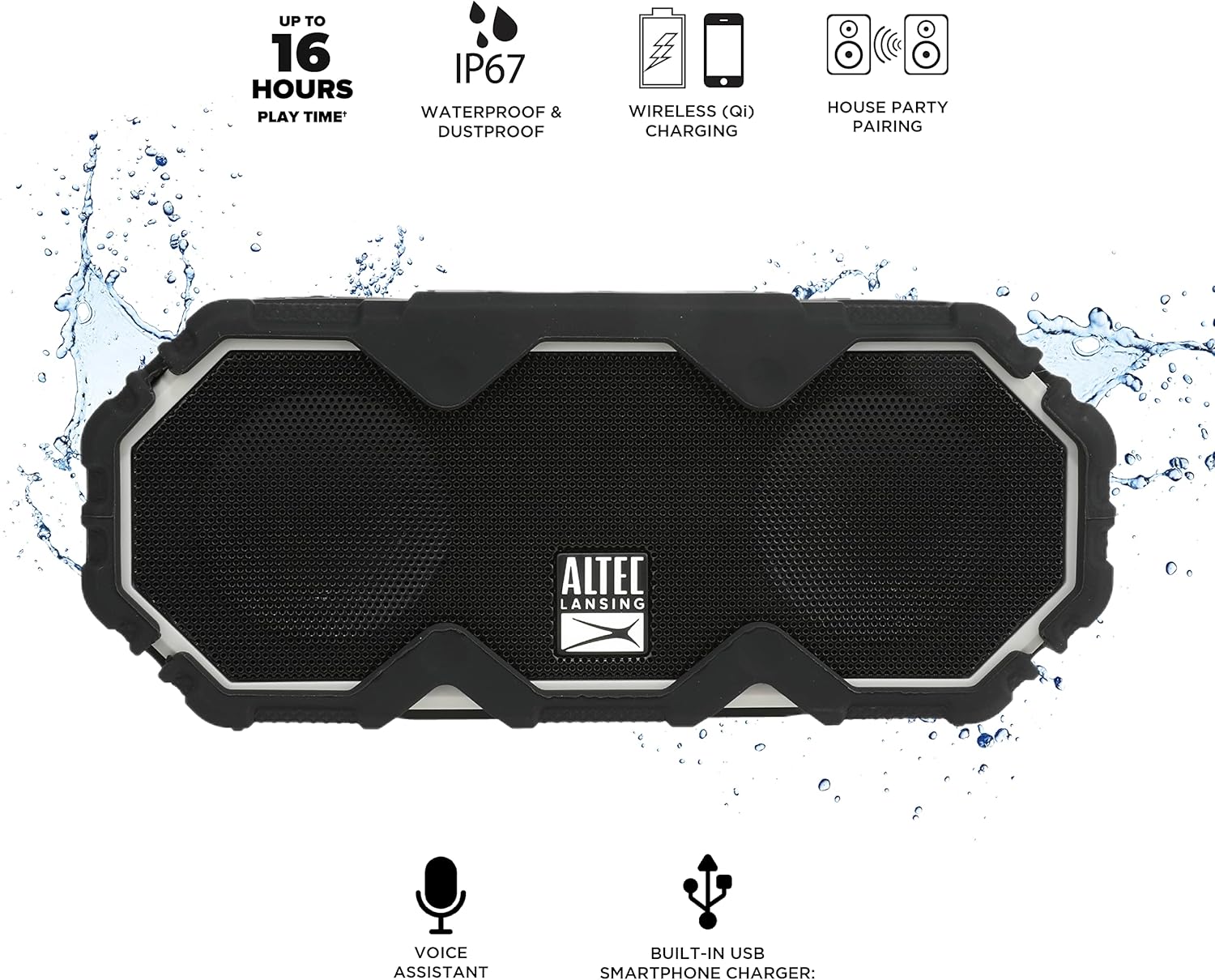
Figure 5: A smartphone being charged wirelessly on the speaker's Qi pad.
- 스피커의 전원이 켜져 있는지 확인하십시오.
- Place your Qi-enabled device directly on the charging pad located on the top of the speaker.
- The device should begin charging automatically. Adjust its position if charging does not start immediately.
5.3. USB Device Charging
Use the built-in USB-A port to charge other devices via a cable.

Figure 6: The speaker's USB-A port can charge external devices.
- 스피커의 전원이 켜져 있는지 확인하십시오.
- 스피커 측면의 보호 플랩을 엽니다.
- Connect your device's USB charging cable to the USB-A output port on the speaker.
- 기기가 충전되기 시작합니다.
5.4. 음성 지원 통합
Access your smartphone's voice assistant directly through the speaker.

Figure 7: The speaker supports voice assistant integration.
- Ensure the speaker is paired with your smartphone.
- 를 누르세요 음성 어시스턴트 버튼 스피커에서.
- 스피커 마이크에 대고 명령어를 말하세요.
5.5. House Party Pairing
Connect multiple Altec Lansing speakers for a synchronized audio experience.

Figure 8: Multiple speakers can be paired for a wider sound experience.
- 두 스피커 모두 전원이 켜져 있고 Bluetooth 장치에 연결되어 있지 않은지 확인하세요.
- On the first speaker, press the House Party Pairing Button. The LED indicator will flash.
- 두 번째 스피커에서 다음을 누르세요. House Party Pairing Button.
- The speakers will connect automatically. Once connected, the LED indicators will glow solid.
- Now, connect your device to one of the paired speakers via Bluetooth. Audio will play through both speakers.
6. 내구성 특징
The Mini LifeJacket Jolt is designed for rugged use with an IP67 rating, making it waterproof, shockproof, snowproof, and dustproof.

Figure 9: The speaker is designed to withstand water exposure.
- 방수복: Can be submerged in water up to 1 meter for 30 minutes. Ensure all port covers are securely closed before exposure to water.
- 충격 방지: 낙하 및 충격에 견딜 수 있도록 설계되었습니다.
- 내설성: 눈이 오는 환경에서도 안정적으로 작동합니다.
- 방진 : 먼지 유입을 방지합니다.
Important: Always ensure the protective flap covering the charging ports is securely closed when using the speaker near water or in dusty environments.
7. 유지관리
- 청소: 부드러운 d를 사용하세요amp cloth to clean the speaker. Avoid abrasive cleaners or solvents.
- 저장: 스피커는 직사광선과 극한의 온도를 피해 시원하고 건조한 곳에 보관하세요.
- 배터리 관리 : 배터리 수명을 연장하려면 배터리를 자주 완전히 방전하지 마세요. 장시간 사용하지 않더라도 스피커를 정기적으로 충전하세요.
8. 문제 해결
8.1. Speaker Not Powering On or Charging
If your speaker stops working or does not charge, a connection issue or a system freeze might be the cause. This procedure requires careful handling and may void your warranty if not performed correctly. Proceed with caution.
- Remove the Rubber Exterior: Gently pry off the rubberized outer casing. It is designed to snap off at the seams around the speaker mesh.
- 내부 구성 요소에 액세스: Using a small flat-head tool, carefully insert it between the speaker mesh and the main body, particularly on the back of the speaker. Slowly work your way around to loosen the mesh.
- 나사를 찾아서 제거하세요: You will find six small Phillips head screws deep inside the holes. Use a long, thin Phillips screwdriver to remove them. Keep track of these screws.
- Separate the Casing: Gently pull the front and back sections of the speaker apart along the seam that becomes visible after removing the rubber protector.
- 내부 연결을 검사하십시오: Inside, you will see the motherboard, buttons, wires, and the cylindrical battery. Locate the battery holder and remove any screw securing it.
- Reset Battery Connection: Carefully disconnect the battery's wiring connector from the motherboard. Ensure you pull the entire plastic insert, not just the wires, to avoid damage.
- 다시 연결하고 테스트하세요: Reconnect the battery connector firmly. Press the power button. If you hear the "Welcome to Altec Lansing!" prompt, the issue may be resolved.
- 재조립: If the speaker functions, carefully re-adjust any wires to ensure they have sufficient slack and are not pinched. Ensure the battery is centered and not clinging to speaker magnets. Re-secure the battery holder, then carefully align and re-screw the casing. Finally, reattach the speaker mesh and the rubber exterior.
This process can reset the motherboard and address issues caused by loose internal connections. If the problem persists after these steps, contact customer support.
8.2. 블루투스 연결 문제
- 스피커가 기기의 블루투스 범위 내 9미터(100피트) 이내에 있는지 확인하십시오.
- Verify that the speaker is in pairing mode (flashing LED).
- 기기의 블루투스 설정에서 스피커를 삭제한 후 다시 페어링을 시도해 보세요.
- 스피커와 Bluetooth 장치를 모두 다시 시작하세요.
9. 사양

그림 10: 제품 치수
| 특징 | 세부 사항 |
|---|---|
| 모델명 | Mini LifeJacket Jolt |
| 상표 | 알텍랜싱 |
| 연결 기술 | 블루투스, USB |
| 무선 통신 | 블루투스 4.2 |
| 블루투스 범위 | 최대 100피트 |
| 전원 | 배터리 구동식 (리튬 이온 배터리 1개 포함) |
| 배터리 수명 | 최대 16시간 |
| 특별 기능 | Waterproof (IP67), Shockproof, Snowproof, Dustproof, Qi Wireless Charging, USB Charging Output, Voice Assistant Integration, House Party Pairing |
| 스피커 유형 | 집 밖의 |
| 오디오 출력 모드 | 스테레오 재생 |
| 제품 치수 | 7.2인치 깊이 x 3인치 너비 x 4.3인치 높이 |
| 품목 무게 | 1.52파운드 |
| 재료 | Rubber or Silicone |
10. 보증 및 지원
The Altec Lansing Mini LifeJacket Jolt Bluetooth Speaker comes with a Limited Warranty. For specific warranty terms and conditions, please refer to the documentation included with your product or visit the official Altec Lansing web대지.
추가적인 도움이나 기술 지원이 필요하시면 다음 웹사이트를 방문해 주세요. Altec Lansing Brand Store on Amazon 또는 담당자에게 문의하십시오. 사용 설명서 (PDF).


