소개
The Blackstar HT-5R MK III is a versatile 5-watt 1x12 inch guitar tube combo amplifier designed for both practice and performance. It features a powerful tube amplifier, a 12-inch Celestion speaker, and a dual-channel design offering clean and overdrive tones. Key features include the patented ISF (Infinite Shape Feature) for tonal shaping, power reduction to 0.5W for quiet practice, a built-in CabRig speaker simulator, and a USB output for direct recording. Its compact and portable design makes it suitable for various environments.

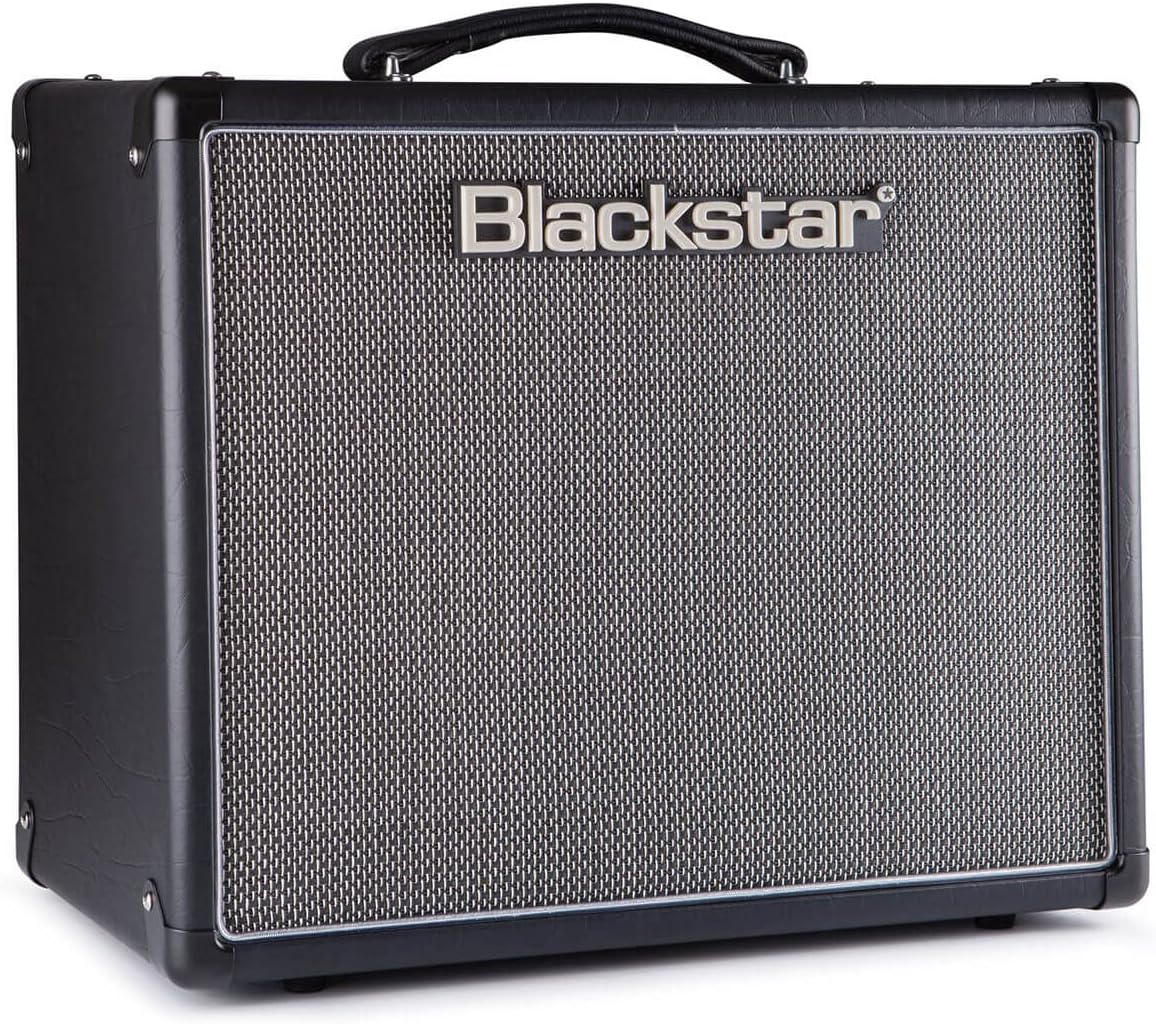
앞쪽 view of the Blackstar HT-5R MK III Guitar Amp리파이어, 쇼크asing its classic black finish and speaker grille.
설정
Follow these steps to set up your Blackstar HT-5R MK III amp정수기:
- 전원 연결: 연결하다 amplifier to a suitable power outlet using the provided cord. Ensure the power switch is in the OFF position before connecting.
- 기타 입력: 기타를 입력 전면 패널의 잭.
- 외부 스피커(선택 사항): If using an external speaker cabinet, connect it to the appropriate 스피커 출력 on the rear panel (1 x 16 OHM or 1 x 8 OHM / 2 x 16 OHM). Ensure the impedance matches your cabinet.
- Headphones/Emulated Output (Optional): 조용한 연습이나 직접 녹음을 위해서는 헤드폰이나 녹음 장치를 연결하세요. EMULATED OUTPUT & HEADPHONES 잭.
- MP3 / Line Input (Optional): Connect an external audio source (e.g., MP3 player, phone) to the MP3 / LINE INPUT jack to play along with music.
- 풋스위치(선택 사항): Connect a compatible footswitch to the 발 스위치 input for remote channel switching.
- 전원 켜기: 뒤집다 힘 switch to ON. The amplifier will enter standby mode. Wait approximately one minute for the tubes to warm up before engaging the 대기 ON으로 전환합니다.
Rear panel of the Blackstar HT-5R MK III, showing speaker outputs, emulated output, MP3 input, and effects loop connections.
작동 지침
익숙해지세요 amp최적의 성능을 위한 앰프 제어 장치:
전면 패널 컨트롤:
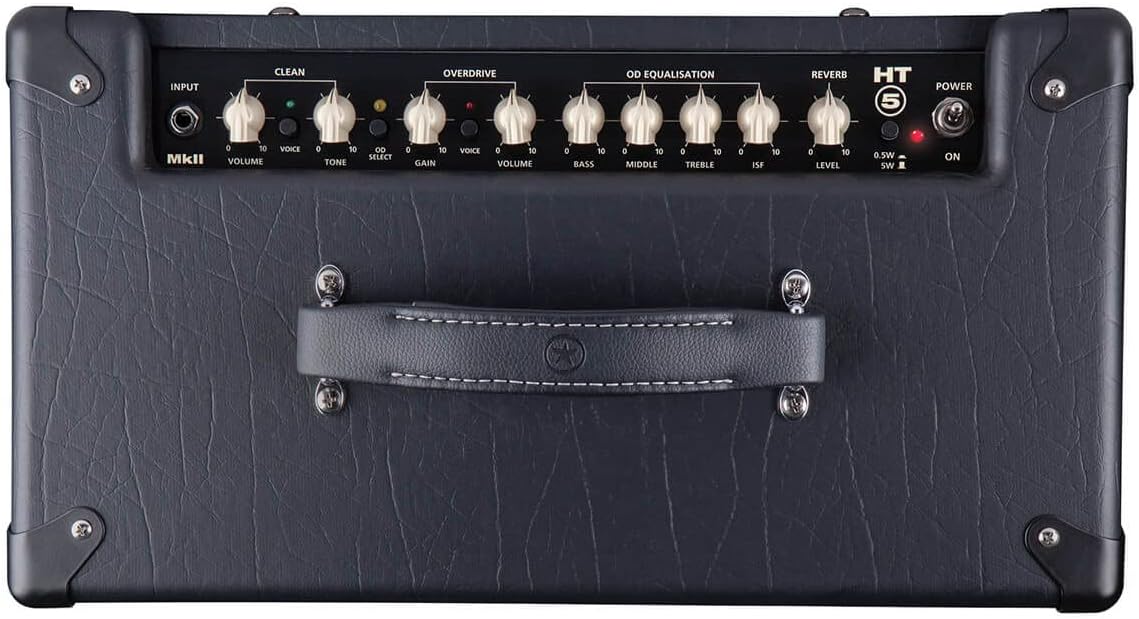
- Power Standby / On: 제어 amplifier's power state. Allow tubes to warm up in standby before switching to ON.
- Cabinet Select (HT5): Selects the internal speaker or emulated output settings.
- 에뮬레이션 출력 및 헤드폰: Provides a speaker-emulated signal for headphones or direct recording.
- Equalisation (Treble, Middle, Bass): Adjusts the tone of your amp리퍼.
- ISF(무한 형상 특징): This patented control allows you to dial in tones from classic British crunch to modern American high-gain. Turning clockwise shifts the tone from a British characteristic to an American characteristic.
- Overdrive Channel (Volume, Gain, Voice):
- 얻다: Controls the amount of overdrive.
- 용량: 오버드라이브 채널의 출력 레벨을 조절합니다.
- 목소리: Selects between different overdrive voicings.
- Clean Channel (Volume, Tone, Voice):
- 용량: Adjusts the output level of the clean channel.
- 음정: Controls the brightness of the clean tone.
- 목소리: Selects between different clean voicings.
- 리버브 레벨: Controls the amount of built-in reverb effect.
- Power Reduction (0.5W / 5W): Switches between full 5-watt output and a reduced 0.5-watt output, ideal for lower volume practice without sacrificing tone.
Close-up of the Blackstar HT-5R MK III front panel, detailing the various knobs and switches for tone shaping and channel selection.
유지
적절한 유지관리는 제품의 수명과 최적의 성능을 보장합니다. amp정수기:
- 청소: 외부를 닦을 때는 부드럽고 마른 천을 사용하십시오. 연마성 세제나 용제는 사용하지 마십시오.
- 환경: 운영하다 amplifier in a dry, well-ventilated area. Avoid exposure to extreme temperatures, humidity, or direct sunlight.
- 튜브 관리: As a tube amplifier, the internal vacuum tubes have a finite lifespan. If you notice a decrease in performance or unusual noise, tube replacement may be necessary. Consult a qualified technician for tube replacement.
- 스피커 관리: The 12-inch Celestion speaker is designed for durability. Avoid puncturing or exposing the cone to excessive force.
- 운송: 이동할 때 amplifier, ensure it is powered off and disconnected from all cables. Use the integrated handle for carrying.
문제 해결
문제가 발생하면 amp증폭기 관련 문제 발생 시 다음과 같은 일반적인 문제 해결 단계를 고려하십시오.
- 소리 없음:
- 확인하십시오 amplifier is powered on and out of standby mode.
- 기타, 스피커, 전원 케이블 등 모든 케이블 연결 상태를 확인하세요.
- Verify the guitar's volume and tone controls are not set to zero.
- Test with a different guitar cable or guitar.
- Unwanted Noise (Humming, Buzzing, Crackling):
- 모든 케이블이 안전하게 연결되었고 손상되지 않았는지 확인하세요.
- 플러그를 꽂으십시오. amp앰프를 다른 전원 콘센트에 꽂으세요.
- 이동하다 amp앰프는 간섭을 일으킬 수 있는 다른 전자 기기에서 멀리 떨어뜨려 놓으십시오.
- Excessive noise can sometimes indicate aging or faulty tubes. If the issue persists, professional servicing may be required.
- 약하거나 왜곡된 소리:
- 확인하세요 amp앰프의 볼륨 및 게인 설정.
- Ensure the power reduction switch is set appropriately for your desired volume level.
- Inspect the speaker for any visible damage.
- Faulty tubes can also cause weak or distorted sound.
For issues not resolved by these steps, please contact Blackstar customer support or a certified service technician.
명세서
| 특징 | 세부 사항 |
|---|---|
| 모델 번호 | HT5RMK3 |
| 출력 와트tage | 5 Watts (switchable to 0.5W) |
| 스피커 | 12-inch Celestion Speaker |
| 채널 | 클린, 오버드라이브 |
| 통제 수단 | Volume, Tone, Gain, EQ (Treble, Middle, Bass), ISF, Reverb, Voice switches |
| 연결성 | Guitar Input, Speaker Outputs, Emulated Output & Headphones, MP3 / Line Input, USB, Effects Loop (Send/Return), Footswitch |
| 전원 | 코드식 전기 |
| 색상 | 검은색 |
| 재료 | Blackstar designed [speaker material] |
| 품목 무게 | 28.8파운드 |
| 첫 번째 가능한 날짜 | 8년 2019월 XNUMX일 |
보증 및 지원
This product may be eligible for an extended protection plan. For specific details regarding your product's warranty, please refer to the documentation included with your purchase or visit the official Blackstar web대지.
For technical assistance, service, or warranty claims, please contact Blackstar customer support. Keep your purchase receipt and product serial number handy when contacting support.
- 보호 계획: A 4-Year Protection Plan may be available for purchase.
- 제조업체 지원: Refer to the official Blackstar web연락처 정보와 추가 지원 리소스는 사이트에서 확인하세요.


