1. 서론
Welcome to the user manual for your RugGear RG910 Rugged 8-inch Tablet. This document provides essential information for setting up, operating, maintaining, and troubleshooting your device. The RG910 is engineered for demanding environments, offering superior durability and connectivity for outdoor work and extreme conditions.
Please read this manual carefully to ensure proper use and to maximize the lifespan of your tablet.
2. 제품 오버view
The RugGear RG910 is a robust tablet featuring an 8-inch WUXGA touchscreen, designed to withstand harsh conditions. It incorporates advanced sealing technology for high water and dust resistance, and is built to endure drops and impacts.

그림 2.1: 전면 view of the RugGear RG910 rugged tablet, showcasin내구성이 뛰어난 디자인과 디스플레이를 자랑합니다.
Key features include Push-to-Talk (PTT) functionality, a long-lasting 6000 mAh battery, and an Android 8 (Oreo) operating system optimized for performance and power efficiency. The device is IP68 certified, allowing submersion in water up to 1.2 meters for 60 minutes, and is drop-resistant up to 1.5 meters.

Figure 2.2: Infographic highlighting the RG910's reliable performance, PTT capability, long battery life, Android 8 optimization, IP68 rating, and dual stereo speakers.
Connectivity options include 4G LTE, Wi-Fi 802.11b/g/n, and Bluetooth 4.0. It also features 8MP and 2MP cameras, GPS, A-GPS, GLONASS, and Beidou for navigation. The display is protected by Corning Gorilla Glass for enhanced durability and readability in sunlight.
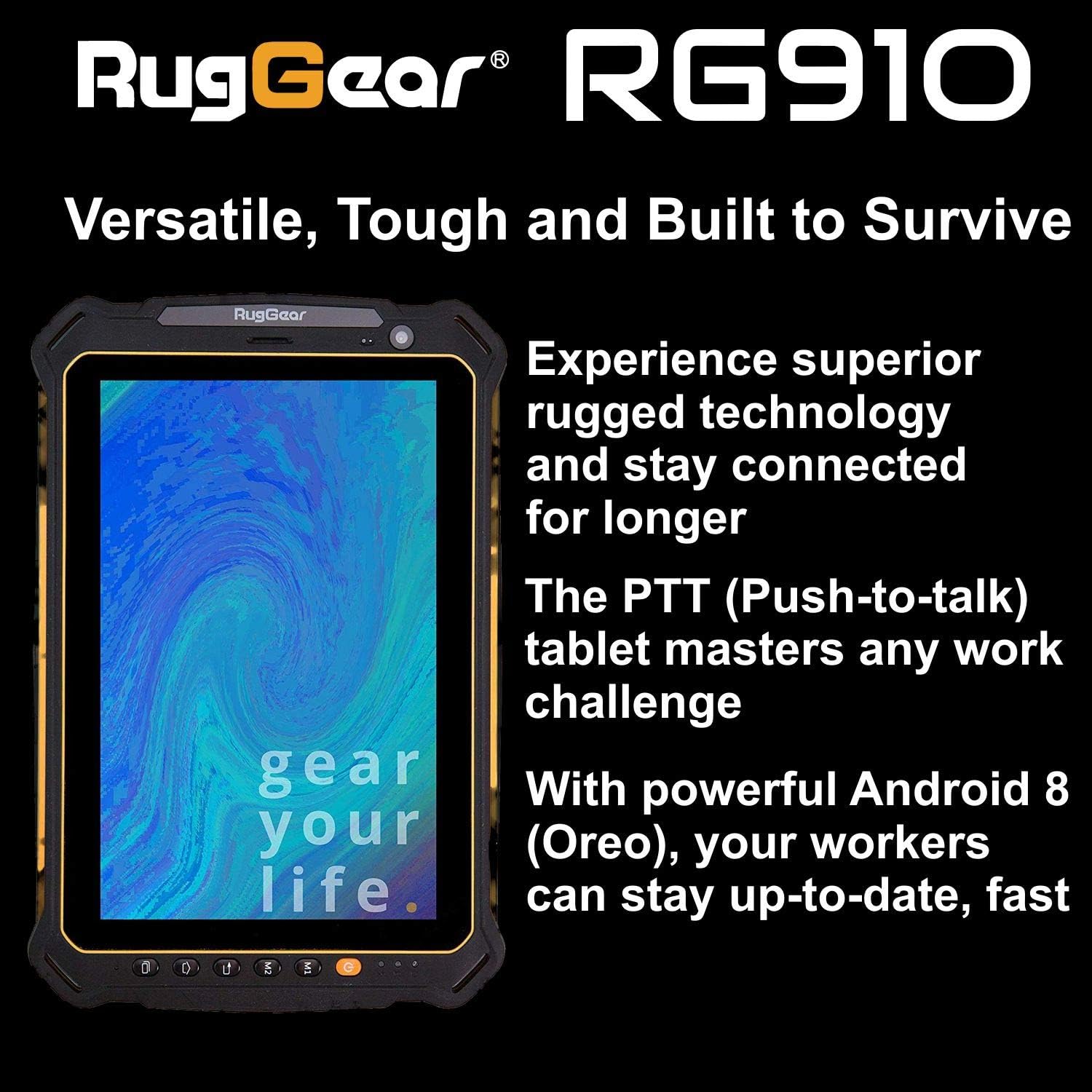
Figure 2.3: The RugGear RG910 tablet being used, illustrating its robust construction and suitability for various tasks.
3. 설정
3.1 장치 충전
Before initial use, fully charge the tablet using the provided charger and USB cable. Connect the charger to a power outlet and the USB cable to the tablet's charging port. The charging indicator will show the charging status.
3.2 SIM 카드 및 마이크로 SD 카드 삽입
- Locate the SIM/Micro-SD card slot cover on the side of the tablet.
- 조심스럽게 뚜껑을 여세요.
- Insert the Nano-SIM card into the designated slot with the gold contacts facing down, ensuring it is correctly oriented.
- If using, insert a Micro-SD card (up to 64GB) into its dedicated slot.
- Close the cover securely to maintain the device's water and dust resistance.
3.3 초기 전원 켜기 및 설정
Press and hold the Power button until the RugGear logo appears. Follow the on-screen instructions to complete the initial setup, which includes selecting your language, connecting to a Wi-Fi network, and setting up your Google account.
4. 사용 설명서
4.1 전원 켜기/끄기
- 전원을 켜려면: 화면이 켜질 때까지 전원 버튼을 길게 누르세요.
- 전원을 끄려면: 전원 옵션이 나타날 때까지 전원 버튼을 길게 누른 다음 '전원 끄기'를 선택하세요.
- 재시작하기 위해: 전원 옵션이 나타날 때까지 전원 버튼을 길게 누른 다음 '다시 시작'을 선택하세요.
4.2 기본 탐색
The RG910 uses a capacitive touchscreen. Use standard Android gestures:
- 수도꼭지: 항목을 선택하거나 애플리케이션을 엽니다.
- 강타: 목록을 스크롤하거나 홈 화면 간에 전환합니다.
- 꼬집기: 이미지 확대/축소 및 web 페이지.
- 길게 누르기 : 상황에 맞는 메뉴에 접근하거나 아이콘을 이동합니다.
4.3 Push-to-Talk (PTT) Functionality
The RG910 supports Push-to-Talk (PTT) communication. A dedicated PTT button may be present on the device. Consult your service provider or PTT application instructions for specific setup and usage details.
4.4 카메라 작동
To use the cameras:
- 홈 화면이나 앱 서랍에서 카메라 앱을 엽니다.
- 화면을 탭하여 초점을 맞추세요.
- 셔터 버튼을 눌러 사진을 찍거나 동영상 녹화를 시작/중지하세요.
- 카메라 토글 아이콘을 사용하여 전면 카메라와 후면 카메라를 전환합니다.
4.5 연결성
- 와이파이: 이동하다 설정 > 네트워크 및 인터넷 > Wi-Fi 사용 가능한 네트워크에 연결합니다.
- 4G LTE: Ensure your SIM card is inserted and mobile data is enabled in 설정 > 네트워크 및 인터넷 > 모바일 네트워크.
- 블루투스: Bluetooth를 활성화하세요 설정 > 연결된 기기 > 블루투스 다른 기기와 페어링하려면.
5. 유지관리
5.1 장치 청소
To clean your tablet, use a soft, damp cloth. Avoid using harsh chemicals, abrasive cleaners, or solvents, as these can damage the device's ruggedized coating and seals. Ensure all port covers are securely closed before cleaning with moisture.
5.2 방수 및 방진(IP68)
The RG910 is IP68 certified, meaning it is protected against dust ingress and can withstand submersion in fresh water up to 1.2 meters for 60 minutes. To maintain this rating:
- Ensure all port covers (USB, SIM/Micro-SD slot) are firmly closed before exposure to water or dust.
- Do not expose the device to salt water, chlorinated water, or other liquids.
- If the device gets wet, dry it thoroughly with a clean cloth before opening any covers or charging.
5.3 배터리 관리
- 배터리 성능을 저하시킬 수 있는 극한의 온도를 피하세요.
- 정품 또는 인증된 호환 충전기와 케이블만 사용하세요.
- 배터리를 뚫거나, 분해하거나, 개조하지 마세요.
5.4 소프트웨어 업데이트
최적의 성능, 보안 및 새로운 기능에 대한 액세스를 보장하려면 소프트웨어 업데이트를 정기적으로 확인하고 설치하세요. 설정 > 시스템 > 시스템 업데이트.
6. 문제 해결
This section addresses common issues you might encounter with your RugGear RG910 tablet.
| 문제 | 가능한 해결책 |
|---|---|
| 장치 전원이 켜지지 않음 | 배터리가 충전되어 있는지 확인하세요. 충전기를 연결하고 몇 분 정도 기다린 후 다시 전원을 켜보세요. 반응이 없으면 전원 버튼을 10~15초 동안 눌러 강제 재시작하세요. |
| 화면이 반응하지 않습니다 | 기기를 재시작하십시오. 문제가 지속되면 화면이 깨끗하고 건조한지 확인하십시오. |
| Wi-Fi/4G에 연결할 수 없습니다 | Check Wi-Fi settings and ensure the network password is correct. For 4G, verify SIM card insertion, mobile data is enabled, and you have network coverage. Restart the tablet. |
| 배터리가 빨리 소모됩니다 | Reduce screen brightness, close unused applications, disable unnecessary connectivity features (Bluetooth, GPS), and check for background app activity in settings. |
| 기기가 느리거나 멈춥니다 | Close background applications. Clear cache for problematic apps. Restart the device. Consider a factory reset if the issue is persistent (back up data first). |
7. 사양
Detailed technical specifications for the RugGear RG910 tablet:
| 특징 | 설명 |
|---|---|
| 상표 | 러그기어 |
| 모델 번호 | 98300000 |
| 운영 체제 | 안드로이드 8(오레오) |
| 표시하다 | 8-inch WUXGA (1920 x 1200 pixels) with Corning Gorilla Glass |
| 프로세서 | 퀄컴 스냅드래곤 625 |
| 숫양 | 3GB (XNUMX기가바이트) |
| 내부 저장소 | 32 GB (expandable up to 64 GB via Micro-SD) |
| 배터리 | 6000 마판 리튬 이온 |
| 연결성 | 4G LTE, Wi-Fi 802.11b/g/n, Bluetooth 4.0, GPRS |
| 카메라 | Rear: 8 MP, Front: 2 MP |
| 항해 | GPS, A-GPS, GLONASS, 베이더우 |
| 내구성 | IP68 certified (water/dust resistant), Drop-resistant up to 1.5 meters |
| 치수(길이 x 너비 x 높이) | 21.3 x 14.1 x 2cm |
| 무게 | 906그램 |
| 특별 기능 | Ruggedized Construction, Push-to-Talk (PTT) functionality, Adjustable back strap |
| 모델 연도 | 2018 |
8. 보증 및 지원
Your RugGear RG910 tablet is covered by a manufacturer's warranty. Please refer to the warranty card included with your product packaging for specific terms and conditions, including warranty duration and coverage details. For technical support, service, or further assistance, please contact RugGear customer service or your authorized dealer.


