1. 서론
This manual provides comprehensive instructions for the proper use and maintenance of your Zerone Replacement TV Remote Control, model BN59-01199G. This remote is designed as a direct replacement for compatible Samsung Smart TVs, ensuring seamless operation without complex setup.

Image 1.1: The Zerone Replacement TV Remote Control, showcasin버튼 배치와 인체공학적 디자인이 특징입니다.
2. 패키지 내용
- 1 x Zerone Replacement TV Remote Control (Model: BN59-01199G)
3. 사양
| 특징 | 세부 사항 |
|---|---|
| 쉘 소재 | ABS |
| 원격 제어 거리 | Greater than 8 meters (actual distance may vary based on TV model and environment) |
| 배터리 모델 | AA 배터리 2개(포함되지 않음) |
| 제품 치수 | 약 175 x 45 x 20mm(6.9 x 1.8 x 0.8인치) |
| 품목 무게 | 약 67g(2.46온스) |
| 호환 장치 | Samsung Smart TVs requiring BN59-01199G remote |

Image 3.1: Dimensions of the remote control: 175mm (6.9in) length, 45mm (1.8in) width, and 20mm (0.8in) thickness.
4. 설정
4.1 배터리 설치
- 리모콘 뒷면에서 배터리함을 찾으세요.
- 배터리 덮개를 아래로 밀어서 엽니다.
- AA 배터리 2개를 삽입할 때, 양극(+) 및 음극(-) 단자가 배터리함 내부의 표시와 올바르게 일치하는지 확인하십시오.
- 딸깍 소리가 날 때까지 배터리 덮개를 다시 제자리에 밀어 넣습니다.
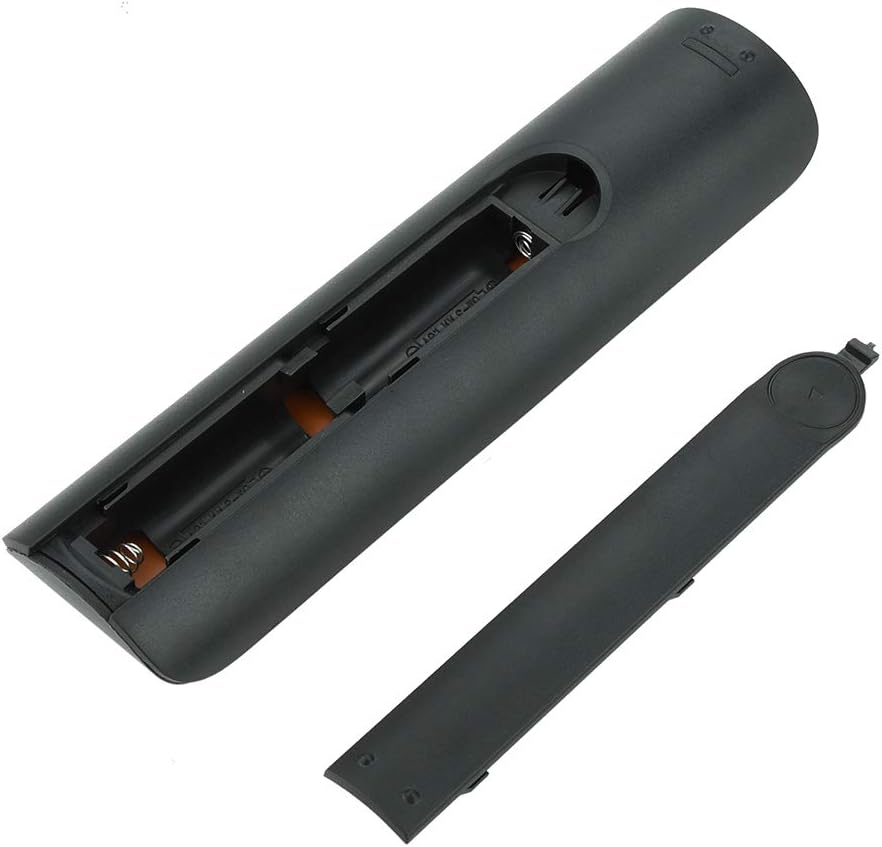
이미지 4.1: View of the remote control with the battery cover removed, showing the two AA battery slots.
4.2 초기 사용
This remote control is designed to work directly with compatible Samsung Smart TVs that originally used the BN59-01199G model. No programming or pairing is typically required. Simply install the batteries and point the remote towards your television.

Image 4.2: The remote control positioned near a television, illustrating its intended use with compatible Samsung models.
5. 사용 설명서
The remote control features standard buttons for TV operation. Refer to the image below for a visual guide to the button layout.

이미지 5.1: 자세한 view of the remote control's buttons, including power, number pad, volume, channel, and smart functions.
- 전원 버튼(빨간색): TV를 켜거나 끕니다.
- 숫자 패드(0-9): 채널 직접 입력용입니다.
- 볼륨 높이기/줄이기(+/-): TV 볼륨을 조정합니다.
- 채널 업/다운 (CH +/-): TV 채널을 변경합니다.
- 무음: TV 오디오를 음소거합니다.
- 스마트 허브: Accesses the Smart Hub interface for apps and streaming services.
- 메뉴: TV의 메인 메뉴를 엽니다.
- 도구: Provides quick access to common TV functions.
- 정보: 현재 프로그램이나 입력에 대한 정보를 표시합니다.
- 탐색 패드(위, 아래, 왼쪽, 오른쪽, Enter): 메뉴를 탐색하고 옵션을 선택하는 데 사용됩니다.
- 반품: 이전 화면이나 메뉴로 돌아갑니다.
- 출구: 현재 메뉴 또는 애플리케이션을 닫습니다.
- 색상 버튼(A, B, C, D): 기능은 TV 모델과 애플리케이션에 따라 다릅니다.
- 재생 컨트롤: 미디어 재생을 위해 재생, 일시 정지, 정지, 빨리 감기, 되감기를 사용합니다.
6. 유지관리
6.1 청소
리모컨을 청소하려면 부드럽고 마른 천으로 가볍게 닦으세요. 잘 지워지지 않는 오염의 경우, 가볍게 두드리세요.ampen the cloth with water or a mild, non-abrasive cleaner. Avoid using harsh chemicals or excessive moisture, as these can damage the remote's electronics.
6.2 배터리 교체
Replace batteries when the remote control's response becomes sluggish or stops working. Always replace both AA batteries at the same time with new ones. Do not mix old and new batteries, or different types of batteries.
7. 문제 해결
- 리모컨이 응답하지 않음:
- 배터리가 올바른 극성에 맞게 올바르게 삽입되었는지 확인하세요.
- 배터리를 새 것으로 교체하십시오.
- 리모컨과 TV의 적외선 수신기 사이에 장애물이 없는지 확인하십시오.
- 리모컨이 TV를 똑바로 향하고 있는지 확인하십시오.
- Short remote control distance:
- This can indicate low battery power; replace the batteries.
- Environmental factors or strong light sources can interfere with the infrared signal. Try using the remote in different lighting conditions.
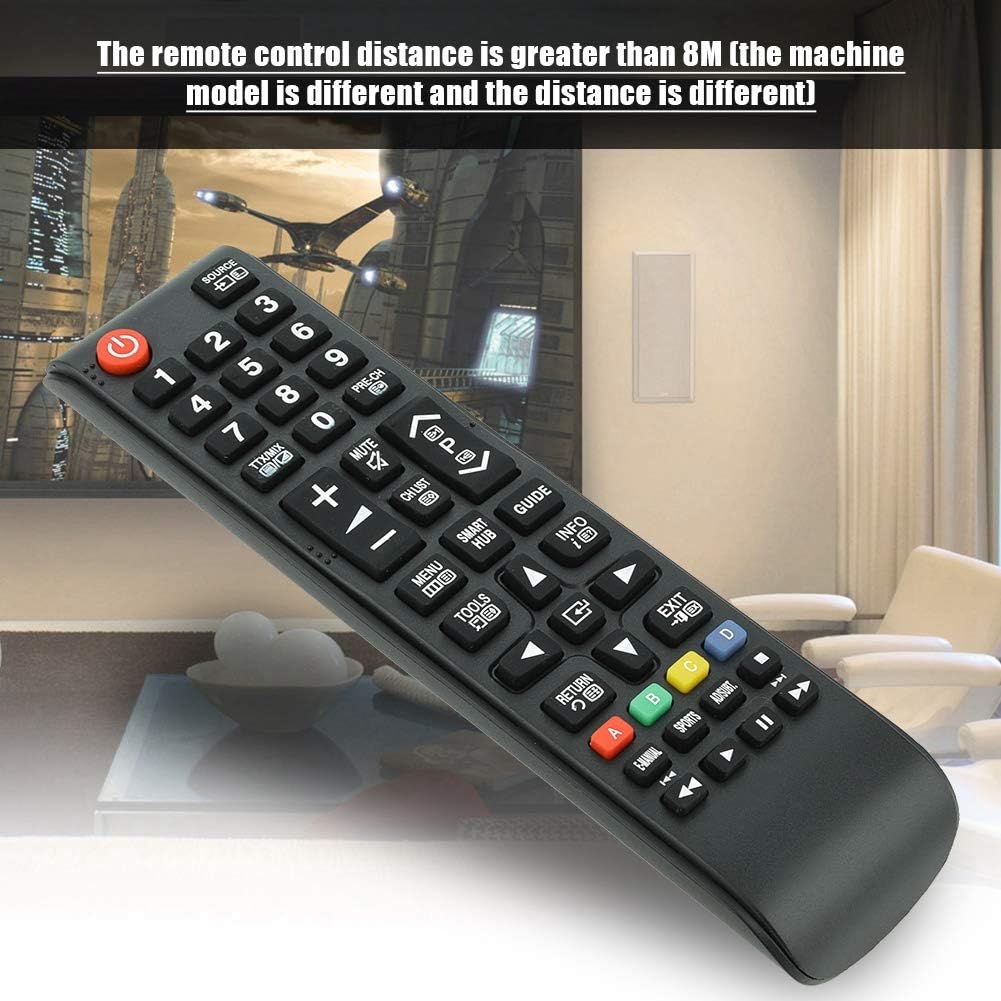
Image 7.1: The remote control in a typical home environment, demonstrating its effective range for TV operation.
8. 보증 및 지원
Zerone products are manufactured with quality in mind. If you encounter any issues or are not satisfied with your product, please contact the seller or manufacturer for support. Refer to your purchase documentation for specific warranty terms and contact information.


