1. 제품 오버view
무어 마이크로 프리amp 18 Custom 100 (MMPA18) is a compact digital preamp pedal designed to accurately recreate the sound, dynamics, and response of popular tube amplifiers. Utilizing advanced digital technology, this pedal offers a versatile solution for guitarists seeking high-quality amplifier tones in a miniature form factor.
Key features include dual channels for diverse tonal options, an integrated speaker cabinet simulation for direct recording or PA connection, and dual operating modes to adapt to various performance and recording setups.
2. 특징
- Sonically accurate digital recreations of classic tube amp사전amp 섹션.
- Dual channels for versatile clean and gain tones.
- Integrated speaker cabinet simulation for direct output.
- Dual operating modes to suit various user needs.
- 컴팩트하고 내구성 있는 디자인.
3. 제어 및 연결
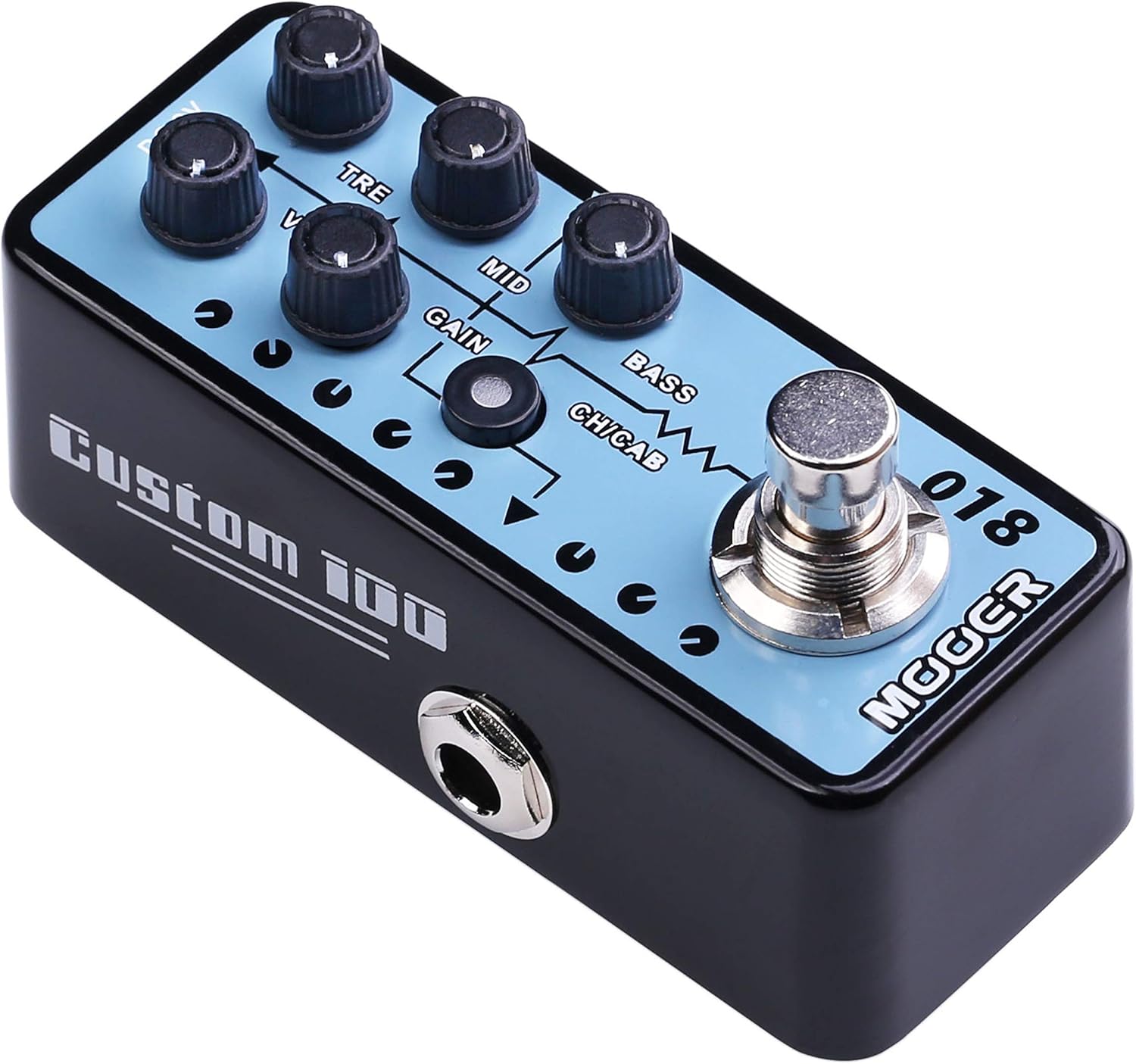
그림 1: 상단 view of the MOOER Micro Preamp 18 Custom 100, highlighting the control knobs and footswitch.
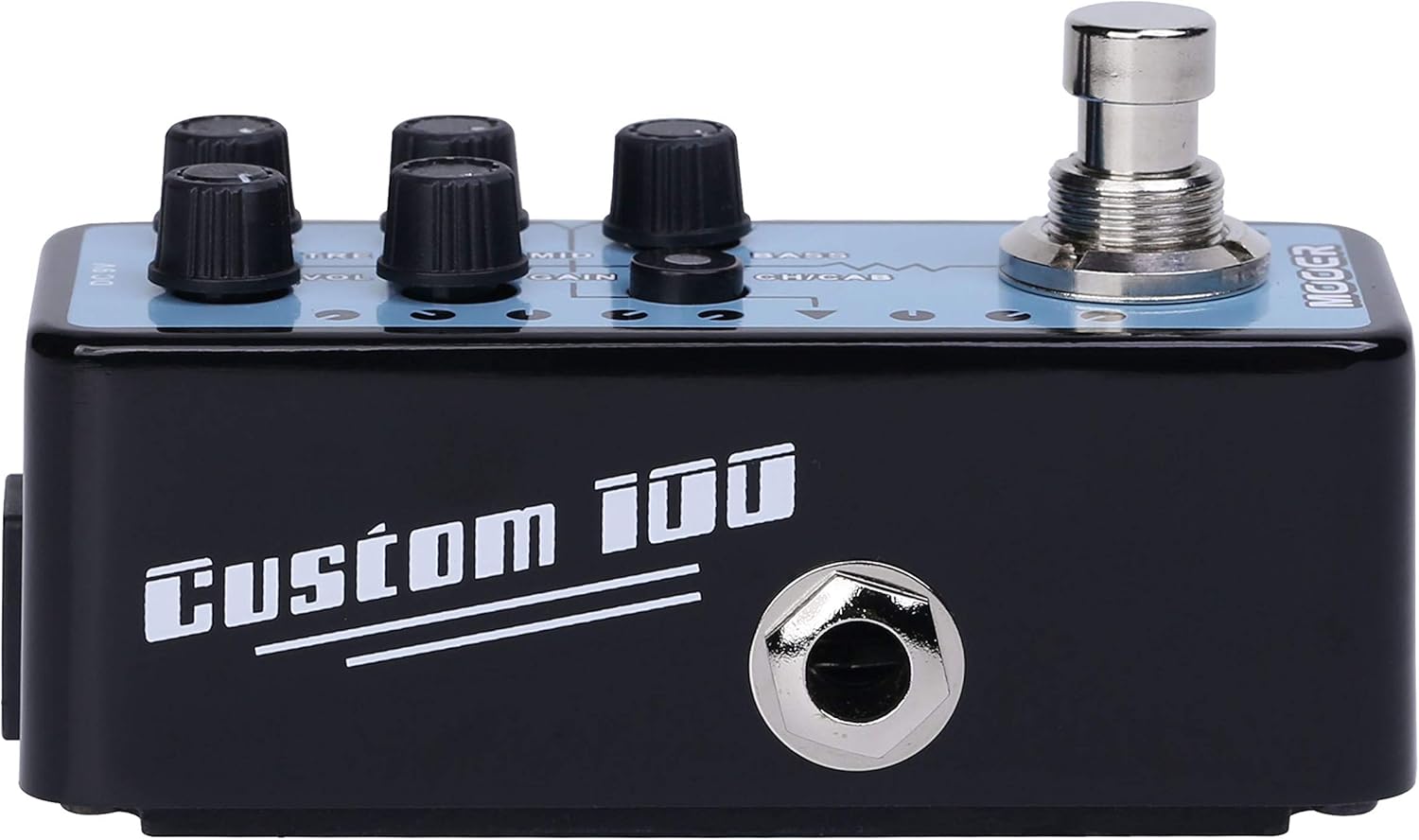
그림 2: 측면 view of the MOOER Micro Preamp 18 Custom 100, illustrating the 1/4" input and output jacks.
통제 수단:
- 볼륨(볼륨): 프리 앰프의 전체 출력 레벨을 조정합니다.amp.
- TRE(트레블): 고주파수 응답을 제어합니다.
- 중간 (MID): 중음역 주파수 응답을 조정합니다.
- 이득: 오버드라이브/디스토션의 양을 조절합니다.
- 베이스: 저주파 응답을 조정합니다.
- CH/CAB (Channel/Cabinet Simulation Switch): This switch serves two functions:
- In normal operation, it switches between the two available channels (e.g., Clean and Gain).
- When held down, it toggles the integrated speaker cabinet simulation on or off.
- 풋스위치: Engages or bypasses the pedal.
사이:
- Input Jack (1/4" / 6.35mm): 기타나 다른 악기를 여기에 연결하세요.
- Output Jack (1/4" / 6.35mm): 당신에게 연결 amplifier, audio interface, or other effects pedals.
- DC 9V 입력: Connect a 9V DC power adapter (center negative, 300mA minimum).
- USB 2.0 (Hardware Interface): For firmware updates or potential software integration.
4. 설정 및 작동
초기 설정 :
- 귀하의 것을 확인하십시오 amp앰프와 기타 오디오 장비가 꺼져 있습니다.
- 기타를 연결하십시오. 입력 잭 of the MMPA18.
- 연결하다 출력 잭 of the MMPA18 to the input of your amplifier 또는 오디오 인터페이스.
- Connect a 9V DC power adapter (center negative, 300mA minimum) to the DC 9V 입력.
- 켜세요 amplifier and other audio equipment.
기본 작업:
- Engaging/Bypassing: Press the footswitch to turn the preamp effect on or off. The LED indicator will illuminate when the effect is active.
- 채널 전환: 짧게 누르세요 CH/CAB switch to toggle between the two channels (e.g., a clean channel and a gain channel). The LED color or state may change to indicate the active channel.
- 캐비닛 시뮬레이션: 를 누르고 계세요 CH/CAB switch for a few seconds to activate or deactivate the integrated speaker cabinet simulation. This is particularly useful when connecting directly to a mixing console, audio interface, or headphones, providing a more natural, mic'd cabinet sound.
- 음색 조정: 사용하세요 VOL, TRE, MID, GAIN, 그리고 베이스 knobs to sculpt your desired tone. Experiment with different settings for each channel.
5. 유지관리
- 청소: 페달을 닦을 때는 부드럽고 마른 천을 사용하십시오. 연마성 세척제나 용제는 사용하지 마십시오.
- 저장: 페달은 직사광선과 극한의 온도를 피해 서늘하고 건조한 곳에 보관하세요.
- 전원 공급 장치: Always use a compatible 9V DC (center negative) power supply with a minimum of 300mA. Using an incorrect power supply can damage the unit and void the warranty.
- 사이: 모든 케이블 연결 부위의 마모나 손상을 주기적으로 점검하세요. 잭에 먼지나 이물질이 없는지 확인하세요.
6. 문제 해결
- 소리 없음:
- 모든 케이블 연결 상태(기타, 페달 등)를 확인하세요. amplifier, power supply).
- Ensure the power supply is correctly connected and providing power.
- Verify the pedal is engaged (LED illuminated).
- Check the volume settings on the pedal and your amp리퍼.
- 음질 불량 / 과도한 소음:
- 모든 케이블이 양호한 상태이고 적절하게 차폐되어 있는지 확인하십시오.
- Try a different power supply to rule out power-related noise.
- Adjust the GAIN knob; very high gain settings can introduce noise.
- If using the cabinet simulation, ensure it is appropriate for your output device.
- 페달이 변압기나 기타 전자파 간섭원에 너무 가까이 위치하지 않도록 주의하세요.
- 페달이 반응하지 않음:
- 전원 공급 장치를 분리했다가 다시 연결하십시오.
- If issues persist, contact MOOER support.
- 과열: While normal operation may cause some warmth, excessive heat could indicate an issue. Ensure proper ventilation and use the correct power supply. If the pedal becomes unusually hot, discontinue use and contact support.
7. 사양
| 사양 | 값 |
|---|---|
| 모델 번호 | MMPA18 |
| 품목 무게 | 5.8온스(165그램) |
| 제품 치수 | 3.54 x 3.54 x 3.54 인치 |
| 호환 장치 | Musical Instrument(s) |
| 커넥터 유형 | 1/4인치(6.35mm) 잭, 1/8인치(3.5mm) 잭 |
| 하드웨어 인터페이스 | USB 2.0 |
| 신호 형식 | 디지털 |
| 출력 와트tage | 100 와트 |
| 전원 | AC 어댑터 |
| 권tage | 9 볼트 |
| 상표 | 무어 |
| 색상 | Mehrfarbig |
8. 보증 및 지원
MOOER products are designed for reliability and performance. For specific warranty information, please refer to the warranty card included with your product or visit the official MOOER website. In case of any issues or technical support needs, please contact MOOER customer service through their official channels.
추가 지원이 필요하면 다음을 방문하세요. MOOER Store on Amazon.


